• Official PS3 Toolset is now supporting 4.92 Firmware

    View Official Release Post for additional information HERE

PS3 [BG Toolset] User Issues and Dump Submissions

PS3 Model: CECH-G01
Firmware Version: 4.85
IDPS Is Masked: YES
Have Original Dump: NO
Dump 1 URL:
Have Patched Dump: NO
Dump 2 URL:
System Boots To XMB: Yes
System Boots To Recovery: Yes
Firmware Version Displayed In Recovery: 4.85
Minimum Firmware Version Displayed In Toolset: 1.0
Disc In Drive: NO

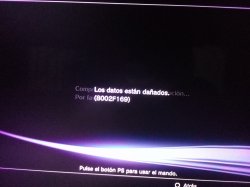
good night could you help me I have a problem trying to update from 4.85 to 4.86 is the error 8002f169 thanks
I see nothing wrong in the screenshots, my guess at this stage is that the PS3 Toolset did its job correctly & your issue comes from something else.

However, you forgot to explain what you did so far, you will need to clarify a few points so I can better understand where you are at.

1. Before you first used the PS3 Toolset, were you already on CFW 4.85 (if so which one?) or on OFW 4.85?
2. If you were on OFW 4.85, did you just apply the 4.85 no-fsm patch using the PS3 Toolset then restarted the console & loaded the PS3 Toolset again?
3. What 4.86 firmware are you trying to install now? OFW or CFW (if so which one)?
4. Did you make sure that the pup file you are trying to install is not corrupted (md5 hashes check), correctly named in caps(:/PS3/UPDATE/PS3UPDAT.PUP) & that the usb dongle is properly formatted (fat32/mbr) & that you are not using a USB hub or whatever.
5. Did you try to install the 4.86 firmware pup from the XMB or from recovery mode?
6. Is everything working on your console? Bluray drive, Bluetooth etc.?
 
1. when i try to install cfw i was on fw 4.85

2. if you apply the patch and don't load the toolset try to install cfw

3. I am trying to install the official firmware 4.86

4. if the fw is ok even download several and if they are correctly renamed try also with several usb and none works

5.
try installing them on both xbm and recovery

6. in the console everything works bluray wifi and bluetooth reader
 
I would have to do the steps in toolset
No, the patch has already been applied, the console is jailbroken, there is no need to do it again. The jailbreak would only be removed if you successfully installed OFW.

Right now, you just need to go to recovery mode & run the update feature with the Rebug Lite 4.85.1 pup on usb.
If you get an error, take a screenshot & post it.

Btw when did you first patch the console with PS3 Toolset? Recently or 3/4 months ago when it was released?
 
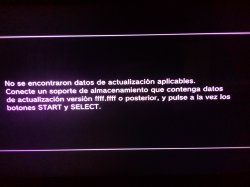
the first photo is in recovery mode and the second photo try to install it from the xmb menu of the console
 

Attachments

  • IMG_20200630_225810.jpg
    IMG_20200630_225810.jpg
    1.3 MB · Views: 81
  • IMG_20200630_230107.jpg
    IMG_20200630_230107.jpg
    2.8 MB · Views: 746
the first photo is in recovery mode and the second photo try to install it from the xmb menu of the console
OK now I understand... ;-)

In PS3 Toolset 1.0.20 & 1.0.21 there was a bug that could affect NAND consoles. That bug was fixed on 04/04/2020 with the PS3 Toolset 1.0.22 release.

It appears that you used the PS3 Toolset before that date but don't worry, you only need to make a NAND dump using the PS3 Toolset 1.0.22 & send the file by pm to @esc0rtd3w.
In return, esc0rtd3w will send you a URL to use & instructions to fix the issue by applying an alternative patch.

Ps: the dump will be a big file (200+Mb) so you should upload it to a file server then send the url to esc0rtd3w.
Read the OP for instructions on masking your idps in the dump file.
 
Last edited:
Modelo de PS3: CECH-G01
Versión de firmware: 4.85
IDPS está enmascarado: SÍ
Volcado original:
Volcar URL 1:https://www.mediafire.com/file/z0igmh1hdwrnnfo/Masked_dump.hex/file
Volcado parcheado: NO
Volcado 2 URL:
El sistema arranca en XMB: Sí
El sistema arranca para la recuperación: sí
Versión de firmware que se muestra en la recuperación: 4.85
Versión mínima de firmware que se muestra en el kit de herramientas: 1.0
Disco en unidad: NO
 
Modelo de PS3: CECH-G01
Versión de firmware: 4.85
IDPS está enmascarado: SÍ
Volcado original:
Volcar URL 1:https://www.mediafire.com/file/z0igmh1hdwrnnfo/Masked_dump.hex/file
Volcado parcheado: NO
Volcado 2 URL:
El sistema arranca en XMB: Sí
El sistema arranca para la recuperación: sí
Versión de firmware que se muestra en la recuperación: 4.85
Versión mínima de firmware que se muestra en el kit de herramientas: 1.0
Disco en unidad: NO
PM sent with instructions. Thanks! :)
 
PS3 Model: CECH-2001A
Firmware Version: 4.86
Firmware Type: OFW CEX
IDPS Is Masked: Yes
Have Original Dump: Yes
Dump 1 URL: https://mega.nz/file/kEghHSRY#XFpZlikEVH7SxFtDk3f8WUZmLou-yyMpHZUlrhhNLuM
Have Patched Dump: NO
Dump 2 URL:
System Boots To XMB: Yes
System Boots To Recovery: Yes
Firmware Version Displayed In Recovery: 4.86
Minimum Firmware Version Displayed In Toolset: 1.0
Disc In Drive: No

Hi devs,
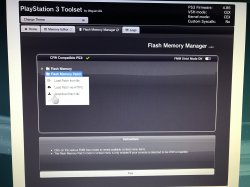
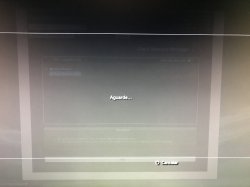
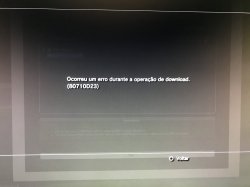
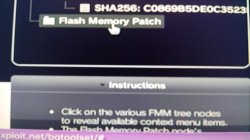
I'm having a problem downloading the flash memory patch, it asks to wait, it takes a long time and then the error 80710D23 appears

Please help me.

Thank you.
 

Attachments

  • IMG-6576.jpg
    IMG-6576.jpg
    2 MB · Views: 536
  • IMG-6577.jpg
    IMG-6577.jpg
    1.3 MB · Views: 1,131
  • IMG-6578.jpg
    IMG-6578.jpg
    1.5 MB · Views: 968
PS3 Model: CECH-2001A
Firmware Version: 4.86
Firmware Type: OFW CEX
IDPS Is Masked: Yes
Have Original Dump: Yes
Dump 1 URL: https://mega.nz/file/kEghHSRY#XFpZlikEVH7SxFtDk3f8WUZmLou-yyMpHZUlrhhNLuM
Have Patched Dump: NO
Dump 2 URL:
System Boots To XMB: Yes
System Boots To Recovery: Yes
Firmware Version Displayed In Recovery: 4.86
Minimum Firmware Version Displayed In Toolset: 1.0
Disc In Drive: No

Hi devs,
I'm having a problem downloading the flash memory patch, it asks to wait, it takes a long time and then the error 80710D23 appears

Please help me.

Thank you.

I solved the problem, I saw this post from bguerville in another topic and I did, everything worked out.

Thanks!
 
I solved the problem, I saw this post from bguerville in another topic and I did, everything worked out.

Thanks!
I solved the problem, I saw this post from bguerville in another topic and I did, everything worked out.

Thanks!


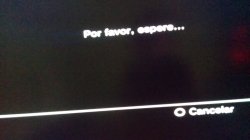
As a friend, you solved the problem, I have the same problem, I am left with the screen that says "please wait" and then I get an error the same as yours, all at the moment of hitting flash memory patch, explain to me how you solved it ? I want to install CFW, the model of my ps3 is CECHE11, please help me, or someone who knows how to solve it?
upload_2020-9-6_16-41-57.png
 
There it stays in Please wait, and from there I get an error and it won't let me download the file to my USB: c
upload_2020-9-6_16-47-39.png
 

Attachments

  • 118422530_359342285241799_1773533068057200778_n.jpg
    118422530_359342285241799_1773533068057200778_n.jpg
    92.1 KB · Views: 41
  • 118777156_624678181566626_2783203711571852938_n.jpg
    118777156_624678181566626_2783203711571852938_n.jpg
    88 KB · Views: 41
Back
Top