PS3 Cobra changes to add full burned optical media support

Is that 4.86.1 REBUG LITE? Can I just burn a PS3 disc structure to disc and it will play direct as long as I have the "PS3_GAME" folder in the root? Not sure exactly how to proceed..

The feature added by deank require a proper ps3 image. Not only PS3_GAME folder in root. One of the first sectors should be labeled PLAYSTATION too.

MAMBA 8.3 was modified to only require the PS3_GAME folder.
 
All my working games have been patched years ago, put into the GAMEZ folder, and are individual game folders, not ISOs. Can those be burned directly to disc?
 
All my working games have been patched years ago, put into the GAMEZ folder, and are individual game folders, not ISOs. Can those be burned directly to disc?

Build the ISO using one of the tools aforementioned above. Then burn the ISO.
 
Build the ISO using one of the tools aforementioned above. Then burn the ISO.

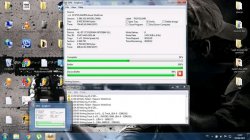
I tried that without function. For a BS check, I took my MvC3 bluray and converted to a ~3GB ISO with Multiman. Then I transferred to a PC where I burned to DVD with Imgburn. I just burned the ISO without layerbreak because the cue made by MM was giving a layer error. Regardless I tried booting the DVD and it's recognized as MvC3 by XMB, but starting it from there just black screen. I tried opening the ISO through Webman as well, same, black screen. Not sure what I did wrong here, but at least I know the retail disc is good, it plays straight away!
 
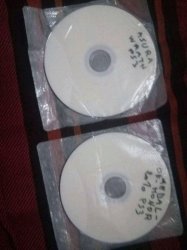
I burned those 2 games nd they worked like a charm
 

Attachments

  • FB_IMG_16227310977181408.jpg
    FB_IMG_16227310977181408.jpg
    160.1 KB · Views: 108
  • 1622554309304.jpg
    1622554309304.jpg
    4.1 MB · Views: 741
  • FB_IMG_16227501812499603.jpg
    FB_IMG_16227501812499603.jpg
    320 KB · Views: 107
Create a PS3 ISO and test it on the PS3 before burn it to a physical disc. Use with ImgBurn.

You can use multiMAN, IRISMAN or ManaGunZ to create the ISO on the PS3 then transfer it to the PC.

Or use PS3 ISO Tools by Rudi Rastelli on the PC
https://www.psx-place.com/resources/ps3-iso-tools.68/

Or use Cobra getps3iso 2.0 on the PC
https://github.com/aldostools/webMAN-MOD/raw/master/_Projects_/tools/Cobra_GenPS3iso_v2.0.zip

If he has a bd-drive compatible, it's possible to dump the disc using ps3-disc-dumper (it will create a "jb game")
https://github.com/13xforever/ps3-disc-dumper/releases

And use PS3-ISO-Rebuilder to recreate it with proper IRD.
 
Create a PS3 ISO and test it on the PS3 before burn it to a physical disc. Use with ImgBurn.

You can use multiMAN, IRISMAN or ManaGunZ to create the ISO on the PS3 then transfer it to the PC.

Or use PS3 ISO Tools by Rudi Rastelli on the PC
https://www.psx-place.com/resources/ps3-iso-tools.68/

Or use Cobra getps3iso 2.0 on the PC
https://github.com/aldostools/webMAN-MOD/raw/master/_Projects_/tools/Cobra_GenPS3iso_v2.0.zip

Can I use a prebuilt ISO from another source? I've tried it before with a "found" folder structure (PS3_GAME, PS3_UPDATE, etc) and it simply wouldn't boot. It's plays fine from the HDD directly, but any time I try any of those tools to convert to an ISO and burn to disc, it doesn't run, black screen.
 
Can I use a prebuilt ISO from another source? I've tried it before with a "found" folder structure (PS3_GAME, PS3_UPDATE, etc) and it simply wouldn't boot. It's plays fine from the HDD directly, but any time I try any of those tools to convert to an ISO and burn to disc, it doesn't run, black screen.

It must be an ISO built with ps3 iso tools, genps3iso or ps3gen... PS3 ISO are built in a custom way. ISOs built from a folder using standard tools will not work on PS3.

Use ISO built from your own discs... ISO from unknown sources cannot discussed in this forum.
 
It must be an ISO built with ps3 iso tools, genps3iso or ps3gen... PS3 ISO are built in a custom way. ISOs built from a folder using standard tools will not work on PS3.

Use ISO built from your own discs... ISO from unknown sources cannot discussed in this forum.

Sorry to be a noodnick, is there an official/approved guide for whichever of those are most appropriate to build an ISO that can be burned to disc?
 
It must be an ISO built with ps3 iso tools, genps3iso or ps3gen... PS3 ISO are built in a custom way. ISOs built from a folder using standard tools will not work on PS3.

Use ISO built from your own discs... ISO from unknown sources cannot discussed in this forum.
is there an official/approved guide for whichever of those are most appropriate to build an ISO that can be burned to disc?
 
is there an official/approved guide for whichever of those are most appropriate to build an ISO that can be burned to disc?
Use Estwald's makeps3iso to build the iso. It's what Rudi's tool and Irisman use in the background. Here are some binary releases compiled by bucanero: https://github.com/bucanero/ps3iso-utils/releases

Genps3iso is known to have a few bugs. You can also try Zar's fork of makeps3iso which adds a few features from genps3iso which were missing from makeps3iso (mainly, a section defining encrypted regions, see the readme for options; though this is mainly intended for consoles using an ODE): https://github.com/Zarh/ps3iso-utils.

Burn the iso with an iso-burning program of your choice to a disk. If it doesn't work, use an ird to verify your iso/dump (look up how to do it in the forums or on google).

Edit: If by "found" you mean you didn't rip it yourself, I can't offer any more help, since your problem might stem from this.
 

Similar threads

Back
Top