
You are using an out of date browser. It may not display this or other websites correctly.
You should upgrade or use an alternative browser.
You should upgrade or use an alternative browser.
PS3 Compatibility List - PS2 on PS3
- Thread starter STLcardsWS
- Start date

Bloodmoons366466
Member
Then there are two reasons for thatFirst a black screen with some lines ( like a crashed image ) them a error
1.The iso you injected is corrupted
2.You need to inject the ps2 classics rif file which is needed to make all your custom injected ps2 classics work.

Ulquiorra-Sama
Member
Probably my iso file, other ps2 game works fineThen there are two reasons for that
1.The iso you injected is corrupted
2.You need to inject the ps2 classics rif file which is needed to make all your custom injected ps2 classics work.

kozarovv
Developer
Hi, i messed little bit with netemu again. Attached emulator version have 473952 bytes more free space in memory for use to inject whatever we want to. 0xAACE40 to 0xB209FF can be safely used now. Compatibility/Stability should be unaffected. Ready self is also smaller that other netemu versions.
Not sure that anyone will find it useful, maybe @haxxxen , or cobra devs? I did it accidentally while i messed with ps2 bios. No secret here, this emu is just use different bios version.
Not sure that anyone will find it useful, maybe @haxxxen , or cobra devs? I did it accidentally while i messed with ps2 bios.
No secret here, this emu is just use different bios version.Attachments
justin_credible
Member
Hello everyone. Today is the first day I am reading about custom config files so forgive me for being a noob. I did do two things I got ManaGunz and I added the files to dev_blind. Question when you select a game in ManaGunz and turn on LIMG is this the same as a custom config? If so does it download it to your hdd or do I have to run the game through ManaGunz to get the benefits? I really don't understand how to make the custom configs from the compatibility list so I was hoping this was an easier way.
thanks
p.s. Also wanted to mention two games not on the compatibility list Headhunter and Headhunter Redemption (USA) seemed to work fine without any problems. Although I didn't play them until the end.
thanks
p.s. Also wanted to mention two games not on the compatibility list Headhunter and Headhunter Redemption (USA) seemed to work fine without any problems. Although I didn't play them until the end.
Last edited:

sandungas
Developer
OMG, be careful with dev_blind, it represents the dev_flash with read and write permissions enabledHello everyone. Today is the first day I am reading about custom config files so forgive me for being a noob. I did do two things I got ManaGunz and I added the files to dev_blind. Question when you select a game in ManaGunz and turn on LIMG is this the same as a custom config? If so does it download it to your hdd or do I have to run the game through ManaGunz to get the benefits? I really don't understand how to make the custom configs from the compatibility list so I was hoping this was an easier way.
thanks
p.s. Also wanted to mention two games not on the compatibility list Headhunter and Headhunter Redemption (USA) seemed to work fine without any problems. Although I didn't play them until the end.
By default (when you enter in a filemanager) dev_flash only have read permissions enabled, this is a safety meassure because you should not write to dev_flash (unless you want to make some firmware mod)
In the normal installation of managunz are included all the PS2 configs known, you can find them under the managunz installation folder
And to use them you just need to click triangle over the game icon/cover to open the "game settings" for that game. If there is a config for that game you will see it there, inside a menu (at full screen) named "create config" where you can load/save/create configs manually
justin_credible
Member
Oh ok thanks for that info. I think it was on psx-place or a similar site that someone told someone else just to paste into dev_blind files including lv2_kernel.self.CEX482.stage1.release and stage2.cex.release then just play and it worked for that person. Luckily for me it didn't seem to effect anything negatively.
But one thing I'm still not clear about ok Managunz loads config files but does that mean I have to continue to use Managunz for PS2 games? Or does it save the configs to my PS3? I like using sman because it's the easiest to get to with L2 R2 shortcut and also the games are listed right on the XMB.
But one thing I'm still not clear about ok Managunz loads config files but does that mean I have to continue to use Managunz for PS2 games? Or does it save the configs to my PS3? I like using sman because it's the easiest to get to with L2 R2 shortcut and also the games are listed right on the XMB.
sandungas
Developer
Ok, that files are part of cobra, not PS2 configs
In managunz, when you enter in the "config editor" (full screen menu), you can load a config specific fot the game by choosing it at the config categories (gx, net, custom, etc...)
And when you click in the "save config" the config file is copyed next to the game iso, and managunz displays it as "actual"
That path next to the ISO for PS2 configs is like an standard for cobra, so all backup managers and backup boot modes dependant of cobra will find the config when the game is booted
In managunz, when you enter in the "config editor" (full screen menu), you can load a config specific fot the game by choosing it at the config categories (gx, net, custom, etc...)
And when you click in the "save config" the config file is copyed next to the game iso, and managunz displays it as "actual"
That path next to the ISO for PS2 configs is like an standard for cobra, so all backup managers and backup boot modes dependant of cobra will find the config when the game is booted
justin_credible
Member
Sorry I was busy copying some PS2 games over to the internal hdd. I guess I thought enabling LIMG was the config. I don't actually see what you're saying. I click triangle on a game and it says configuration. Then it seems to just give me the option of making my own config, but not load/save a config. I know this game would have a config too Shadow Hearts From the New World.
Edit: nevermind, I see that it created one for me when I played Ratchet Deadlocked. That game was said to be unplayable with the config it plays but slow. So I can just start a game and if has a config it'll load it for me.
Edit: nevermind, I see that it created one for me when I played Ratchet Deadlocked. That game was said to be unplayable with the config it plays but slow. So I can just start a game and if has a config it'll load it for me.
justin_credible
Member
Just now realizing something I'm sure some of you are like me and want to have a ton of PS2 games on PS3 not just a few (got over 100 games ready, just waiting on a 750 gb internal to come in the mail) but the virtual memory card fills up so fast and you can only assign two slots. Yes you can make more but you have to re-assign them all the time, that's ridiculous.
Wish there was a way to hack that to improve it lol.
Wish there was a way to hack that to improve it lol.
kozarovv
Developer
You can create 32 MB card in pcsx2. It require to be 32MB max (64MB will softbrick your PS3!!). Also you need to format it in pcsx2. Then rename it to one of cards that you already have on PS3. For example MC1.ps2 to Internal Memory Card.vm2, copy to PS3 in to correct folder. Then rebuild database (and or filesystem, can't recall now). Now you have 32 MB vmc. Only cons is that you will see in xmb 32mb free from 8MB. Cards work fine with most games, for ones that have issues with them, you can use 8MB cards.Just now realizing something I'm sure some of you are like me and want to have a ton of PS2 games on PS3 not just a few (got over 100 games ready, just waiting on a 750 gb internal to come in the mail) but the virtual memory card fills up so fast and you can only assign two slots. Yes you can make more but you have to re-assign them all the time, that's ridiculous.
Wish there was a way to hack that to improve it lol.
justin_credible
Member
You can create 32 MB card in pcsx2. It require to be 32MB max (64MB will softbrick your PS3!!). Also you need to format it in pcsx2. Then rename it to one of cards that you already have on PS3. For example MC1.ps2 to Internal Memory Card.vm2, copy to PS3 in to correct folder. Then rebuild database (and or filesystem, can't recall now). Now you have 32 MB vmc. Only cons is that you will see in xmb 32mb free from 8MB. Cards work fine with most games, for ones that have issues with them, you can use 8MB cards.
Sweet where do I put that on my PS3? Also can I only make one or can I make more? Is it always .vm2 or does that mean memory card 2?
Last edited:
kozarovv
Developer
.VM2 is extension, is always .VM2. You put is to dev_hdd0/savedata old memory cards should be also there.Sweet where do I put that on my PS3? Also can I only make one or can I make more? Is it always .vm2 or does that mean memory card 2?
Edit: You can made more of them.
justin_credible
Member
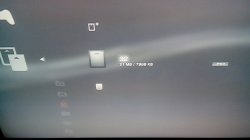
Weird I did everything exactly like you said but it still says 7998 KB/ 7998 KB on two of them I did.
They show 33 MB in dev_hdd0/savedata/vmc. Maybe they are 32 even though they only show 8?
One of them even still has the saves I have even though I overwrite it. I tried deleting the ones on the PS3 and copying them over then it shows nothing. Something's wrong
Edit: sorry I forgot you said to rebuild database. I didn't do that no wonder.
They show 33 MB in dev_hdd0/savedata/vmc. Maybe they are 32 even though they only show 8?
One of them even still has the saves I have even though I overwrite it. I tried deleting the ones on the PS3 and copying them over then it shows nothing. Something's wrong
Edit: sorry I forgot you said to rebuild database. I didn't do that no wonder.
Last edited:
kozarovv
Developer
Did you get them working now?Edit: sorry I forgot you said to rebuild database. I didn't do that no wonder.
justin_credible
Member
I have a Slim but it's giving me fits on rebuild database. Keeps saying the sytem is too hot and it shuts down before it finishes. Then when I reboot it goes back into rebuild it and does it again. 4 times now.
Edit: ok I pulled out the power cord went back into recovery and on the 5th try it worked. Memory cards show corrupted data. So I guess file system restore?
Edit 2: file system restore still gives me corrupted memory cards.
It's ok I'm going to start the process over from the beginning.
Edit: ok I pulled out the power cord went back into recovery and on the 5th try it worked. Memory cards show corrupted data. So I guess file system restore?
Edit 2: file system restore still gives me corrupted memory cards.
It's ok I'm going to start the process over from the beginning.
Last edited:
justin_credible
Member
Followed every step file restore did nothing, rebuild database corrupted the memory cards.
Yeah maybe I didn't format it in PCX2. I just deleted the card there and created a new one. Is there a difference?
Yep I didn't uncheck NTFS compress. I think that should be the problem I'll try again
Never used PCSX2 so I had no idea what I was doing. But I googled and figured out how to format. I should be able to take it from here. Thanks for your help.
Yeah maybe I didn't format it in PCX2. I just deleted the card there and created a new one. Is there a difference?
Yep I didn't uncheck NTFS compress. I think that should be the problem I'll try again
Never used PCSX2 so I had no idea what I was doing. But I googled and figured out how to format. I should be able to take it from here. Thanks for your help.
Last edited:
kozarovv
Developer
Yeah, you need go to PS2 browser in pcsx2, and format it there.Yeah maybe I didn't format it in PCX2. I just deleted the card there and created a new one. Is there a difference?
 Anyway, try my cards.
justin_credible
Member
Working..thanks.
Just for future reference it is rebuild database not file system.
Just for future reference it is rebuild database not file system.
Similar threads
-
-
-

-
PS2 SNESticle LBA Fixed-MC Mod -by hugostoso/almazCrystal
- Started by almazCrystal
- Replies: 0