PS3 FERROX 4.82 v1.01 COBRA 7.55 by Alexander

New CFW build released from developer @Alexander, in this build we can find the introduction of the new 7.55 COBRA This updated version of COBRA includes a bug fix for deleting PKGs and Game Updates that was present in v7.54. Alexander & Beta Tester's (@ CyberModding,it) discovered this problem during a late test session before release of FERROX v1.01. There are also other fixes contained in this new build as outlined in the release note provided below for 4.82 FERROX COBRA (v7.55) CFW v1.01

ferrox2017.png


  • CHANGELOG v1.01:
    • COBRA 7.54 - Fixed the installation of Packages and game updates with Syscalls disabled. Credits to Alexander, Aldo Vargas, Joonie
    • COBRA 7.55 - Fixed deleting Homebrews / Apps / Game updates with Syscalls disabled. Credits to Alexander
    • Fix PSP DRM & Fix PSX. So now PSP PKGs and PSX PKGs runs correctly
    • Fix BlueRay ISO
    • Added support to download unsigned PKG from XMBPD - Credits to DeViL303, Bobby_Downgrades

  • CFW Features are the same as v1.00.
    • Built from the base of OFW 4.82
    • Can be installed from every CEX CFW and 3.55 OFW and 4.82 OFW via PS3Xploit
    • QA Flags enabled if already enabled, so there is the possibility to Downgrade to every Fw version
    • COBRA 7.55
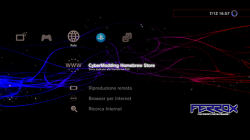
    • Optional Graphic mods can be installed, along with HB Store. Read under the features.
    • PS2, PSX, PSP ISO / Minis / Remasterred Compatibility
    • ReactPSN Compatibility
    • RSOD Screen Bypass
    • App_home/PS3_GAME
    • XMB In-Game Screenshot
    • Remote Play Compatibility
    • Package Manager replaces the classic Install Install Package Files
    • CPU & RSX Temperature are now shown on XMB In-Game while playing PS2 Games
    • LV1: Patched to remove PS2 LV2 Protection
    • LV1: Patched coreOS Hash Check to prevent Brick non non-Dehashed consoles
    • LV1: Peek & Poke
    • LV2: Peek & Poke
    • Disabled Epilepsy message
    • CINAVIA completely Disabled

  • Optional Install (FERROX MOD Installer): You will find the PKG always available in Package Manager - Internal Storage. Thanks to XMBM+ for the installer base!

    Here is a video (from Ferrox 4.80) showing the mods available .

    Results after installing Mods (Click pic for larger view)
    1.png 2.png 3.png
    The custom wave is not included.

Many tests have been done before release this version. Tested PS3, PS2, PSP, PSX and BD in various formats. If you find any bugs, please report in the comments!! Do you want to install this CFW but you have an Original Firmware (4.82 OFW)? Follow this guide and you will able to install it (ONLY if your model is Compatible): PS3Xploit Guide

Ah, and in the future there will be good news for Ferrox users. ;)
- LizZo


MD5: 4ea0375a93cd888afbdf8797bb1a9d4f

Update: bug fixed in version 1.01
Link
 
Last edited by a moderator:
I have problem with this CFW. I not update game and application. Netflix not update, games not update i have error. Ferrox PS3 Custom Firmware 4.82 Standard v1.01 by Alexander work perfect.

I Guess you are using v1.00 of Ferrox with Cobra 7.53. Install this v1.01 with Cobra 7.55 and you will not receive any error updating and deleting Apps / Games.


Inviato dal mio iPhone 100 utilizzando Tapatalk
 
No i use v1.01 with Cobra 7.55. I have problem only on CECH-2504B, CECH-2104A work perfect. I install in CECH-2504B Ferrox PS3 Custom Firmware 4.82 Standard v1.01 by Alexander and work perfect.
 
No i use v1.01 with Cobra 7.55. I have problem only on CECH-2504B, CECH-2104A work perfect. I install in CECH-2504B Ferrox PS3 Custom Firmware 4.82 Standard v1.01 by Alexander and work perfect.
Is a bit weird because the changes in cobra 7.54 and 7.55 was made specifically to fix your problem
 
I tested the stage2.bin provided by @deank and it worked with my Non-BC PS3 (CECHP04) on habib's cex cfw 4.81 v1.02 cobra 7.5.
I think alexander meant the problem is with PS2 burned discs, cobra uses ps2_netemu.self and this emulator type doesnt supports optical media, so the patch to "load ps2 backups from burned optical media" cant work as it is

My guess is this could be solved by coding some intermediary stuff that creates a "virtual iso map" by taking advantage or rawseciso... and then "feed" ps2_netemu.self with that virtual iso

Another option discussed before (iirc it was joonie who had the idea) is to use ps2_softemu.self to run the burned dvd, because this emulator type allows for optical media

Both should work theoretically, but the good is the first one because softemu was abandoned by sony (for a good reason) and they focused all his efforts in improving netemu... so netemu is the way to go
 
Hi guys! I have the 4.82 v1.00 Ferrox standard. How do I upgrade to this one? Can I simply download the file, rename it and put it on the usb (PS3/UPDATE) and flash it?
I would like to upgrade to this one because trying to load with multiman I had an error:

This operation is not allowed.
Cobra Firmware or Cobra USB required

Can this cfw solve the problem?
 
Hi guys! I have the 4.82 v1.00 Ferrox standard. How do I upgrade to this one? Can I simply download the file, rename it and put it on the usb (PS3/UPDATE) and flash it?
I would like to upgrade to this one because trying to load with multiman I had an error:

This operation is not allowed.
Cobra Firmware or Cobra USB required

Can this cfw solve the problem?

yes, you can upgrade by installing the new version. I'm not sure why you're getting that error. the one for the cobra usb would be if you were trying to use 3.x.x without the cobra dongle.
 
yes, you can upgrade by installing the new version. I'm not sure why you're getting that error. the one for the cobra usb would be if you were trying to use 3.x.x without the cobra dongle.

Thanks for the reply. I'll flash the firmware then and hope it fix the problem
this error occured as I was trying to launch my backup copy of GT6
 
that's a pretty old game, so it may be a glitch of some sort.
Sorry to bother but I'm supernoob. I downloaded the 4.82 Cobra 7.55 Ferrox firmware. To install it I think I shall put it on a usb and from the XMB menu go to check for updates and update from the usb. Is it correct? Or should I do something else? Do I have to reinstall multiman then?
Thanks
 
Last edited:
you need to remove any disc in the drive. I doubt any game comes with 4.82, but it's just a precaution. afaik, rebug is the only one that does install precautions. it's bd only thouigh. the system looks for an update via this order: bd, usb, then vsh. all are the same except bdvd which has also been patched by rebug. you can tell if you're installing the right one by the name during installation. ofw just has the version number, but rebug, habib, and perhaps ferrox will have more so you know what you're installing. those names come from the version.txt. there are actually two of these. the one at installation is the important one.
 
Last edited:
you need to remove any disc in the drive. I doubt any game comes with 4.82, but it's just a precaution.
There was a FIFA game released not much time ago, usually at the end of life of playstations this is the only kind of game that keeps released, FIFA and other i dont remember

Not sure which firmware update version is included in it though, but i agree is better to continue advising people in forums to never update with a ps3 game disc in the drive, just incase
 
There was a FIFA game released not much time ago, usually at the end of life of playstations this is the only kind of game that keeps released, FIFA and other i dont remember

Not sure which firmware update version is included in it though, but i agree is better to continue advising people in forums to never update with a ps3 game disc in the drive, just incase
I just had a quick look at the version.txt.
The EU Version of fifa 18 (bles02250) came with update 4.80.. I expected to find 4.81.
 
I only like officials works sorry.

and it should be strange for me that the rebug team leaves a bugged cobra version in their official cfw
 
Last edited:

Similar threads

Back
Top