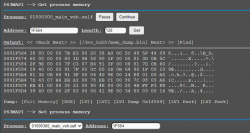
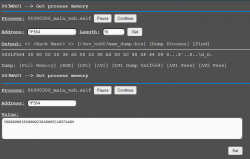
Ok, so lets forget about the sounds for now. Those are just complicating matters. Those can be sorted with a simple remap anyway so its nothing new or different.
So for the individual gameboot logos you only need my rco on flash and the RAM patch applied. This is how I am doing it here.
Step 1: go to http://192.168.8.52/home.ps3mapi/sman.ps3
Step 2: Press "get"
Step 3: Press "dump process"
Step 4: Press "find"
Step 5: Search for "page_gameboot"
wMM shows me this:
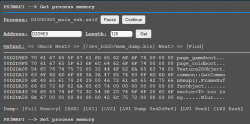
Step 6: In this example apply patch 7073315F5F67616D65626F6F74000000 for PS1 gameboot
wMM shows me this:
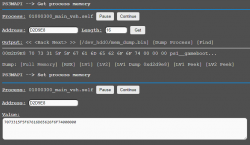
Step 7: Press "find"
Step 8: Search for "ps3logo"
wMM shows me this:
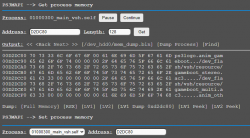
Step 9: In this example apply patch 7073316C6F676F007073315F5F67616D for PS1 gameboot
wMM shows me this:
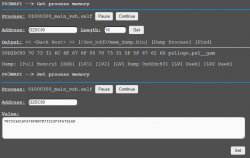
That's it, it works here.

So for the individual gameboot logos you only need my rco on flash and the RAM patch applied. This is how I am doing it here.
Step 1: go to http://192.168.8.52/home.ps3mapi/sman.ps3
Step 2: Press "get"
Step 3: Press "dump process"
Step 4: Press "find"
Step 5: Search for "page_gameboot"
wMM shows me this:
Step 6: In this example apply patch 7073315F5F67616D65626F6F74000000 for PS1 gameboot
wMM shows me this:
Step 7: Press "find"
Step 8: Search for "ps3logo"
wMM shows me this:
Step 9: In this example apply patch 7073316C6F676F007073315F5F67616D for PS1 gameboot
wMM shows me this:
That's it, it works here.
Yeah, will add DVD and BD too. See my post before your one, I'm on it@DeViL303 How about using it for DVD/BDs too? using otherboot ( the way i'm doing) does not allows to use different audio, so making one for movies would be nice supporting another sound.
- media_disc_boot_stereo.ac3....
 These are different and separate to the normal logo built into games. You can just stick with the normal black screen boot up if you want, no one is making you use these patches.