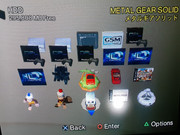
PS2 mini-OPL v1.0

I just tried this out and does look to be working. OPL boot and you see GUI and then it auto starts the game.
This setup does look to be a little slower than the other setup. Debug color slow & no PS2Logo, I think that's right.

Personally prefer the more seamless setup that feels more official.
Not sure if a PS2 Logo can be added or not but love to see it as an option.
 
Last edited:
I just tried this out and does look to be working. OPL boot and you see GUI and then it auto starts the game.
This setup does look to be a little slower than the other setup. Debug color slow & no PS2Logo, I think that's right.

Personally prefer the more seamless setup that feels more official.
Not sure if a PS2 Logo can be added or not but love to see it as an option.
Thank you for confirming that it works. ps2logo and debug colors, and vmc, and video modes, and mdma modes, etc, etc can be set up in mainstream opl, I didnt messed up with it. So if you need to change any option you should change it before launching from hdd osd.
It is possible that my build will not work for freshly installed games, it will be cool to test it.
 
It would be good to test those games that white screened, that way we could determine if the only issue was the custom init and perhaps you could try finish that version?..

This version is initialising a lot of unused systems, resulting in slower loading times and showing logo and GUI which is less desirable.. but then on the other hand the changes to the code base are less and could possibly make it easier to auto launch games from other devices.. so idk what's the better way to implement the feature.
 
@Krah I personally like to make a few changes as possible, so we can be sure that this feature will not die in the future. I agree that it does a lot of unnecessary things, in some cases, it does double work (for example partition searching). I can't imagine how long can it take if the HDD cache is erased. But on the other hand, it works like a charm, OPL logo as for me is fine, and the user experience will be very similar to mainstream OPL users.
 
Thank you for confirming that it works. ps2logo and debug colors, and vmc, and video modes, and mdma modes, etc, etc can be set up in mainstream opl, I didnt messed up with it. So if you need to change any option you should change it before launching from hdd osd.
It is possible that my build will not work for freshly installed games, it will be cool to test it.
Yep that worked only thing that looks to have debug colors (if it's that, not sure) is most likely the OPL-Launcher that's on the game partition. Got PS2 Logo working from your test var. akuhak, looks to be looking at the MC for config info at 1st but now is looking at +OPL partition. Not something I can do myself but maybe a var. that looks at PP.OPL for anyone that does not use FHDB. (Not that its needed)

Now, this is my setup for most games. Using a Japan SCPH-18000 & 500GB SSHD. (SSHD & SSD look to fix the slowdown problem)
I use hdl_dumx_rev47 to setup game partitions as it does the "PP.SCUS-xxxxx.HDL.GameName" lots of older apps don't do this.
Update game using HDLGameInstaller to set game save icons as it's faster & works for most games.
Then once I'm happy and the game is working, I edit icon.sys info to have a bigger name as the character limit is broken by games that use the HDD, so I try to get as much as I can. (No FHDB at all hare, I like the PS2 boot-up & don't need to see FMCB logo)

So far I've only tested OutRun 2 SP (English Patched) on this new setup. (does need 1, 3, 6 Compatibility Modes to work)
I think Ico was one of the problem games listed before, I'll try that one out soon.
 
Ico was fine, God Hand (USA) is one I can remember white screened.. it's on the previous page anyway.

Ps2logo shouldn't be an issue for fast init version I was just lazy about it.. easy solution would be to force disable debug colours like miniOPL does and that way guiWarning() isn't called.

https://github.com/ps2homebrew/hdl-dump/blob/master/diskload/src/bootgame.c#L170

https://github.com/ps2homebrew/Open-PS2-Loader/blob/master/src/util.c#L500

edit: ico USA was fine for berion and parrado but not jsnepo which leads me to believe it was a settings issue not a game issue.. my theory is those game that don't work for him used a common setting.. perhaps pademu and fast init version wasn't initiating pads as that seemed like a waste of time since we don't need to register key presses when auto booting but that could potentially cause issues with pademu.

Perhaps trying to enable pademu on both versions would be a good indicator of this?
 
Last edited:
Yep that worked only thing that looks to have debug colors (if it's that, not sure) is most likely the OPL-Launcher that's on the game partition. Got PS2 Logo working from your test var. akuhak, looks to be looking at the MC for config info at 1st but now is looking at +OPL partition. Not something I can do myself but maybe a var. that looks at PP.OPL for anyone that does not use FHDB. (Not that its needed)

Now, this is my setup for most games. Using a Japan SCPH-18000 & 500GB SSHD. (SSHD & SSD look to fix the slowdown problem)
I use hdl_dumx_rev47 to setup game partitions as it does the "PP.SCUS-xxxxx.HDL.GameName" lots of older apps don't do this.
Update game using HDLGameInstaller to set game save icons as it's faster & works for most games.
Then once I'm happy and the game is working, I edit icon.sys info to have a bigger name as the character limit is broken by games that use the HDD, so I try to get as much as I can. (No FHDB at all hare, I like the PS2 boot-up & don't need to see FMCB logo)

So far I've only tested OutRun 2 SP (English Patched) on this new setup. (does need 1, 3, 6 Compatibility Modes to work)
I think Ico was one of the problem games listed before, I'll try that one out soon.
try my GUI for HDL Dump
 
@El_isra This one - https://github.com/israpps/HDL-Batch-installer
Looks very nice, will be sure to try using this one more.

@Krah My bad was looking an older post. Just tired out God Hand (USA) on both your r3 & akuhak newest test and they both work.
The same thing for Ico as well, both work fine.
Keep in mind that game Header injection is broken on the install command.

As a workaround (and to provide the feature to update OPL-launcher easily) I added a header injection massive feature, which will inject both icons and .KELF to every partition recognized as a game in the hard drive
 
Just tired out God Hand (USA) on both your r3 & akuhak newest test and they both work.
The same thing for Ico as well, both work fine.
I assume that you just did a fresh install of these 2 games? If so, I can confirm that my build is working fully correctly.
Yep that worked only thing that looks to have debug colors

Ps2logo shouldn't be an issue for fast init version I was just lazy about it.. easy solution would be to force disable debug colours like miniOPL does and that way guiWarning() isn't called.
guys, you need to enable ps2logo and disable debug colors in OPL settings. Why do we need to override these settings for mini-opl? This is an optional setting, somebody is using that, somebody isn't using that. If you don't see ps2logo - just launch opl.elf directly change that option in the menu and save settings.
 
Last edited:
I assume that you just did a fresh install of these 2 games? If so, I can confirm that my build is working fully correctly.
Yes, that is correct. However, I needed to refresh the game list before it auto-started.
Having the Automation Refresh "On" will most like remove this problem for newly added games.

Krah r3 worked fine as it was looking for the partition and does not look to need an updated game list.
Keep in mind that game Header injection is broken on the install command.
Yeah just adding games does not boot, goes back to HDDOSD. I'm sure it will boot once I injection a KELF of MiniOPL or OPL Launcher.
Btw, is there any way to load off info from the HDD to edit like icon.sys, system.cnf, etc.

guys, you need to enable ps2logo and disable debug colors in OPL settings.
just launch opl.elf directly change that option in the menu and save settings.
Yes, that is what I've done and does work now. It was looking for setting at my Memory card the 1st time I tried it.
However, for Krah r3 it does not so maybe it's looking at the memory card for settings as well. (maybe just a user error on my end)

The newer OPL itself looks to be doing something like debug colors before OPL starts.
This may just be how it works as launching OPL 1.0 does the same thing for me as it boots.(half black & green or yellow)
 
Last edited:
Inject header from PS2?
Try: uLaunchELF 4.43x_isr_hdd
On PC by hex editor :P + APA Checksumer, or just HDL Dump.
On PS2 by uLE ISR HDD.
Yes, this is what I do most of the time, I just use a hex editor and edit the game name to its full name & sometimes add the Japanese name as well. As for PSone games using POPStarter, I use just uLE ISR and modify icons using cover/back art.


Perhaps trying to enable pademu on both versions would be a good indicator of this?
Tested pademu on God Hand and it boots up & plays. Can't get my PS3 controller to fully work but that may just be my USB.
Works for like 20s then I need to remove the USB, reinsert and it starts working for another 20s.

Edit: Tried another PS3 controller and it's almost fully working.
I don't think its pademu but just me most likely not doing something right.
 
Last edited:
Yes, that is correct. However, I needed to refresh the game list before it auto-started.
Having the Automation Refresh "On" will most like remove this problem for newly added games.
oh, thanks for info - this is exactly what I was afraid of. I thought that OPL will force autorefresh for new games, but probably this should be done via code. I will look at it.
 
@akuhak, Yeah once I saved the new settings to have autorefresh on, looks to be working fine but having this one for new users by default will most likely be helpful.

Sadly I can't seem to get Krah's r3 to even recognize user settings (other than game config) as it does Debug colors, etc on its own.
Tried saving the OPL config on both +OPL & MC at OPL, maybe it's not looking for it right now.
 
Sadly I can't seem to get Krah's r3 to even recognize user settings (other than game config) as it does Debug colors, etc on its own.
Tried saving the OPL config on both +OPL & MC at OPL, maybe it's not looking for it right now.
My version doesn't read anything out of the OPL cfg other than exitpath hddspindown ps2logo and debug colours but that would need to be changed anyway if it were to actually be used (debug Colors would need to be forced off so that ps2logo could work since I'm not initiating the GUI).. however the config must be on HDD I skipped all other device init (even checking mem card) as it seemed like unnecessary slow down. Calling configInit(NULL) before checking hdd would obviously be pretty easy and would allow reading from mem card also.

Can you try one last thing for me out of curiosity? In game settings there is an option to have a custom game id.. afaik this option is no longer useful but can you try change it.. to anything.. I imagine it will white screen which could be the cause of jsnepos problems.

I don't think my version will be used anyway, it seems like akuhak is leaning towards a full init but I'm still curious if that was the problem he had, as white screen in syshook.c means the elf failed to load and all I can gather from that is the file name is wrong.. which leads me to that setting.
 
Last edited:
For me build of OPL 1708 stuck on theme background.
On build from post no.120 it just boot OPL like standard OPL (it doesn't boot game automatically).

The same for Ico (NTSC-U) and Grandia 2 (PAL).
 

Similar threads

Back
Top