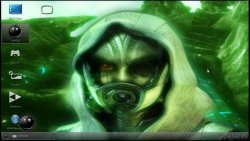
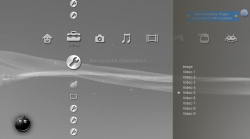
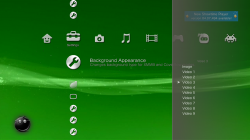
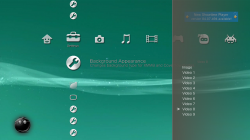
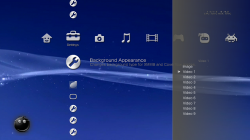
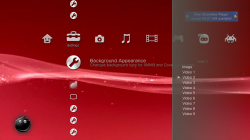
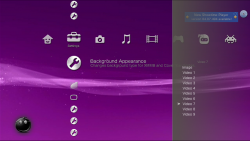
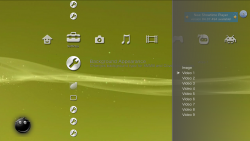
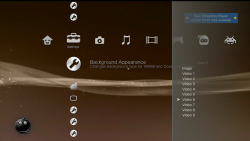
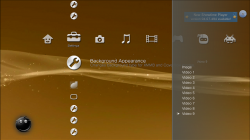
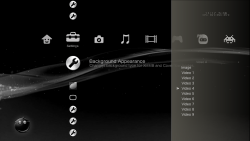
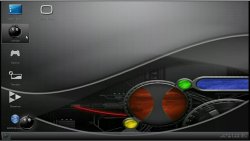
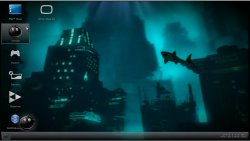
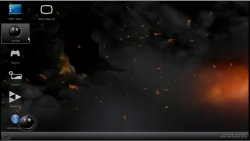
multiMAN Motion Background Collection

STLcardsWS

Administrator

multiman-logo-2.jpg

multiMAN Motion Background Collection

s​
Click Image for large view


Content provided by: @aldostools , @Scofield , @STLcardsWS
!!!!!! Submit a multiMAN Motion background by replying to this thread !!!!!!

INSTALLING YOUR multiMAN Motion Background


sMotion Backgrounds should be stored in this location:
/dev_hdd0/game/BLES80608/USRDIR/wave.divx,
then if you have more then one you should name wave2.divx , wave3.divx ect..
 
Last edited:
[MENTION=2]STLcardsWS[/MENTION] the PKG contains gold as the first one, it's actually missing Blue (so these install into mM USRDIR root?)
 
Last edited:
A tip, if you search "dreamscene" on google you will find amazing dreamscene videos

Actually in the multiMAN theme "TMC Matrix Edition" I used a picture I took from one "dreamscene Matrix theme" I used on my PC long time ago


==UPDATE==

[MENTION=2]STLcardsWS[/MENTION] only just now I saw your PKG...
So the next time you create a pkg, here you have this to simplify your work
In order to example: Drag-And-Drop folder "multiMAN XMMB Motions Backgrounds EXAMPLE" on "Free Package.bat"


Free Package
With "Free Package" you can create PKGs with whatever content you want, and only content you want.
Code:
http://www.mediafire.com/download/l2tfkwmq3d3le0e
 
Last edited:
<!-- BEGIN TEMPLATE: dbtech_usertag_mention -->
@<a href="http://www.psx-place.com/forum/members/stlcardsws/" target="_blank">STLcardsWS</a>
<!-- END TEMPLATE: dbtech_usertag_mention --> the PKG contains gold as the first one, it's actually missing Blue (so these install into mM USRDIR root?)

Yea you are right i did gold last and had to move that out of my 1 spot. Gold actually looks the worst IMO ... It was very late then early when i did these lol..


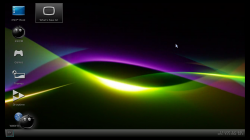
This is another nice motion background loop that I downloaded long time ago:
wave

very nice :) I like that one, i will get a collection going again soon. I like doing things that kind of got forgotten.


A tip, if you search "dreamscene" on google you will find amazing dreamscene videos

Actually in the multiMAN theme "TMC Matrix Edition" I used a picture I took from one "dreamscene Matrix theme" I used on my PC long time ago


Yea the guy who made these originally in the youtube video shows they are dreamscene
[video=youtube;J2hirqjKauU]https://www.youtube.com/watch?v=J2hirqjKauU[/video]

Thanks for the other advice as well. :)


They look blurry is it like that or have i done something wrong here?

I personally do not think they are blurry (but maybe not as crisp at the real XMB) , but if you see them that means you have done everything correctly.
 
Very nice [MENTION=164]Scofield[/MENTION]

I will put all these in one thread here soon and build up a collection here soon. Thanks for the share :)
 
Very nice [MENTION=164]Scofield[/MENTION]

I will put all these in one thread here soon and build up a collection here soon. Thanks for the share :)

it'd be pretty cool if we could get a coldboot thread back up and going as they died off on both Hax and PSX
 
Re-did the thread a bit. Made it a collection thread instead of just the XMB ones i just did.

Also added all to a mediafire shared folder.
 
View attachment 1148
multiMAN Motion Background Collection

Click Image for large view / Click Title for Download


Content provided by: @aldostools , @Scofield , @STLcardsWS
!!!!!! Submit a multiMAN Motion background by replying to this thread !!!!!!

INSTALLING YOUR multiMAN Motion Background


Motion Backgrounds should be stored in this location:
/dev_hdd0/game/BLES80608/USRDIR/wave.divx,
then if you have more then one you should name wave2.divx , wave3.divx ect..
Please re-enable these files on the MEGA website as they have been removed from the current links. thank you very much!
 
Please re-enable these files on the MEGA website as they have been removed from the current links. thank you very much!

Sorry, but those i no longer have

If anyone would happen to have them mirrored from the past is only option.
As i no longer have these online or in my personal files.

Edit:
(in the description they can be remade with those files.)

edit 2:
https://www.deviantart.com/werprince/art/PS3-Neo-XMB-Wave-yellow-335799480


If anyone does happen to re-create these please share so i can re-upload.
 
Last edited:
I converted the https://www.deviantart.com/werprince/art/PS3-Neo-XMB-Wave-yellow-335799480 waves to divx, renamed them right wave.divx and etc. but when i select Background Apperance and hit video1 to 9, nothing happens
I've been playing around with encoding videos to use as animated backgrounds today and discovered that here needs to be an audio track in the video file ... you can use music, or make the audio track silent.

None of the videos on the devianart link above have an audio track ... so, you need to add/create one
 
I've been playing around with encoding videos to use as animated backgrounds today and discovered that here needs to be an audio track in the video file ... you can use music, or make the audio track silent.

None of the videos on the devianart link above have an audio track ... so, you need to add/create one

Oh thanks, i already found out and made them with mute audio tracks.
 

Similar threads

Back
Top