
- Forums
- PlayStation 3 (PS3)
- PS3 Homebrew
- PS3 Homebrew Apps / Plugins / Emulators
- Emulators for PS3
- PS1/PS2/PSP on PS3
You are using an out of date browser. It may not display this or other websites correctly.
You should upgrade or use an alternative browser.
You should upgrade or use an alternative browser.
PS3 [Obsolete] CDDA-ENABLER for PSX EBOOT's on PS3
- Thread starter Fedor Wearing A Fedora
- Start date
- Status
- Not open for further replies.


sandungas
Developer
You are stating that there are better ways to do it but you ignore the reasons why is made this way, and you are not even suggesting which are that "better ways" you know, please enlight usYeah I know about the first 10 posts as mentioned already. That's okay, and i'm pretty sure there are reasons, I don't doubt that but I still stand by my statement. Either way i'm just trying to get to the bottom of this...
I can tell you since the forum implemented this method we had zero spam, and all the previous methods was not giving us that efficiency of zero spam
Actually this method requires us more work, because the moderators needs to read your posts before are visibles (this is how i did read your complains, and approved your post)
You want a forum without spam, right ?, so this is the price needed to pay
Dinner Supreme
Forum Noob
You are stating that there are better ways to do it but you ignore the reasons why is made this way, and you are not even suggesting which are that "better ways" you know, please enlight us
I can tell you since the forum implemented this method we had zero spam, and all the previous methods was not giving us that efficiency of zero spam
Actually this method requires us more work, because the moderators needs to read your posts before are visibles (this is how i did read your complains, and approved your post)
You want a forum without spam, right ?, so this is the price needed to pay
The mere assumption that I'm "ignoring" such reasons already puts an effort from me to enlighten in vein.
As I mentioned or implied before, I'm not going to discuss "the way it is on this forum" as i'm trying to stick to thread topic and reach a conclusion as quick as I can with the stuff I brought on my end.
If any of the initial posts from me on that matter bring any sort of displeasure or uncomfort then I offer my apologies under those regards as that wasn't the intention.
Last edited:

Fedor Wearing A Fedora
Member
Update V.1.1.3 now available, updated downloadlink in OP.
changelog:
-Added multidisc support (up to 5 discs)
-Added MD5 check for audio codec integrity (replaced, see below)
-Found out that MD5 isn't the greatest choice for file integrity checks, replaced with SHA-2 (SHA-256). ( source )
-Improved EBOOT analysis: Single Disc/Multi Disc/Main GameID/GameID(per disc)/Disc offset/CDDA TOC detection
-Added .BIN analysis: ImageID detection
-Added extra check: When ImageID and GameID do not match disc will be skipped
-Added extra check: Multiple or missing .CUE file in "Disc_#" folder will result in the disc being skipped
-Improved .CUE file analysis: When the files in the "Disc_#" folder do not match .CUE file content disc will be skipped
changelog:
-Added multidisc support (up to 5 discs)
-Added MD5 check for audio codec integrity (replaced, see below)
-Found out that MD5 isn't the greatest choice for file integrity checks, replaced with SHA-2 (SHA-256). ( source )
-Improved EBOOT analysis: Single Disc/Multi Disc/Main GameID/GameID(per disc)/Disc offset/CDDA TOC detection
-Added .BIN analysis: ImageID detection
-Added extra check: When ImageID and GameID do not match disc will be skipped
-Added extra check: Multiple or missing .CUE file in "Disc_#" folder will result in the disc being skipped
-Improved .CUE file analysis: When the files in the "Disc_#" folder do not match .CUE file content disc will be skipped
Fedor Wearing A Fedora
Member
@Dinner Supreme
I did some debugging, turns out the error shown in the images that you posted is caused by exceeding the maxpath lenght in windows.
You could solve it by editing your registery by increasing the maxpath lenth, or the simple way place the folder f.e. in your C:\ drive root or Desktop (like you already did).
Try the new version, make sure your eboot is named EBOOT.PBP, place all the bin files + cue files of the game in a DISC_# folder, make sure the order of games in the DISC_# folder and EBOOT is the same (So first game in DISC_1 folder, second in DISC_2 etc). Let me know if you still encounter the problem.
I did some debugging, turns out the error shown in the images that you posted is caused by exceeding the maxpath lenght in windows.
You could solve it by editing your registery by increasing the maxpath lenth, or the simple way place the folder f.e. in your C:\ drive root or Desktop (like you already did).
Try the new version, make sure your eboot is named EBOOT.PBP, place all the bin files + cue files of the game in a DISC_# folder, make sure the order of games in the DISC_# folder and EBOOT is the same (So first game in DISC_1 folder, second in DISC_2 etc). Let me know if you still encounter the problem.
Dinner Supreme
Forum Noob
I did some debugging, turns out the error shown in the images that you posted is caused by exceeding the maxpath lenght in windows.
You could solve it by editing your registery by increasing the maxpath lenth, or the simple way place the folder f.e. in your C:\ drive root or Desktop (like you already did).
Try the new version, make sure your eboot is named EBOOT.PBP, place all the bin files + cue files of the game in a DISC_# folder, make sure the order of games in the DISC_# folder and EBOOT is the same (So first game in DISC_1 folder, second in DISC_2 etc). Let me know if you still encounter the problem.
Yea I was just about to say that I had the same issue but if that's what I gotta do then let me take those approaches you mention.
The post limit seems to be off now so expect a quick response from me. (Thank you sandugas. I appreciate it)
Edit: Oh wait, nevermind. What you suggested is already what I did which was basically moving the program folder to the desktop
Attachments
Fedor Wearing A Fedora
Member
Yea I was just about to say that I had the same issue but if that's what I gotta do then let me take those approaches you mention.
The post limit seems to be off now so expect a quick response from me. (Thank you sandugas. I appreciate it)
Edit: Oh wait, nevermind. What you suggested is already what I did which was basically moving the program folder to the desktop
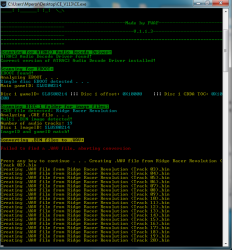
hmm strange do you run the application as an admin? I tried the same game just to be sure, but had had no problems:
Dinner Supreme
Forum Noob
hmm strange do you run the application as an admin? I tried the same game just to be sure, but had had no problems:
Yeah I run both normally and "as admin". Seeing that it worked for you means that the problem is most likely not with the program. I'm going to try this on my mini laptop with Windows 8.1. The one I'm mainly using is a laptop with Windows 7. Doubt that OS is the problem but it doesn't hurt to check.
Last edited:
Fedor Wearing A Fedora
Member
Yeah I run both normally and "as admin". Seeing that it worked for you means that the problem is most likely not with the program. I'm going to try this on my mini laptop with Windows 8.1. The one I'm mainly using is a laptop with Windows 7. Doubt that OS is the problem but it doesn't hurt to check.
No matter how much testing you'll do bugs will be always present haha. I also tried it on my other systems here at home (all win 10), but i'm unable to reproduce your error. The strange thing is that the in the sourcecode the .WAV check comes after the .BIN/.WAV conversion not the other way around, somehow something on your system is triggering that tho. Let me know if you encounter this problem on the other system.
Dinner Supreme
Forum Noob
Lol yeah I feel you on that.
On my mini laptop there is no "SysWow64" directory like the Windows 7 one. I'm thinking it might be because it's a 32bit mini laptop. Would the appropriate location for the attrac3 file replacement process be in "system32" in this case?
On my mini laptop there is no "SysWow64" directory like the Windows 7 one. I'm thinking it might be because it's a 32bit mini laptop. Would the appropriate location for the attrac3 file replacement process be in "system32" in this case?
Fedor Wearing A Fedora
Member
Lol yeah I feel you on that.
On my mini laptop there is no "SysWow64" directory like the Windows 7 one. I'm thinking it might be because it's a 32bit mini laptop. Would the appropriate location for the attrac3 file replacement process be in "system32" in this case?
Yes that is the correct directory, BUT since this application uses some 64bit-only modules that dont run correctly (or at all) on a 32bit system it won't be able to detect the audio codecs. Try @ayassinsayed or @Omage manual solutions for CDDA implementation, maybe those will work on your systems...see here
Dinner Supreme
Forum Noob
The ayassinsayed method I already tried but it did nothing when I transferred the new pkg to my PS3. When I used his tool I would've thought that the filesize of the EBOOT.PBP would change but the size of the file stayed the same after using his tool and getting the "success" confirmation. Coming to you and your stuff was the last resort before I give up and you're also the most recent source concerning CDDA on PS3 and notably active since you're communicating with me.
I'm not familiar with Omage.
I'm not familiar with Omage.
Last edited:
Fedor Wearing A Fedora
Member
The ayassinsayed method I already tried but it did nothing when I transferred the new pkg to my PS3. When I used his tool I would've thought that the filesize of the EBOOT.PBP would change but it did nothing. Coming to you and your stuff was the last resort before I give up and you're also the most recent notably active.
I'm not familiar with Omage.
I'd advice you to try the manual way again, when encountering an error reply to the thread dedicated to that method (since here would be off topic). I'm sure others will chime in and try to solve this problem. Half of my multibin games were converted with that method, tested both on HAN and CFW and working, so maybe you did forget a step?
Dinner Supreme
Forum Noob
I'd advice you to try the manual way again, when encountering an error reply to the thread dedicated to that method (since here would be off topic). I'm sure others will chime in and try to solve this problem. Half of my multibin games were converted with that method, tested both on HAN and CFW and working, so maybe you did forget a step?
Can't think of anything I skipped. and the last post in there was in 2018 save for somebody 2 months ago just saying "link is dead".
Question: Is your EBOOT.PBP converted from Track 1 Bin file of the game? or is it made from making all multiple bin tracks into one bin from cdmage? (Of course while still keeping the multi bin tracks for the "Disc_#" folder.)
Fedor Wearing A Fedora
Member
Can't think of anything I skipped. and the last post in there was in 2018 save for somebody 2 months ago just saying "link is dead".
Question: Is your EBOOT.PBP converted from Track 1 Bin file of the game? or is it made from making all multiple bin tracks into one bin from cdmage? (Of course while still keeping the multi bin tracks for the "Disc_#" folder.)
I'm sure the OP or one of the mods has an mirrorlink when asked about.
I don't use CDMage for multibin to singlebin conversion but IMGburn. But to answer your question, no all combined see here why.
Dinner Supreme
Forum Noob
I'm sure the OP or one of the mods has an mirrorlink when asked about.
I don't use CDMage for multibin to singlebin conversion but IMGburn. But to answer your question, no all combined see here why.
The link is not my concern as I told you I have tried ayassinsayed's method and have his tool already. The lack of any activity in that thread was the concern but I made a nice necropost just now anyways lol.
Yeah, I read your post...but I didn't understand what you were saying. If you used an EBOOT.PBP that's bigger as a result of all tracks/bin being merged then I should try again like that instead of with the 11.5mb EBOOT.PBP I have made here with just Track 1
Is there a reason you use IMGburn over CDMage or is it just preference?
EDIT: Tried it again, with the bigger bin file. Same problem
Last edited:
Fedor Wearing A Fedora
Member
The link is not my concern as I told you I have tried ayassinsayed's method and have his tool already. The lack of any activity in that thread was the concern but I made a nice necropost just now anyways lol.
Yeah, I read your post...but I didn't understand what you were saying. If you used an EBOOT.PBP that's bigger as a result of all tracks/bin being merged then I should try again like that instead of with the 11.5mb EBOOT.PBP I have made here with just Track 1
Is there a reason you use IMGburn over CDMage or is it just preference?
EDIT: Tried it again, with the bigger bin file. Same problem
Same problem with this tool or the manual way?
Dinner Supreme
Forum Noob
Same problem with this tool or the manual way?
Same problem with this tool. And I'm somehow lucky to have gotten ayassinsayed's attention on the dead thread lol
Hello.First of all congratulations for making this truly useful program.I could really use your help with multi-bin games because so far nothing works.I am on a PS3 slim with hybrid 4.84 firmware installed and HEN 2.1.1 (and of course HAN). My PC has Windows 10 Pro 1903 build 18362.114 64 Bit installed. I have been trying for some time now to make multi bin games work on HAN and later HEN but to no avail.Yesterday I tried again with Mortal Kombat Trilogy and Overboard!, both PAL versions.These are the exact steps I followed:
1.Downloaded Sony Atrac3 Audio Codec, installed it by clicking on the atrac3.exe
2. I hashed the atrac3.acm by using a command prompt in Windows 10 and the hash values were indeed SHA256:
C617E91380F6FBA70DB4E4480082BB45273C9E313E55A3110C88C4518A544D1D
3.I copied the atrac3.acm from the downloaded zip file to C:\Windows\SysWOW64 and overwrote the one there.
4. Microsoft Visual C++ 2015 Redistributable both 32 & 64 bit was already installed on my computer
5. Rebooted my PC
6.Tried with Overboard! The original folder had 31 bin files and 1 cue file
7.Used cdmage to make an iso (cue/bin) for PSX2PSP 1.4.2 and made an eboot file.
9.I put the eboot in the CCDA enabler's eboot folder and the original 31 bin files & cue on the programs DISC_1 folder
8.Run the program
9.Here's the log: http://txt.do/1dlt8
As you can see no error messages
10.Proceeded to make a PKG for HEN the usual way
11. I installed the PKG on my PS3 slim.The game loaded fine but NO SOUND! The exact same thing happened with Mortal Kombat Trilogy. I even tried using IMGburn to create an iso for PSX2PSP (step 7) from the original multi-bin folder. PSX2PSP didn't recognize the game automatically as usual, I had to manually put in the game's ID and title. Also the resulting pkg gave an error message on HEN
Can you please help me?I am at the end of my rope here.I'm
beginning to think that multi bin games don't work on HAN/HEN. I previously tried @ayassinsayed solution but that didn;t work either. Thank you
1.Downloaded Sony Atrac3 Audio Codec, installed it by clicking on the atrac3.exe
2. I hashed the atrac3.acm by using a command prompt in Windows 10 and the hash values were indeed SHA256:
C617E91380F6FBA70DB4E4480082BB45273C9E313E55A3110C88C4518A544D1D
3.I copied the atrac3.acm from the downloaded zip file to C:\Windows\SysWOW64 and overwrote the one there.
4. Microsoft Visual C++ 2015 Redistributable both 32 & 64 bit was already installed on my computer
5. Rebooted my PC
6.Tried with Overboard! The original folder had 31 bin files and 1 cue file
7.Used cdmage to make an iso (cue/bin) for PSX2PSP 1.4.2 and made an eboot file.
9.I put the eboot in the CCDA enabler's eboot folder and the original 31 bin files & cue on the programs DISC_1 folder
8.Run the program
9.Here's the log: http://txt.do/1dlt8
As you can see no error messages
10.Proceeded to make a PKG for HEN the usual way
11. I installed the PKG on my PS3 slim.The game loaded fine but NO SOUND! The exact same thing happened with Mortal Kombat Trilogy. I even tried using IMGburn to create an iso for PSX2PSP (step 7) from the original multi-bin folder. PSX2PSP didn't recognize the game automatically as usual, I had to manually put in the game's ID and title. Also the resulting pkg gave an error message on HEN
Can you please help me?I am at the end of my rope here.I'm
beginning to think that multi bin games don't work on HAN/HEN. I previously tried @ayassinsayed solution but that didn;t work either. Thank you
Dinner Supreme
Forum Noob
Hello.First of all congratulations for making this truly useful program.I could really use your help with multi-bin games because so far nothing works.I am on a PS3 slim with hybrid 4.84 firmware installed and HEN 2.1.1 (and of course HAN). My PC has Windows 10 Pro 1903 build 18362.114 64 Bit installed. I have been trying for some time now to make multi bin games work on HAN and later HEN but to no avail.Yesterday I tried again with Mortal Kombat Trilogy and Overboard!, both PAL versions.These are the exact steps I followed:
1.Downloaded Sony Atrac3 Audio Codec, installed it by clicking on the atrac3.exe
2. I hashed the atrac3.acm by using a command prompt in Windows 10 and the hash values were indeed SHA256:
C617E91380F6FBA70DB4E4480082BB45273C9E313E55A3110C88C4518A544D1D
3.I copied the atrac3.acm from the downloaded zip file to C:\Windows\SysWOW64 and overwrote the one there.
4. Microsoft Visual C++ 2015 Redistributable both 32 & 64 bit was already installed on my computer
5. Rebooted my PC
6.Tried with Overboard! The original folder had 31 bin files and 1 cue file
7.Used cdmage to make an iso (cue/bin) for PSX2PSP 1.4.2 and made an eboot file.
9.I put the eboot in the CCDA enabler's eboot folder and the original 31 bin files & cue on the programs DISC_1 folder
8.Run the program
9.Here's the log: http://txt.do/1dlt8
As you can see no error messages
10.Proceeded to make a PKG for HEN the usual way
11. I installed the PKG on my PS3 slim.The game loaded fine but NO SOUND! The exact same thing happened with Mortal Kombat Trilogy. I even tried using IMGburn to create an iso for PSX2PSP (step 7) from the original multi-bin folder. PSX2PSP didn't recognize the game automatically as usual, I had to manually put in the game's ID and title. Also the resulting pkg gave an error message on HEN
Can you please help me?I am at the end of my rope here.I'm
beginning to think that multi bin games don't work on HAN/HEN. I previously tried @ayassinsayed solution but that didn;t work either. Thank you
Hi there! I just got my own Mortal Kombat Trilogy working on my HEN yesterday after previously having trouble on my end with all the CDDA enabling methods including this one. But it was with the single bin and cue (instead of pkg) made from cdmage and played with Multiman homebrew and it was also NTSC instead of PAL.
Thought it was worth a mention but if you want to continue trying to get it to work as a pkg then wait for Fedor Wearing A Fedora to reply to you. He's a quick responder.
- Status
- Not open for further replies.
Similar threads
-
 PS1 Extracting (ATRAC3?) audio tracks from EBOOT.PBP
- Started by Heel
- Replies: 26
-
 PS3 4.92 Evilnat Custom Firmware (w/ Cobra v8.5) Released - CEX,PEX,D-PEX,DEX builds
- Started by STLcardsWS
- Replies: 41
-
PS3 New PS1/PS2 Emulation Features for PS3 CFW user's + Evilnat's 4.91.2-BETA 12
- Started by STLcardsWS
- Replies: 14
-
 Retro Install Batocera on USB and create your retro console.
- Started by gamerman 5000
- Replies: 0