PS2 [Open PS2 Loader] Game Bug Reports

Title = Super Rotbot Taisen Scramble Commander the 2nd
ID = SLPS 257.50
Media = DVD5
OPL version = 0.9.3 r1066
Device = HDD
Mode(s) = all modes tried
GSM = not use
VMC = not use
IGR = not use
PS2RD = not use
PADEMU = not use
Compatible = partially
Notes = game freeze when press L1 +L2 + R1 + R2 + SELECT + START for try to restart
MD5 Checksum =
 
Last edited:
@Zero35 there is something wrong with your report.
Keys Combination (L1 +L2 + R1 + R2 + SELECT + START) is for triggering In Game Reset (IGR).
In your report you wrote:
IGR = not use

I do not fully understand:
Compatible = partially
Does game only have a problem with IGR or with something else?
If only with IGR, then this is an additional feature that can have problems.

BTW
Mode(s) = all modes tried
With mode 6, there is no way to enable IGR.
 
Title = Super Rotbot Taisen Scramble Commander the 2nd
ID = SLPS 257.50
Media = DVD5
OPL version = 0.9.3 r1066
Device = HDD & SMB & USB
Mode(s) = all modes tried
GSM = not use
VMC = not use
IGR = not use
PS2RD = not use
PADEMU = not use
Compatible = partially
Notes = game freeze when press L1 +L2 + R1 + R2 + SELECT + START for try to restart
MD5 Checksum =

@Zero35 sent me a private message to explain this. He wants to use the game's IGR function (not OPL's).
As of now, it is not possible for any game to exit because OPL currently does not unload when the game calls Exit(). I plan to fix this soon, as it is probably not a big change.
 
yes my meaning is gameself's IGR not work,not OPL's IGR,so currently sp193's IGR fixes doesn't help,because that is a game compatibility issue
edit:i tried disabled mode6 (use OPL's IGR) and OPL's IGR working,sp193 you have any ideas for fix gameself's IGR?
 
Last edited:
Title = Super Robot Taisen Scramble Commander the 2nd
ID = SLPS_257.50
Media = DVD5
OPL version = r 1179
Device = USB
Mode(s) = see notes
GSM = not tried
VMC = not tried
IGR = see notes
PS2RD = not tried
PADEMU = not tried
Compatible = see notes
MD5 Checksum = 237bf90d414457569d75ad1c0315c045
Notes = IGR works, but I've to disable it (mode 6) if I want to use built-in in game reset.

With mode 6, when I press combo L1+L2+R1+R2+SELECT+START,
game "reloads" and see the BANPRESTO logo.
So practically game launches itself again.

BTW game is larger than 4 GB, so I've to "slice it" with USBUtil to put it on a USB device.
 
With mode 6, when I press combo L1+L2+R1+R2+SELECT+START,
game "reloads" and see the BANPRESTO logo.
So practically game launches itself again.

Yes, the game is also resetting fine for me.

edit:i tried disabled mode6 (use OPL's IGR) and OPL's IGR working,sp193 you have any ideas for fix gameself's IGR?

Maybe you have a bad dump. Please redump your game.
 
Title = Super Robot Taisen Scramble Commander the 2nd
ID = SLPS_257.50
Media = DVD5
OPL version = r 1179
Device = USB
Mode(s) = see notes
GSM = not tried
VMC = not tried
IGR = see notes
PS2RD = not tried
PADEMU = not tried
Compatible = see notes
MD5 Checksum = 237bf90d414457569d75ad1c0315c045
Notes = IGR works, but I've to disable it (mode 6) if I want to use built-in in game reset.

With mode 6, when I press combo L1+L2+R1+R2+SELECT+START,
game "reloads" and see the BANPRESTO logo.
So practically game launches itself again.

BTW game is larger than 4 GB, so I've to "slice it" with USBUtil to put it on a USB device.
have you tested it on HDD?if HDD mode still working fine that maybe i really used a bad dump,but this game running on my disc gameself IGR working,don't like a bad dump???
 
have you tested it on HDD?if HDD mode still working fine that maybe i really used a bad dump,but this game running on my disc gameself IGR working,don't like a bad dump???

Currently I cannot test this game through HDD, but since it work through USB HDD it should also work through Internal HDD,
because Internal HDD has got better compatibility.

Anyway, you didn't provide MD5 Checksum in your report, so I suggest to compare it with this:
237bf90d414457569d75ad1c0315c045.

Here is tutorial how to check MD5 checksum:
http://www.psx-place.com/threads/how-to-check-game-md5-checksum.19277/.

BTW In Your report, you wrote that you tried this game also through SMB & USB?!

Try to make an image of the game DVD with this tool:
http://www.psx-place.com/threads/imgburn.19292/#post-130708.

@sp193 have you tried IGR with Tekken 5 SCES_532.02, because normal IGR combination is not working.
I mean, nothing is happening when I'm trying to trigger IGR.

On the other hand, game has got some kind of a build-in IGR, because when I press SELECT+START at game,
it's kicking me to main menu.
 
Last edited:
today i disassembled my ps2 expansion bay and export my iso for md5 check,and proved it isn't a bad dump:

so this gameself's IGR should only freeze on HDD mode,sorry before my vague report
edit:i has been correct my reply in thread #21 thanks your hints
 
Last edited:
@sp193 have you tried IGR with Tekken 5 SCES_532.02, because normal IGR combination is not working.
I mean, nothing is happening when I'm trying to trigger IGR.

On the other hand, game has got some kind of a build-in IGR, because when I press SELECT+START at game,
it's kicking me to main menu.

No, I've never played Tekken 5. Since nothing seems to be happening, perhaps the game has done something to prevent IGR's interrupt handler from running.

so this gameself's IGR should only freeze on HDD mode,sorry before my vague report
edit:i has been correct my reply in thread #21 thanks your hints

When a game does not work for HDD mode, I usually find that it has a bug.
Super Robot Wars Scramble Commander the 2nd does not call scePadEnd() before sceRebootIop(). Please try this file. Patch code is here.
The patch may not work because I have not tested it (I have no PS2s during Monday-Friday).
 
No, I've never played Tekken 5. Since nothing seems to be happening, perhaps the game has done something to prevent IGR's interrupt handler from running.


When a game does not work for HDD mode, I usually find that it has a bug.
Super Robot Wars Scramble Commander the 2nd does not call scePadEnd() before sceRebootIop(). Please try this file. Patch code is here.
The patch may not work because I have not tested it (I have no PS2s during Monday-Friday).
okay,this my todays feedback:
unfortunately,it still freeze on title screen when press restart combo keys, along with HDD read indicator light flickering momently and joystick ANALOG light turn off,but background music still playing
= =b
 
Last edited:
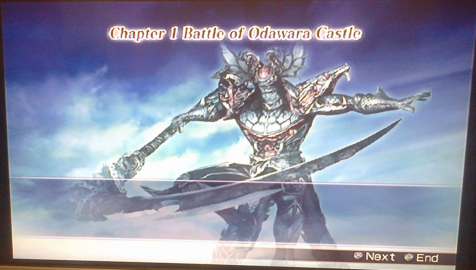
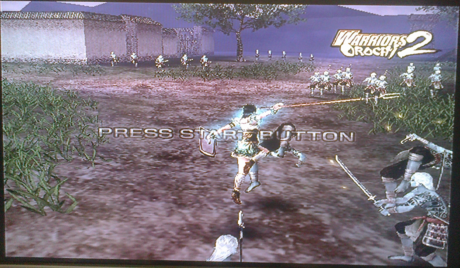
Title = Warriors Orochi 2
ID = SLUS_218.03
Media = DVD-ROM
OPL = 0.9.3
Device = USB
Mode = None
VMC =
Compatible = No
Notes = the game runs okay in the beginning, but when i select a character from story,dream and free mode it freezes, also when i play a battle with these 3 modes it freezes before it begins please tell me what to do.
Did you tried:
  • any compatibility modes (6, 6+3, 6+2+3)?
  • other OPL version (latest beta can be downloaded from here)?
Could you also add MD5 Checksum?
Here is a tutorial how to check it:
http://www.psx-place.com/threads/how-to-check-game-md5-checksum.19277/.

To be add:
USB games must be unfragmented. If not, they will not work properly.

EDIT: I've tried this game (SLUS_218.03) also through USB (OPL 1180) with various compatibility modes,
but none of them seems to help.

Game freezes before launching 1st level in story mode:
1a1_small.png

Probably also in dream and free mode, but I haven't got enough time for more tests.

The same thing is in demo mode:
2a2_small.png


MD5 checksum = 515ebb091c2dc93bd6f60aa0af6237a3
 
Last edited:
okay,this my todays feedback:
unfortunately,it still freeze on title screen when press restart combo keys, along with HDD read indicator light flickering momently and joystick ANALOG light turn off,but background music still playing
= =b
I cannot replicate this problem on my SCPH-39006. =_=
In fact, the game was already working fine at a slightly older OPL revision. I installed the game with HDLGameInstaller v0.817.
 
Did you tried:
  • any compatibility modes (6, 6+3, 6+2+3)?
  • other OPL version (latest beta can be downloaded from here)?
Could you also add MD5 Checksum?
Here is a tutorial how to check it:
http://www.psx-place.com/threads/how-to-check-game-md5-checksum.19277/.

To be add:
USB games must be unfragmented. If not, they will not work properly.

EDIT: I've tried this game (SLUS_218.03) also through USB (OPL 1180) with various compatibility modes,
but none of them seems to help.

Game freezes before launching 1st level in story mode:
1a1_small.png

Probably also in dream and free mode, but I haven't got enough time for more tests.

The same thing is in demo mode:
2a2_small.png


MD5 checksum = 515ebb091c2dc93bd6f60aa0af6237a3
Yeah i know is there a possible way to make it unfreeze? i have seen the MD5 and its 100% correct please i wanted this game so badly.
 
Latest beta looks nice & all but no luck for me yet . How many modes can you enable at once for testing purpose ? 2, 3 ?

Title = Capcom Classics Collection Vol 1
ID = SLUS_213.16
Media = DVD5
OPL version = 0.9.3 r1180
Device = USB
Mode(s) = not used
GSM = not used
VMC = not used
IGR = not used
PS2RD = not used
PADEMU = not used
Compatible = no , boots ingame but screen goes white when selecting a game from the list

---------------------------

Title = K1 World Grand Prix
ID = SLUS_206.82
Media = DVD5
OPL version = 0.9.3 r1180
Device = USB
Mode(s) = not used
GSM = not used
VMC = not used
IGR = not used
PS2RD = not used
PADEMU = not used
Compatible = no , shows the logos , checks for memory card then blackscreen

----------------------------

Title = Ratchet and Clank 1 ( v2.00 )
ID = SCES_509.16
Media = DVD5
OPL version = 0.9.3 r1180
Device = USB
Mode(s) = not used
GSM = not used
VMC = not used
IGR = not used
PS2RD = not used
PADEMU = not used
Compatible = no, boots ingame but black screen after choosing a memory slot

----------------------------

Title = Ratchet and Clank 2
ID = SCES_516.07
Media = DVD5
OPL version = 0.9.3 r1180
Device = USB
Mode(s) = not used
GSM = not used
VMC = not used
IGR = not used
PS2RD = not used
PADEMU = not used
Compatible = no , black screen
 
Last edited:
Back
Top