PS2 [Open PS2 Loader] Game Bug Reports

2 questions about GT4:

- you need MODE 6??
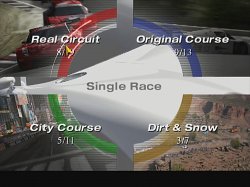
- the preview videos in arcade modes screen*** are smooth or have some stuttering??

*** immagine.jpg

EDIT: sorry I misunderstood your answer (I read it too fast). So you don't have these games.
It's just a test to know some aspects of your compatibility.
 
I guess you want to know if the new IGR mechanics work with GT4? It needs Mode 6 in 0.9.2 and 0.9.3, that's for sure.
 
I guess you want to know if the new IGR mechanics work with GT4? It needs Mode 6 in 0.9.2 and 0.9.3, that's for sure.

Trust me, it didn't require MODE 6 with OPL 0.9.3
It's a problem that I know, but 100% solvable in any configuration.
 
Trust me, it didn't require MODE 6 with OPL 0.9.3
It's a problem that I know, but 100% solvable in any configuration.
It would freeze eventually with Mode 6. Many games under OPL might seem to work fine at first, but they have various problems with IGR and/or the fast transfer modes. OutRun 2006 is a good example of this.
 
It would freeze eventually with Mode 6. Many games under OPL might seem to work fine at first, but they have various problems with IGR and/or the fast transfer modes. OutRun 2006 is a good example of this.

I was reffering just to the need of MODE 6 with GT4 (to make the pad to work) and the stutter preview issue, you can use it to evaluate your current compatibility.

Read from here onward if you please (make sure to read the following 2 pages too): http://www.ps2-home.com/forum/viewtopic.php?p=33035#p33035
 
I was reffering just to the need of MODE 6 with GT4 (to make the pad to work) and the stutter preview issue, you can use it to evaluate your current compatibility.
GT4 doesn't like IGR even with 0.9.3. It's not a good idea to use it with that game.

Stuttering with GT4 comes from the fact it's a DVD9 game. You need to increase the data transfer mode, but not too high (experiment with you setup because it depends on the HDD and the board). Xenosaga I has the same problem with some late-game FMVs.
 
Stuttering with GT4 comes from the fact it's a DVD9 game. You need to increase the data transfer mode, but not too high.
No... That's an assumption and not even true at that, IMO...

It's a DVD9 game, yes... but that's neither the cause of the issue(s) [at least not the 'transfer speed' you are referring to, which is actually 'bandwidth'...] nor would the proposal for changing/increasing the 'transfer-mode speed (...bandwidth is what you are talking about...)' fix it... at least not for the reason of it being a DVD9 and 'needing faster transfer'...

In fact, it would probably rather need a bit slower transfer, if that were the case (DLs/DVD9s are read slower!)!!!


tl;dr
The transfer-speed increase might work, but not for the reason you posted...


On another note:
Did anyone test the game's IGR when it froze (like @Peppe90 had suggested to try)?
 
Last edited:
GT4 doesn't like IGR even with 0.9.3. It's not a good idea to use it with that game.

Stuttering with GT4 comes from the fact it's a DVD9 game. You need to increase the data transfer mode, but not too high (experiment with you setup because it depends on the HDD and the board). Xenosaga I has the same problem with some late-game FMVs.

I'm not a developer. Anyway if you read the Topic I linked to you (page 2 and 3) I simply explain my experience.

I made a fair number of HDDs, for me and a friend. Both IDE and SATA HDD, from 80gb to 2tb with 3 kind of network adaptors (Gamestar IDE and SATA, and SONY NA untouched and modified with SATA board from 2 different brands).

The GT4 stutter maybe, is connected in some ways to the DVD9 thing. I say that just 'cause MGS 2 Subsistence too is a DVD9 and present the same behavior.

Anyway with all configurations I tried, the problem is solvable in the way I described in the post I linked to you (there are a couple other ways too).

I remember GT4 stuttered with both OPL and HDLoader (any DMA). I never changed the DMA settings in OPL (Always been on UDMA4).
After cold loading the HDD with Ule (or with the FMCB installer), the GT4 (and MGS2 intro) stuttering just disappear forever with both HDloader and OPL (at least until I made some changes that I can't still precisely identify…).

After the stutter disappear I noticed that I didn't need MODE 6 enabled to make the pad work (I disable MODE 6 and perfectly played the game for a long time without any mode). I noticed that many games that required MODEs to work/run well, don't need them to be enabled anymore.

It can be something related to the formatting too (maybe). Because I seems to remember (sorry for the approximativeness, it's been a long time…) that with the 80gb HDD (therefore 28 bit formatted), these problems never appeared.
Indeed my first thought was that with the "official" format method the compatibility was better, but after the aforementioned tests I saw that any HDD could work so.
 
Last edited:
OPL 0.9.3 (and newer) + maxdiypower = SoE can't work
It's not that simple. Both jolek and I use the official NA and IDE HDDs, yet he can't make the game work at all, whereas it works perfectly for me with the beforementioned combination of modes.

If it's so random, then it seems it's all about the HDD in the end. Maybe faster and/or bigger HDDs change the timing to the point where the game fails? HDD cache size also might have something to do with this.

OPL should be developed with standard internal HDDs, compatible USB devices and properly configured SMB networks in mind. It's impossible to account for all possible hardware configurations. The thing to remember is that we need to work with an outdated hardware in the form of PS2, not against it. Trying to force it to work with ludicrously fast and/or big modern HDDs and SSDs is bound to backfire, mainly because most PS2 games were coded for slow data transfer (despite what TnA might say).
 
Last edited:
If it's so random, then it seems it's all about the HDD in the end.
Well,... The storage-device (not specifically limited to an internal HDD), yes! But this then would/could also apply to SMB and USB under certain conditions.

Maybe faster and/or bigger HDDs change the timing to the point where the game fails?
Yes, that could be the case... for example if the device's response is faster than expected. The size can have an influence as well as how fragmented the game is on the HDD/device, because the seek-times could vary depending on these, thus the answer-times would also vary a bit, depending on these factors...

HDD cache size also might have something to do with this.
It could, depending on the way the HDD-Firmware uses it, but we don't 'actively'/directly/manually use those CACHES AFAIK (but not sure), so it entirely depends on the HDD's FW...

OPL should be developed with standard internal HDDs, compatible USB devices and properly configured SMB networks in mind. It's impossible to account for all possible hardware configuration. The thing to remember is that we need to work with an outdated hardware in the form of PS2, not against it. Trying to force it to work with ludicrously fast and/or big modern HDDs and SSDs is bound to backfire,
  1. IDE-HDDs that will work (reliably) will become quite rare...
  2. They will cost a lot more per GB (they already do)
  3. Not everyone has or will ever have an original Sony-Adapter because solely ~1/10th the amount of NWAs were produced than ExpansionBay-PS2's...
  4. The speeds and timings of varying SMB/LAN- or USB-Devices can vary as well...
  5. Putting the word 'ludicrously' in one of the sentences partially connected to the truth, btw. does neither make your overall statement true, nor does it ridicule, what I am merely stating... (which is) FACTS...
  6. etc.
Your approach will 'backfire', because it doesn't account in any way how those speeds affect/trigger the issues!
These issues could also happen on the very same (IDE-)HDD, if the game is fragmented, while a non-fragmented would work, or vice versa the non-fragmented has issues and the fragmented one does not!

mainly because most PS2 games were coded for slow data transfer (despite what TnA might say).
...and another assumption...
In mind? Yes, possibly...
In the code? Not necessarily...!

YOU/WE DO NOT EVEN KNOW FOR SURE (AS OF YET), WHAT CAUSES THESE ISSUES (THE ROOT, NOT A TRIGGER)!!!

+

HDL proves, that some of these can work normally with high(er) transfer-modes!!!
 
Last edited:
It's not that simple. Both jolek and I use the official NA and IDE HDDs, yet he can't make the game work at all, whereas it works perfectly for me with the beforementioned combination of modes.

If it's so random, then it seems it's all about the HDD in the end. Maybe faster and/or bigger HDDs change the timing to the point where the game fails? HDD cache size also might have something to do with this.

OPL should be developed with standard internal HDDs, compatible USB devices and properly configured SMB networks in mind. It's impossible to account for all possible hardware configurations. The thing to remember is that we need to work with an outdated hardware in the form of PS2, not against it. Trying to force it to work with ludicrously fast and/or big modern HDDs and SSDs is bound to backfire, mainly because most PS2 games were coded for slow data transfer (despite what TnA might say).

I know that SP193 is very competent when it comes to Ps2. If he is always so discouraged in working on ps2, there must be a reason I think ^^
...I remember that even Shinji Mikami moved to Game Cube 'cause programming on Ps2 was leading his team to the madness.
When it comes to homebrew, sure it's even more difficult to make things to be stable

But returning to the game, maybe the problem is a simple thing, just difficult to find. I mean, it's impossible to freeze the game with HDLoader with any HDD/NA. As @TnA was saying, maybe it'd be a good idea to use the un-used MODE 7 for something. Like a MODE to make OPL to work in a "old way", considering that the game perfectly run on OPL 0.9.2 on every configuration.
 
  • Like
Reactions: TnA
Like a MODE to make OPL to work in a "old way", considering that the game perfectly run on OPL 0.9.2 on every configuration.
0.9.2 is horrible. There are performance issues due to crappy code. Games might work, but they are underperforming. Onimusha 2 played like crap with that. A mode to go back to that nonsense? No.

The only issues here come from a plethora of HDDs. You cannot account for all of them. That's why we should assume the official HDD for PS2 is some kind of a roadmap here. I doubt anything faster than 5400RPM should be used. SATA drives are also a bad pairing for PS2 because it was designed for IDE. You can't blame the PS2 hardware to have incompatibilities with devices which didn't even exist at the time!

OPL is very compatible right now, with the latest beta. The only thing which should be added - no matter if it's going to be blacklisting, speed selector for Mode 1 or a new mode in the place of the unused one - are the speeds which make certain CD games playable from HDD and SMB (so far we know it works with Shadow Man 2 and the PS2 remake of Phantasy Star I).
 
0.9.2 is horrible. There are performance issues due to crappy code. Games might work, but they are underperforming. Onimusha 2 played like crap with that. A mode to go back to that nonsense? No.

I meant, just a MODE you can set it OFF. It would be good for games that previously worked (since HDLoader up to OPL 0.9.2) and now don't, or have problems.

The only issues here come from a plethora of HDDs. You cannot account for all of them. That's why we should assume the official HDD for PS2 is some kind of a roadmap here. I doubt anything faster than 5400RPM should be used. SATA drives are also a bad pairing for PS2 because it was designed for IDE. You can't blame the PS2 hardware to have incompatibilities with devices which didn't even exist at the time!

OPL is very compatible right now, with the latest beta. The only thing which should be added - no matter if it's going to be blacklisting, speed selector for Mode 1 or a new mode in the place of the unused one - are the speeds which make certain CD games playable from HDD and SMB (so far we know it works with Shadow Man 2 and the PS2 remake of Phantasy Star I).

I agree with you about 5400rpm HDD (possibly 2,5") 'cause they are quieter and cooler. But when it comes to compatibility I can't say for sure that RPM matter. I've a Maxtor 320GB 7200 rpm IDE HDD, completely full of games (109 games), every game works just perfectly as with my 2tb 5400rpm sata III HDD, at least with my game-list I don't need to modify the DMA settings, just need the usual tricks as with almost every HDD.
In my experience it's the NA that can make difference, more than the HDD. But the real point is the Launcher, the way it loads the HDD modules, etc...

Indeed with tricks like the one I mentioned before, you can drastically change your compatibility regardless of HDD used.
But many things seems so be very random/unstable… I done every kind of tests when setting my game-list (even stupid, like putting the SATA board of the gamestar NA into the SONY one '^^) sometimes getting so weird result to lead me to think the ps2 has a life of its own :D

In conclusion, the future of Ps2 are Gamestar sata NAs (hoping they will make a working ETH port…) and Sata HDDs.
I can say, at the moment, all games perfeclty works with this configuration, the HDD is not a problem.

Problems occur with maxdiypower board, and only with SoE. So the situation isn't that bad.

@TnA We know, Ps2 CPU isn't a modern multi-core you can not afford to fragment the games or you will most likely run into slowdowns, freezes or other strange issues that it is better not to mention '^^
 
Last edited:
0.9.2 is horrible.
Oh come on... It is not SOOOO bad...
But the newer versions are definitely better.
(Just because it/that specific game doesn't work well on YOUR setup...).

There are performance issues due to crappy code.
Well OPL still seems to have some 'crappy code', or it would/should work better on most games (and even without most modes),...

Games might work, but they are underperforming.
They are not 'underperforming', but either answered in the wrong tine, or in the wrong order or had another kind of issue...

Onimusha 2 played like crap with that.
That could be true... I happened to have the same issue with 2 'Midas Interactive'-games...

A mode to go back to that nonsense? No.
'Nonsense'? Wow! That is really a 'strong argument' to qualify your statements for bwing valid, lol...

The only issues here come from a plethora of HDDs.
That's only one reason, what could possibly TRIGGER that issue!

It is still not in any way veryfied that using only an IDE-HDD with 5200/5400RPM would 'fix' (well, not 'technically') that issue!

Would anyone with an old HDD mind trying it EXACTLY like @Grahf suggested?!?
If it does not work for multiple people with the same configuration... well... It would be 'interesting', to say the least!

You cannot account for all of them.
True... But it is better to make it compatible with MOST of them...
  1. It is the intention of OPL (on of it'a most basic ideas), that it is 'mutually compatible', as you can see from the structure of the source, how all cores are build from partially the same source and that it supports as much devices as compatible... That's alse why things like 'Block Device Manager'/BDM is 'in the works'... It perfectly fits that idea!
  2. We won't have well working IDE HDDs in any 'bigger amounts' in the near future anyway + the price plays a role for casual players!
  3. Those 2 alone are enough but there are more reasons...
That's why we should assume the official HDD for PS2 is some kind of a roadmap here.
I REEEEAAALLLY doubt, that this would fix the root-cause of those issies!

I doubt anything faster than 5400RPM should be used.
I doubt that's the issue and i bet you could even be proven wrong by such an IDE-HDD + your Mode-suggestions(s)...!

SATA drives are also a bad pairing for PS2 because it was designed for IDE.
THAT is not a reason, because the adapter could make it response just like a normal IDE-Drive (would do)!

You can't blame the PS2 hardware to have incompatibilities with devices which didn't even exist at the time!
I don't! I am certainly convinced that this is a software-related issue, which would also mean that all those other hardware could work with it!!!

OPL is very compatible right now, with the latest beta. The only thing which should be added - no matter if it's going to be blacklisting, speed selector for Mode 1 or a new mode in the place of the unused one - are the speeds which make certain CD games playable from HDD and SMB (so far we know it works with Shadow Man 2 and the PS2 remake of Phantasy Star I).
Just... 'No!'
That's just a blind-shot-implementation to do a 'cosmetic fix', which would neither fix the root of the issue, nor would it work for most setups (not even for the 5200/5400RPM IDE-HDDs I suppose)!

You just can't stand, that you are wrong and fight about it...
I could/might be wrong (which is o.k. as well, as long as it gets fixed and preferably in a good way/implementation), but you certainly are wrong!

 
Last edited:
I done every kind of tests when setting my game-list (even stupid, like putting the SATA board of the gamestar NA into the SONY one '^^) sometimes getting so weird result to lead me to think the ps2 has a life of its own :D
Lol... Yes, that only works with some specific versions, which have a Bitfunx-IDE-SATA-conversion-board in it... Not with the other ones... ^^

In conclusion, the future of Ps2 are Gamestar sata NAs (hoping they will make a working ETH port…) and Sata HDDs.
I can say, at the moment, all games perfeclty works with this configuration, the HDD is not a problem.
They are not perfect, but 5400RPM-IDE-HDDs are not a reliable choice either (for the long run)...

@TnA We know, Ps2 CPU isn't a modern multi-core you can not afford to fragment the games or you will most likely run into slowdowns, freezes or other strange issues that it is better not to mention '^^
It has neither to do with the CPU-Power of the primary nor the secondary CPU, but simply that the head would need to physically 'jump around', if the game-partition(s) would be too much fragmented... That could affect 'seeks' and (follow the 'chain')...

...and no... Due to these delays, some issues might even NOT happen!
 
Last edited:
I meant, just a MODE you can set it OFF. It would be good for games that previously worked (since HDLoader up to OPL 0.9.2) and now don't, or have problems.
Why waste a whole mode just to revert to 0.9.2? If you want that for whatever reasons, you'll have to go back to it.

That's no way to move forward, especially when it's not really 0.9.3's fault to begin with. We can't implement workarounds for all the weird hardware configurations possible.

HDD do matter a lot for compatibility. Using the newer ones with custom boards is just convenience. It doesn't mean they are perfectly compatible because they aren't. After over a decade of playing PS2 games from HDD, I know that in reality IDE 4800-5400 RPM HDDs are the most compatible. Even then, you have to experiment with various DMA modes in certain games. Claiming that something is compatible just because it boots and plays for some time is short-sighted. Games can have weird freezes very late into gameplay.
 
Last edited:
They are not perfect, but 5400RPM-IDE-HDDs are not a reliable choice either (for the long run)...

Yes, you can buy them as new ones, but they are just refurbished, many times with bad sectors… I repaired some HDD with HDD regenerator. Once all bad sector had been fixed, if you just install games then don't delete nothing, the HDD could last an entire life, just using it for read.
Btw new HDDs are much reliable, quieter, cooler and as you said, cheaper.

It has neither to do with the CPU-Power of the primary nor the secondary CPU, but simply that the head would need to physically 'jump around', if the game-partition(s) would be too much fragmented... That could affect 'seeks' and (follow the 'chain')...

...and no... Due to these delays, some issues might even NOT happen!

Well, I'm not an expert. anyway I Always make sure to avoid any fragmentation. I never delete games, and if I really need space I delete starting from the last installed game. Obviously for installations I avoid winhiip like the plague.

@Tupakaveli tried the game (state of Emergency) with same configuration as @Grahf and doesn't need all that MODEs to be enabled (rather he doesn't need any). I wonder what IDE HDD is @Tupakaveli using.
 
Why waste a whole mode just to revert to 0.9.2? If you want that for whatever reasons, you'll have to go back to it.

Simply to make everything to work with one launcher. This is one of the OPL goals (and it's very close…).
Developers have always worked to improve compatibility to allow that.
Considering what you're saying then devs could stop working to compatibility since OPL 0.9.3 Yes, if I a game doesn't worked with 0.9.3 all, you could use 0.9.3 clean version, or 0.9.2, or HDLoader…

But I think the best is to have a OPL version that incorporates all compatibilities, in order to can play everything with every configuration. I think It'd be great, dont'you agree??

That's no way to move forward, especially when it's not really 0.9.3's fault to begin with. We can't implement workarounds for all the weird hardware configurations possible.

HDD do matter a lot for compatibility. Using the newer ones with custom boards is just convenience. It doesn't mean they are perfectly compatible because they aren't. After over a decade of playing PS2 games from HDD, I know that in reality IDE 4800-5400 RPM HDDs are the most compatible. Even then, you have to experiment with various DMA modes in certain games. Claiming that something is compatible just because it boots and plays for some time is short-sighted. Games can have weird freezes very late into gameplay.

Maybe the problems you experienced with certain kind of HDDs, weren't due to what you think. i.e. I see many OPL compatibility chart online that just would need to be rewrited almost from scratch, because users often misunderstand what is causing problems, problems perfectly solvable on their own configuration…

However, I use to test games for a long time, even using different save states that allow me to better explore the game.

As you said things are never simple/stable on Ps2. So we need to stay on the facts (provable / reproducible issues).

Therefore, if you know a game that works on 5400rpm HDD and don't on 7200rpm ones / a game that perfectly works on 5400rpm and have problems (any kind) on 7200rpm, tell me and I'll made a test.
 
Back
Top