
You are using an out of date browser. It may not display this or other websites correctly.
You should upgrade or use an alternative browser.
You should upgrade or use an alternative browser.


What y'all think about changing MC Browser icon?
Currently this icon looks like this:
What about changing it into:

Or simply:

I thought exactly the same thing and was thinking about making a new one.
I was messing around with Milkshape 3D for a while making a MC icon for the Intro Loader.

jolek
Senior Member
I was messing around with Milkshape 3D for a while making a MC icon for the Intro Loader.
Any preview?
I've made an icon from here (one of @Berion project):
http://psx-scene.com/forums/f150/open-ps2-loader-project-v0-9-3-a-62141/index727.html#post1192582,
http://psx-scene.com/forums/f150/open-ps2-loader-project-v0-9-3-a-62141/index728.html#post1192601.
Instead of Milkshape 3D, I used 24bit BMP in bmp2icon (3D Rectangle).
Added "icon.sys" in PS2 Save Builder for "opl.icn".
Here is tutorial:
https://web.archive.org/web/2016050...m/index.php?page=Creating_Icons_tutorial.html.
If someone want to test it, I've added it into attachment.
Folder after unpacking is called "OPL2", because for now I do not want anybody to accidentally swap it with original OPL folder\icon.
Here is an old icon:
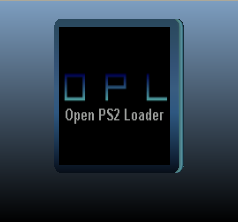
Same as above, this time folder is called OPL_old, to avoid swapping icon.
Same as above, this time folder is called OPL_old, to avoid swapping icon.
Attachments
Last edited:
I'll have a play around later.
I was trying to do something different instead of just having a rectangle or 3D cube. Importing low polygon models into Milkshape or 3D Studio Max, I got them to work with PS2 Save Builder but not on the console unfortunately.
I was trying to do something different instead of just having a rectangle or 3D cube. Importing low polygon models into Milkshape or 3D Studio Max, I got them to work with PS2 Save Builder but not on the console unfortunately.
jolek
Senior Member
I was trying to do something different instead of just having a rectangle or 3D cube. Importing low polygon models into Milkshape or 3D Studio Max, I got them to work with PS2 Save Builder but not on the console unfortunately.
Could you send me this .icn file?
Maybe I can try to do something about it.
Could you send me this .icn file?
Maybe I can try to do something about it.
I'll have a look on my PC when I get home, I'm sure I saved them with icon.sys files.

sp193
Developer
I would like to open up discussion about Maximus32s fade transition in OPL. I have spoken to him and he has given permission for the code to be used in whatever way, whether it be submitted as is or made into an option.
I would say that this depends on the status of the feature. How complete was it? Does it still have any major problems?
If it still has some defects or incomplete changes, then we need to determine must be done and how viable it is to complete the feature. If the costs aren't much, then we can complete it.

@sp193: I am not sure how complete it was in itself, but the fade-transition spares VRAM and causes most themes to work in Hires-Modes, even if/when they were not optimized.
Generally it worked more performant and also more stable it seems!
I am all for an implementation of it!
This is a change which makes A LOT of themes (if not all?) much more compatible with HiRes-VMODEs and Hires-resources!
I am also all for a 0.9.4-Release once that fade-transition (or a choice of transitions with defaulting to either 'fade' or 'none') is implemented!
Why? Because I think this would make the Hires-implementation pretty much perfect (i.e. high compatibility to old themes while having support for new things).
0.9.3 is soooo old and if someone would update from 0.9.3 (stable) to '0.9.4' (stable), it would 'blow them away', because of all those improvements!
Generally it worked more performant and also more stable it seems!
I am all for an implementation of it!
This is a change which makes A LOT of themes (if not all?) much more compatible with HiRes-VMODEs and Hires-resources!
I am also all for a 0.9.4-Release once that fade-transition (or a choice of transitions with defaulting to either 'fade' or 'none') is implemented!
Why? Because I think this would make the Hires-implementation pretty much perfect (i.e. high compatibility to old themes while having support for new things).
0.9.3 is soooo old and if someone would update from 0.9.3 (stable) to '0.9.4' (stable), it would 'blow them away', because of all those improvements!
The fade transition in it's current form is complete but there is no configuration to choose which transition you want e.g. 'Slide' or 'Fade'
In it's current form it would replace the 'Slide' transition.
@Krah and I have been using the 'Fade' transition in our own personal build of OPL and there are no issues with it.
In my opinion it is essential because currently 720p and 1080i themes that have the 'Info' page are bugged because of the 'Slide' transition. It's also my opinion that the 'Fade' should just replace the 'Slide' because I feel like it's a waste of time and coding effort to implement an option that I feel like no one would utilise and unnecessarily bloat the code even more. This is just my opinion of course and others are free to disagree.
@TnA created a poll on "The Other Site" where the users have voted 29 - 5 in favour of the 'Fade' transition. Is it worth trying to implement some kind of option to choose the transition for such a small amount of users that want it? Also even if it was some kind of theme or runtime option the 'Fade' would have to be forced in 720p and 1080i because users shouldn't be allowed to choose a setting that causes graphical errors.
Maximus32 was also trying to fix the way that the 'Game Settings' page is rendered over the top of the 'Main' page and isn't a screen in its own right so that the transition could be applied there too but he said he didn't like how long it was taking so he stopped working on it.
I made this video to show Maximus32 why we need the 'Fade' transition in OPL and in his reply he gave his permission to use the code.
In it's current form it would replace the 'Slide' transition.
@Krah and I have been using the 'Fade' transition in our own personal build of OPL and there are no issues with it.
In my opinion it is essential because currently 720p and 1080i themes that have the 'Info' page are bugged because of the 'Slide' transition. It's also my opinion that the 'Fade' should just replace the 'Slide' because I feel like it's a waste of time and coding effort to implement an option that I feel like no one would utilise and unnecessarily bloat the code even more. This is just my opinion of course and others are free to disagree.
@TnA created a poll on "The Other Site"
where the users have voted 29 - 5 in favour of the 'Fade' transition. Is it worth trying to implement some kind of option to choose the transition for such a small amount of users that want it? Also even if it was some kind of theme or runtime option the 'Fade' would have to be forced in 720p and 1080i because users shouldn't be allowed to choose a setting that causes graphical errors.Maximus32 was also trying to fix the way that the 'Game Settings' page is rendered over the top of the 'Main' page and isn't a screen in its own right so that the transition could be applied there too but he said he didn't like how long it was taking so he stopped working on it.
I made this video to show Maximus32 why we need the 'Fade' transition in OPL and in his reply he gave his permission to use the code.
Last edited:
- I don't care. It can replace 'slide'... I just suggested it, so theme-creators have something else to play with.
- I already said and suggested this option/variable being part of the theme-config... If it were implemented like I suggested, then there is no function/option/setting a user can change, so that argument (from you) is void in the first place... and NO... It wouldn't need to force a fade-transition in Hires... If it doesn't work with a theme, the theme-creator should not use it...
- You are taking the poll out of context, to 'win your argument'... That poll was not about the way of implementation, but generally if people are for an implementation and like the fade-transition more... That's something ENTIRELY different!
tl;dr
I agree on the general premise of implementing 'fade'... I personally do not care much, if it replace the current transition or is in OPL alongside it. I do care about facts tho', thus I had to point out some flaws in Tupakaveli's reply.

jolek
Senior Member
You can try 1st list (Algol) from here:
https://www.psx-place.com/threads/open-ps2-loader-game-compatibility-lists.19037/.
This list should have DS3/BT, DS3/USB bookmark.
https://www.psx-place.com/threads/open-ps2-loader-game-compatibility-lists.19037/.
This list should have DS3/BT, DS3/USB bookmark.
Last edited:
jolek
Senior Member
I've found out that if a controller isnt connected to the controller port 1 at least, settings from USB wont load.
What type of settings?
Display, per game cfg...
Did you tried to launch OPL from mass, not e.g. from HDD\SMB?
I'm asking because I've tried to do it on SCPH-50004.
I've deleted settings from MC and HDD, leaving only "conf_network.cfg" & "conf_opl.cfg" on USB.
Through wLe I've launched OPL 1357 from USB and everything seems to be fine.
Controller was only plugged-in 2nd controller port (socket).

Vedita BR
Member
Now I lauched the OPL ELF from MC1 and the problem was there... I dunno from where I launched at the time of that post because its been a long time and my ps2 fat is faulty. I guess it was not from USB. I also rename the OPL folder on MC so OPL cant see it.What type of settings?
Display, per game cfg...
Did you tried to launch OPL from mass, not e.g. from HDD\SMB?
I'm asking because I've tried to do it on SCPH-50004.
I've deleted settings from MC and HDD, leaving only "conf_network.cfg" & "conf_opl.cfg" on USB.
Through wLe I've launched OPL 1357 from USB and everything seems to be fine.
Controller was only plugged-in 2nd controller port (socket).
but yes, Launching ELF from MC and loading conf from USB if controller is unplugged from port 1 (On this test the port 2 was empty) doesnt works.
If controller is connect to ´port 2 and the elf is launched from MC it still loads settings from USB
If no controller is connected then settings arent loaded from USB
If no controller is connect and the ELF is loaded from USB settings arent loaded too!
What type of Settings? All of them

Similar threads
-
 PS2 [POC/Outdated] unofficial Open PS2 Loader (uOPL)
- Started by Ripto
- Replies: 58
-
-
PS3 OPL SMB Stopped Loading or Very Slow Loading on CECH-Axx PS3
- Started by NextGeneration9501
- Replies: 0