PS3 PKG Linker v1.0: Scan & Serve PKGs to PS3 from PC (CFW & PS3Xploit HAN)

DeVil303, Yesterday i succesfully install 16Gb to PS3 with your old method "Easy way to install packages over 4GB via webserver on PC" using XAMPP webserver. So, now i can forget that old method and must use this new HAN Toolbox+Package Linker?
You can still use the old method if you prefer and its working fine, as you can see from the video though this looks much better on the xmb, and you can just keep all your packages in one folder and have access to all of them at once with no xml editing.

As you already have xampp set up, you can just run this in the htdoc folder if you want, and say no when it asks you if you want to use built in server.
 
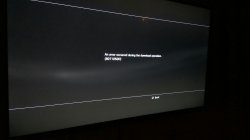
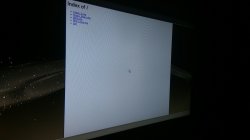
finally i set up LAN and have new error (8071050D). Through the browser, I see files. Maybe you know how to fix?
 

Attachments

  • 372QFea3Yd4.jpg
    372QFea3Yd4.jpg
    229.7 KB · Views: 332
  • x7fcpNIgBkg.jpg
    x7fcpNIgBkg.jpg
    461.1 KB · Views: 415
Working fine here! Thank you very much for this! Removes the hassle of needing to keep re-inserting the USB Drive every time I want to install a new PKG :P
 
finally i set up LAN and have new error (8071050D). Through the browser, I see files. Maybe you know how to fix?
Sorry, have not seen that one. are you sure pkgs are ok? try with small pkg you have tested on USB to be sure its able to install.

Double check everything mentioned in first post and post 3. After that I cant help.
 
I would imagine installing PKG files over a gigabit network would be faster than doing internal PKG installs? Installing Yakuza 5 when it came out took forever due to it's size but it's also unpacking and installing directly from disk. Has anyone done any trials on install times? Really interested in using this!
 
I would imagine installing PKG files over a gigabit network would be faster than doing internal PKG installs? Installing Yakuza 5 when it came out took forever due to it's size but it's also unpacking and installing directly from disk. Has anyone done any trials on install times? Really interested in using this!
Well if its anything like PS3 using similar methods I think you will get a little less than 1GB per minute, 10GB in 12 minutes ish. I have not done it on PS4 though so..
 
For those who are still getting 404 no matter what you try:

Test your Apache by browsing to your ip (e.g.: 10.1.1.2).
- Index page appeared? The server is functional, double check file names.
- Nothing? Try to install ApacheHTTPD (again). It is in bin folder.
- Apache/PHP page opened? Good to go. Just proceed with the next steps.

1. Open your bin\ApacheHTTPD_PHP_Portable\Data\conf\httpd.conf
2. Go to line 235.
3. Change the DocumentRoot to your packages folder.
4. Next line.
5. Do the same to <Directory "*your folder path here*">
6. Profit!

This is what i did and worked.
 
Hey Guys
I had error 80710092 and now it's all working!
I have ethernet cable from ps3 to pc btw.

Solution:
Do these things with ip and dns mentioned before. Download XAMPP, run normally PKG L. server (for stuff with pkgs etc.) copy bin files to xampp/htdocs and copy rest of the files like pkg file etc. Go to xampp/apache/conf/httpd.conf change line 223 from localhost to ip address from your PKG L. server, connect to the server on ps3. Problem solved. Actually I am installing Dishonored - 7983 MB in like 7/8 minutes
 
Whenever I try to go to check the link hosted by apache web server, I see nothing hosted there. Any way to resolve this issue? Sadly my pc has problem running apache server.
 
Can i use my internal ip instead of the external ip?

example : the application generates a package list with my ip but my ps3 is on my same network so i want it to download packages from 192.168.x.x... is there a way to automatically generate package lists that do this?

edit: figured it out,it's very easy xD but i have to do it everytime i open the server
 
Last edited:
I'd like to thank everyone that has been helping out here.

We did a lot of testing and tried to make it as easy as we could setup and use. We thought that ApacheHTTPD was the best server for the job(I've yet to find a better portable one that can do the job). If someone knows of a better portable one I'll be happy to check it out.

Everything here is helping us get what we need for an update and troubleshooting guide. We have a lot of ideas that we're excited to bring to you guys as pkg linker grows into the full toolbox we have in mind.
 
I'd like to thank everyone that has been helping out here.

We did a lot of testing and tried to make it as easy as we could setup and use. We thought that ApacheHTTPD was the best server for the job(I've yet to find a better portable one that can do the job). If someone knows of a better portable one I'll be happy to check it out.

Everything here is helping us get what we need for an update and troubleshooting guide. We have a lot of ideas that we're excited to bring to you guys as pkg linker grows into the full toolbox we have in mind.
Perhaps miniweb

btw is there any way to save custom ip settings after editing the ip in the textbox? i want to use my internal ip instead of the one assigned by the server
 
Can i use my internal ip instead of the external ip?

example : the application generates a package list with my ip but my ps3 is on my same network so i want it to download packages from 192.168.x.x... is there a way to automatically generate package lists that do this?

edit: figured it out,it's very easy xD but i have to do it everytime i open the server
Edit the ip box at the top of the program. Whatever is in that box gets used as the ip in the xml
 
Back
Top