PS3 Project RSX Boost: Overclock your Retail PS3 RSX Speeds (ps3 cfw only)

Atualizar

Assim como @LuanTeles

Meu 2511A também atingiu o limite!

900/1000 faz meu console congelar no início da campanha Crysis

Mas o engraçado é que quando migrei para 900/1000 testei vários jogos (inclusive Crysis) e não apresentou nenhuma anormalidade.

Então com esse sintoma posso confirmar que 850/1000 é ideal para mim.

Tudo na vida tem um limite haha

To update

Just like @LuanTeles

My 2511A has also reached its limit!

900/1000 makes my console freeze at the start of the Crysis campaign

But the funny thing is that when I migrated to 900/1000 I tested several games (including Crysis) and there were no abnormalities.

So with this symptom I can confirm that 850/1000 is ideal for me.

Everything in life has a limit haha

Moderator edit: Google Translate from Portuguese to English. Please also include an English translation like this in future posts. Thank you.
 
Last edited by a moderator:
Imagine if it were stable

Mina Ralwasser on Twitter: "CELL @ 4.8 GHz, RSX @ 600/775 MHz https://t.co/dAHV8EX5n8" / Twitter

Ufzzmqh.png
Did anything ever com of this?! @M4j0r? That is low key one of the most exciting and dead panned post's I've seen in a while. "Oh yeah, I Overclocked a CELL to 4.8GHz...all in a days work."
Code:
[INFO]: xio_ref_clk: 400 MHz
[INFO]: be_ref_clk: 600 MHz
[INFO]: be_pll_multiplier: 8
I read earlier you said you thought you could only manipulate the multiplier. But no multiple of 600 = 3.2GHz. So did you change the clock frequency too? And if that wasn't stable, were there any lower multiples that were?

Ideally yes you would have a series of standard benchmarks but personally I dunno of any such thing being available to the public on the PS3. Maybe someone does?...
Well we now have TestBench FW. Any way to apply the OC to that? It runs a serious number of internal tests and benches.
 
Last edited by a moderator:
Well we now have TestBench FW. Any way to apply the OC to that? It runs a serious number of internal tests and benches.
I would assume the testbench fw could be similarly patched.
However I can't say for sure, I have never tried that fw & I dunno how helpful existing tests would be for this either.
 
On early firmwares Syscon will use the values from Syscon to overwrite the ones in lv1. On later firmwares lv1 doesn't use the Syscon values anymore.
Well, can't get much earlier than testbecnh! lol

Perhaps we can OC by making SYSCON changes if installing TB? Added benifit is that TB is compatible with all PS3s via HW flash. If syscon can OC it, then we could even get TB logs from OC in 28nm models.

I would assume the testbench fw could be similarly patched.
However I can't say for sure, I have never tried that fw & I dunno how helpful existing tests would be for this either.
Well it runs alot of memory related tests, so if there are any issues relating to miscommunication from high clocks, but that fly under the radar in XMB/Game, TB might flag them.
 
Last edited by a moderator:
Actually later slims can do 1000. One of mine can do 1000 on memory but only 700 on core. Though it seems memory does have big FPS gains.


This is a slim right? I believe they are a 2009 slim?

Same here! 750 core starts showing artifacts. Haven't had a single crash tho! I even tried 800 and it was pretty much the same.
Memory running 1000 MHz no problem. So right now I'm sticking to 700/1000 and maybe I'll test +1000 MHz on the memory when we get the chance :)

And yes, memory bnandwith plays a huge role in some games!
Yes, a 65nm RSX slim with "9C" for date code (the third quarter of 2009 if you prefer). The 20XX series.


1000MHz on a slim with a 65nm RSX ?

Nice to see you got another slim after the accident. Devoted fan! <3
 
Oh, I absolutely took baby steps testing! Started at 700 and worked my way up by 50, testing for at least an hour each time. Bear in mind too that although 950 VRAM seemed very stable ingame, it was causing issues on reboots and starting/exiting games, so look out for things like that if you're thinking of testing further.
Thanks to you, we know now that 800MHz VRAM isn't the limit for 20XX slims models ! 900MHz seems to be the last truly stable value.

I'll try it myself !
The more results from different PS3 we have, the better :eagerness:

Nice to see you got another slim after the accident. Devoted fan! <3
Yes, haha. I don't like to give up ! I'm just way more cautious now.
 
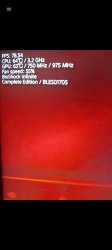
750/975 works wonders. Can anyone please do a 725/1000? Thanks in advance, games I played are all working wonders. Huge titles I tested Bioshock infinite, I was doing 78 fps sometimes 80, also played GOW Ascension which was 60 in cutscenes and about 50 during battle I'm on CECH 2504B theoretically between 700/1000 and 750/975 which is better?​
 

Attachments

  • Screenshot_20240429_105354_Gallery.jpg
    Screenshot_20240429_105354_Gallery.jpg
    370.3 KB · Views: 56
  • Screenshot_20240429_105751_WhatsApp.jpg
    Screenshot_20240429_105751_WhatsApp.jpg
    374 KB · Views: 60
Last edited:
Did anything ever com of this?! @M4j0r? That is low key one of the most exciting and dead panned post's I've seen in a while. "Oh yeah, I Overclocked a CELL to 4.8GHz...all in a days work."
Code:
[INFO]: xio_ref_clk: 400 MHz
[INFO]: be_ref_clk: 600 MHz
[INFO]: be_pll_multiplier: 8
I read earlier you said you thought you could only manipulate the multiplier. But no multiple of 600 = 3.2GHz. So did you change the clock frequency too? And if that wasn't stable, were there any lower multiples that were?
If i understood him correctly he could only change the REF clock so 400x8 is 3.2 and then OCed 600x8 is 4.8. that's how the OC came to be.
 
That's strange and interesting. My CECH2004B (date code : 9C / 3rd quarter of 2009) can do 700/800 and run games without issues. Same for my first 2004B (date code : 0A / first quarter of 2010).
Do you know what RSX model you have ? Not the size, the model. Exemple : CXD2991EGB

Glad you could save your PS3 though ! :)

Sorry but I didn't check when re-applying thermal paste, I'll look into it tomorrow after work if you're still keen to know!

I've been working on my CECH2102A for the past five hours and it appears to be running fine at 700/900. 750/900 caused artifacts in some games, 700/950 didn't show any artifacts but was causing intermittent crashes. Seems to be performing on par with my CECH2512B so far. I've had it running Crysis for the past hour, will leave it overnight just to be sure.

I'll give the CECH2502B a shot tomorrow, hopefully will get some more promising results.

The CECH2102A ran fine overnight, seems to be stable at 700/900.

I've been testing my CECH2502B with 1A date code after work today, currently at 850/850 and everything is tracking smoothly so far. I'll keep pushing it further tomorrow, hopefully I'll be able to get to 900/1000!
 
Just so you guys know I did lots of testing last night on my ps3 slim 2500b date code 0c and was doing really well I got to 850/900 and tested lots of games but one game gta 4 had artifacting and I had to reduce the core speed down to 650mhz to get it to go away and even then I started to notice slight artifacting onces the rsx had warmed up. This is the only game to do it so I would appreciate if anyone else could test there insane overclocks on gta 4 I know its a bit weird as the game is heavily cpu bond on ps3 but I thought I would share it with you guys.


I know its not the memory speed because I reduced it to stock speeds with the core overclock and it remained there.
AP1GczPAaDyebzpRQpR5FQvTxw9AXfnn7uvJdcxqZdv5IoO_aYhDlQ4GmqsdQZmAHPBtvX8iOczRay2hjGWhKBZTsqTOT4uud1Y-CKaD-oGSLA8yi1JxJ-lbfBYk2UA6pjO_RYZZ17f-rPm7BtleQftcsOhL=w1241-h931-s-no-gm
 
Were can I get the malfunction date inside the PS3 CFW ?! My ps3 doesn't have the oem stickers on the shell.

also what is the limit for PS3 slim 2000 series, I used that old 750 overclocked and it was running fine but never tried to go above because people were saying its unstable back then. But now things seems to change for some reasons.
 
Just so you guys know I did lots of testing last night on my ps3 slim 2500b date code 0c and was doing really well I got to 850/900 and tested lots of games but one game gta 4 had artifacting and I had to reduce the core speed down to 650mhz to get it to go away and even then I started to notice slight artifacting onces the rsx had warmed up. This is the only game to do it so I would appreciate if anyone else could test there insane overclocks on gta 4 I know its a bit weird as the game is heavily cpu bond on ps3 but I thought I would share it with you guys.


I know its not the memory speed because I reduced it to stock speeds with the core overclock and it remained there.
AP1GczPAaDyebzpRQpR5FQvTxw9AXfnn7uvJdcxqZdv5IoO_aYhDlQ4GmqsdQZmAHPBtvX8iOczRay2hjGWhKBZTsqTOT4uud1Y-CKaD-oGSLA8yi1JxJ-lbfBYk2UA6pjO_RYZZ17f-rPm7BtleQftcsOhL=w1241-h931-s-no-gm
This is strange. The fact that only GTA IV react like this is somewhat reassuring imo. This let me think that the RSX isn't damaged. Not an expert at all though ^^'
I do not possess this game, unfortunately.

so what is the limit for PS3 slim 2000 series, I used that old 750 overclocked and it was running fine but never tried to go above because people were saying its unstable back then. But now things seems to change for some reasons.
bombjack2's PS3 (2003A model) seems to be stable at 700MHz/900MHz max BUT since limits can differ even between similar models, this is to be verified.
Proceed carefully, start with the basic OC (600/750) and increment 50MHz by 50MHz only.
If you start to notice unusual things like artifacting, then step back.
Good games for testing are Crysis, AC4 - Black Flag, GOW Ascension, MGS4 or BioShock Infinite.

Regarding the core, 700MHz seems to be the stable limit on 20XX series.
As for VRAM, 950MHz start to show instability signs.
So it's better to stick to 900MHz max if your PS3 can do it.

Also, 1000MHz VRAM is really dangerous on those models. Brick risks are high. Avoid it. (Bricked my first 2004B that way ^^')

 
Last edited:
Just so you guys know I did lots of testing last night on my ps3 slim 2500b date code 0c and was doing really well I got to 850/900 and tested lots of games but one game gta 4 had artifacting and I had to reduce the core speed down to 650mhz to get it to go away and even then I started to notice slight artifacting onces the rsx had warmed up. This is the only game to do it so I would appreciate if anyone else could test there insane overclocks on gta 4 I know its a bit weird as the game is heavily cpu bond on ps3 but I thought I would share it with you guys.


I know its not the memory speed because I reduced it to stock speeds with the core overclock and it remained there.
AP1GczPAaDyebzpRQpR5FQvTxw9AXfnn7uvJdcxqZdv5IoO_aYhDlQ4GmqsdQZmAHPBtvX8iOczRay2hjGWhKBZTsqTOT4uud1Y-CKaD-oGSLA8yi1JxJ-lbfBYk2UA6pjO_RYZZ17f-rPm7BtleQftcsOhL=w1241-h931-s-no-gm
Let me test with my Current OC I'll let you know. Is it straight GTA 4 or the bundle? I cannot see clearly. I'm 750/975
 
Back
Top