
You are using an out of date browser. It may not display this or other websites correctly.
You should upgrade or use an alternative browser.
You should upgrade or use an alternative browser.
PS3 PS3 PRO MOD Release/Information Thread
- Thread starter kozarovv
- Start date
- Status
- Not open for further replies.

That stuff like package manager and app home is in the main explore rco, (explore_plugin_full.rco) read my post above.
You have got pngs and gims in there, that will not work... rcomage can not convert images... PNGs are no good for rcomage. you need gims from OFW if you want to add ofw icons.
So how I can get the images in gim format with rcomage? Ir decrypts to png always and you said it will mess up if I convert the pngs to gims?

Cypher_CG89
Senior Member
Ir decrypts to png always
No it does not always convert GIM to PNG.
Why don't you learn how to use the app from this thread:
https://www.psx-place.com/threads/research-rcomage-psdevwiki-mod.17958/
Instead of being lazy and constantly wanting to be spoon feed all the info, or hinting highly for someone else to do it for you, and bugging people who are busy with other things.
EDIT:
You " apparently " made this " Advanced BO2 EBOOT ":
THE BEST EBOOT ON THE MARKET!
Shaayn = xiSheiizhesY- = Joscah
(yeah right LMAO!!!, these types of EBOOT have been around for years)
https://www.psx-place.com/threads/c...uty-black-ops-ii-shaayn-enhanced-eboot.26976/
So using this app properly should be a breeze for you.
Last edited:
No it does not always convert GIM to PNG.
Why don't you learn how to use the app from this thread:
https://www.psx-place.com/threads/research-rcomage-psdevwiki-mod.17958/
Instead of being lazy and constantly wanting to be spoon feed all the info, or hinting highly for someone else to do it for you, and bugging people who are busy with other things.
EDIT:
You " apparently " made this " Advanced BO2 EBOOT ":
(yeah right LMAO!!!, these types of EBOOT have been around for years)
https://www.psx-place.com/threads/c...uty-black-ops-ii-shaayn-enhanced-eboot.26976/
So using this app properly should be a breeze for you.
It's obvious that b777x eboot came out years ago I just added several new functionality improvements and release it what's the matter?
Cypher_CG89
Senior Member
what's the matter?
You add patches to EBOOTs but cannot figure out how to use RCO Mage..? Something not right there like....
Use the link I gave you, it explains in detail how to use the app, including GIM settings and such.
You add patches to EBOOTs but cannot figure out how to use RCO Mage..? Something not right there like....
Use the link I gave you, it explains in detail how to use the app, including GIM settings and such.
I want to kms tbh haha. In my rcomage you only can extract or dump, I mean you can't select if extract the pics to gim or not. idk...

Cypher_CG89
Senior Member
I want to kms tbh haha. In my rcomage you only can extract or dump, I mean you can't select if extract the pics to gim or not. idk...
Use the 1 on the thread I linked you to...
Which version of RCO mage are you using>
Use the 1 on the thread I linked you to...
Which version of RCO mage are you using>
1.9 by RandomDude
Attachments
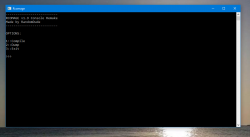
Cypher_CG89
Senior Member
1.9 by RandomDude
That has all the GIM setting saved in it an converts and applies these setting automatically when you re-compile the RCO.
The only issue I have had with it is that it crashes sometimes when dumping or recompiling the RCO. But I am not sure if there was a bug with the RCO mage exe that's used.
That being said, I still prefer to use the one I linked you to and do all the PNG to GIM conversions myself so I know they are correct as each PNG/GIM in the RCO could have a different GIM setting to the other in the same RCO.

Use the 1.8 version with GUI if you are having trouble1.9 by RandomDude
The 1.8 opens and exits inmediatly so I can't work with it. I have removed 1.9 and have same problem with 1.8...... can someone do for me? :/Use the 1.8 version with GUI if you are having trouble
Cypher_CG89
Senior Member
can someone do for me? :/
Nope.. I am busy on something else..
I have already linked you all you need in an above post to learn how to do it yourself with another RCO mage that the one your using is based on. Stop being lazy

Nope.. I am busy on something else..
I have already linked you all you need in an above post to learn how to do it yourself with another RCO mage that the one your using is based on. Stop being lazy
I'm not lazy but this "easy" stuff makes me freak out

Shaayn, As you do not need to convert to png at all, and you do not want to. I recommend just getting the old fashioned version rcomage.. 1.1x, then extract the official rcos to one folder and your custom rcos to another. Then swap over the GIM files from offical to custom. They must be GIMS.
Then compile the files in the custom folder again.
When dumping RCOs do not tick this box.

Then compile the files in the custom folder again.
When dumping RCOs do not tick this box.
Shaayn, As you do not need to convert to png at all, and you do not want to. I recommend just getting the old fashioned version rcomage.. 1.1x, then extract the official rcos to one folder and your custom rcos to another. Then swap over the GIM files from offical to custom. They must be GIMS.
Then compile the files in the custom folder again.
When dumping RCOs do not tick this box.
View attachment 23461
I will try, thanks for your time I alreayd know to do not tick that box.
Shaayn, As you do not need to convert to png at all, and you do not want to. I recommend just getting the old fashioned version rcomage.. 1.1x, then extract the official rcos to one folder and your custom rcos to another. Then swap over the GIM files from offical to custom. They must be GIMS.
Then compile the files in the custom folder again.
When dumping RCOs do not tick this box.
View attachment 23461
This version 1.1x does not convert ps3 files properly
Remember the Black Screen Problem in my mod 2.0 that prevented all apps to be launched? it was caused by this rcomage.
So he can use the 1.8 version with GUI by @sandungas and @RandomDude, the interface is almost the same and it has a plus of RCO'S Gim database, it has the right values to convert gim to png and vice-versa properly ( if he want to convert ofc, if not just untick the option convert gim to png).
Well not sure what you did, but that is version i have always used for my mods.Remember the Black Screen Problem in my mod 2.0 that prevented all apps to be launched? it was caused by this rcomage.
It might be because you have used different compression on your RCOs compared to what OFW used. You said yourself your rcos are smaller...that is not right...You have compressed the images more than originals.
I decrypted PS3 Pro Mod RCOs and OFW, then replaced the sounds of pro mod for the ofw ones and changed the PS Store logo, its all I wanted. Now I just need someone to compile those rco. I did the store myself but Louay helped me so much

I decrypted PS3 Pro Mod RCOs and OFW, then replaced the sounds of pro mod for the ofw ones and changed the PS Store logo, its all I wanted. Now I just need someone to compile those rco. I did the store myself but Louay helped me so much
so you just needed to compile system_plugin.rco, this is the rco that has the sounds. the others i didn't touch
- Status
- Not open for further replies.
Similar threads
-
-
 PS3 PS3 Firmware 4.93 - Update is Live! (CFW and HFW Released)
- Started by LuanTeles
- Replies: 38
-
-
