PSX-FPKG

PS4 PSX-FPKG (by Jabu) - A Tool to convert PS1 (PSX) games for use on PS4 v0.3

Street Fighter EX 2 Plus

16:9, Everything Unlocked(lua) and icons

Hola.
Aplico los archivos otorgados. El pkg se instala correctamente pero al lanzarlo tira error.
Lo intenté con el programa de Jabu y Markus, pero el error es el mismo.
No sé qué archivo falta o debo modificar.
Perdón, no hablo inglés.
Hello.
I apply the files provided. The pkg installs correctly but when launched it throws an error.
I tried with Jabu and Markus' program, but the error is the same.

I don't know which file is missing or I should modify.

sorry, I don't speak English
 
Hola.
Aplico los archivos otorgados. El pkg se instala correctamente pero al lanzarlo tira error.
Lo intenté con el programa de Jabu y Markus, pero el error es el mismo.
No sé qué archivo falta o debo modificar.
Perdón, no hablo inglés.
Hello.
I apply the files provided. The pkg installs correctly but when launched it throws an error.
I tried with Jabu and Markus' program, but the error is the same.

I don't know which file is missing or I should modify.

sorry, I don't speak English

EDIT:
no incluir el config-tilte.txt y todo ok.
thank
 
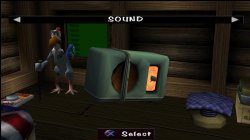
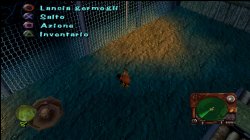
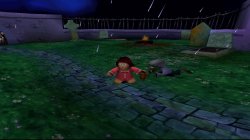
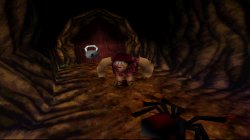
Chicken Run (SLES03188) (SLES03285)

config-title.txt

Code:
# Chicken Run (EU)

--gpu-scanout-fps-override=ntsc
--libcrypt=26B6
--enable-change-disc-ui=true
--has-shown-start-select-help=0
--bios-hide-sce-osd=1

--ps5-uds=0

# Use the new shared image directory
--image-dir=data

# Enable LopnorSPU to fix some audio issues
--use-lopnor-spu=1


# following settings are machine-generated
--region-dir=SIEA
--ps4-trophies=0
--ps5-uds=1

--globalgamedata-dir=global

config-region.txt

Code:
--libcrypt=26B6

LUA.
Code:
-- Chicken Run [PAL] (SLES-03188) (SLES-03285)
-- emu used=Oddworld Abe's Oddysee v2

local patcher = function()
local pad_bits = EM_PadRead()

local UP = pad_bits & 0x0010
local DOWN = pad_bits & 0x0040
local LEFT = pad_bits & 0x0080
local RIGHT = pad_bits & 0x0020
local Triangle = pad_bits & 0x1000
local Cross = pad_bits & 0x4000
local Square = pad_bits & 0x8000
local Circle = pad_bits & 0x2000
local L1 = pad_bits & 0x0400
local L2 = pad_bits & 0x0100
local L3 = pad_bits & 0x0002
local R1 = pad_bits & 0x0800
local R2 = pad_bits & 0x0200
local R3 = pad_bits & 0x0004
local Select = pad_bits & 0x0001
local Start = pad_bits & 0x0008

if (UP ~= 0 and R1 ~= 0) then --arbitrarily assigned keys

-- Widescreen 16:9 (EN)
R3K_WriteMem16(0x800B316C,0x0C00)
end
if (DOWN ~= 0 and R1 ~= 0) then

-- Unlimited Sprouts
R3K_WriteMem16(0x800AA10A,0x0002)
end
if (UP ~= 0 and R1 ~= 0) then

-- Widescreen 16:9 (Multi)
R3K_WriteMem16(0x800B6D0C,0x0C00)
end
end
EM_AddVsyncHook(patcher)

Control FiX - added! Game works good!

Chicken Run. Before\\\After FiX Comparison + Short GamePlay! (New emu)
VIDEO


Big Thanks to @wigwrm and @Kugozx for help with Widescreen code!
 

Attachments

  • 01.jpg
    01.jpg
    724.3 KB · Views: 41
  • 02.jpg
    02.jpg
    1.3 MB · Views: 48
  • 03.jpg
    03.jpg
    1 MB · Views: 41
  • 04.jpg
    04.jpg
    867.1 KB · Views: 47
Chicken Run (SLUS01304)

config-title.txt
Code:
# Chicken Run (US)

--gpu-scanout-fps-override=ntsc
--libcrypt=26B6
--enable-change-disc-ui=true
--has-shown-start-select-help=0
--bios-hide-sce-osd=1

--ps5-uds=0

# Use the new shared image directory
--image-dir=data

# Enable LopnorSPU to fix some audio issues
--use-lopnor-spu=1


# following settings are machine-generated
--region-dir=SIEA
--ps4-trophies=0
--ps5-uds=1

--globalgamedata-dir=global

config-region.txt
Code:
--libcrypt=26B6
LUA.
Code:
-- Chicken Run [NTSC-U] (SLUS-01304)
-- emu used=Oddworld Abe's Oddysee v2

local patcher = function()
local pad_bits = EM_PadRead()

local UP = pad_bits & 0x0010
local DOWN = pad_bits & 0x0040
local LEFT = pad_bits & 0x0080
local RIGHT = pad_bits & 0x0020
local Triangle = pad_bits & 0x1000
local Cross = pad_bits & 0x4000
local Square = pad_bits & 0x8000
local Circle = pad_bits & 0x2000
local L1 = pad_bits & 0x0400
local L2 = pad_bits & 0x0100
local L3 = pad_bits & 0x0002
local R1 = pad_bits & 0x0800
local R2 = pad_bits & 0x0200
local R3 = pad_bits & 0x0004
local Select = pad_bits & 0x0001
local Start = pad_bits & 0x0008

if (UP ~= 0 and R1 ~= 0) then --arbitrarily assigned keys

-- Widescreen 16:9
R3K_WriteMem16(0x800B3234,0x0C00)
end
end
EM_AddVsyncHook(patcher)

Chicken Run|GamePlay|Widescreen|Russian DUB|PSXtoPS4 Test


Attachments

Hello.

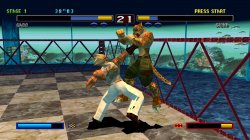
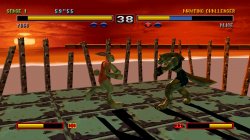
Patch applied WIDESCREEN Bloody Roar 2 - SCUS94424 with the program of JABU (ok).
Throws ERROR screen on "SOUND OPTIONS".

SCUS94424.lua

-- Bloody Roar 2
-- Widescreen hack by VIRGIN KLM

if true then

end

local patcher = function()
--Widescreen 16:9
R3K_WriteMem16(0x801F0018,0x1333)

end

EM_AddVsyncHook(patcher)


--------------------------------
Applying the patch WIDESCREEN with the program of MARKUS, all modes throw ERROR screen.
SOUND OPTIONS is OK.

What settings could I try to avoid the error in SOUND OPTIONS?

The widescreen patch for the Japan version throws an error with both programs.

Sorry for my english. Thanks
[FONT=Lato, Helvetica, sans-serif]
[/FONT]
 
Last edited:
Please does anyone have this fix Lag for the USA version 40 Winks (SLUS00874)?

@Vika23
@Stayhye

lag where? upon testing i dont see any lag.
default settings.

---------------

useful option for new emu (not legend of dragoon)

-abe oddysee
-star wars phantom menace

--enable-user-color-adjustment=1

it can change your brightness,contrast, gamma etc.

and if your using new emu and the controller is not working, add this.

--ps1-left-stick-action=1

ex. game that has issue if your using --ctlanalog=on is skull monkey (btw skull monkey still has a graphics problem)
 
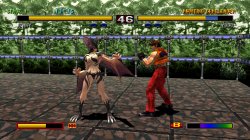
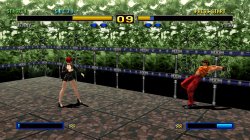
Bloody Roar II (SCUS94424)

config-title.txt
Code:
# Bloody Roar II (all regions)

--gpu-scanout-fps-override=ntsc
--ps1-left-stick-action=1
--sim-analog-pad=0x2020
--has-shown-start-select-help=0
--bios-hide-sce-osd=1
--enable-user-color-adjustment=1

--ps5-uds=0

# Use the new shared image directory
--image-dir=data

# Enable LopnorSPU to fix some audio issues
--use-lopnor-spu=1


# following settings are machine-generated
--region-dir=SIEA
--ps4-trophies=0
--ps5-uds=1

--globalgamedata-dir=global

LUA.
Code:
-- Bloody Roar II [NTSC-U] (SCUS-94424)
-- emu used=Oddworld Abe's Oddysee v2

local patcher = function()
local pad_bits = EM_PadRead()

local UP = pad_bits & 0x0010
local DOWN = pad_bits & 0x0040
local LEFT = pad_bits & 0x0080
local RIGHT = pad_bits & 0x0020
local Triangle = pad_bits & 0x1000
local Cross = pad_bits & 0x4000
local Square = pad_bits & 0x8000
local Circle = pad_bits & 0x2000
local L1 = pad_bits & 0x0400
local L2 = pad_bits & 0x0100
local L3 = pad_bits & 0x0002
local R1 = pad_bits & 0x0800
local R2 = pad_bits & 0x0200
local R3 = pad_bits & 0x0004
local Select = pad_bits & 0x0001
local Start = pad_bits & 0x0008

if (UP ~= 0 and L1 ~= 0) then --arbitrarily assigned keys

-- Widescreen 16:9
R3K_WriteMem16(0x801F0018,0x1333)
end
if (L3 ~= 0) then

-- Have all movies
R3K_WriteMem16(0x801C0FD0,0xFFFF)
end
if (R3 ~= 0) then

-- Have All Characters
R3K_WriteMem16(0x801C0FF4,0xFFFF)
end
end
EM_AddVsyncHook(patcher)

@wilderamador - use lua file and push D-pad Up + L1 (after every loading screen) for use widescreen in game! I not see any errors in game!

Bloody Roar II. Short GamePlay!
VIDEO
 

Attachments

  • 01.jpg
    01.jpg
    1.6 MB · Views: 53
  • 02.jpg
    02.jpg
    1.6 MB · Views: 49
  • 03.jpg
    03.jpg
    1.3 MB · Views: 55
  • 04.jpg
    04.jpg
    1,001.4 KB · Views: 45
Hola @Vika23
gracias por responder.

Use config-title.txt y .lua Bloody Roar II (SCUS94424) con los programas de Markus y Jabu, al lanzar el juego obtengo el error CE-34878-0

No sé como incluir el emu correcto que mencionas (Oddworld Abe's Oddysee v2)

Mil disculpas si soy un fastidio
 
40 Winks (all regions) (Multi)

app_boot.lua
Code:
require "disc-selection"

local pal_disc_map = {
    it = { "Wink_SLES01940_SCEE_IT.bin" },
    es = { "Wink_SLES01941_SCEE_ES.bin" },
    fr = { "Wink_SLES01938_SCEE_FR.bin" },
    de = { "Wink_SLES01939_SCEE_DE.bin" },
    nl = { "Wink_SLES02384_SCEE_NL.bin" },
    ru = { "Wink_SLES01937_SCEE_RU.bin" },
}

local ntsc_disc_map = {
    en = { "Wink_SLUS00874_SCEA_EN.bin" }
}

RegisterDiscs(pal_disc_map, ntsc_disc_map)

config-title.txt
Code:
# 40 Winks (all regions)

--gpu-scanout-fps-override=ntsc
--ps1-left-stick-action=1
--sim-analog-pad=0x2020
--has-shown-start-select-help=0
--bios-hide-sce-osd=1
--enable-user-color-adjustment=1

--ps5-uds=0

# Use the new shared image directory
--image-dir=data

# Enable LopnorSPU to fix some audio issues
--use-lopnor-spu=1


# following settings are machine-generated
--region-dir=SIEA
--ps4-trophies=0
--ps5-uds=1

--globalgamedata-dir=global

LUA.

Code:
-- 40 Winks [PAL-E] [NTSC-U] (SLUS-00874) (SLES-01937/41)
-- emu used=Oddworld Abe's Oddysee v2

local patcher = function()
local pad_bits = EM_PadRead()

local UP = pad_bits & 0x0010
local DOWN = pad_bits & 0x0040
local LEFT = pad_bits & 0x0080
local RIGHT = pad_bits & 0x0020
local Triangle = pad_bits & 0x1000
local Cross = pad_bits & 0x4000
local Square = pad_bits & 0x8000
local Circle = pad_bits & 0x2000
local L1 = pad_bits & 0x0400
local L2 = pad_bits & 0x0100
local L3 = pad_bits & 0x0002
local R1 = pad_bits & 0x0800
local R2 = pad_bits & 0x0200
local R3 = pad_bits & 0x0004
local Select = pad_bits & 0x0001
local Start = pad_bits & 0x0008

if (UP ~= 0 and R1 ~= 0) then --arbitrarily assigned keys

-- Infinite Air (US)
R3K_WriteMem16(0x8002B8CE,0x2400)
end
if (DOWN ~= 0 and R1 ~= 0) then

-- Infinite Costume Time (US)
R3K_WriteMem16(0x8002C452,0x2400)
end
if (R3 ~= 0) then

-- Infinite Lives (US)
R3K_WriteMem16(0x80013352,0x2400)
end
if (L3 ~= 0) then

-- Infinite Zzz's (US)
R3K_WriteMem16(0x8001326E,0x2400)
end
if (R3 ~= 0) then

-- Infinite Lives (RU)
R3K_WriteMem16(0x800B0592,0x0003)
end
if (L3 ~= 0) then

-- Infinite Zzz's (RU)
R3K_WriteMem16(0x800B0590,0x0063)
end
if (R3 ~= 0) then

-- Infinite Lives (ES)
R3K_WriteMem16(0x800B4BAE,0x0063)
R3K_WriteMem16(0x800B4BC4,0x0063)
end
if (L3 ~= 0) then

-- Infinite Zzz's (ES)
R3K_WriteMem16(0x800B4BAC,0x0063)
R3K_WriteMem16(0x800B4BC2,0x0063)
end
end
EM_AddVsyncHook(patcher)

40 Winks. Short GamePlay! (NTSC)

VIDEO
 

Attachments

  • 01.jpg
    01.jpg
    454.6 KB · Views: 35
  • 02.jpg
    02.jpg
    759.4 KB · Views: 30
  • 03.jpg
    03.jpg
    788.2 KB · Views: 34
  • 04.jpg
    04.jpg
    561.7 KB · Views: 36
Shin Megami Tensei (SLPS03170)

config-title.txt
Code:
# Shin Megami Tensei (English Patched)

--gpu-scanout-fps-override=ntsc
--ps1-left-stick-action=1
--sim-analog-pad=0x2020
--has-shown-start-select-help=0
--bios-hide-sce-osd=1
--enable-user-color-adjustment=1

--ps5-uds=0

# Use the new shared image directory
--image-dir=data

# Enable LopnorSPU to fix some audio issues
--use-lopnor-spu=1


# following settings are machine-generated
--region-dir=SIEA
--ps4-trophies=0
--ps5-uds=1

--globalgamedata-dir=global

LUA.
Code:
-- Shin Megami Tensei [NTSC-J] [English Patched] (SLPS-03170)
-- emu used=Oddworld Abe's Oddysee v2

local patcher = function()
local pad_bits = EM_PadRead()

local UP = pad_bits & 0x0010
local DOWN = pad_bits & 0x0040
local LEFT = pad_bits & 0x0080
local RIGHT = pad_bits & 0x0020
local Triangle = pad_bits & 0x1000
local Cross = pad_bits & 0x4000
local Square = pad_bits & 0x8000
local Circle = pad_bits & 0x2000
local L1 = pad_bits & 0x0400
local L2 = pad_bits & 0x0100
local L3 = pad_bits & 0x0002
local R1 = pad_bits & 0x0800
local R2 = pad_bits & 0x0200
local R3 = pad_bits & 0x0004
local Select = pad_bits & 0x0001
local Start = pad_bits & 0x0008

if (R3 ~= 0) then

-- Max HP
R3K_WriteMem16(0x8010BEE8,0x03E7)
end
if (L3 ~= 0) then

-- Infinite money
R3K_WriteMem16(0x8010CA70,0x423F)
R3K_WriteMem16(0x8010CA72,0x000F)
end
end
EM_AddVsyncHook(patcher)

Shin Megami Tensei. Short GamePlay!
VIDEO
 
Pepsiman (SLPS01762)

config-title.txt
Code:
# Pepsiman (JPN)

--gpu-scanout-fps-override=ntsc
--ps1-left-stick-action=1
--sim-analog-pad=0x2020
--enable-change-disc-ui=true
--has-shown-start-select-help=0
--bios-hide-sce-osd=1
--enable-user-color-adjustment=1

--ps5-uds=0

# Use the new shared image directory
--image-dir=data

# Enable LopnorSPU to fix some audio issues
--use-lopnor-spu=1


# following settings are machine-generated
--region-dir=SIEA
--ps4-trophies=0
--ps5-uds=1

--globalgamedata-dir=global

LUA.
Code:
-- Pepsiman [NTSC-J] (SLPS-01762)
-- emu used=Oddworld Abe's Oddysee v2

local patcher = function()
local pad_bits = EM_PadRead()

local UP = pad_bits & 0x0010
local DOWN = pad_bits & 0x0040
local LEFT = pad_bits & 0x0080
local RIGHT = pad_bits & 0x0020
local Triangle = pad_bits & 0x1000
local Cross = pad_bits & 0x4000
local Square = pad_bits & 0x8000
local Circle = pad_bits & 0x2000
local L1 = pad_bits & 0x0400
local L2 = pad_bits & 0x0100
local L3 = pad_bits & 0x0002
local R1 = pad_bits & 0x0800
local R2 = pad_bits & 0x0200
local R3 = pad_bits & 0x0004
local Select = pad_bits & 0x0001
local Start = pad_bits & 0x0008

if (UP ~= 0 and L1 ~= 0) then --arbitrarily assigned keys

-- Widescreen 16:9
R3K_WriteMem16(0x800E4858,0x0C00)
end
if (UP ~= 0 and R1 ~= 0) then

-- Free Play
R3K_WriteMem16(0x800958A4,0x0100)
end
if (DOWN ~= 0 and L1 ~= 0) then

-- Expert Mode
R3K_WriteMem16(0x800957D4,0x0100)
end
if (R3 ~= 0) then

-- 99 People
R3K_WriteMem16(0x80095770,0x0063)
end
if (L3 ~= 0) then

-- Time
R3K_WriteMem16(0x80095988,0x7530)
end
end
EM_AddVsyncHook(patcher)

CDDA music bug - FiXed!


Pepsiman. Short GamePlay!
VIDEO
 

Attachments

Rascal (SLUS00542)

config-title.txt
Code:
# Rascal (all regions)

--gpu-scanout-fps-override=ntsc
--ps1-left-stick-action=1
--sim-analog-pad=0x2020
--has-shown-start-select-help=0
--bios-hide-sce-osd=1
--enable-user-color-adjustment=1

--ps5-uds=0

# Use the new shared image directory
--image-dir=data

# Enable LopnorSPU to fix some audio issues
--use-lopnor-spu=1


# following settings are machine-generated
--region-dir=SIEA
--ps4-trophies=0
--ps5-uds=1

--globalgamedata-dir=global

LUA.
Code:
-- Rascal [NTSC-U] (SLUS-00542)
-- emu used=Oddworld Abe's Oddysee v2

local patcher = function()
local pad_bits = EM_PadRead()

local UP = pad_bits & 0x0010
local DOWN = pad_bits & 0x0040
local LEFT = pad_bits & 0x0080
local RIGHT = pad_bits & 0x0020
local Triangle = pad_bits & 0x1000
local Cross = pad_bits & 0x4000
local Square = pad_bits & 0x8000
local Circle = pad_bits & 0x2000
local L1 = pad_bits & 0x0400
local L2 = pad_bits & 0x0100
local L3 = pad_bits & 0x0002
local R1 = pad_bits & 0x0800
local R2 = pad_bits & 0x0200
local R3 = pad_bits & 0x0004
local Select = pad_bits & 0x0001
local Start = pad_bits & 0x0008

if (UP ~= 0 and L1 ~= 0) then --arbitrarily assigned keys

-- Infinite Green Weapon Energy
R3K_WriteMem16(0x8009AF0E,0x0024)
end
if (DOWN ~= 0 and L1 ~= 0) then

-- Always Have Red Homing Gun With Infinite Ammo
R3K_WriteMem16(0x8009AC0C,0x0006)
end
if (LEFT ~= 0 and L1 ~= 0) then

-- Infinite Oxygen
R3K_WriteMem16(0x8009B030,0x0EF3)
end
if (LEFT ~= 0 and L2 ~= 0) then

-- Have All Keys (Red)
R3K_WriteMem16(0x801BE972,0x0001)
end
if (RIGHT ~= 0 and L2 ~= 0) then

-- Have All Keys (Blue)
R3K_WriteMem16(0x801BE95A,0x0001)
end
if (RIGHT ~= 0 and L1 ~= 0) then

-- Have All Keys (Yellow)
R3K_WriteMem16(0x801BE98A,0x0001)
end
if (R3 ~= 0) then

-- Infinite Lives
R3K_WriteMem16(0x8009AEB4,0x0003)
end
if (L3 ~= 0) then

-- Infinite Health
R3K_WriteMem16(0x8009B162,0x001F)
end
end
EM_AddVsyncHook(patcher)

CDDA music bug - FiXed!

Rascal (a.k.a. Bubblegun Kid). Short GamePlay!
VIDEO
 

Attachments

Ganbare Goemon Ooedo Daikaiten (SLPM86774)

config-title.txt
Code:
# Ganbare Goemon - Ooedo Daikaiten (English Patched)

--gpu-scanout-fps-override=ntsc
--ps1-left-stick-action=1
--sim-analog-pad=0x2020
--multitap=on
--has-shown-start-select-help=0
--bios-hide-sce-osd=1
--enable-user-color-adjustment=1

--ps5-uds=0

# Use the new shared image directory
--image-dir=data

# Enable LopnorSPU to fix some audio issues
--use-lopnor-spu=1


# following settings are machine-generated
--region-dir=SIEA
--ps4-trophies=0
--ps5-uds=1

--globalgamedata-dir=global

LUA.
Code:
-- Ganbare Goemon - Ooedo Daikaiten [NTSC-J] [English Patched] (SLPM-86774)
-- emu used=Oddworld Abe's Oddysee v2

local patcher = function()
local pad_bits = EM_PadRead()

local UP = pad_bits & 0x0010
local DOWN = pad_bits & 0x0040
local LEFT = pad_bits & 0x0080
local RIGHT = pad_bits & 0x0020
local Triangle = pad_bits & 0x1000
local Cross = pad_bits & 0x4000
local Square = pad_bits & 0x8000
local Circle = pad_bits & 0x2000
local L1 = pad_bits & 0x0400
local L2 = pad_bits & 0x0100
local L3 = pad_bits & 0x0002
local R1 = pad_bits & 0x0800
local R2 = pad_bits & 0x0200
local R3 = pad_bits & 0x0004
local Select = pad_bits & 0x0001
local Start = pad_bits & 0x0008

if (UP ~= 0 and R1 ~= 0) then --arbitrarily assigned keys

-- Infinite energy Player 1
R3K_WriteMem16(0x80063AC6,0x0006)
end
if (DOWN ~= 0 and R1 ~= 0) then

-- Infinite energy Player 2
R3K_WriteMem16(0x80063B6E,0x0006)
end
if (LEFT ~= 0 and R1 ~= 0) then

-- Infinite lives Player 2
R3K_WriteMem16(0x800530FA,0x0009)
end
if (R3 ~= 0) then

-- Infinite lives Player 1
R3K_WriteMem16(0x800468D2,0x0009)
end
if (L3 ~= 0) then

-- Infinite time
R3K_WriteMem16(0x80045E58,0x0063)
end
end
EM_AddVsyncHook(patcher)

Ganbare Goemon Ooedo Daikaiten (Go for it! Goemon The Grand Cycle of Oedo). Short GamePlay!
VIDEO
 
Goujin Senki (SLPS01471)

config-title.txt
Code:
# Goujin Senki (English Patched)

--ps1-left-stick-action=1
--sim-analog-pad=0x2020
--multitap=on
--has-shown-start-select-help=0
--bios-hide-sce-osd=1
--enable-user-color-adjustment=1

--ps5-uds=0

# Use the new shared image directory
--image-dir=data

# Enable LopnorSPU to fix some audio issues
--use-lopnor-spu=1


# following settings are machine-generated
--region-dir=SIEA
--ps4-trophies=0
--ps5-uds=1

--globalgamedata-dir=global

LUA.
Code:
-- Goujin Senki [NTSC-J] [English Patched] (SLPS-01471)
-- emu used=Oddworld Abe's Oddysee v2

local patcher = function()
local pad_bits = EM_PadRead()

local UP = pad_bits & 0x0010
local DOWN = pad_bits & 0x0040
local LEFT = pad_bits & 0x0080
local RIGHT = pad_bits & 0x0020
local Triangle = pad_bits & 0x1000
local Cross = pad_bits & 0x4000
local Square = pad_bits & 0x8000
local Circle = pad_bits & 0x2000
local L1 = pad_bits & 0x0400
local L2 = pad_bits & 0x0100
local L3 = pad_bits & 0x0002
local R1 = pad_bits & 0x0800
local R2 = pad_bits & 0x0200
local R3 = pad_bits & 0x0004
local Select = pad_bits & 0x0001
local Start = pad_bits & 0x0008

if (UP ~= 0 and R1 ~= 0) then --arbitrarily assigned keys

-- All Character's Level 99
R3K_WriteMem16(0x8017888E,0x6363)
R3K_WriteMem16(0x801788AC,0x6363)
R3K_WriteMem16(0x801788CA,0x6363)
R3K_WriteMem16(0x801788E8,0x6363)
R3K_WriteMem16(0x80178906,0x6363)
R3K_WriteMem16(0x80178924,0x6363)
R3K_WriteMem16(0x80178942,0x6363)
R3K_WriteMem16(0x80178960,0x6363)
R3K_WriteMem16(0x8017897E,0x6363)
R3K_WriteMem16(0x8017899C,0x6363)
R3K_WriteMem16(0x801789BA,0x6363)
R3K_WriteMem16(0x801789D8,0x6363)
end
if (UP ~= 0 and L1 ~= 0) then

-- All Character's HP 999
R3K_WriteMem16(0x80177F06,0x03E7)
R3K_WriteMem16(0x80177F32,0x03E7)
R3K_WriteMem16(0x80177F5E,0x03E7)
R3K_WriteMem16(0x80177F8A,0x03E7)
R3K_WriteMem16(0x80177FB6,0x03E7)
R3K_WriteMem16(0x80177FE2,0x03E7)
R3K_WriteMem16(0x8017800E,0x03E7)
R3K_WriteMem16(0x8017803A,0x03E7)
R3K_WriteMem16(0x80178066,0x03E7)
R3K_WriteMem16(0x80178092,0x03E7)
R3K_WriteMem16(0x801780BE,0x03E7)
R3K_WriteMem16(0x801780EA,0x03E7)
end
if (L3 ~= 0) then

-- Infinite Money
R3K_WriteMem16(0x80178D48,0x967F)
R3K_WriteMem16(0x80178D4A,0x0098)
end
if (R3 ~= 0) then

-- Infinite HP-12 Character
R3K_WriteMem16(0x80177F04,0x03E7)
R3K_WriteMem16(0x80177F30,0x03E7)
R3K_WriteMem16(0x80177F5C,0x03E7)
R3K_WriteMem16(0x80177F88,0x03E7)
R3K_WriteMem16(0x80177FB4,0x03E7)
R3K_WriteMem16(0x80177FE0,0x03E7)
R3K_WriteMem16(0x8017800C,0x03E7)
R3K_WriteMem16(0x80178038,0x03E7)
R3K_WriteMem16(0x80178064,0x03E7)
R3K_WriteMem16(0x80178090,0x03E7)
R3K_WriteMem16(0x801780BC,0x03E7)
R3K_WriteMem16(0x801780E8,0x03E7)
end
end
EM_AddVsyncHook(patcher)

Goujin Senki (English Patched). Short GamePlay!
VIDEO
 
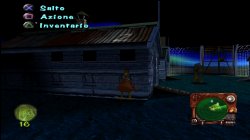
Gran Turismo 2 (SCUS94488) (Combined Disc)

config-title.txt
Code:
# Gran Turismo 2 (Combined Disc) (v1.2)

--gpu-scanout-fps-override=ntsc
--ps1-left-stick-action=1
--sim-analog-pad=0x2020
--multitap=on
--has-shown-start-select-help=0
--bios-hide-sce-osd=1
--enable-user-color-adjustment=1

--ps5-uds=0

# Use the new shared image directory
--image-dir=data

# Enable LopnorSPU to fix some audio issues
--use-lopnor-spu=1


# following settings are machine-generated
--region-dir=SIEA
--ps4-trophies=0
--ps5-uds=1

--globalgamedata-dir=global

LUA.
Code:
-- Gran Turismo 2 [NTSC-U] [v1.2] [Combined Disc] (SCUS-94488)
-- emu used=Oddworld Abe's Oddysee v2

local patcher = function()
local pad_bits = EM_PadRead()

local UP = pad_bits & 0x0010
local DOWN = pad_bits & 0x0040
local LEFT = pad_bits & 0x0080
local RIGHT = pad_bits & 0x0020
local Triangle = pad_bits & 0x1000
local Cross = pad_bits & 0x4000
local Square = pad_bits & 0x8000
local Circle = pad_bits & 0x2000
local L1 = pad_bits & 0x0400
local L2 = pad_bits & 0x0100
local L3 = pad_bits & 0x0002
local R1 = pad_bits & 0x0800
local R2 = pad_bits & 0x0200
local R3 = pad_bits & 0x0004
local Select = pad_bits & 0x0001
local Start = pad_bits & 0x0008

if (L3 ~= 0) then

-- Widescreen 16:9
R3K_WriteMem16(0xD0010000,0xFFE8)
R3K_WriteMem16(0x8007B39C,0x0156) -- Arcade disc menus --
R3K_WriteMem16(0xD0010000,0xFFD0)
R3K_WriteMem16(0x8007B39C,0x03DE) -- Simulation disc menu --
R3K_WriteMem16(0xD0010000,0xFFE0)
R3K_WriteMem16(0x8007B39C,0x01AC) -- In-game Auto-Activate (Both Discs) --
R3K_WriteMem16(0x8007B39E,0x3402) -- Permantly Activated (Both Discs) --
end
if (R3 ~= 0) then

-- Max Cash
R3K_WriteMem16(0x801D156A,0x1525)
R3K_WriteMem16(0x801D1568,0xE0FF)
end
end
EM_AddVsyncHook(patcher)
Freeze issue with intro - FiXed!


Gran Turismo 2 (Combined Disc). Short GamePlay!
VIDEO
 
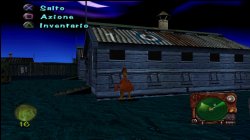
Megaman Legends (SLUS00603)

config-title.txt
Code:
# Megaman Legends (all regions)

--gpu-scanout-fps-override=ntsc
--ps1-left-stick-action=1
--sim-analog-pad=0x2020
--enable-change-disc-ui=true
--has-shown-start-select-help=0
--bios-hide-sce-osd=1
--enable-user-color-adjustment=1

--ps5-uds=0

# Use the new shared image directory
--image-dir=data

# Enable LopnorSPU to fix some audio issues
--use-lopnor-spu=1


# following settings are machine-generated
--region-dir=SIEA
--ps4-trophies=0
--ps5-uds=1

--globalgamedata-dir=global

LUA.
Code:
-- Megaman Legends [NTSC-U] (SLUS-00603)
-- emu used=Oddworld Abe's Oddysee v2

local patcher = function()
local pad_bits = EM_PadRead()

local UP = pad_bits & 0x0010
local DOWN = pad_bits & 0x0040
local LEFT = pad_bits & 0x0080
local RIGHT = pad_bits & 0x0020
local Triangle = pad_bits & 0x1000
local Cross = pad_bits & 0x4000
local Square = pad_bits & 0x8000
local Circle = pad_bits & 0x2000
local L1 = pad_bits & 0x0400
local L2 = pad_bits & 0x0100
local L3 = pad_bits & 0x0002
local R1 = pad_bits & 0x0800
local R2 = pad_bits & 0x0200
local R3 = pad_bits & 0x0004
local Select = pad_bits & 0x0001
local Start = pad_bits & 0x0008

if (L3 ~= 0) then --arbitrarily assigned keys

-- Widescreen 16:9
R3K_WriteMem16(0x80038058,0x2082)
R3K_WriteMem16(0x8003805A,0x0800)
R3K_WriteMem16(0x80008208,0x00C0)
R3K_WriteMem16(0x8000820A,0x8485)
R3K_WriteMem16(0x8000820C,0x0000)
R3K_WriteMem16(0x8000820E,0x0000)
R3K_WriteMem16(0x80008210,0xD883)
R3K_WriteMem16(0x80008212,0x0005)
R3K_WriteMem16(0x80008214,0x2843)
R3K_WriteMem16(0x80008216,0x0005)
R3K_WriteMem16(0x80008218,0x2821)
R3K_WriteMem16(0x8000821A,0x00BB)
R3K_WriteMem16(0x8000821C,0x00C0)
R3K_WriteMem16(0x8000821E,0xA485)
R3K_WriteMem16(0x80008220,0x00CC)
R3K_WriteMem16(0x80008222,0x8485)
R3K_WriteMem16(0x80008224,0x0000)
R3K_WriteMem16(0x80008226,0x0000)
R3K_WriteMem16(0x80008228,0xD883)
R3K_WriteMem16(0x8000822A,0x0005)
R3K_WriteMem16(0x8000822C,0x2843)
R3K_WriteMem16(0x8000822E,0x0005)
R3K_WriteMem16(0x80008230,0x2821)
R3K_WriteMem16(0x80008232,0x00BB)
R3K_WriteMem16(0x80008234,0x00CC)
R3K_WriteMem16(0x80008236,0xA485)
R3K_WriteMem16(0x80008238,0x00C0)
R3K_WriteMem16(0x8000823A,0x2484)
R3K_WriteMem16(0x8000823C,0xE018)
R3K_WriteMem16(0x8000823E,0x0800)
R3K_WriteMem16(0x80008240,0x1F80)
R3K_WriteMem16(0x80008242,0x3C05)
end
if (UP ~= 0 and R1 ~= 0) then

-- Infinite Money Zenny 999999
R3K_WriteMem16(0x800C1B2C,0x869F)
R3K_WriteMem16(0x800C1B2E,0x0001)
end
if (R3 ~= 0) then

-- Infinite Energy
R3K_WriteMem16(0x800B521E,0x00C4)
end
end
EM_AddVsyncHook(patcher)
Mega Man Legends. Multi Lang Dub Test!

VIDEO
 
Silent Hill works far better with the newly dumped Ridge Racer Type 4 emu. The previously poorly implemented mask bit has been fixed - mostly noticeable during night time, a rectangular aura around the player character or light source is gone now. It also fixed a transparency issue with the gun muzzle flash and blood particles during day time.

The only issue remaining seems to be the highlight around the items in the equipment menu and save tabs being thicker than they should. If you know any commands worth trying to fix this let me know but at least the game is 98% perfect now, I played until the school area just to be sure. And yes, I also tried other emus dropped today but none of them work with this game.

kVAjh2C.jpeg


Anyway, with new PSX/PSP emus being dropped, I expect to see more playable games or fix games that worked previously but had bugs.

EDIT: Fixed that highlight issue. Just use the command "--defer-linked-dma-irq=false".
Game is 100% perfect now.
 
Last edited:
And yes, I also tried other emus dropped today but none of them work with this game.

That's interesting, you would think the emulator from Jet Moto 2 and Rally Cross (being the newest games of those released) would have even better compatibility and features than the RR4 emulator which is from ~December 2022.
 
Back
Top