PSX-FPKG

PS4 PSX-FPKG (by Jabu) - A Tool to convert PS1 (PSX) games for use on PS4 v0.3

Metal Slug - Super Vehicle-001 (Japan, Asia)

LUA

Code:
-- Metal Slug 1 [NTSC J] (SLPS-00950)
-- Lua by nifengyuexia
-- emu used=All emus released after syphonfilter v2

local patcher = function()

--Fix scene crash
local code_check1 = R3K_ReadMem16(0x103456)
if code_check1 == 0x1040 then
R3K_WriteMem16(0x80103456,0x1000)
end
local code_check2 = R3K_ReadMem16(0x109bb6)
if code_check2 == 0x1040 then
R3K_WriteMem16(0x80109bb6,0x1000)
end
local code_check3 = R3K_ReadMem16(0x105946)
if code_check3 == 0x1040 then
R3K_WriteMem16(0x80105946,0x1000)
end
local code_check4 = R3K_ReadMem16(0x10675E)
if code_check4 == 0x1040 then
R3K_WriteMem16(0x8010675E,0x1000)
end
end
EM_AddVsyncHook(patcher)

The crash occurred in the following four scenarios and has now been fixed

合金弹头:超级车辆001 _20240515230735.jpg

合金弹头:超级车辆001 _20240515231210.jpg

合金弹头:超级车辆001 _20240515232127.jpg

合金弹头:超级车辆001 _20240515233108.jpg
 
Silent Hill(Japan)

LUA

Code:
-- Silent Hill [NTSC J] (SLPM-86192)
-- Lua by nifengyuexia
-- emu used=RRT4 emu

local patcher = function()

--Widescreen 16:9
local code_check1 = R3K_ReadMem16(0x0C9638) 
if code_check1 == 0x1000 then
R3K_WriteMem16(0x800C9638,0x0C00)
end

--Crash caused by removing anti-piracy protection
local code_check2 = R3K_ReadMem16(0x1E778E)
if code_check2 == 0x1040 then
R3K_WriteMem16(0x801E778E,0x1000)
end
end
EM_AddVsyncHook(patcher)
 
Last edited:
Saru! Get You!(Japan)

LUA

Code:
-- Saru! Get You! [NTSC J] (SCPS-10091)
-- Lua by nifengyuexia
-- emu used=syphonfilter v2 emu

local patcher = function()

--Widescreen 16:9
R3K_WriteMem16(0x800AEF20,0x0C00)

--Bypass anti-piracy rules
local code_check1 = R3K_ReadMem16(0x13723C)
if code_check1 == 0x0119 then
R3K_WriteMem16(0x8013723C,0x0000)
end
local code_check2 = R3K_ReadMem16(0x13723E)
if code_check2 == 0x0304 then
R3K_WriteMem16(0x8013723E,0x0000)
end
local code_check3 = R3K_ReadMem16(0x137248)
if code_check3 == 0x0119 then
R3K_WriteMem16(0x80137248,0x0000)
end
local code_check4 = R3K_ReadMem16(0x13724A)
if code_check4 == 0x0302 then
R3K_WriteMem16(0x8013724A,0x0000)
end
end
EM_AddVsyncHook(patcher)
 
Hot Shots Golf 2 Official Config

Code:
# Hot Shots Golf 2 (all regions)

--ps1-left-stick-action=1
--sim-analog-pad=0x2020

--bios-hide-sce-osd=1

# Use the new shared image directory
--image-dir=data

# Enable LopnorSPU to fix some audio issues
--use-lopnor-spu=1

--drawrect-fill-hack=1

# following settings are machine-generated
--region-dir=SIEA
--ps4-trophies=1
--ps5-uds=1

--globalgamedata-dir=global
LUA
Code:
-- Lua 5.3
-- Title:  Hot Shots Golf 2 (US)
-- Author:  Bryan Strait

local SKIP_HOOK_PC     = 0x8008D618
local SKIP_HOOK_OPCODE   = 0x84620006
local SKIP_DEST_PC     = 0x8008D774

local function SkipOnlineCode()
   R3K_SetPC(SKIP_DEST_PC)
end

R3K_AddHook(SKIP_HOOK_PC, SKIP_HOOK_OPCODE, SkipOnlineCode)
 
Wild Arms Official Config

Code:
# Wild Arms (all regions)

--ps1-left-stick-action=1
--sim-analog-pad=0x2020

--bios-hide-sce-osd=1

# Use the new shared image directory
--image-dir=data

# Enable LopnorSPU to fix some audio issues
--use-lopnor-spu=1


# following settings are machine-generated
--region-dir=SIEA
--ps4-trophies=1
--ps5-uds=1

--globalgamedata-dir=global
LUA
Code:
require "disc-selection"

local pal_disc_map = {
["en-GB"] = {"WildArms_SCES00321_SCEE_EN.bin"},
["en"] = {"WildArms_SCES00321_SCEE_EN.bin"},
["nl"] = {"WildArms_SCES00321_SCEE_EN.bin"},
["pt"] = {"WildArms_SCES00321_SCEE_EN.bin"},
["ru"] = {"WildArms_SCES00321_SCEE_EN.bin"},
["fi"] = {"WildArms_SCES00321_SCEE_EN.bin"},
["sv"] = {"WildArms_SCES00321_SCEE_EN.bin"},
["da"] = {"WildArms_SCES00321_SCEE_EN.bin"},
["no"] = {"WildArms_SCES00321_SCEE_EN.bin"},
["pl"] = {"WildArms_SCES00321_SCEE_EN.bin"},
["tr"] = {"WildArms_SCES00321_SCEE_EN.bin"},
["ar"] = {"WildArms_SCES00321_SCEE_EN.bin"},
["cs"] = {"WildArms_SCES00321_SCEE_EN.bin"},
["hu"] = {"WildArms_SCES00321_SCEE_EN.bin"},
["el"] = {"WildArms_SCES00321_SCEE_EN.bin"},
["ro"] = {"WildArms_SCES00321_SCEE_EN.bin"},
["uk"] = {"WildArms_SCES00321_SCEE_EN.bin"},

["fr"] = {"WildArms_SCES01171_SCEE_FR.bin"},

["de"] = {"WildArms_SCES01172_SCEE_DE.bin"},

["it"] = {"WildArms_SCES01173_SCEE_IT.bin"},

["es"] = {"WildArms_SCES01174_SCEE_ES.bin"},
}

local ntsc_disc_map = {
["en"] = {"WildArms_SCUS94608_SCEA_EN.bin"},
["pt-BR"] = {"WildArms_SCUS94608_SCEA_EN.bin"},
["es-MX"] = {"WildArms_SCUS94608_SCEA_EN.bin"},
["fr-CA"] = {"WildArms_SCUS94608_SCEA_EN.bin"},
}

RegisterDiscs(pal_disc_map, ntsc_disc_map)

No backport, Works great on 11.00
 
Policenauts (NTSC-J) (2CD)
Code:
-- Policenauts [NTSC-J] [English Patched] (SLPS-00215)
-- emu used=Oddworld Abe's Oddysee v2

config-title.txt
Code:
# Policenauts (English Patched)

--gpu-scanout-fps-override=ntsc
--ps1-left-stick-action=1
--sim-analog-pad=0x2020
--enable-change-disc-ui=true
--has-shown-start-select-help=0
--bios-hide-sce-osd=1
--enable-user-color-adjustment=1

--ps5-uds=0

# Use the new shared image directory
--image-dir=data

# Enable LopnorSPU to fix some audio issues
--use-lopnor-spu=1


# following settings are machine-generated
--region-dir=SIEA
--ps4-trophies=0
--ps5-uds=1

--globalgamedata-dir=global

app_boot.lua
Code:
require "disc-selection"

local default_disc_map = {
   en = { "disc01.bin" , "disc02.bin"  }
      
}

RegisterDiscs(default_disc_map)

Policenauts. Short GamePlay!

VIDEO

I also attach other files with save! To get acess for 2nd disc - load Act 3!
 

Attachments

Sorry for reviving this thread, but is there a way to make legend of legaia work with this? its freezing when you use the healing leaf on the practice battle.
 
i want say that: with linux and appimage of duckstation we can load any psx iso with lot of feature. i hope a version of duckstation come out compiled for orbis. (iam not remember if ps4 retroarch have psx core)
 
Final Fantasy VIII (Japan, Asia)

LUA

Code:
-- Final Fantasy VIII [NTSC J] (SLPS-01880)
-- Lua by nifengyuexia
-- emu used=The Legend of Dragoon v1.0

local patcher = function()

--Crash caused by removing anti-piracy protection
local code_check1 = R3K_ReadMem16(0x09B9E0)
if code_check1 == 0x0119 then
R3K_WriteMem16(0x8009B9E0,0x0000)
end
local code_check2 = R3K_ReadMem16(0x09B9E2)
if code_check2 == 0x0304 then
R3K_WriteMem16(0x8009B9E2,0x0000)
end
local code_check3 = R3K_ReadMem16(0x09B9EE)
if code_check3 == 0x0302 then
R3K_WriteMem16(0x8009B9EE,0x0000)
end
local code_check4 = R3K_ReadMem16(0x09B9EC)
if code_check4 == 0x0119 then
R3K_WriteMem16(0x8009B9EC,0x0000)
end
end
EM_AddVsyncHook(patcher)
 
Final Fantasy VIII (Japan, Asia)

LUA

Code:
-- Final Fantasy VIII [NTSC J] (SLPS-01880)
-- Lua by nifengyuexia
-- emu used=The Legend of Dragoon v1.0

local patcher = function()

--Crash caused by removing anti-piracy protection
local code_check1 = R3K_ReadMem16(0x09B9E0)
if code_check1 == 0x0119 then
R3K_WriteMem16(0x8009B9E0,0x0000)
end
local code_check2 = R3K_ReadMem16(0x09B9E2)
if code_check2 == 0x0304 then
R3K_WriteMem16(0x8009B9E2,0x0000)
end
local code_check3 = R3K_ReadMem16(0x09B9EE)
if code_check3 == 0x0302 then
R3K_WriteMem16(0x8009B9EE,0x0000)
end
local code_check4 = R3K_ReadMem16(0x09B9EC)
if code_check4 == 0x0119 then
R3K_WriteMem16(0x8009B9EC,0x0000)
end
end
EM_AddVsyncHook(patcher)

Dr. SLUMP PLS. FIX LOGO CRASHES?
 
Dr. SLUMP PLS. FIX LOGO CRASHES?
I'm not sure. I have the impression that NTSC-U games don't have anti-piracy protection. I haven't tested any NTSC-U games because of regional issues.

Of course, if the error is the same, you can port my code to fix it, otherwise it's another problem.
 
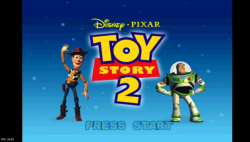
Toy Story 2 v.2 Emu (CUSA33334)

config-title.txt

Code:
--ctlanalog=true
--bios-hide-sce-osd=1
--ps5-uds=0
--image-dir=data
--use-lopnor-spu=1
--app-volume=1.35
--legacy-force-analog=true
--region-dir=SIEA
--ps4-trophies=1
--ps5-uds=1
--globalgamedata-dir=global

app_boot.lua
Code:
require "disc-selection"

local pal_disc_map = {
["en-GB"] = {"ToyStory2_SLES02067_SCEE_EN.bin"},
["en"] = {"ToyStory2_SLES02067_SCEE_EN.bin"},
["nl"] = {"ToyStory2_SLES02067_SCEE_EN.bin"},
["pt"] = {"ToyStory2_SLES02067_SCEE_EN.bin"},
["ru"] = {"ToyStory2_SLES02067_SCEE_EN.bin"},
["fi"] = {"ToyStory2_SLES02067_SCEE_EN.bin"},
["sv"] = {"ToyStory2_SLES02067_SCEE_EN.bin"},
["da"] = {"ToyStory2_SLES02067_SCEE_EN.bin"},
["no"] = {"ToyStory2_SLES02067_SCEE_EN.bin"},
["pl"] = {"ToyStory2_SLES02067_SCEE_EN.bin"},
["tr"] = {"ToyStory2_SLES02067_SCEE_EN.bin"},
["ar"] = {"ToyStory2_SLES02067_SCEE_EN.bin"},
["cs"] = {"ToyStory2_SLES02067_SCEE_EN.bin"},
["hu"] = {"ToyStory2_SLES02067_SCEE_EN.bin"},
["el"] = {"ToyStory2_SLES02067_SCEE_EN.bin"},
["ro"] = {"ToyStory2_SLES02067_SCEE_EN.bin"},
["uk"] = {"ToyStory2_SLES02067_SCEE_EN.bin"},

["fr"] = {"ToyStory2_SLES02405_SCEE_FR.bin"},

["de"] = {"ToyStory2_SLES02406_SCEE_DE.bin"},

["it"] = {"ToyStory2_SLES02407_SCEE_IT.bin"},

["es"] = {"ToyStory2_SLES02408_SCEE_ES.bin"},
}

local ntsc_disc_map = {
["en"] = {"ToyStory2_SLUS00893_SCEA_EN.bin"},
["pt-BR"] = {"ToyStory2_SLUS00893_SCEA_EN.bin"},
["es-MX"] = {"ToyStory2_SLUS00893_SCEA_EN.bin"},
["fr-CA"] = {"ToyStory2_SLUS00893_SCEA_EN.bin"},
}

RegisterDiscs(pal_disc_map, ntsc_disc_map)

Works ok on 5.05 FW
 

Attachments

  • 03.png
    03.png
    1.5 MB · Views: 193
  • 04.png
    04.png
    907.3 KB · Views: 61
Resident Evil Director's Cut (SLUS00747)

config-title.txt
Code:
# Resident Evil - Director's Cut Mega Collection Vol.1

--pace-gpu-dma=false
--gpu-scanout-fps-override=ntsc
--cdrom-cmd-time=100
--cdrom-max-seek=true
--defer-linked-dma-irq=false
--opt-cache-isolation=false
--ps1-left-stick-action=1
--ctlanalog=on
--enable-change-disc-ui=true
--has-shown-start-select-help=0
--bios-hide-sce-osd=1
--enable-user-color-adjustment=1

--ps5-uds=0

# Use the new shared image directory
--image-dir=data

# Enable LopnorSPU to fix some audio issues
--use-lopnor-spu=1


# following settings are machine-generated
--region-dir=SIEA
--ps4-trophies=0
--ps5-uds=1

--globalgamedata-dir=global

LUA.
Code:
-- Resident Evil: Director's Cut (SLUS-00747)
-- emu used=Oddworld Abe's Oddysee v2

local patcher = function()
local pad_bits = EM_PadRead()

local UP = pad_bits & 0x0010
local DOWN = pad_bits & 0x0040
local LEFT = pad_bits & 0x0080
local RIGHT = pad_bits & 0x0020
local Triangle = pad_bits & 0x1000
local Cross = pad_bits & 0x4000
local Square = pad_bits & 0x8000
local Circle = pad_bits & 0x2000
local L1 = pad_bits & 0x0400
local L2 = pad_bits & 0x0100
local L3 = pad_bits & 0x0002
local R1 = pad_bits & 0x0800
local R2 = pad_bits & 0x0200
local R3 = pad_bits & 0x0004
local Select = pad_bits & 0x0001
local Start = pad_bits & 0x0008

if (LEFT ~= 0 and L1 ~= 0) then

-- Infinite Health (Chris & Jill) (REDC ONLY)
R3K_WriteMem16(0x800C51AC,0x008C)
end
if (DOWN ~= 0 and L1 ~= 0) then

-- Infinite Health (Rebecca) (REDC ONLY)
R3K_WriteMem16(0x800C51AC,0x0058)
end
if (R3 ~= 0) then

-- Save Anywhere (Use after first save in Game) (REDC ONLY)
R3K_WriteMem16(0xD00CF844,0x0044)
R3K_WriteMem16(0x800C8456,0x0002)
R3K_WriteMem16(0x800343F2,0x2400)
R3K_WriteMem16(0x8003446E,0x2400)
end
if (L3 ~= 0) then

-- Infinite Ammo (All Weapons-Except FlameThrower) (REDC ONLY)
R3K_WriteMem16(0xD00418F8,0xFFFF)
R3K_WriteMem16(0x800418F8,0x0000)
end
end
EM_AddVsyncHook(patcher)

Back to Resident Evil|Comparison|GamePlay|Seamless HD Project|Saturn|PSX|PS4 Pro

 
Hi everyone!
I wanted to create a JSON cheat file from gamehacking for a game but cheats don't work, any idea why?
while ago someone here told me I have to subtract 400000 from a code to get it work (this for ps2 games), can anyone enlighten me please?

i need these and thanks

Code:
Gameshark Codes (100% works!)
Bakusou Dekotora Densetsu 2: Otoko Jinsei Yume Ichiro

Infinite money
800B06A0 423F
800B06A2 000F

No damage
800FA0DC 03E8

Infinite Nitro
300FA0E0 0001

Max Legendary Points
800B1908 0064
 
Good afternoon guys, been keeping a close eye on the thread and reading all posts. Lots of config and lua files posted for lots of games. It really is appreciated. I just wanted to know if anyone would be able to point me in the direction of how to add cheat codes to the lua file for when making my own games. I dont see any help on this or tutorials as far as ive looked.

It would be amazing if someone has the time to point me where i can learn.

thanks alot
 
Good afternoon guys, been keeping a close eye on the thread and reading all posts. Lots of config and lua files posted for lots of games. It really is appreciated. I just wanted to know if anyone would be able to point me in the direction of how to add cheat codes to the lua file for when making my own games. I dont see any help on this or tutorials as far as ive looked.

It would be amazing if someone has the time to point me where i can learn.

thanks alot
Well if you are new one in this theme, use jabu tool at first.
 
Thanks for the reply Vika! I'm a big fan of your releases. I have used the tool for some games I love but I am just wondering if there is a guide to add cheat codes to those files before creating with the tool.

I would greatly appreciate it. P.s love your prisoner of war PS2. Playing it alot
 
Thanks for the reply Vika! I'm a big fan of your releases. I have used the tool for some games I love but I am just wondering if there is a guide to add cheat codes to those files before creating with the tool.

I would greatly appreciate it. P.s love your prisoner of war PS2. Playing it alot

in generally - in jabu tool u need push check box with "pause before creating pkg"!
It let u add lua files with cheats. txt files or other emus!
Also you can google tool from Markus00095!
 
in generally - in jabu tool u need push check box with "pause before creating pkg"!
It let u add lua files with cheats. txt files or other emus!
Also you can google tool from Markus00095!
Thanks once again Vika!, I have done this but what I want to know is which cheat codes goes with the app, how to add them in which format or the lua. I was hoping for a little guide of sorts to show how to add cheat codes in the correct text style or format in the lua file, for example are gameshark codes used?

I see AR and adding 0x to gameshark codes but I am wanting to know should I follow a structure like some of the lua files posted here but replace with the game name and release slus.

I will look at The psx tool from Markus as well. Thank you
 
Last edited:
Back
Top