PS3 Rebug CFW change RED icons color

If someone in other firmware (not rebug) messes around with his rco files what they can do is to extract the rcos from the custom firmware pup they are using and overwrite them
And if what he wants is to revert them to official what he can do is to extrac them from official firmware and overwrite them, there is not needed a "release" for this case, is like extracting some files from ofw and releasing them inside a .rar
I think if you want to cover all posible cfws using custom rcos (like ferrox or others) is going to become a lot less intuitive, but do what you want
Why include the raf file? All my icons are working fine as is.
Because the main goal was to return rebug to the official look and rebug uses a custom coldboot.raf vr6cer explained it here well. If at some point is made a PKG installer then for people like him is nice if the PKG reverts the coldboot animation too
Hi All,

I really love and enjoy the Rebug Team latest 4.82 Lite CFW for general purposes but I would like to change the red Rebug colored icons like the PSN Icon and the other gray icon like under the Photos menu tab for the photo album application. How is this possible? I searched the internet and the forum and I found that some .rco files are responsible for this. Since, I am making my console retro-ps3, so old coldboot with the Ps3 gameboot chimney sound and animation, I would prefer the old Psn icon and colors back on my system. How is that possible?

Thank you for all of your help.
 
If someone in other firmware (not rebug) messes around with his rco files what they can do is to extract the rcos from the custom firmware pup they are using and overwrite them
And if what he wants is to revert them to official what he can do is to extrac them from official firmware and overwrite them, there is not needed a "release" for this case, is like extracting some files from ofw and releasing them inside a .rar
I think if you want to cover all posible cfws using custom rcos (like ferrox or others) is going to become a lot less intuitive, but do what you want

Because the main goal was to return rebug to the official look and rebug uses a custom coldboot.raf vr6cer explained it here well. If at some point is made a PKG installer then for people like him is nice if the PKG reverts the coldboot animation too

Ah I get you lol, never thought of restoring the power on animation too :-p but your right, I bet some people would like that. But some people might not. I'm thinking I will have to make it optional in my pkg release. Personally I like the Rebug opening screen, but that's just my opinion.

Or maybe I can edit the coldboot file so SURPRISE! A big floppy donkey dick shows up when you boot your PS3! Rofl, Just kidding :-p
 
Last edited:
Well, vr6cer was going one step further, he also wants to revert the gameboot animation (from very old firmwares, i dont remember in which one was removed), but this is a different selection of files, and im guessing it could be a pita to prepare it

What i was talking about was this:
rebug style ---to---> official (actual look, post 4.00 or so)

And what he wants is this:
rebug style ---to---> official (classic look, pre 3.00 firmware or so)

But if someone wants to try... you have a good start point with this table i made http://www.psdevwiki.com/ps3/Template:Custom_render_plugin.rco_changelog

custom_render_plugin.rco is the only RCO from PS3 firmware that is documented with that level of detail in wiki, the reason why i did it is because i needed to chose one RCO (one that was updated very frequently and was usefull to have a changelog and some examples) as a "guinea pig" to see in which firmwares it was updated, and the exact details of everything that was updated inside it... this is how i found how it works the http://www.psdevwiki.com/ps3/XMB_Layouts :)
Actualy, this table with the detailed changelog of custom_render_plugin.rco is displayed inside the XMB layouts page as an example because is the best place to see how are connected, im telling this because there are still a few "unknowns" related with the XMB layouts, one of the purposes of them is to store values that are loaded by the RCO files, but it seems there is something more
 
Well, vr6cer was going one step further, he also wants to revert the gameboot animation (from very old firmwares, i dont remember in which one was removed), but this is a different selection of files, and im guessing it could be a pita to prepare it

What i was talking about was this:
rebug style ---to---> official (actual look, post 4.00 or so)

And what he wants is this:
rebug style ---to---> official (classic look, pre 3.00 firmware or so)

But if someone wants to try... you have a good start point with this table i made http://www.psdevwiki.com/ps3/Template:Custom_render_plugin.rco_changelog

custom_render_plugin.rco is the only RCO from PS3 firmware that is documented with that level of detail in wiki, the reason why i did it is because i needed to chose one RCO (one that was updated very frequently and was usefull to have a changelog and some examples) as a "guinea pig" to see in which firmwares it was updated, and the exact details of everything that was updated inside it... this is how i found how it works the http://www.psdevwiki.com/ps3/XMB_Layouts :)
Actualy, this table with the detailed changelog of custom_render_plugin.rco is displayed inside the XMB layouts page as an example because is the best place to see how are connected, im telling this because there are still a few "unknowns" related with the XMB layouts, one of the features of the is to store values that are loaded by the RCO files, but it seems there is something more

Oh man, if I ever go through all the trouble of restoring the boot screen to classic I might as well restore all the icons too. The oldest OFW I ever saw posted was 1.02 so I would go with the icons from that. Figuring out how all that shit works and how to convert each image without altering the layout in any negative ways would be a real pain, but like I said, I don't like half finished projects. I would either go full classic or go home. Restoring just the boot logo seems too much like a half measure to me. Besides, not today man. I did a lot of commenting in the help section today to make up for my prior help recieved.... my head hurts lol I need a rest :-p

Time for some COD

I'm still watching the help thread though, you can expect some more help from me there in the future, when I have time.

Btw, how hard were you guys freaking out when youtube went down yesterday? That was epic! Never seen that before.
 
Last edited:
:D you will get used to the brainstormings, it was a good talk today, i was used to all this but even i had a new cool table in wiki with the hashes you posted, thx
See how the cfw and the forum was not for piracy ? (i noticed you was asking about it), your first contribution and you are spending more time here messing around with the firmware and tools than playing, be careful it seems you are entering in the first stages of the scene addition :P


Btw, i imagined a way to check if the files are compatible with rebug CEX/DEX/DECR in a accurate way, by downloading that rebug firmwares, extracting contents and checking if the RCO files we was talking about are the same in all them
If are not the same... meh... bad luck :crybaby: and will be needed other way to verify it
 
:D you will get used to the brainstormings, it was a good talk today, i was used to all this but even i had a new cool table in wiki with the hashes you posted, thx
See how the cfw and the forum was not for piracy ? (i noticed you was asking about it), your first contribution and you are spending more time here messing around with the firmware and tools than playing, be careful it seems you are entering in the first stages of the scene addition :P


Btw, i imagined a way to check if the files are compatible with rebug CEX/DEX/DECR in a accurate way, by downloading that rebug firmwares, extracting contents and checking if the RCO files we was talking about are the same in all them
If are not the same... meh... bad luck :crybaby: and will be needed other way to verify it

Check back tomorrow then :-p may have some new hashes for your wiki then lol, though if they are all the same, is there any point making a table? A post saying they are all the same across all Rebug forms from this firmware to that would be equally as useful. Now stop tempting me to post lol every post goes to my email and I get that little ding noise lmao
 
Last edited:
And I don't know if you want me getting too involved in your scene. I speak my mind :-p might just get myself banned at some point. I'm very free with my tongue, and people telling me how to do things really pisses me off..... as you have probably surmised by now. I appreciate advice, and I can deal with strict rules based on legal issues like copyright and such, that's not your fault, but beyond that I'm a free spirit.
 
I think will not be needed to make a table, my guess is probably are going to be the same, and by now the only goal to check this is you can tell your files are compatible with "rebug 4.80, 4.81, 4.82 REX/D-REX/DECR" ...instead of... "rebug 4.80, 4.81, 4.82 REX"
Is a bit better, but i mentioned it mostly because i was thinking in the compatibility with rebug and the basic selection of files specific to revert the rebug style to the matching official version (not the extra changes like the gameboot related with custom_render_plugin.rco)

Now i imagined how to check that compatibility in between rebug REX/D-REX/DECR in a easy way (without need to instal them or download the officials DEX/DECR that doesnt seems to be publically available for 4.82) so i posted it here "for the record" and as an answer to my doubts of the previous messages :)
 
I think will not be needed to make a table, my guess is probably are going to be the same, and by now the only goal to check this is you can tell your files are compatible with "rebug 4.80, 4.81, 4.82 REX/D-REX/DECR" ...instead of... "rebug 4.80, 4.81, 4.82 REX"
Is a bit better, but i mentioned it mostly because i was thinking in the compatibility with rebug and the basic selection of files specific to revert the rebug style to the matching official version (not the extra changes like the gameboot related with custom_render_plugin.rco)

Now i imagined how to check that compatibility in between rebug REX/D-REX/DECR in a easy way (without need to instal them or download the officials DEX/DECR that doesnt seems to be publically available for 4.82) so i posted it here "for the record" and as an answer to my doubts of the previous messages :)

I'm a little worried about testing the coldboot file. Is there a chance it might prevent my system from booting?

Wow. Just emptied my recycle bin for the first time in forever. 84.4gb :eek: must be all the crap files left over from video editing.

I got 5 Rebug downloads going on simultaneously. Any clue if there is a limit for simultaneous downloads?

There isn't.
 
Last edited:
I'm a little worried about testing the coldboot file. Is there a chance it might prevent my system from booting?

Wow. Just emptied my recycle bin for the first time in forever. 84.4gb :eek: must be all the crap files left over from video editing.

I got 5 Rebug downloads going on simultaneously. Any clue if there is a limit for simultaneous downloads?

There isn't.

a coldboot. technically, you could delete the file, and the system would still boot up like nothing was wrong.
 
With the custom_render_plugin.rco is different though, it contains info related with the animations of coldboot/s gameboot/s and even some unkowns (it seems there are a lot and is a bit confusing what does each)
I guess if the file is broken the PS3 is not going to be able to load XMB, it will fail when trying to play the first coldboot animation, so this is a pita to make experiments. Luckly this "semibrick" can be fixed by reinstalling the firmware from "recovery menu", but still is a pita to reinstall the firmware for every mistake while doing RCO tests

The changes needed to make to custom_render_plugin.rco to revert the gameboot animation to the oldest one are posted somewhere i dont remember (probably pinky remembers it, and vr6cer because he mentioned is using this mod right now in 4.82 i guess), but anyway i think there is no need to include this modded file in the "pack". In my oppinion the basic "pack" should be intended to revert the visual style to the official look (and with this i mean... the actual look of 4.80, 4.81 4.82)
 
Last edited:
Am I correct to assume if I were to take the classic icons from the oldest firmware I can find and made the icons the exact same dimensions with the icons centered in the exact same location and the exact same size in the image that the image should load properly in the xmb, or is there more to it? Should be cool having a PS3 with the original look and feel :) but I wouldn't be surprised if I have to edit a lot more than 8 rco files to do that

I downloaded all 14 Rebug firmwares made for 4.80 and above and am doing the hash comparisons for the rco files now. 14 x 9. 126 hashes to compare. Dayum. Well I guess I won't test the coldboot file since I won't be adding the boot animation just yet, so 14x8 then.

I think if my modified explore_plugin_full.rco works fine for my Ferrox test and the hash for the original I will be replacing matches all the other CFW, that should probably mean it will run fine on other CFW too.... or am I missing something? If it does a simple one mode pkg installer should be fine for restoring default PSN icons on any CFW from 4.80 to 4.82. A simple noob-friendly installer to remove any custom rco files they have installed and didn't like for whatever reason would be handy. I'll have to do the same tests with the classic pack I am making, only I guess I'll have to compare the hashes for all 8 rco for that one, since I will be heavily modifying all 8 rco files.

This classic pack will also require installation of a p3t file, I'm going all out on this one! And I know the p3t file at least should run on any firmware, even OFW, unless there are any theme incompatibilities I am unfamiliar with. My own personal theme never had any problems no matter what firmware I installed it on.
 
Last edited:
But the old PS3 firmwares used different icons ? i never noticed it :eek:
To answer the question... if you take the GIM files from inside old RCO files and use them in the new RCO files the GIM images will load fine, the only 2 reasons where there could be some room for incompatibilities is if sony changed the size of the image, or the GIM settings (used to create every GIM), but initially my guess is this changes are very unprobable
Actually, there are some GIM files from 4.82 where you can see a timestamp at bottom with the date 2006, lol, are images that existed in PS3 firmware 1.00 (and even before in pre-retail firmwares) but never has been updated
Sony doesnt likes to change things without having a good reason, they are hardcode believers of the rule "if it works dont touch it", they try to be very strict with this rule but sometimes there are mistakes or weird things that breaks a bit what they was using as standards, so if you start replacing GIM files from an old firmware to a new one (based in his filenames, and not modifying any filename) maybe you can find some problem but are going to be minor, and most probably we could label all them as "mistake" "weird" or "unknown purpose"

I dont know how is made the explore_plugin_full.rco in ferrox, never took a look at it so i cant tell, but in general the custom firmwares that uses an advanced package manager (using a XMB icon folder structure a bit more complex than the official package manager from dex/decr) contains some custom text strings inside explore_plugin_full.rco
And in general, explore_plugin_full.rco works a bit as the "trash bin" of XMB, because his contents can be accessed by lot of .sprx So if you are not sure where to place a custom resource you can "throw it" inside explore_plugin_full.rco in the same way sony did (and this is why lot of mods stores resources here)

And if you use the explore_plugin_full.rco from rebug in a different cfw without rebug package manager the custom text strings and the icon from rebug are going to be there but the XMB is not going to load them, so are not going to cause problems
 
Last edited:
But the old PS3 firmwares used different icons ? i never noticed it :eek:
To answer the question... if you take the GIM files from inside old RCO files and use them in the new RCO files the GIM images will load fine, the only 2 reasons where there could be some room for incompatibilities is if sony changed the size of the image, or the GIM settings (used to create every GIM), but initially my guess is this changes are very unprobable
Actually, there are some GIM files from 4.82 where you can see a timestamp at bottom with the date 2006, lol, are images that existed in PS3 firmware 1.00 (and even before in pre-retail firmwares) but never has been updated
Sony doesnt likes to change things without having a good reason, they are hardcode believers of the rule "if it works dont touch it", they try to be very strict with this rule but sometimes there are mistakes or weird things that breaks a bit what they was using as standards, so if you start replacing GIM files from an old firmware to a new one (based in his filenames, and not modifying any filename) maybe you can find some problem but are going to be minor, and most probably we could label all them as "mistake" "weird" or "unknown purpose"

I dont know how is made the explore_plugin_full.rco in ferrox, never took a look at it so i cant tell, but in general the custom firmwares that uses an advanced package manager (using a XMB icon folder structure a bit more complex than the official package manager from dex/decr) contains some custom text strings inside explore_plugin_full.rco
And in general, explore_plugin_full.rco works a bit as the "trash bin" of XMB, because his contents can be accessed by lot of .sprx So if you are not sure where to place a custom resource you can "throw it" inside explore_plugin_full.rco in the same way sony did (and this is why lot of mods stores resources here)

And if you use the explore_plugin_full.rco from rebug in a different cfw without rebug package manager the custom text strings and the icon from rebug are going to be there but the XMB is not going to load them, so is not going to cause problems

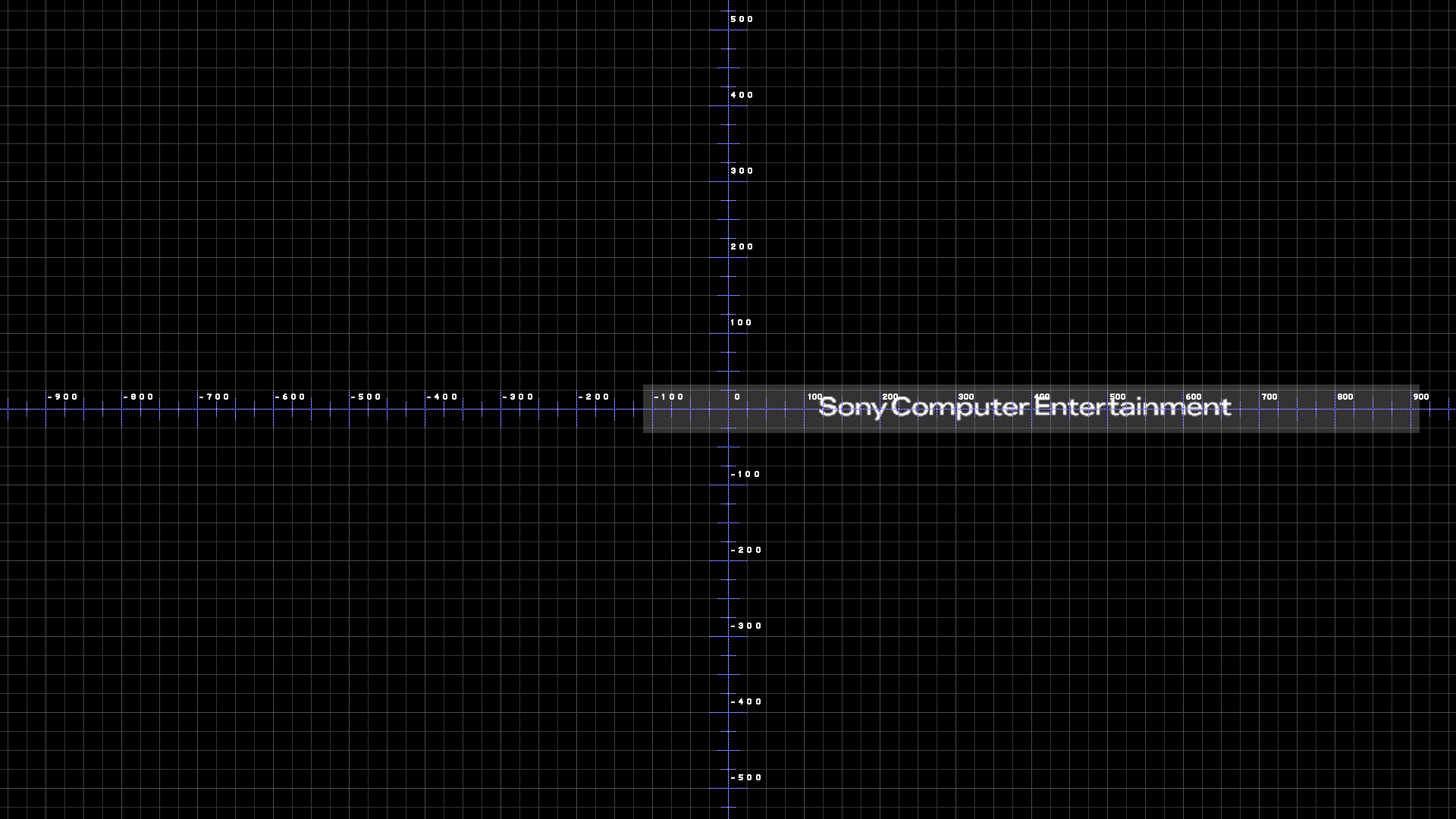
As a matter of fact in the old demo firmwares and even in the 1.00 version there are quite a few differences, for example, in the beginning there wasn't even a logo in the boot screen! It simply said "Sony Computer Entertainment" in small letters, and there was a really neat sounding startup chime, I really liked it. And when you would boot a game, you would get this cool Playstation 3 game boot screen. Here, I'll see if I can find a video.
See isn't that neat? Some of the icons were different too. Oh man those boot screens are the coolest! I love the sounds the system would make on boot and loading games most of all, so catchy.
 
Btw, i imagined a way to check if the files are compatible with rebug CEX/DEX/DECR in a accurate way, by downloading that rebug firmwares, extracting contents and checking if the RCO files we was talking about are the same in all them
If are not the same... meh... bad luck :crybaby: and will be needed other way to verify it

The files differ in the DECR versions for explore_plugin_full.rco and npsignin_plugin.rco, and I have no way to test on the DECR versions :(. What's so special about those 2 files on the DECR versions? Anyway, here are my hashes, feel free to post them to your wiki.

REBUG 4.80.1 D-REX Edition explore_category_game.rco: 0DE2B3A1AA7A2EEDB3DA3737E83C2235
REBUG 4.80.1 D-REX Edition explore_category_psn.rco: CAFC0DFCFD3483CF0D3F5C987A74C8D5
REBUG 4.80.1 D-REX Edition explore_category_video.rco: 209894C4BC172E4F4458097F10F87201
REBUG 4.80.1 D-REX Edition explore_plugin_full.rco: 36461B7177C78F8A16997A880ACDB5FA
REBUG 4.80.1 D-REX Edition npsignin_plugin.rco: 3134D69243501AF376577DDF6B004A52
REBUG 4.80.1 D-REX Edition wboard_plugin.rco: 42068355670AD312CFD2A021CACFD526
REBUG 4.80.1 D-REX Edition xmb_ingame.rco: 42AEEC4C0EA656CEB96130D59185CE48
REBUG 4.80.1 D-REX Edition xmb_plugin_normal.rco: 52397AC862B952570BE10CBE816F9EFD

REBUG 4.80.1 REX Edition explore_category_game.rco: 0DE2B3A1AA7A2EEDB3DA3737E83C2235
REBUG 4.80.1 REX Edition explore_category_psn.rco: CAFC0DFCFD3483CF0D3F5C987A74C8D5
REBUG 4.80.1 REX Edition explore_category_video.rco: 209894C4BC172E4F4458097F10F87201
REBUG 4.80.1 REX Edition explore_plugin_full.rco: 36461B7177C78F8A16997A880ACDB5FA
REBUG 4.80.1 REX Edition npsignin_plugin.rco: 3134D69243501AF376577DDF6B004A52
REBUG 4.80.1 REX Edition wboard_plugin.rco: 42068355670AD312CFD2A021CACFD526
REBUG 4.80.1 REX Edition xmb_ingame.rco: 42AEEC4C0EA656CEB96130D59185CE48
REBUG 4.80.1 REX Edition xmb_plugin_normal.rco: 52397AC862B952570BE10CBE816F9EFD

REBUG 4.81.1 DECR Lite Edition explore_category_game.rco: 0DE2B3A1AA7A2EEDB3DA3737E83C2235
REBUG 4.81.1 DECR Lite Edition explore_category_psn.rco: CAFC0DFCFD3483CF0D3F5C987A74C8D5
REBUG 4.81.1 DECR Lite Edition explore_category_video.rco: 209894C4BC172E4F4458097F10F87201
REBUG 4.81.1 DECR Lite Edition explore_plugin_full.rco: 7B2A7216C6227A20A8328BB2B1FDC716
REBUG 4.81.1 DECR Lite Edition npsignin_plugin.rco: 95DCA74FCBAF22EEA8C12A2E178239F2
REBUG 4.81.1 DECR Lite Edition wboard_plugin.rco: 42068355670AD312CFD2A021CACFD526
REBUG 4.81.1 DECR Lite Edition xmb_ingame.rco: 42AEEC4C0EA656CEB96130D59185CE48
REBUG 4.81.1 DECR Lite Edition xmb_plugin_normal.rco: 52397AC862B952570BE10CBE816F9EFD

REBUG 4.81.1 D-REX Edition explore_category_game.rco: 0DE2B3A1AA7A2EEDB3DA3737E83C2235
REBUG 4.81.1 D-REX Edition explore_category_psn.rco: CAFC0DFCFD3483CF0D3F5C987A74C8D5
REBUG 4.81.1 D-REX Edition explore_category_video.rco: 209894C4BC172E4F4458097F10F87201
REBUG 4.81.1 D-REX Edition explore_plugin_full.rco: 36461B7177C78F8A16997A880ACDB5FA
REBUG 4.81.1 D-REX Edition npsignin_plugin.rco: 3134D69243501AF376577DDF6B004A52
REBUG 4.81.1 D-REX Edition wboard_plugin.rco: 42068355670AD312CFD2A021CACFD526
REBUG 4.81.1 D-REX Edition xmb_ingame.rco: 42AEEC4C0EA656CEB96130D59185CE48
REBUG 4.81.1 D-REX Edition xmb_plugin_normal.rco: 52397AC862B952570BE10CBE816F9EFD

REBUG 4.81.1 REX Edition explore_category_game.rco: 0DE2B3A1AA7A2EEDB3DA3737E83C2235
REBUG 4.81.1 REX Edition explore_category_psn.rco: CAFC0DFCFD3483CF0D3F5C987A74C8D5
REBUG 4.81.1 REX Edition explore_category_video.rco: 209894C4BC172E4F4458097F10F87201
REBUG 4.81.1 REX Edition explore_plugin_full.rco: 36461B7177C78F8A16997A880ACDB5FA
REBUG 4.81.1 REX Edition npsignin_plugin.rco: 3134D69243501AF376577DDF6B004A52
REBUG 4.81.1 REX Edition wboard_plugin.rco: 42068355670AD312CFD2A021CACFD526
REBUG 4.81.1 REX Edition xmb_ingame.rco: 42AEEC4C0EA656CEB96130D59185CE48
REBUG 4.81.1 REX Edition xmb_plugin_normal.rco: 52397AC862B952570BE10CBE816F9EFD

REBUG 4.81.2 D-REX Edition explore_category_game.rco: 0DE2B3A1AA7A2EEDB3DA3737E83C2235
REBUG 4.81.2 D-REX Edition explore_category_psn.rco: CAFC0DFCFD3483CF0D3F5C987A74C8D5
REBUG 4.81.2 D-REX Edition explore_category_video.rco: 209894C4BC172E4F4458097F10F87201
REBUG 4.81.2 D-REX Edition explore_plugin_full.rco: 36461B7177C78F8A16997A880ACDB5FA
REBUG 4.81.2 D-REX Edition npsignin_plugin.rco: 3134D69243501AF376577DDF6B004A52
REBUG 4.81.2 D-REX Edition wboard_plugin.rco: 42068355670AD312CFD2A021CACFD526
REBUG 4.81.2 D-REX Edition xmb_ingame.rco: 42AEEC4C0EA656CEB96130D59185CE48
REBUG 4.81.2 D-REX Edition xmb_plugin_normal.rco: 52397AC862B952570BE10CBE816F9EFD

REBUG 4.81.2 REX Edition explore_category_game.rco: 0DE2B3A1AA7A2EEDB3DA3737E83C2235
REBUG 4.81.2 REX Edition explore_category_psn.rco: CAFC0DFCFD3483CF0D3F5C987A74C8D5
REBUG 4.81.2 REX Edition explore_category_video.rco: 209894C4BC172E4F4458097F10F87201
REBUG 4.81.2 REX Edition explore_plugin_full.rco: 36461B7177C78F8A16997A880ACDB5FA
REBUG 4.81.2 REX Edition npsignin_plugin.rco: 3134D69243501AF376577DDF6B004A52
REBUG 4.81.2 REX Edition wboard_plugin.rco: 42068355670AD312CFD2A021CACFD526
REBUG 4.81.2 REX Edition xmb_ingame.rco: 42AEEC4C0EA656CEB96130D59185CE48
REBUG 4.81.2 REX Edition xmb_plugin_normal.rco: 52397AC862B952570BE10CBE816F9EFD

REBUG 4.82.1 DECR Lite Edition explore_category_game.rco: 0DE2B3A1AA7A2EEDB3DA3737E83C2235
REBUG 4.82.1 DECR Lite Edition explore_category_psn.rco: CAFC0DFCFD3483CF0D3F5C987A74C8D5
REBUG 4.82.1 DECR Lite Edition explore_category_video.rco: 209894C4BC172E4F4458097F10F87201
REBUG 4.82.1 DECR Lite Edition explore_plugin_full.rco: 7B2A7216C6227A20A8328BB2B1FDC716
REBUG 4.82.1 DECR Lite Edition npsignin_plugin.rco: 95DCA74FCBAF22EEA8C12A2E178239F2
REBUG 4.82.1 DECR Lite Edition wboard_plugin.rco: 42068355670AD312CFD2A021CACFD526
REBUG 4.82.1 DECR Lite Edition xmb_ingame.rco: 42AEEC4C0EA656CEB96130D59185CE48
REBUG 4.82.1 DECR Lite Edition xmb_plugin_normal.rco: 52397AC862B952570BE10CBE816F9EFD

REBUG 4.82.1 D-REX Edition explore_category_game.rco: 0DE2B3A1AA7A2EEDB3DA3737E83C2235
REBUG 4.82.1 D-REX Edition explore_category_psn.rco: CAFC0DFCFD3483CF0D3F5C987A74C8D5
REBUG 4.82.1 D-REX Edition explore_category_video.rco: 209894C4BC172E4F4458097F10F87201
REBUG 4.82.1 D-REX Edition explore_plugin_full.rco: 36461B7177C78F8A16997A880ACDB5FA
REBUG 4.82.1 D-REX Edition npsignin_plugin.rco: 3134D69243501AF376577DDF6B004A52
REBUG 4.82.1 D-REX Edition wboard_plugin.rco: 42068355670AD312CFD2A021CACFD526
REBUG 4.82.1 D-REX Edition xmb_ingame.rco: 42AEEC4C0EA656CEB96130D59185CE48
REBUG 4.82.1 D-REX Edition xmb_plugin_normal.rco: 52397AC862B952570BE10CBE816F9EFD

REBUG 4.82.1 Lite Edition explore_category_game.rco: 0DE2B3A1AA7A2EEDB3DA3737E83C2235
REBUG 4.82.1 Lite Edition explore_category_psn.rco: CAFC0DFCFD3483CF0D3F5C987A74C8D5
REBUG 4.82.1 Lite Edition explore_category_video.rco: 209894C4BC172E4F4458097F10F87201
REBUG 4.82.1 Lite Edition explore_plugin_full.rco: 36461B7177C78F8A16997A880ACDB5FA
REBUG 4.82.1 Lite Edition npsignin_plugin.rco: 3134D69243501AF376577DDF6B004A52
REBUG 4.82.1 Lite Edition wboard_plugin.rco: 42068355670AD312CFD2A021CACFD526
REBUG 4.82.1 Lite Edition xmb_ingame.rco: 42AEEC4C0EA656CEB96130D59185CE48
REBUG 4.82.1 Lite Edition xmb_plugin_normal.rco: 52397AC862B952570BE10CBE816F9EFD

REBUG 4.82.1 REX Edition explore_category_game.rco: 0DE2B3A1AA7A2EEDB3DA3737E83C2235
REBUG 4.82.1 REX Edition explore_category_psn.rco: CAFC0DFCFD3483CF0D3F5C987A74C8D5
REBUG 4.82.1 REX Edition explore_category_video.rco: 209894C4BC172E4F4458097F10F87201
REBUG 4.82.1 REX Edition explore_plugin_full.rco: 36461B7177C78F8A16997A880ACDB5FA
REBUG 4.82.1 REX Edition npsignin_plugin.rco: 3134D69243501AF376577DDF6B004A52
REBUG 4.82.1 REX Edition wboard_plugin.rco: 42068355670AD312CFD2A021CACFD526
REBUG 4.82.1 REX Edition xmb_ingame.rco: 42AEEC4C0EA656CEB96130D59185CE48
REBUG 4.82.1 REX Edition xmb_plugin_normal.rco: 52397AC862B952570BE10CBE816F9EFD

REBUG 4.82.2 D-REX Edition explore_category_game.rco: 0DE2B3A1AA7A2EEDB3DA3737E83C2235
REBUG 4.82.2 D-REX Edition explore_category_psn.rco: CAFC0DFCFD3483CF0D3F5C987A74C8D5
REBUG 4.82.2 D-REX Edition explore_category_video.rco: 209894C4BC172E4F4458097F10F87201
REBUG 4.82.2 D-REX Edition explore_plugin_full.rco: 36461B7177C78F8A16997A880ACDB5FA
REBUG 4.82.2 D-REX Edition npsignin_plugin.rco: 3134D69243501AF376577DDF6B004A52
REBUG 4.82.2 D-REX Edition wboard_plugin.rco: 42068355670AD312CFD2A021CACFD526
REBUG 4.82.2 D-REX Edition xmb_ingame.rco: 42AEEC4C0EA656CEB96130D59185CE48
REBUG 4.82.2 D-REX Edition xmb_plugin_normal.rco: 52397AC862B952570BE10CBE816F9EFD

REBUG 4.82.2 Lite Edition explore_category_game.rco: 0DE2B3A1AA7A2EEDB3DA3737E83C2235
REBUG 4.82.2 Lite Edition explore_category_psn.rco: CAFC0DFCFD3483CF0D3F5C987A74C8D5
REBUG 4.82.2 Lite Edition explore_category_video.rco: 209894C4BC172E4F4458097F10F87201
REBUG 4.82.2 Lite Edition explore_plugin_full.rco: 36461B7177C78F8A16997A880ACDB5FA
REBUG 4.82.2 Lite Edition npsignin_plugin.rco: 3134D69243501AF376577DDF6B004A52
REBUG 4.82.2 Lite Edition wboard_plugin.rco: 42068355670AD312CFD2A021CACFD526
REBUG 4.82.2 Lite Edition xmb_ingame.rco: 42AEEC4C0EA656CEB96130D59185CE48
REBUG 4.82.2 Lite Edition xmb_plugin_normal.rco: 52397AC862B952570BE10CBE816F9EFD

REBUG 4.82.2 REX Edition explore_category_game.rco: 0DE2B3A1AA7A2EEDB3DA3737E83C2235
REBUG 4.82.2 REX Edition explore_category_psn.rco: CAFC0DFCFD3483CF0D3F5C987A74C8D5
REBUG 4.82.2 REX Edition explore_category_video.rco: 209894C4BC172E4F4458097F10F87201
REBUG 4.82.2 REX Edition explore_plugin_full.rco: 36461B7177C78F8A16997A880ACDB5FA
REBUG 4.82.2 REX Edition npsignin_plugin.rco: 3134D69243501AF376577DDF6B004A52
REBUG 4.82.2 REX Edition wboard_plugin.rco: 42068355670AD312CFD2A021CACFD526
REBUG 4.82.2 REX Edition xmb_ingame.rco: 42AEEC4C0EA656CEB96130D59185CE48
REBUG 4.82.2 REX Edition xmb_plugin_normal.rco: 52397AC862B952570BE10CBE816F9EFD

 
As a matter of fact in the old demo firmwares and even in the 1.00 version there are quite a few differences, for example, in the beginning there wasn't even a logo in the boot screen! It simply said "Sony Computer Entertainment" in small letters, and there was a really neat sounding startup chime, I really liked it. And when you would boot a game, you would get this cool Playstation 3 game boot screen. Here, I'll see if I can find a video.
See isn't that neat? Some of the icons were different too. Oh man those boot screens are the coolest! I love the sounds the system would make on boot and loading games most of all, so catchy.
But you was asking about using "old" icons in a "new" firmware, i know the coldboot and gameboot animations was changed, but the icons are a different thing, i think the changes related with icons was mostly additions of new ones

The logos displayed in old colboot and gameboots are still inside 4.82 firmware btw, they disabled the animations but the files are still there, inside custom_render_plugin.rco (and if i remember correctly duplicated inside other RCO i dont remember)
In 4.80 they changed the text of the coldboot logo to: "Sony Interactive Entertainment" btw (and nobody noticed it because is not visible in coldboot since lot of firmwares ago)
Page_coldboot_1080.png


But this coldboot and gameboots animations are driven by the info extracted by rcomage from custom_render_plugin.rco as the main XML. Under the tag <animTree> you have 3 used in latest firmwares:
Code:
<Animation name="anim_coldboot">
<Animation name="anim_coldboot2">
<Animation name="anim_otherboot">
And inside them you can see how the RCO triggers "native events" from the .sprx by using the "plugins interface" functions:
Code:
<FireEvent event="event:native:/anim_coldboot_NormalBG" />
<FireEvent event="event:native:/anim_coldboot_ShowGUI" />
<FireEvent event="event:native:/anim_coldboot_Finished" />
But if you look at other places of the firmware it can be seen how there are actually info for 5 coldboots, 5 gameboots and some more "XMB enviroments"
http://www.psdevwiki.com/ps3/Template:XMB_enviroments

And by looking at the .sprx you can see how are named some of the animations (some are not used in the official custom_render_plugin.rco, but exists inside custom_render_plugin.sprx, this means are not used in official firmware but we can use them)
http://www.psdevwiki.com/ps3/Custom_render_plugin
Code:
anim_coldboot_BootBG1
anim_coldboot_NormalBG
anim_coldboot_BootBG2
anim_coldboot_NormalBG2
anim_coldboot_ShowGUI
anim_coldboot_Finished
anim_gameboot_MoyouZoom
anim_gameboot_BG1
anim_gameboot_BG2
anim_gameboot_BG3
anim_gameboot_BG4
anim_gameboot_BG5
anim_gameboot_Finished
anim_otherboot_BG3
anim_otherboot_BG4
anim_otherboot_Finished

You are entering in a swampy area btw, some of this things im mentioning are unknown (and the info posted in wiki about them could be a bit speculative btw)

----------------------
OMG avalanche of hashes, i cant see the differences in a fast overview, i will try to digest the info tomorrow and will think if could be handy to make a table in wiki with them
By now i cant imagine why are different
 
Last edited:
But you was asking about using "old" icons in a "new" firmware, i know the coldboot and gameboot animations was changed, but the icons are a different thing, i think the changes related with icons was mostly additions of new ones

Lol yeah I guess I forgot to mention that. I want to restore the system theme to look as old as possible, including the boot sequences. If I have to explore unexplored areas, so much the better. Should be interesting :) and fun. I did note however that some of the icons, in the settings menu at least, were very different in the oldest and demo versions of the firmware. For example, the "System Settings" and "Display Settings" icons. The "Sign Up" and "Add a Friend" icons were some of the most different. Even the background used to by different, it was dark blue on the top fading to light blue on the bottom.

The logos displayed in old colboot and gameboots are still inside 4.82 firmware btw, they disabled the animations but the files are still there, inside custom_render_plugin.rco (and if i remember correctly duplicated inside other RCO i dont remember)
In 4.80 they changed the text of the coldboot logo to: "Sony Interactive Entertainment" btw (and nobody noticed it because is not visible in coldboot since lot of firmwares ago)
Page_coldboot_1080.png


But this coldboot and gameboots animations are driven by the info extracted by rcomage from custom_render_plugin.rco as the main XML. Under the tag <animTree> you have 3 used in latest firmwares:
Code:
<Animation name="anim_coldboot">
<Animation name="anim_coldboot2">
<Animation name="anim_otherboot">
And inside them you can see how the RCO triggers "native events" from the .sprx by using the "plugins interface" functions:
Code:
<FireEvent event="event:native:/anim_coldboot_NormalBG" />
<FireEvent event="event:native:/anim_coldboot_ShowGUI" />
<FireEvent event="event:native:/anim_coldboot_Finished" />
But if you look at other places of the firmware it can be seen how there are actually info for 5 coldboots, 5 gameboots and some more "XMB enviroments"
http://www.psdevwiki.com/ps3/Template:XMB_enviroments

And by looking at the .sprx you can see how are named some of the animations (some are not used in the official custom_render_plugin.rco, but exists inside custom_render_plugin.sprx, this means are not used in official firmware but we can use them)
http://www.psdevwiki.com/ps3/Custom_render_plugin
Code:
anim_coldboot_BootBG1
anim_coldboot_NormalBG
anim_coldboot_BootBG2
anim_coldboot_NormalBG2
anim_coldboot_ShowGUI
anim_coldboot_Finished
anim_gameboot_MoyouZoom
anim_gameboot_BG1
anim_gameboot_BG2
anim_gameboot_BG3
anim_gameboot_BG4
anim_gameboot_BG5
anim_gameboot_Finished
anim_otherboot_BG3
anim_otherboot_BG4
anim_otherboot_Finished

You are entering in a swampy area btw, some of this things im mentioning are unknown (and the info posted in wiki about them could be a bit speculative btw)

Well it looks like I have my work cut out for me, but don't think I'm gonna give up that easily! Thank you for all your help, I doubt I can do it in a timely fashion without the support of the people on this website, and you have been one of the biggest helpers so far.

OMG avalanche of hashes, i cant see the differences in a fast overview, i will try to digest the info tomorrow and will think if could be handy to make a table in wiki with them
By now i cant imagine why are different

Hah, how do you think I feel gathering all those hashes? :-p I even had an oh F%$# moment where I nearly ran out of space with 14 different Rebug versions downloading at the same time. If I had known that was gonna happen I would have downloaded to my other drive lol but most of my project files wind up on my desktop. I long ago overloaded the desktop and have to access it with folders now to find anything. Gonna have to go through all that crap at some point, but not looking forward to it. Anyway, I said in my prior post that I had already checked the hashes and only found 2 differences, well 4 since there are 2 DECR versions newer than 4.80 I think. They were explore_plugin_full.rco and npsignin_plugin.rco, other than that all the hashes match.

Oh wow, I hit 100 posts already lol cool that was fast
 
Last edited:
@imkira3 do you still have the files from latests CEX official firmwares extracted ?
I was updating this list and noticed there are several changes in dev_flash\vsh\resource\explore\xmb\category_psn.xml that happened in between 4.75 and 4.83
http://www.psdevwiki.com/ps3/Template:Dev_flash\vsh\resource\explore\xmb

The sequence of firmwares was: 4.75 - 4.76 - 4.78 - 4.80 - 4.81 - 4.82 - 4.83
Can you take a look at it to find when it changed ?

------------
Btw, the rco files with custom icons from rebug we was talking here are the same in officials 4.80-4.83 CEX/DEX (explore_category_game.rco, explore_category_psn.rco, explore_category_video.rco, explore_plugin_full.rco, npsignin_plugin.rco, wboard_plugin.rco, xmb_ingame.rco, xmb_plugin_normal.rco) :)
I updated the table of the other day
http://www.psdevwiki.com/ps3/Talk:Rebug#Restoring_rebug_custom_icons_and_images_to_default
 
Last edited:
@imkira3 do you still have the files from latests CEX official firmwares extracted ?
I was updating this list and noticed there are several changes in dev_flash\vsh\resource\explore\xmb\category_psn.xml that happened in between 4.75 and 4.83
http://www.psdevwiki.com/ps3/Template:Dev_flash\vsh\resource\explore\xmb

The sequence of firmwares was: 4.75 - 4.76 - 4.78 - 4.80 - 4.81 - 4.82 - 4.83
Can you take a look at it to find when it changed ?

------------
Btw, the rco files with custom icons from rebug we was talking here are the same in officials 4.80-4.83 CEX/DEX (explore_category_game.rco, explore_category_psn.rco, explore_category_video.rco, explore_plugin_full.rco, npsignin_plugin.rco, wboard_plugin.rco, xmb_ingame.rco, xmb_plugin_normal.rco) :)
I updated the table of the other day
http://www.psdevwiki.com/ps3/Talk:Rebug#Restoring_rebug_custom_icons_and_images_to_default

Ah man, no I don't I needed to make room for the 14 rebugs I downloaded, but yeah I can check it out later tonight. I'll just download them again. I was supposed to be finishing my mod tutorial, but my fucking mic broke and now I gotta put the project on hold again until my next cheque :( so I got time. Unless I can figure out why none of my really old mics are working on Win7. Yes I installed the drivers. All 4 mics worked in my MP4, which broke, and yeah I checked all my audio settings too. Even tried a separate PC on Ubuntu. Dafuq man :( they all used to work, clearly a software issue so I'm gonna try a live version of XP next.
 
Back
Top