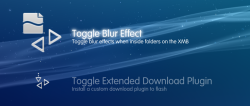
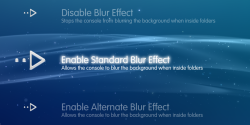
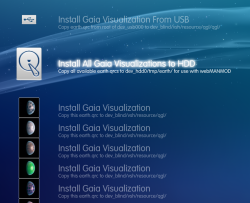
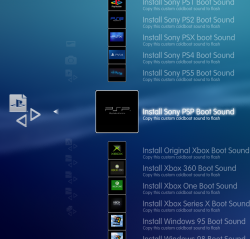
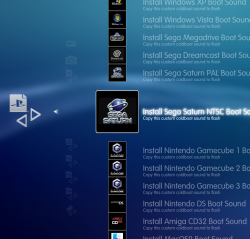
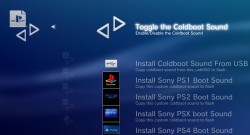
Here is my newest XMB menu called Ultimate Toolbox!

It was not made for HEN, But it seems to work Ok in my limited testing.
THIS XMB MOD ONLY SUPPORTS RECENT FIRMWARES UP TO VERSION 4.88.
NOT COMPATIBLE WITH 4.89 CFW/HFW
Download HERE
There might be some bugs, So use at your own risk. This should work on any recent CFW that has support for XMBM, by that I mean any recent CFW that has this query in category_game.xml. If your firmware does not have this query you can add support by simply adding it to your own xml.
HEN users would need to add this query to their category game xml
It has been tested on 4.87.2 Evilnat CFW and also on recent Rebug FW (4.84.2 and 4.86.1).
It was not made for HEN, But it seems to work Ok in my limited testing.
THIS XMB MOD ONLY SUPPORTS RECENT FIRMWARES UP TO VERSION 4.88.
NOT COMPATIBLE WITH 4.89 CFW/HFW
Download HERE
There might be some bugs, So use at your own risk. This should work on any recent CFW that has support for XMBM, by that I mean any recent CFW that has this query in category_game.xml. If your firmware does not have this query you can add support by simply adding it to your own xml.
HEN users would need to add this query to their category game xml
Code:
<Query
class="type:x-xmb/folder-pixmap"
key="game_xmbm_hdd0"
src="xmb://localhost/dev_hdd0/game/XMBMANPLS/USRDIR/game_main.xml#seg_xmb_hdd0_app"
/>Some extra info on this XMB Mod for those interested.
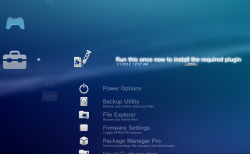
You will notice when you first install it there is a "Run this once now to install the required plugin" item at the top of the menu. Like the title suggests this should be ran once to install the required files to flash. This is placed here so that its not missed by anyone as its very important this is ran after initial install.
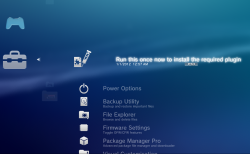
This installer application installs these vital files to dev_flash:
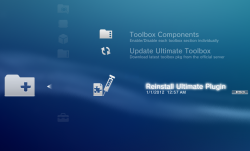
The reason this is included here is for the situation where you have updated or reinstalled your CFW, this will lead to the files on flash being removed, so if you install or update CFW, remember you need to run this again once to reinstall the required files to flash.
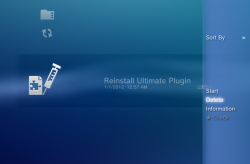
Uninstalling Ultimate Toolbox: If you want to remove the Toolbox from your system for any reason you can press triangle on this icon and select "Delete", after a reboot the Toolbox will be uninstalled.
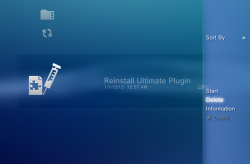
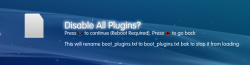
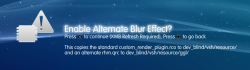
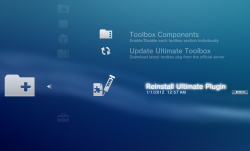
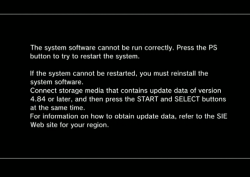
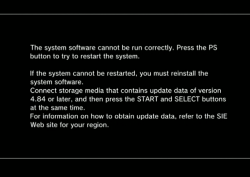
Important Note: If you forget/fail to run this application initially after first installing the toolbox, OR after a CFW reinstall/update, you will get kicked to recovery and see this screen if you try to use most features, do not worry, this is not a soft brick. Just press the PS button once and the system will reboot back onto the XMB. Then you can run the "Reinstall Ultimate Plugin" app and everything will be working again. This happens due to the fact you are trying to call a plugin that does not exist.
You will notice when you first install it there is a "Run this once now to install the required plugin" item at the top of the menu. Like the title suggests this should be ran once to install the required files to flash. This is placed here so that its not missed by anyone as its very important this is ran after initial install.
This installer application installs these vital files to dev_flash:
- xai_plugin.sprx (used for dump tools, installed incase it does not exist on the system)
- xai_plugin.rco - dummy rco
- videodownloader_plugin.sprx (extended xai_plugin required for all copy operations)
- videodownloader_plugin.rco (dummy rco)
- category_psn.xml (installed to stop category HM apps from showing in the PSN category)
- downloader_plugin.sprx (I added this due to the fact that Evilnat 4.87.2 CFW seems to be missing a patch to this file)
The reason this is included here is for the situation where you have updated or reinstalled your CFW, this will lead to the files on flash being removed, so if you install or update CFW, remember you need to run this again once to reinstall the required files to flash.
Uninstalling Ultimate Toolbox: If you want to remove the Toolbox from your system for any reason you can press triangle on this icon and select "Delete", after a reboot the Toolbox will be uninstalled.
Important Note: If you forget/fail to run this application initially after first installing the toolbox, OR after a CFW reinstall/update, you will get kicked to recovery and see this screen if you try to use most features, do not worry, this is not a soft brick. Just press the PS button once and the system will reboot back onto the XMB. Then you can run the "Reinstall Ultimate Plugin" app and everything will be working again. This happens due to the fact you are trying to call a plugin that does not exist.
Last edited:

 on a file/folder, I get 2 options: unlink and unlink(folder). Do those options mean delete? A bit unclear. Both options appear even if only selecting a single file outside of a folder. Also, is it possible to allow File Manager to rename/copy/paste? If it is possible, that'd be pretty fuckin' slick, the ultimate all in one, no need to boot into an app, would be able to do it all from within the XMB.