PS4 [Research]PS2 emulator configuration on PS4

Updated fix + widescreen for Suikoden III

CLI
Code:
--gs-uprender=2x2
--gs-upscale=EdgeSmooth

--host-display-mode=16:9

--vu1-no-clamping=0

--vu0-const-prop=0
--vu1-const-prop=0
#emu used=psychonauts v2

LUA
Code:
-- Suikoden III (SLUS-20387)
-- Widescreen hack by nemesis2000 (pnach by nemesis2000)
-- emu used=psychonauts v2

local gpr = require("ee-gpr-alias")

apiRequest(0.1)

local eeObj = getEEObject()
local emuObj = getEmuObject()

local patcher = function()
--16:9
eeObj.WriteMem32(0x016c21c0,0x460d6502)
eeObj.WriteMem32(0x016c21bc,0x460d6d42)

end

emuObj.AddVsyncHook(patcher)

emu used=psychonauts v2

Works perfectly so far
where can we find psychonauts v2 emu.
 
Another WIP fix for Scarface NTSC

Code:
CLI
--gs-uprender=2x2
--gs-upscale=edgesmooth
--gs-kernel-cl-up="up2x2tc"
--gs-force-bilinear=1
--gs-progressive=1

--host-display-mode=16:9

--vu1-di-bits=0
--vu1-jr-cache-policy=newprog

--ee-cycle-scalar=4.1
#emu used=psychonauts v2 or star ocean

LUA
Code:
-- Scarface NTSC SLUS-21111
-- 60fps by Asasega @pcsx2 forums
-- emu used=psychonauts v2 or star ocean

local gpr       = require("ee-gpr-alias")
local cpr       = require("ee-cpr0-alias")
local hwaddr     = require("ee-hwaddr")

apiRequest(1.0)

local eeObj    = getEEObject()
local emuObj    = getEmuObject()
local gsObj     = getGsObject()

local patcher = function()

eeObj.WriteMem32(0x20DAFABC,0x00000000) --60fps
eeObj.Vu1MpgCycles(300)
eeObj.SchedulerDelayEvent("vif1.dma", 0x6500)

end

emuObj.AddVsyncHook(patcher)

Significant improvement! Only issue is still texture randomly disappear at times. Clamping doesn't help....... any ideas @mrjaredbeta , @kozarovv , @nifengyuexia ?
 
Last edited:
Modified fix for Grand Theft Auto Liberty City Stories

CLI
Code:
--gs-uprender=2x2
--gs-upscale=edgesmooth
--gs-kernel-cl="h2lpool"
--gs-kernel-cl-up="h2lpool2x2"
--gs-h2l-list-opt=1
--gs-h2l-accurate-hash=1
--gs-adaptive-frameskip=1

--vu0-mpg-cycles=200
--vu1-mpg-cycles=200

--ee-cycle-scalar=0.8

Emu used=Jakx v2

99% of all lag and stutter eliminated so far. Almost unnoticeable unless wearing headphones
 
Last edited:

Goldeneye Rogue Agent - SLUS_210.64

TXT

--gs-uprender=2x2
--gs-upscale=edgesmooth
--gs-kernel-cl="h2lpool"
--gs-kernel-cl-up="h2lpool2x2"
--gs-h2l-accurate-hash=1
--gs-adaptive-frameskip=1
--vu1-mpg-cycles=150
--ee-cycle-scalar=1.5
--iop-cycle-scalar=1.2
--ee-jit-pagefault-threshold=120
--vu1-di-bits=0 # fixes random freezes
--vu0-di-bits=0 #

Needs to be optimized


Emu JakXv2


James Bond 007: Agent Under Fire - SLUS-20265

TXT

--vu1=jit-sync #Fix for black screen
--vu0-no-clamping=0 # Fix textures from mission 2
--vu1-no-clamping=0 #
--gs-uprender=2x2
--gs-upscale=edgesmooth
--vu1-mpg-cycles=1000
--vu0-mpg-cycles=1000
--ee-cycle-scalar=2.00
--iop-cycle-scalar=0.60

Needs to be optimized

Emu psychonauts v2
 
Last edited:
Tenchu:Wrath Of Heaven (SLUS-20397)

LUA

Code:
apiRequest(1.0)
local eeObj = getEEObject()
local emuObj = getEmuObject()
local patcher = function()

------Fix loading freeze
eeObj.WriteMem32(0x176824,0x24020001)
end

emuObj.AddVsyncHook(patcher)

Tenchu:Wrath Of Heaven (SLES-50679)

LUA

Code:
apiRequest(1.0)
local eeObj = getEEObject()
local emuObj = getEmuObject()
local patcher = function()

------Fix loading freeze
eeObj.WriteMem32(0x176824,0x24020001)
end

emuObj.AddVsyncHook(patcher)

Tenchu:San (SLPS-25234)

LUA
Code:
apiRequest(1.0)
local eeObj = getEEObject()
local emuObj = getEmuObject()
local patcher = function()

------Fix loading freeze
eeObj.WriteMem32(0x176a54,0x24020001)
end

emuObj.AddVsyncHook(patcher)


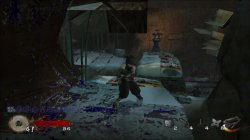
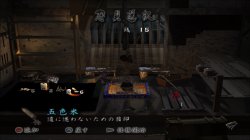
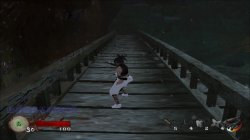
The game is now fully playable, but there are some graphics errors that need to be fixed. I don't have much time to test it. If anyone has free time, can try to fix the graphics problems.

天诛3_20211128104734.jpg 天诛3_20211128115712.jpg
天诛3_20211128124120.jpg 天诛3_20211128124209.jpg
 
Last edited:
@nifengyuexia thank you! That is literally one of my favorite series Great work! What emu did you use?

The strange thing is that it seems that only JAK emus can accept the code to run. I tried other emulators and it still freezes during loading. I don't know what caused it!

I suspect that the image error may be difficult to fix, because there are also such problems in the old version of PCSX2, but they will switch to the software mode to avoid such image errors, but there is no software mode to switch in PS4.
 
Last edited:
The strange thing is that it seems that only JAK emus can accept the code to run. I tried other emulators and it still freezes during loading. I don't know what caused it!

I suspect that the image error may be difficult to fix, because there are also such problems in the old version of PCSX2, but they will switch to the software mode to avoid such image errors, but there is no software mode to switch in PS4.

Can you maybe explain what that code does to fix the freeze?
 
@sabin1981 Maybe you have USA version of Shadowman: Second Coming? I worked on fix for pcsx2 for that game, and if issues are similar i can try to fix it for PS4.

Possible issues are:

- First intro glitches, after selecting start game wait until fmv will start play. When cop open door in car, graphic can start glitching (sadly no good fix for that yet)
- When you start game, there is only one texture on everything excluding main character.

Finally got it works the Shadow Man : Second Coming on PS4 with PS2 emu ?
 
Tenchu:Wrath Of Heaven (SLUS-20397)

LUA

Code:
apiRequest(1.0)
local eeObj = getEEObject()
local emuObj = getEmuObject()
local patcher = function()

------Fix loading freeze
eeObj.WriteMem32(0x1765f4,0x24020001)
end

emuObj.AddVsyncHook(patcher)

Tenchu:Wrath Of Heaven (SLES-50679)

LUA

Code:
apiRequest(1.0)
local eeObj = getEEObject()
local emuObj = getEmuObject()
local patcher = function()

------Fix loading freeze
eeObj.WriteMem32(0x176824,0x24020001)
end

emuObj.AddVsyncHook(patcher)

Tenchu:San (SLPS-25234)

LUA
Code:
apiRequest(1.0)
local eeObj = getEEObject()
local emuObj = getEmuObject()
local patcher = function()

------Fix loading freeze
eeObj.WriteMem32(0x176a54,0x24020001)
end

emuObj.AddVsyncHook(patcher)


The game is now fully playable, but there are some graphics errors that need to be fixed. I don't have much time to test it. If anyone has free time, can try to fix the graphics problems.

View attachment 35331 View attachment 35332
View attachment 35333 View attachment 35334

NTSC version of fix does nothing, but PAL version of fix works for both NTSC and PAL. Not able to test NTSC-J
 
NTSC version of fix does nothing, but PAL version of fix works for both NTSC and PAL. Not able to test NTSC-J
PAL version is also used in NTSC-U? I only tested the NTSC-J version because it is closer to the language I need! Okay, I will check the offset address later to see if it is my pasting error!
 
This code just skips part of the data in the process of loading, just like some games may skip CG to run in the end!

Is it possible that the code to skip the freeze is what is causing the graphical glitches? Are any of those skipped data code necessary for game to function properly?
 
Is it possible that the code to skip the freeze is what is causing the graphical glitches? Are any of those skipped data code necessary for game to function properly?
Skip the frozen code is only a part of the jump code, no matter what value you give, it will jump to another address! It has nothing to do with graphic errors! I don't know if there are other ways to make the game run normally. At present, this is what I know. Maybe there is a better way. I hope someone can give pointers!
 
Fix for Shadow Hearts NTSC

CLI
Code:
--gs-uprender=2x2
--gs-upscale=EdgeSmooth

--host-display-mode=16:9

--gs-vert-precision=8
--gs-kernel-cl="h2lpool"
--gs-kernel-cl-up="h2lpool2x2"
--gs-render-tile-threshold=300000
--vu-custom-min-max=0
--vu1-di-bits=0
--vu0-di-bits=0
--vu1-opt-vf00=2
--vu0-opt-vf00=2
--vu1-injection=1
--vu1-mpg-cycles=400
--vu1-mpg-cycles=850,$000
--vu1-mpg-cycles=475,0xffffffff
--vu0-mpg-cycles=225,0xfc
--cdvd-sector-read-cycles=4000
LUA
Code:
local gpr = require("ee-gpr-alias")

apiRequest(0.1)

local eeObj = getEEObject()
local emuObj = getEmuObject()

local patcher = function()

eeObj.WriteMem32(0x0028d4f0,0x3c043f40)
eeObj.WriteMem32(0x00282394,0x3c023f40)
--eeObj.WriteMem32(0x00324530,0x3c023f40) -- field
--eeObj.WriteMem32(0x0034a728,0x3c033f50) --3c033f80  font size
eeObj.WriteMem32(0x0039fe08,0x3c023f40)
eeObj.WriteMem32(0x003d5704,0x3c023f40)
eeObj.WriteMem32(0x003eec44,0x3c023f40)
--no interlace
eeObj.WriteMem32(0x202016EC,0x00000000)
eeObj.WriteMem32(0x20305630,0xA2200279)

end

emuObj.AddVsyncHook(patcher)

emulator used=psychonauts v2

Gameplay perfect so far. More testing needed. CLI probably could be optimized a bit.(transplanted psychonauts CLI with no changes)
 
Fix for Shadow Hearts NTSC

CLI
Code:
--gs-uprender=2x2
--gs-upscale=EdgeSmooth

--host-display-mode=16:9

--gs-vert-precision=8
--gs-kernel-cl="h2lpool"
--gs-kernel-cl-up="h2lpool2x2"
--gs-render-tile-threshold=300000
--vu-custom-min-max=0
--vu1-di-bits=0
--vu0-di-bits=0
--vu1-opt-vf00=2
--vu0-opt-vf00=2
--vu1-injection=1
--vu1-mpg-cycles=400
--vu1-mpg-cycles=850,$000
--vu1-mpg-cycles=475,0xffffffff
--vu0-mpg-cycles=225,0xfc
--cdvd-sector-read-cycles=4000
LUA
Code:
local gpr = require("ee-gpr-alias")

apiRequest(0.1)

local eeObj = getEEObject()
local emuObj = getEmuObject()

local patcher = function()

eeObj.WriteMem32(0x0028d4f0,0x3c043f40)
eeObj.WriteMem32(0x00282394,0x3c023f40)
--eeObj.WriteMem32(0x00324530,0x3c023f40) -- field
--eeObj.WriteMem32(0x0034a728,0x3c033f50) --3c033f80  font size
eeObj.WriteMem32(0x0039fe08,0x3c023f40)
eeObj.WriteMem32(0x003d5704,0x3c023f40)
eeObj.WriteMem32(0x003eec44,0x3c023f40)
--no interlace
eeObj.WriteMem32(0x202016EC,0x00000000)
eeObj.WriteMem32(0x20305630,0xA2200279)

end

emuObj.AddVsyncHook(patcher)

emulator used=psychonauts v2

Gameplay perfect so far. More testing needed. CLI probably could be optimized a bit.(transplanted psychonauts CLI with no changes)
Unfortunately the biggest problem still remains, which is characters missing in some dialogues and the character graphics disappearing in battles when we have 2 characters or more. The configuration only takes the slowness of the NTSC version, the PAL version is not slow, but the problem with the graphics are the same.
 

Similar threads

Back
Top