PS4 [Research] PS2 Game Status on (PS4's - PS2 EMU)

I know right? I've come across a few that no longer work, or have severe issues (try running Valkyrie Profile 2 in the Jak emu... good luck >_>) whereas, for the most part, so many more work much better in Jak. I've actually been going through the wiki, looking at all the old "Not working" titles and retesting them with Jak emu. Surprising how many work now :)
 
are snes-station and tempGBA/reGBA the only emus for ps2 that work on the ps4 ps2emu still? I've had no success with pgens, infoNES, infoGB, etc
 
pGEN 1.51s should work. InfoNES/GB need to be recompiled, because they are loading modules from BIOS, sadly PS4 PS2 bios don't have needed modules included.
 
Gah, always seem to be having trouble on *some* games lately. I'm not having much luck trying to fix the flickering geometry/textures in Phantasy Star Universe, and now Castlevania Curse of Darkness has some *major* SPS issues - they start off minor when you first start the game, but as soon as you leave the courtyard and enter a building the screen is completely bombarded with SPS.

PCSX2 dbf lists a potential fix as "vuClampMode = 0" which is "-- 0 = Disables clamping completely" and should be this, right?

Code:
--vu0-no-clamping=1
--vu1-no-clamping=1
--cop2-no-clamping=1

Sadly it didn't help :( I don't suppose anyone has any ideas, please? Also, has there been any progress on Street Fighter Ex 3's vanishing floor issue? Thanks! :)
 
I've tried several versions of pGen, even one that was purported to be made for the PS3 version of the PS2 emulator, and had several features removed to prevent hangs on incompatible hardware, but same as Stayhye; freezes at "Now loading..." menu. Annoying. I wish I had more knowledge and reverse-engineering talent because I keep coming across many PS2 titles that have issues in PS2emu but I simply don't know where to begin resolving them.

Silent Hill 2/3 are my latest attempts, both run absolutely fantastic in 3 different emulator templates - Jak/Roguev1/WildArms3 - yet both have a very strange visual glitch; many textures/areas are completely red, almost like broken textures or light sourcing. Silent Hill 4 and Origins both work great, no issues of note. Also, Ace Combat 5 can use the same mipmapping fix from Ace Combat 4 to fix its own texture issues, so that's great. No go on Ace Combat Zero though, I haven't a clue where to start trying to fix the "no collision detection" stuff that prevents you from shooting down enemies.

Syphon Filter: The Omega Strain no longer crashes on startup, and it plays quite well, but has severe SPS issues in-game and missing texture/geometry issues during character creation. Tekken 5 works fantastically with the Roguev1 emulator, Arcade History mode works fine now, though there are some major issues in several stages when using 2x2 uprender mode. Those issues go away almost completely if you set "uprender=none" but then the screen gets garbled on startup until you blindly navigate to the options menu to enable Progressive Scan.

Vampire: Darkstalker Chronicles has the same issue as Street Fighter Alpha; massive performance drop in-game.
 
pGEN 1.51s should work. InfoNES/GB need to be recompiled, because they are loading modules from BIOS, sadly PS4 PS2 bios don't have needed modules included.
Transfer these modules to the virtual memory card and edit the "rom0:...." to mc0. SifLoadModule should work and load modules from MC, even if it does not it's worth a try.
 
Transfer these modules to the virtual memory card and edit the "rom0:...." to mc0. SifLoadModule should work and load modules from MC, even if it does not it's worth a try.
Not really, i never heard about possibility to load xmcman from memory card. Anyway, i can be wrong. Second way is to modify path to cdrom (require shortening module name, as we are hex editing). Actually I really want to recompile all homebrew to be compatible with PS3/PS4, but i failed to setup PS2 SDK (free one of course). :(
Syphon Filter: The Omega Strain no longer crashes on startup, and it plays quite well, but has severe SPS issues in-game and missing texture/geometry issues during character creation.
Part of issues can be fixed, but it will remain unplayable IMO
No go on Ace Combat Zero though, I haven't a clue where to start trying to fix the "no collision detection" stuff that prevents you from shooting down enemies.
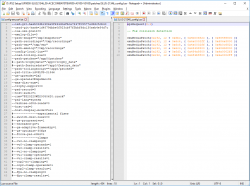
Please try lua:

Code:
apiRequest(0.1)

-- Fix collision detection

emuMediaPatch(0x192, 12 + 0x6bc, { 0x4b00682c }, { 0x48498800 })
emuMediaPatch(0x192, 12 + 0x6c4, { 0x4a0002ff }, { 0x484a8800 })
emuMediaPatch(0x192, 12 + 0x6c8, { 0x4a0002ff }, { 0x4b0c682c })
emuMediaPatch(0x192, 12 + 0x6cc, { 0x48498800 }, { 0x484b8800 })
emuMediaPatch(0x192, 12 + 0x6d0, { 0x484a8800 }, { 0x4a0002ff })
emuMediaPatch(0x192, 12 + 0x6d4, { 0x484b8800 }, { 0x4a0002ff })

SLUS_213.46 only. Iso MD5: 61c016fad9d992dee8dcb0aec2a6c31f

Castlevania Curse of Darkness has some *major* SPS issues - they start off minor when you first start the game, but as soon as you leave the courtyard and enter a building the screen is completely bombarded with SPS.
Require custom patch in lua until $ony fix vu in their emu.
Phantasy Star Universe
No idea. Any video of issue can be helpful.
 
Holy hell, dude, you're incredible :D I'll check out Ace Combat Zero shortly and I'll take a video of Phantasy Star Universe to show the issues. :)
 
Okay, sadly the fix for Ace Combat Zero didn't work... enemy planes still have no physical mass in the game, you can fly or shoot right through them :(

~edit~


As for Phantasy Star Universe, here's a vid I made. However.. I also remembered that PCSX2 has a game-killing bug where enemies stop moving, they'll attack if you get close enough but they stop moving towards you, this is fixed in later PCSX2 versions or older ones if you set EE rounding mode to Nearest, which, as you've pointed out in the past, isn't applicable on PS2emu. Bah.

https://wiki.pcsx2.net/Phantasy_Star_Universe
 

Attachments

  • Untitled.png
    Untitled.png
    80.6 KB · Views: 295
  • Untitled.png
    Untitled.png
    11.7 KB · Views: 211
Last edited:
Okay, sadly the fix for Ace Combat Zero didn't work... enemy planes still have no physical mass in the game, you can fly or shoot right through them :(
Hmm, maybe I missed some offset then. I will recheck after work.

~edit~


As for Phantasy Star Universe, here's a vid I made.
Can't see video :(
I also remembered that PCSX2 has a game-killing bug where enemies stop moving, they'll attack if you get close enough but they stop moving towards you, this is fixed in later PCSX2 versions or older ones if you set EE rounding mode to Nearest, which, as you've pointed out in the past, isn't applicable on PS2emu. Bah.
But i also pointed that we can use fpu-accurate-range instead. ;)
 
Sorry, had it set to Private and not Unlisted :) As for fpu-accurate-range, yup, I remember... but I don't have the first clue where to even begin with that, sadly.
 
Sorry, had it set to Private and not Unlisted :) As for fpu-accurate-range, yup, I remember... but I don't have the first clue where to even begin with that, sadly.
Can you try this?

--gs-use-clut-merge=1
--gs-kernel-cl="clutmerge"
--gs-kernel-cl-up="clutmerge2x2"

(for gfx issues)
 
Okay, that works! No more flickering graphics issues. However!!!! At first I made a patch PKG to simply change the config file via SLUS-21104_cli.conf, but it didn't work. I got concerned because TWO fixes from you not working? Blegh, didn't believe it. So I uninstalled the game and completely remade the entire thing, this time incorporating the clut-merge hack into the base config.txt, and it worked fine.

I'm going to go back and retry AC Zero now, this time without patching the fix but adding it directly to the game's primary PKG. I wonder if that'll work?

~edit~

Okay, still no-go on AC Zero. I even tried using the new emulator from KoF98UM, but as soon as the PS2 logo disappears the PS4 throws a strange error and states my user will be logged out due to an error, forcing me to log back in again. So.. yeah.. weird.

~edit~

Testing more games now.

God Hand seems to run fine but has quite a lot of geometry errors randomly.
SNK vs Capcom Chaos doesn't like 2x2 uprendering, causes sprite corruption, but also has no on-screen display at all -- no health bars, super bars, timer, etc. -- with or without 2x2.

~edit~

Never mind, I used the clut-merge hack and it fixed the UI/hud issues in SvC Chaos and, surprisingly, if you leave the "Screen/Graphics" mode on "Normal/Type A" then there's no sprite distortion or lines/boxes issues, even with 2x2 uprendering. Nice. I wouldn't have ever thought to use this if it hadn't been for the PSU flickering issue, so thanks again @kozarovv!

~edit~

Hahaha, wow. Looks like Samurai Shodown VI is *actually* Samurai Shodown Anthology, they've just got a LUA file setup that not only adds a new video menu with various overlay modes (like 480p with scanlines) but it's also set to skip loading Anthology and go straight to loading SamSho6 from an ELF on the disc, then to remove the "Exit to Main Menu" option from SamSho6 so that nobody ever really knows that it's Anthology.

WEEEEEEEEEEEEEEEIRD. Why go to all that trouble? Why not just... yanno... release Anthology? Even the config and trophy files specifically state "Samurai Shodown Anthology", but the trophies themselves are only setup to function and unlock in SamSho6.

Anyway, I think I've been able to grasp enough of the config file to comment out/remove their calls to hide menu options and boot straight to SamSho6 ... so hey, let's see shall we?

~edit~

I DID IT! Holy shit, I really did it. I was able to remove the "boot straight to SamSho6 > hide exit game menu" rubbish they put in, whilst still retaining the speed boost/etc from their fixes. Basically, SamSho Anthology is now 100%. No graphics errors, no slow down. Man this feels good :D Can even retain the new menu they put in for SamSho6, which lets you run with scanlines and bezels too. Sadly I'm not entirely sure how to make that function for the rest of the anthology, only 6 since it has its own separate ELF which the LUA patches.

Still, it's perfectly functional *and* it means SamSho6 gets the added features from the PS2 Classic official.

 
Last edited:
I got concerned because TWO fixes from you not working? Blegh, didn't believe it.
Haha, i thought i'm getting old, but nope :D
God Hand seems to run fine but has quite a lot of geometry errors randomly.
My bet is VU/COP2, but is just bet.
SNK vs Capcom Chaos doesn't like 2x2 uprendering, causes sprite corruption, but also has no on-screen display at all -- no health bars, super bars, timer, etc. -- with or without 2x2.

~edit~

Never mind, I used the clut-merge hack and it fixed the UI/hud issues in SvC Chaos and, surprisingly, if you leave the "Screen/Graphics" mode on "Normal/Type A" then there's no sprite distortion or lines/boxes issues, even with 2x2 uprendering. Nice. I wouldn't have ever thought to use this if it hadn't been for the PSU flickering issue, so thanks again @kozarovv!
Nice find!
Hahaha, wow. Looks like Samurai Shodown VI is *actually* Samurai Shodown Anthology, they've just got a LUA file setup that not only adds a new video menu with various overlay modes (like 480p with scanlines) but it's also set to skip loading Anthology and go straight to loading SamSho6 from an ELF on the disc, then to remove the "Exit to Main Menu" option from SamSho6 so that nobody ever really knows that it's Anthology.

WEEEEEEEEEEEEEEEIRD. Why go to all that trouble? Why not just... yanno... release Anthology? Even the config and trophy files specifically state "Samurai Shodown Anthology", but the trophies themselves are only setup to function and unlock in SamSho6.

Anyway, I think I've been able to grasp enough of the config file to comment out/remove their calls to hide menu options and boot straight to SamSho6 ... so hey, let's see shall we?
Why sell product one time, if you can sell it six times? #$onyLikeMoney
Can even retain the new menu they put in for SamSho6, which lets you run with scanlines and bezels too. Sadly I'm not entirely sure how to make that function for the rest of the anthology, only 6 since it has its own separate ELF which the LUA patches.
Removing this should do the job (can be wrong, not tested):
Code:
    -- load Samurai Shodown VI on startup
    eeObj.AddHook(0x100850, function(op, pc) return elfChkMain(op, pc, 0xdfbf0030) end, FH1),

Edit: Just looked into this, and is strongly basing on elf offsets. :( So we need to find offsets, and reinject menu for main elf. Sadly i can't do this.
 
Last edited:
Yeah, I was looking too and, like you, found it's *really* patching into the SamSho6 ELF, so oh well, no fancy shaders for SamSho1-5, but hey.. who cares? At least the whole 6 pack works now :D
 
Consider my excitement level rising. Just on a whim I threw the SamSho Anthlology commands into SF Alpha Anthology... and the game went from 2-5fps... to 45-50fps. Still a lot of stuttering and some audio crackle in places, along with various visual anomalies and flicker, but man.. the improvement is immense.

Super Gem Fighters is actually pretty much playable. SF Alpha 1 is okay, but still not perfect. SFA2 gets worse performance, and subsequently so do SFA2 Gold and finally SFA3.

This is mighty interesting but I lack the knowledge of PS2emu commands to make the most of it.

Code:
--gs-upscale=point
--gs-uprender=2x2
--gs-motion-factor=25
--host-audio-latency=0.01
--gs-ignore-dirty-page-border=1
--gs-kernel-cl="h2lpool"
--gs-kernel-cl-up="h2lpool2x2"
--gs-h2l-list-opt=1
--gs-h2l-accurate-hash=1

That's the effective command file that 100% fixed SamSho and partially fixed Alpha series.
 
Consider my excitement level rising. Just on a whim I threw the SamSho Anthlology commands into SF Alpha Anthology... and the game went from 2-5fps... to 45-50fps. Still a lot of stuttering and some audio crackle in places, along with various visual anomalies and flicker, but man.. the improvement is immense.

Super Gem Fighters is actually pretty much playable. SF Alpha 1 is okay, but still not perfect. SFA2 gets worse performance, and subsequently so do SFA2 Gold and finally SFA3.

This is mighty interesting but I lack the knowledge of PS2emu commands to make the most of it.

Code:
--gs-upscale=point
--gs-uprender=2x2
--gs-motion-factor=25
--host-audio-latency=0.01
--gs-ignore-dirty-page-border=1
--gs-kernel-cl="h2lpool"
--gs-kernel-cl-up="h2lpool2x2"
--gs-h2l-list-opt=1
--gs-h2l-accurate-hash=1

That's the effective command file that 100% fixed SamSho and partially fixed Alpha series.
It will be cool if you can try remove some commands to check which one are really doing speed improvement. Btw. h2l pool is used in most games that rendering in something 2d.
 
Just tried out Darkstalkers/Vampire Anthology and that, too, has a substantial performance improvement - each of the five games (Vampire, Vampire Hunter, Vampire Saviour, and then two modified versions of Vampire Saviour) has a marked performance improvement, pretty damned playable but not perfect by a long shot. Same visual issues too, especially with transparencies. It's not really surprising, checking out the contents of each disk it's almost identical - I wouldn't be surprised if they're identical "emulators" just the contents of the X.bin and Y.bin archives are different depending on Alpha or Vampire.

I'll create an unmodified PKG and then make some step-by-step patch files that remove/add each line individually, try and narrow down what is improving the performance. Thanks, bud!

~edit~
Code:
--gs-kernel-cl="h2lpool"
--gs-kernel-cl-up="h2lpool2x2"
Those two are responsible for the *majority* of the speed boost, but on their own they don't match the full speed boost that comes from having ALL of the commands at the same time. I'm currently trying out combinations to see what works.

~edit~

Code:
--gs-kernel-cl="h2lpool"
--gs-kernel-cl-up="h2lpool2x2"
--gs-h2l-list-opt=1
--gs-h2l-accurate-hash=1

Those are what give the full performance boost of the entire config. It really is damned near perfectly playable, though more complex CPS2 entries slow down (such as Vampire Saviour or Street Fighter Alpha 3). Using just those 4 still gives graphics errors, though they're mitigated somewhat by setting EdgeSmooth and Uprender None, rather than Point and 2x2.

I've tried 12 different combinations in patch form now, the 12th is this;

Code:
--gs-upscale=EdgeSmooth
--gs-uprender=none
--gs-motion-factor=25
--host-audio-latency=0.01
#--gs-ignore-dirty-page-border=1
--gs-kernel-cl="h2lpool"
--gs-kernel-cl-up="h2lpool2x2"
--gs-h2l-list-opt=1
--gs-h2l-accurate-hash=1

And I think it's as close as we're going to get without more indepth tweaking. Darkstalkers 1/Vampire is very playable, some minor audio stutter and maybe some frameloss. Darkstalkers 3/Vampire Saviour the slowdown is more pronounced on busier stages. Much less graphical corruption with ^^ config. Honestly, it's *so* close to full speed it's painful... I'd say a PS4 Pro might just be able to wing it. If I had to guess, I'd say 90-95% of full speed, and with some audio crackling/popping when the frames drop.

I've sent a couple of PKGs to someone with a PS4 Pro to test and report back. Hopefully we can do "something" to get the games running full speed on PS Poor, but if not, at least we'll know if they run properly on Pro :)
 
Last edited:

Similar threads

Back
Top