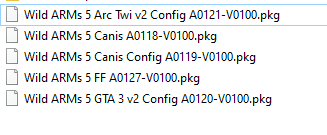
Creating PS2 emulator patch pkg. Procedure is simple.
First of all, you need to have the .pkg file of your full game you want to patch (the *-A0100-V0100.pkg).
Then:First of all, you need to have the .pkg file of your full game you want to patch (the *-A0100-V0100.pkg).
- Create a new empty folder and name it like "ps2emu_patch".
- Copy/paste the "sce_sys" folder and "config-emu-ps4.txt" file from your PS2 game folder to your "ps2emu_patch" folder. You can also copy or add the "patch" folder and associated cli.conf files, etc.
- Edit your copied config-emu-ps4.txt (and/or cli.conf if any) as you want.
- Edit your copied param.sfo and set the Cathegory to Game Application Patch and the Application Version (APP_VERR) to 1.01 (or upper). Do not change content ID. Save.
- Open fake PKG generator, File -> new project -> Patch package
- Double click to the "image" then drag and drop all the files and folders from your "ps2emu_patch" folder.
- (optional) select all the files and folders of your image -> right click -> enable file compression. Ok.
- Chunk tab -> right click to the image -> add chunk assignment -> chunk 0
- Close image setting window.
- Select Command -> project setting -> package tab.
- Enter the Content ID (must be the same as your game and SFO) and your Passcode.
- Select the Patch tab.
- At "Application package", select your full game package file (the *-A0100-V0100.pkg). then OK.
- Save your gp4 project file : File -> save as ...
- Build
Last edited: