PS3 [TUT] How to convert PS2 ISO Backups to PS2 Classics PKG.

VTSTech

Developer
A customer asked me how to convert PS2 Backups to PKG. This is what I told them.
--
Open Program
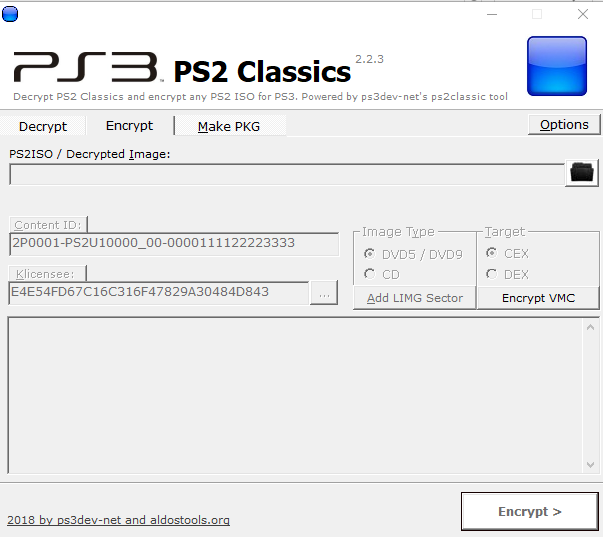
499501f129f5d237248bfbc5cb9dc4f7.png


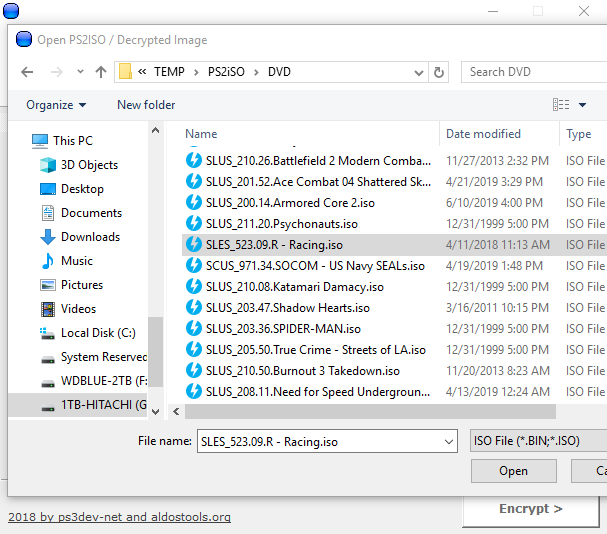
Pick ISO

fff63b3774007cecabb7564bc1a534d1.png


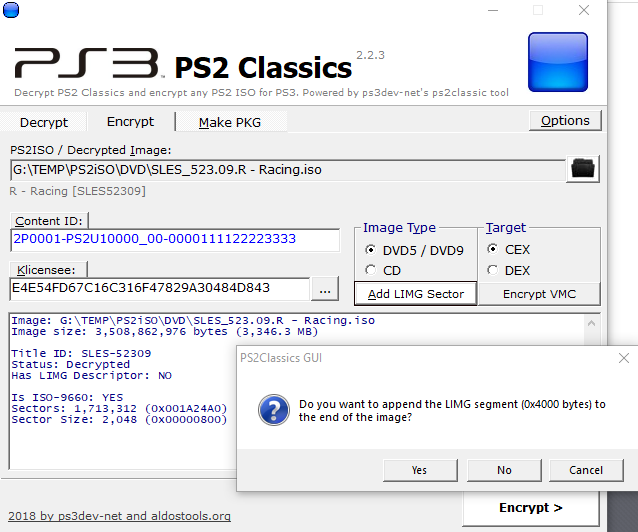
Click Add LIMG, Pick Yes

69fab5188024566bdbac466f12e8e2d2.png


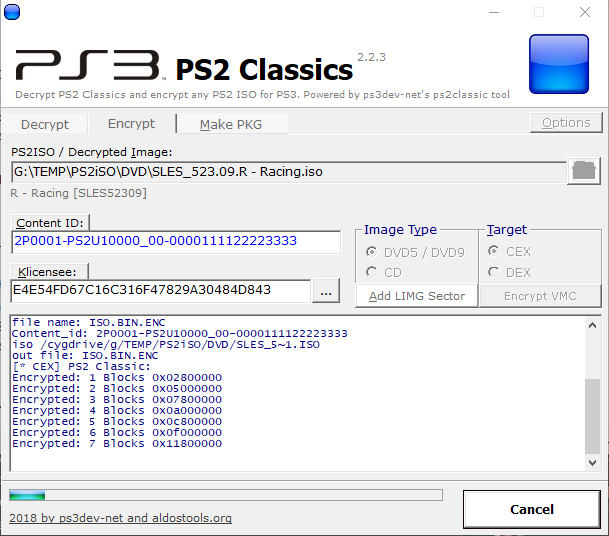
Click 'Encrypt'

3d69ef3ccd5397e7f2bef03af0430872.png


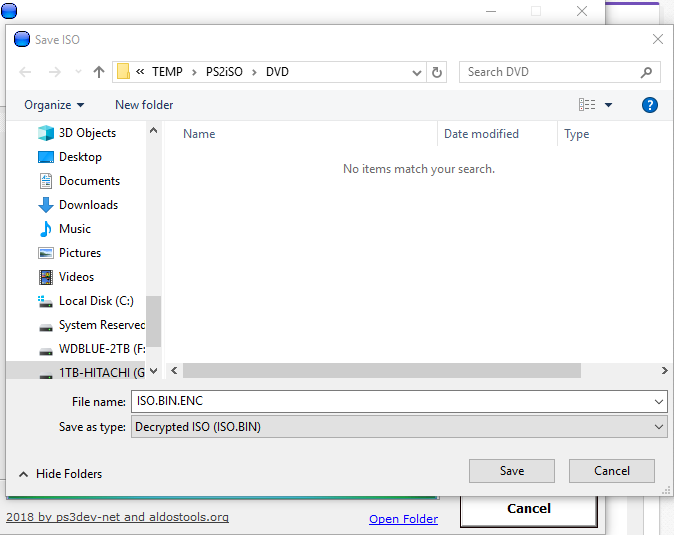
When it's done encrypting. You save ISO.BIN.ENC
1a090c5456f99ed05b4a096a504ce130.png


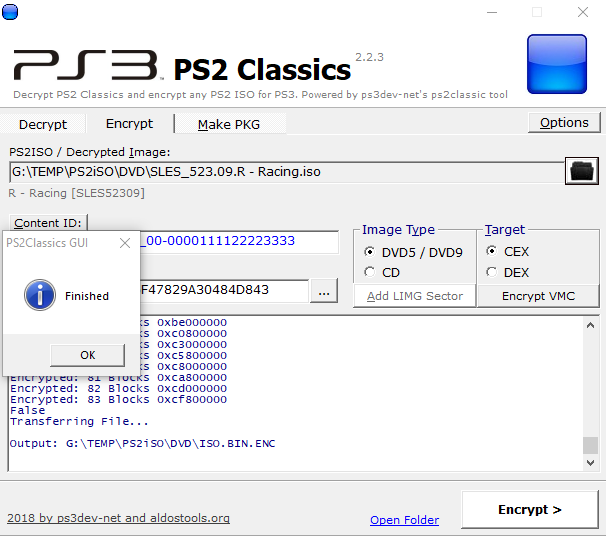
When done. Hit OK, Now click 'Make PKG'
b66ef01f8f4071e3dc01d387367c95a2.png


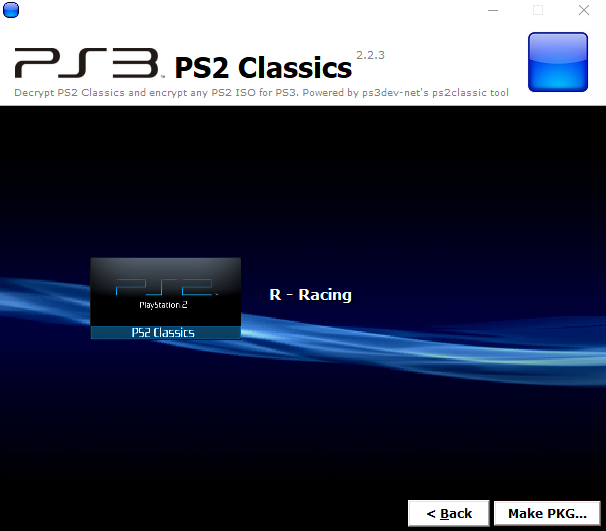
When you click 'Make PKG' you end up here.
62088869f71f106532adda6fcc2c1986.png


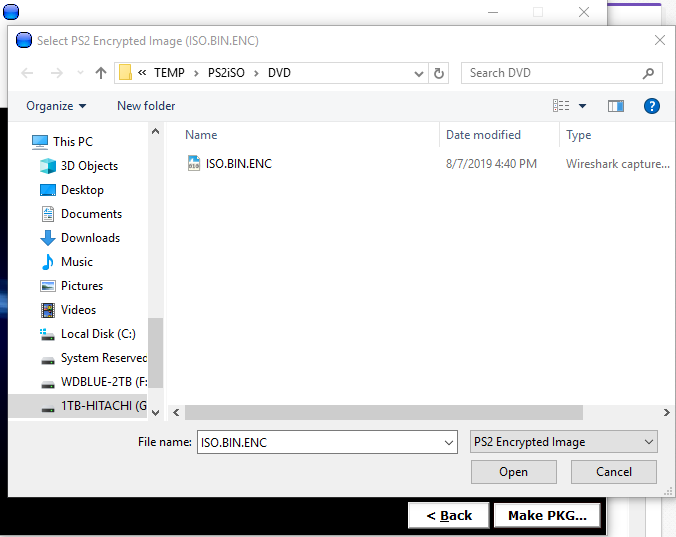
Now click 'Make PKG' again (button at bottom), We pick our ISO.BIN.ENC we made.
24e87accc6e32b64d9521f4bb18b9fb1.png


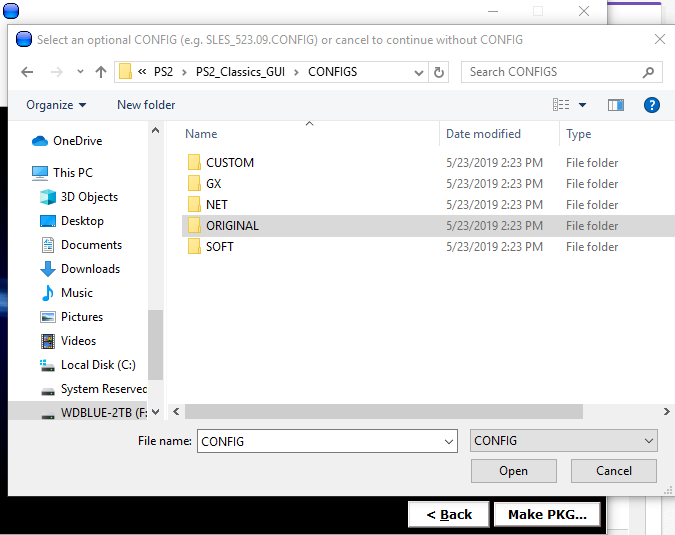
Then it will ask us for 'CONFIG' -- Not all games have config. This one doesn't. You would look for SLES_523.09.CONFIG, will be diff for every game)
f4f366c21bfbfb27f74846d365642584.png


For our PS3's (Slim/Super Slim, we pick CUSTOM/SOFT/NET configs. GX is for Fat consoles)

So. We have no config. So here we can pick 'Cancel'

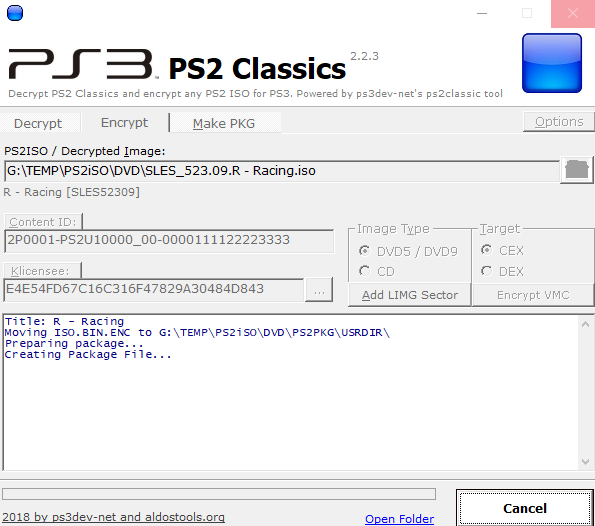
It will start making PKG we will copy to PS3
655595e400af42f0862d0439385df7c8.png


Once it's done, You find the resulting PKG. It will be named like "Game Name [PS2 Classics] [TITLEID].pkg"

Copy that via FTP to /dev_hdd0/packages/ and use Package Manager to install. Or you can put it on USB in a /packages/ folder and install from there.
 
i'm not that experienced with classics format but i do know for a fact on both bc and semi bc models there's no need/benefit of using encrypted/pkg format other than you will have it on the xmb and you can launch it with one click rather than two clicks required by launching from the webman mod and couple more if you're using full launcher.

added benefits can be had with patching backups themselves (proper widescreen support,for example) and Zar is currently working on fixing both 480p and widescreen patching in managunz and that way you don't even need anything other than proper backup to have it all on the bc and semi bc models,other than managunZ of course.
 
i'm not that experienced with classics format but i do know for a fact on both bc and semi bc models there's no need/benefit of using encrypted/pkg format other than you will have it on the xmb and you can launch it with one click rather than two clicks required by launching from the webman mod and couple more if you're using full launcher.

added benefits can be had with patching backups themselves (proper widescreen support,for example) and Zar is currently working on fixing both 480p and widescreen patching in managunz and that way you don't even need anything other than proper backup to have it all on the bc and semi bc models,other than managunZ of course.


Dual layer disc don't work properly without using a LIMG with the game when using ISO despite what system you have. Also made this a sticky.
 
This is more intended for non-BC (backwards compatible) consoles. If you console is BC then you can just toss the regular ISO onto the HDD or put in a disc and it should play just fine.
 
(New here, installed HEN to mod GT5 and play PS2 games on super slim)

Followed the updated all in one tutorial to create a package for GT4. Package was created fine, but I can't get it show up to install via USB. Trying now via filezilla to see if that will work. Don't know if it makes a difference, but my USB is formatted to NTFS and tried root install and package install - neither show the package.
 
The USB drive has to be formatted in FAT32 (MBR) since Package Manager does not read NTFS. It can either be on the root of the drive, or in X:\packages on the drive.
 
I think you have to mount the ntfs drive with wmm. by default, it requires fat32 or a direct transfer to the internal hdd. that can be done with an ethernet cable.
 
The USB drive has to be formatted in FAT32 (MBR) since Package Manager does not read NTFS. It can either be on the root of the drive, or in X:\packages on the drive.
Ah. Well I guess that explains everything. Working for a Ford dealer we have to update the touch screen systems as part of diagnosis, which requires specifically formatted drives for different gens, otherwise you run into similar issues.

I think you have to mount the ntfs drive with wmm. by default, it requires fat32 or a direct transfer to the internal hdd. that can be done with an ethernet cable.
Trying via wifi to see if that will work since it's too large to transfer to my USB with FAT32. Hopefully it works this time lol.
 
I am using an original ps3 running Hen. I have tried both versions of config file and my ps3 tells me there was a copyright error after i try to run the games. Does anyone have any advice?
 
my program is not working on windows 10 it crashes after i try to do anything.WHen i load iso and want to select something i click on encypt etc and it crashes.
 
More recent versions of WebMAN Mod can mount ISO.BIN.ENC directly into 'PS2 Classics Placeholder'

That's how I do this these days.
 
I'm having trouble converting CD based games like Bomberman Kart or Crazy Frog Racer 2 , i get an 80028F17 error when running them on PS3 .Any specific steps for converting CD games ?
 
Last edited:
This is more intended for non-BC (backwards compatible) consoles. If you console is BC then you can just toss the regular ISO onto the HDD or put in a disc and it should play just fine.
all well and done but remember hen always had problems with ps2 game files.......full CFW never really had major problems with playstation game files
 
I'm on Windows 11 and I've followed all the directions of the tutorial but it's not making PKG files at all. The PS2PKG folder it creates always ends up in the Recycle Bin.
 
1. Make sure the full path of the program or the user name in Windows does *NOT* have spaces.
2. Disable the antivirus or exclude from scanning the folder where it is being extracted.
3. Turn off Data Execution Prevention (DEP) or add the exe to the exception list.
 

Similar threads

Back
Top