

VTSTech
Developer
A customer asked me how to convert PS2 Backups to PKG. This is what I told them.
--
Open Program
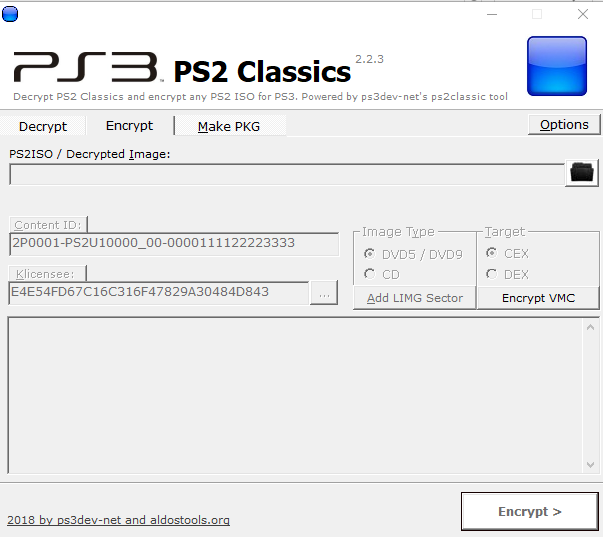
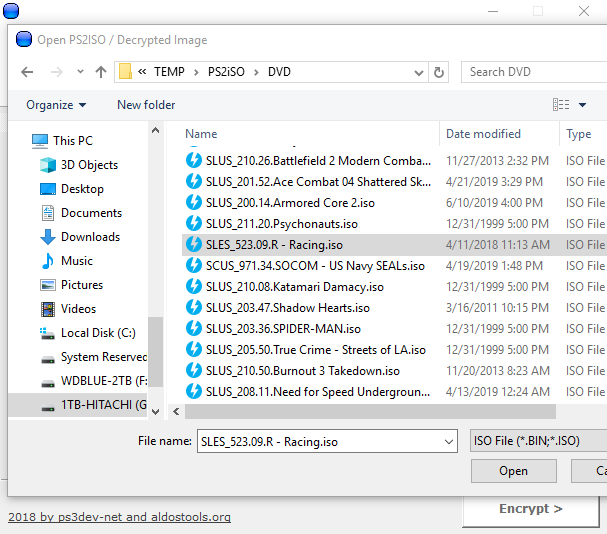
Pick ISO
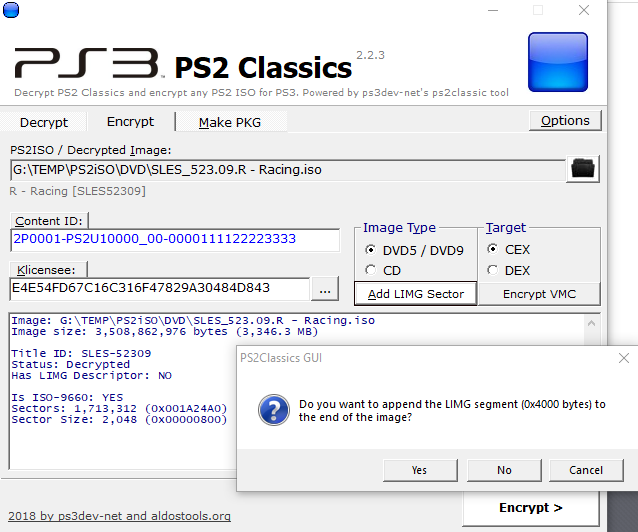
Click Add LIMG, Pick Yes
Click 'Encrypt'
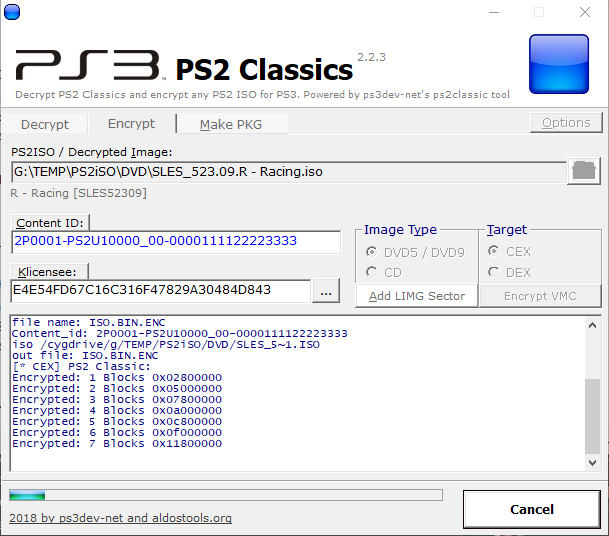
When it's done encrypting. You save ISO.BIN.ENC
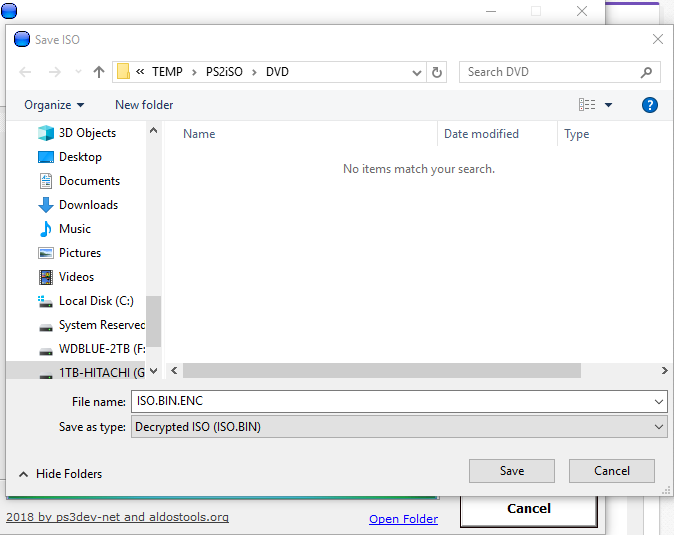
When done. Hit OK, Now click 'Make PKG'
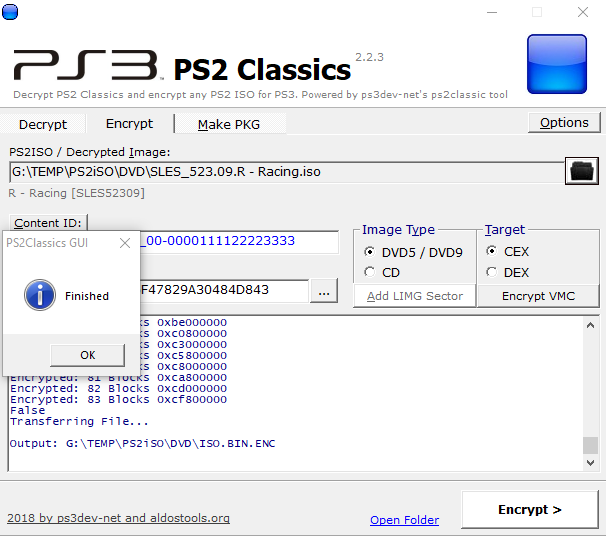
When you click 'Make PKG' you end up here.
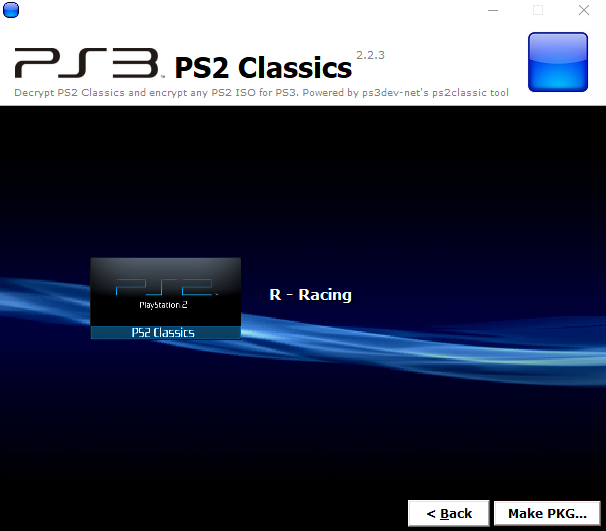
Now click 'Make PKG' again (button at bottom), We pick our ISO.BIN.ENC we made.
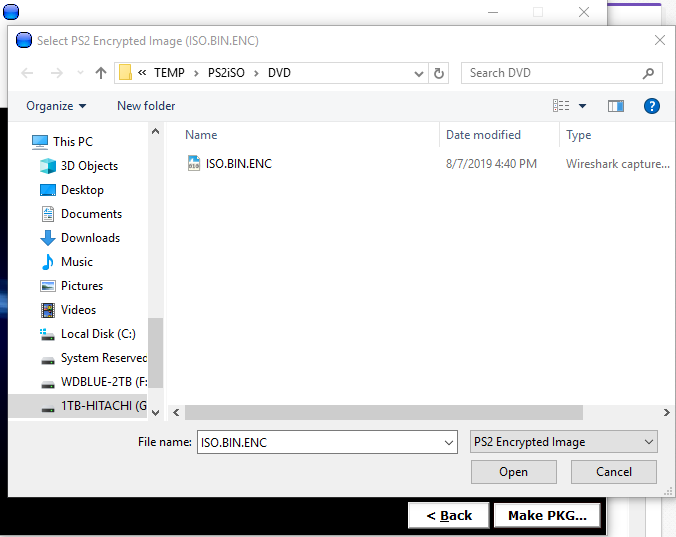
Then it will ask us for 'CONFIG' -- Not all games have config. This one doesn't. You would look for SLES_523.09.CONFIG, will be diff for every game)
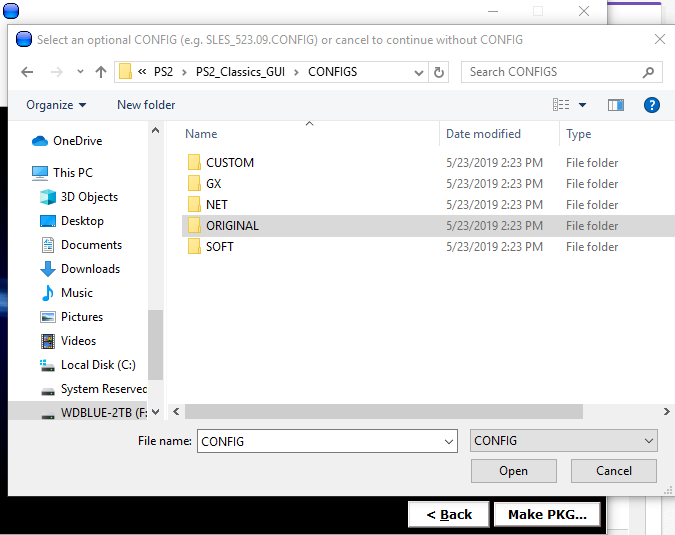
For our PS3's (Slim/Super Slim, we pick CUSTOM/SOFT/NET configs. GX is for Fat consoles)
So. We have no config. So here we can pick 'Cancel'
It will start making PKG we will copy to PS3
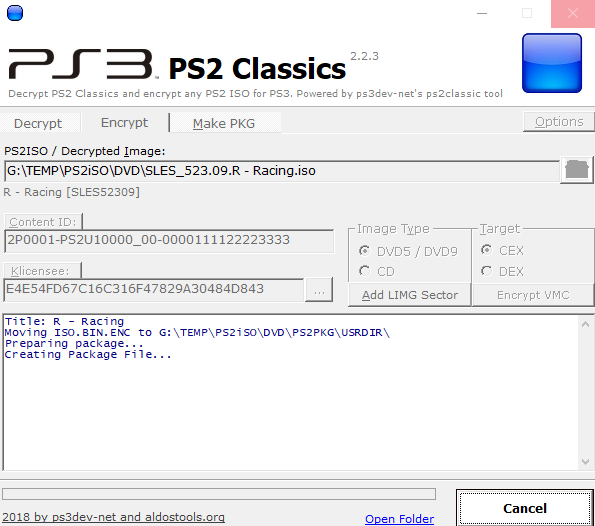
Once it's done, You find the resulting PKG. It will be named like "Game Name [PS2 Classics] [TITLEID].pkg"
Copy that via FTP to /dev_hdd0/packages/ and use Package Manager to install. Or you can put it on USB in a /packages/ folder and install from there.
--
Open Program
Pick ISO
Click Add LIMG, Pick Yes
Click 'Encrypt'
When it's done encrypting. You save ISO.BIN.ENC
When done. Hit OK, Now click 'Make PKG'
When you click 'Make PKG' you end up here.
Now click 'Make PKG' again (button at bottom), We pick our ISO.BIN.ENC we made.
Then it will ask us for 'CONFIG' -- Not all games have config. This one doesn't. You would look for SLES_523.09.CONFIG, will be diff for every game)
For our PS3's (Slim/Super Slim, we pick CUSTOM/SOFT/NET configs. GX is for Fat consoles)
So. We have no config. So here we can pick 'Cancel'
It will start making PKG we will copy to PS3
Once it's done, You find the resulting PKG. It will be named like "Game Name [PS2 Classics] [TITLEID].pkg"
Copy that via FTP to /dev_hdd0/packages/ and use Package Manager to install. Or you can put it on USB in a /packages/ folder and install from there.


