PS3 [Update] Apollo Save Tool v1.8.4 released

Update v1.8.4 Released
. Original Introduction: PS3 development has been seeing an upkick lately and developer @bucanero has been one of the developers playing a part. The developer has recently updated Artemis with new support and also released PKGi (PS3) but now the developer shares a great utility that involves PS3 Game Saves called Apollo, built utilizing the Artemis GUI this homebrew capable of running on CFW and PS3HEN will allow you to Patch & Resign your Game Saves / Download Game Saves / Unlock Game Saves all from the convenience of your PS3 console and not PC tools are required. Below you can see the release thread from the developer himself: So i'll let @bucanero take it from here with another great release:
-STLcardsWS

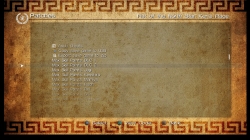
screenshot_main.png

It's summer and you're bored; what do you do with that amount of free time? You create "Apollo", a new homebrew app for the PS3! :D

  • you might wonder... why is it called Apollo?
    Apollo was the twin brother of Artemis, goddess of the hunt. Since this project was born using the Artemis-GUI codebase, I decided to respect that heritage by calling it Apollo.

    So, without further ado, let's present Apollo:

    Apollo Save Tool is an application to manage save-game files on the PlayStation 3.
    The apollo-ps3 homebrew app allows to download, unlock, patch and resign save-game files directly on your PS3.


    Features:
    • Easy to use: no crypto-key configuration or advanced setup needed.
    • Standalone: no computer required, everything happens on the PS3.
    • Save files listing: quick access to all the save files on USB and the internal PS3 HDD (+ file details)
    • Save SFO unlocking: allows the user to remove the copy-lock flag, enabling transfer of Copying Prohibited save files.
    • Save files patching: supports Bruteforce Save Data and Game Genie cheat patches to enhance your save-games.
    • Save PFD resigning: allows the user to resign save files made by other users and consoles.
    • Save downloading: access to an Online Database of save-game files to download straight to your PlayStation.
    • Automatic settings: auto-detection of PSID and Account-ID settings.


  • v1.8.4

    Added
    • Hex Editor for save-data files
    • Improved internal Web Server (Online DB support)
    • Custom offline Account-ID activation (On-screen Keyboard)
    • User-defined Online DB URL (Settings)
    Fixed

    • Fix Final Fantasy XIII save-game decryption bug
    Misc

    • Updated Apollo patch engine v0.4.1
      • Skip search if the pattern was not found
      • Improve code types 9, B, D
      • Fixed Final Fantasy XIII encryption bug on PS3
      • Add value subtraction support (BSD)
    • Custom checksum: Dai-3-Ji Super Robot Taisen Z

    .v1.8.0

    Added
    • Import Trophies from USB
    • Improve Trophy bulk export
    • Download Online DB saves to HDD
    • Extract archive tool (.zip, .7z, .rar)
    • Network Tools
      • URL downloader tool (download http/https/ftp/ftps links)
      • Simple local Web Server (full access to console drives)
    • New save-game sorting options (Settings)
      • by Name, by Title ID
    • Show PS3 IP address when running Apollo's Web Server
    • Improve USB support (scan USB0 to USB6)
    • On-screen Keyboard (for text input)
    Fixed

    • Fix screen aspect ratio (Tiny3D viewport issue)
    • Fix list refresh bug with .PSV saves
    • Fix .VM2 to .VMC export bug
    • Fix bug when saving settings
    Misc

    • Download application data updates from apollo-patches repository
    • Use .savepatch extension for save-game patches
    • Updated Apollo patch engine v0.3.0
      • BSD scripting changes
      • New custom hash: mgspw_checksum
      • Fix sha1_xor64 custom hashing
      • Fix little-endian support for decrypters/hashes (PS4/Vita)

    .v1.7.0
    • Added local Web Server (download saves as .Zip)
    • Save-game selection (press SELECT to tag items)
      • Copy/Resign selected saves (Bulk Management)
    • Improved listings (items count)
    • New custom checksum support
      • LEGO Marvel Avengers
      • LEGO Star Wars: The Force Awakens

    .v1.6.5

    Added

    • New save-game cheats
      • Final Fantasy XIII
      • Ratchet & Clank Future: A Crack in Time
      • Resident Evil 4 HD
      • Resident Evil 6
      • Resident Evil Revelations 2
      • Ryu ga Gotoku Kiwami
      • Tales of Zestiria
    Fixed

    • Fixed Online DB URL
    Misc

    • Use Apollo-lib (shared with Apollo PS4)

    .v1.6.4

    Added
    • Added setting to redetect user/console IDs
    • Added custom decryption support
      • Dynasty Warriors 8: Xtreme Legends
    • Added custom checksum support
      • LEGO Pirates of the Caribbean: The Video Game
      • LEGO Star Wars III: The Clone Wars
      • Tales of Zestiria
    • New save-game cheats
      • Atelier Rorona Plus
      • Atelier Shallie
      • Battle of Tiles EX
      • Call of Duty: World at War
      • Class of Heroes 2G
      • Death Spank
      • Deathmatch Village
      • DuckTales Remastered
      • Everybody's Golf
      • Iron Man 2
      • J-STARS Victory VS+
      • Kick Beat
      • Monster High - New Ghoul in School
      • Mortal Kombat Arcade Kollection
      • Narco Terror
      • Sacred Citadel
      • Shrek Forever After
      • Silent Hill: Downpour
      • Super Motherload
      • Tales of Zestiria
      • The Awakened Fate Ultimatum
      • The Expendables 2
      • Vandal Hearts: Flames of Judgment
      • Wizardry The Labyrinth Of Lost Souls
    Fixed
    • Fixed freeze issue when DB rebuild was scheduled
    • Fixed comments in .ps3savepatch files

    .v1.6.3

    Added
    • Added offline PS3 account activation
      • Creates a fake account ID
      • Generates an offline activation file act.dat
    • View raw .ps3savepatch patch files
    • Added BSD mid, endian_swap commands support
    • Added fnv1, checksum32, wadd_le, sha1_xor64 hash methods
    • Added custom decryption support
      • Metal Gear Solid 2
      • Metal Gear Solid 3
      • Metal Gear Solid Peace Walker
    • Added custom checksum support
      • Alien: Isolation
      • Digimon All-Star Rumble
      • Dragon Ball Z: Ultimate Tenkaichi
      • DuckTales: Remastered
      • LEGO Batman 2: DC Super Heroes
      • LEGO Harry Potter: Years 1-4
      • LEGO Harry Potter: Years 5-7
      • LEGO Lord Of The Rings
      • LEGO The Hobbit
      • Samurai Warriors 4
      • Sengoku Musou 4
      • Tears to Tiara 2
    • New save-game cheats
      • Dragon Ball Z: Xenoverse
      • Odin Sphere Leifthrasir
      • One Piece Pirate Warriors 3
      • Sengoku Basara 4 Sumeragi
      • Transformers: Devastation

    .v1.6.0

    Added

    • Display save-games and trophy-set icons
    • Added Database rebuild dialog (trophies)
    • Added PS2 Classics CONFIG encryption support
    • Improved USB scanning for Saves and User Backup tools
    Fixed
    • Fixed .ps3savepatch file parsing

    .v1.5.8

    Added

    • Added Trophy edit support
      • Unlock trophies
      • Lock trophies (if not synced)
    • Added bulk trophy export to .Zip
    • Added custom checksum support
      • Kingdom Hearts Chain of Memories
    • Improved file copy to USB
    Fixed
    • Fixed account_id update (special case)

    .v1.5.5

    Added
    • Added BSD qwadd, right, left commands support
    • Added adler16, sdbm, dwadd_le hash methods
    • Added dev_usb006 scan for USB saves
    • Added custom decryption support
      • Final Fantasy XIII
      • Final Fantasy XIII-2
      • Lightning Returns: Final Fantasy XIII
      • Resident Evil 0 (Zero) (Blowfish)
      • Resident Evil HD Remaster (Blowfish)
      • Resident Evil Revelations 2 (Blowfish)
      • Need for Speed: Undercover
      • Call of Duty: Black Ops (3-DES CBC)
      • Call of Duty: Black Ops II (3-DES CBC)
      • Silent Hill 3 HD
    • New save-game cheats
      • Persona 5
      • Resident Evil: Revelations 2
      • Yakuza 0
      • 99 Vidas
      • Lost Dimension
      • RAGE
      • The Last of Us
      • BlazBlue
      • BlazBlue: Chronophantasma EXTEND
      • BlazBlue: Central Fiction
      • Resident Evil 0 (Zero)
      • Resident Evil 4 HD
      • Resident Evil 5
      • Resident Evil 6
      • The Elder Scrolls V: Skyrim
      • The Legend of Heroes: Sen no Kiseki
      • Devil May Cry 3 HD
      • Guilty Gear Xrd - Rev. 2 -
      • Dynasty Warriors 8: Empires
      • Saint Seiya Soldiers' Soul
      • Star Ocean 5: Integrity and Faithlessness
      • Kamen Rider Battride War Sousei/Genesis
      • Rainbow Skies
    • Added custom checksum support
      • Dead Space 2
      • Dead Space 3
      • Final Fantasy X HD
      • Final Fantasy X-2 HD
      • Final Fantasy XIII
      • Final Fantasy XIII-2
      • Lightning Returns: Final Fantasy XIII
      • Kingdom Hearts 2.5 HD
      • Kingdom Hearts Birth by Sleep
      • Prototype
      • Prototype 2
    • Added simple icons for trophies
    • Improved custom CRC32 method
    Fixed
    • Fixed bulk resign and bulk copy
    • Fixed Fake owner account (ffffffffffffffff)

    .v1.5.0

    Added
    • Added Trophy Set management
      • List trophies
      • Resign trophy sets
      • Backup trophies to Zip
    • Added custom encryption support (DmC, GTA5, Diablo 3, NFS Rivals)
      • Algorithms: Blowfish, AES, DES
    • Added "Import decrypted save file" option
    • Added PS2/PS1 .PSV saves to the Online Database
    • Improved user messages
    • Added BSD global variable support
    • Added BSD search next command support
    • Added GameGenie code type 88 relative search
    Fixed
    • Fixed .RAP uppercase issue

    .v1.4.6

    Added
    • Added BSD crc64_ecma and crc64_iso hash commands
    • Added custom CRC-64 hash support
    • Added deflate support to BSD decompression command
    Fixed
    • Fixed save-game patches
      • Darksiders
      • Call of Juarez Bound in Blood
      • Fuse

    .v1.4.5

    Added
    • Added Change Account ID option (Remove ID, Fake Owner/Rebug)
    • Added background to PS3 system Dialogs
    • Added Enable Debug Log setting
    • Game Genie Type 6 code support
    • New cheats
      • Guilty Gear Xrd -SIGN-
      • Guilty Gear Xrd Rev 2
      • BlazBlue: Centralfiction
    • Updated secure_file_id database with new Title IDs and keys
    • Updated Online Database with new save-games
    Fixed
    • Fixed Online Database save-game download bug

    .v1.4.2

    Added
    • Export PS1 .PSV saves to .mcs
    • Export PS2 .PSV saves to .psu
    • Import raw PS2 memcards to .VM2 (ECC / non-ECC)
    • Export PS2 .VM2 memcards to raw image
    • Added APOLLO-99PS1.PSV dummy save (to refresh XMB virtual memcards)

    .v1.4.0

    Added
    • PS2 Classics: export/decrypt .VME memcards to .VM2
    • PS2 Classics: import/encrypt .VM2 memcards to .VME
    • PS2 Classics: export/decrypt BIN.ENC images to .ISO
    • PS2 Classics: import/encrypt .ISO images to BIN.ENC
    • Added .PSV resigning (PS1/PS2)
    • Added PS1 .mcs/.psx save conversion to .PSV
    • Added PS2 .max/.cbs/.xps/.psu save conversion to .PSV
    • Added APOLLO-99PS2.PSV dummy save (to refresh XMB virtual memcards)

    .v1.2.5

    Added
    • Updated games.conf database with new IDs and keys
    • Add Copy savegame to HDD option
    • Add Zip savegame to HDD option
    • Add bulk save-game copy to HDD support
    • Add owners.xml support (select owners from the Settings menu)

    .v1.2.0

    Added

    • Add save-game region change support
    • Add custom decryption for Naughty Dog savegames (TLoU, Uncharted 2, Uncharted 3)
    • Add bulk save-game resign support
    • Add View Save details option
    • Add Export licenses to HDD (/dev_hdd0/exdata/)
    • Add proper detection of unprotected games
    • Add analog stick control support
    Fixed
    • Removed unsupported cheat code files
    • Fix BSD cheat code applying process
    • No cheat codes selected by default

    .v1.1.2

    Added
    • Export single .rif license to .rap file (User Backup menu)
    • Import single .rap file to user's .rif license (User Backup menu)
    • Bulk import .rap files to user's content .rif licenses (User Backup menu)

    .v1.1.0

    Added
    • Export the user's content licenses to .RAP files (User Backup menu)

    .v1.0.9

    Added
    • Support for compressed save-game file patching
    • Added insert, delete, compress, and decompress BSD patch commands
    • Improved save list browsing
    • Improved BSD patch code parsing
    • Reduced package installer size

    .v1.0.2

    Added
    • Re-added resign/cheat options to HDD/USB
    • Added decrypt file option
    • Updated UI with custom font
    Fixed
    • Fixed game listing issue (when name has a \n)
    • Fixed custom CRC calculation bug (BSD patches)

    .v1.0.0

    Added
    • Bruteforce Save Data cheat patch support
    • Changed save-game encryption/decryption method
    • Splash screen logo

    .v0.9.0

    Added
    • Game Genie cheat patch support
    • Updated UI
    • Added Remove Console ID patch
    • Added Licenses backup to .Zip (/dev_hdd0/home/000000XX/exdata/)
    • Added bulk save-game copy to USB
    • Added Trophies backup to USB
    • Added owner.txt support to override auto-detected settings
    • Improved auto-update check/download
    Fixed
    • Solved issue when copying save-games from HDD to USB
    • Solved freeze bug when using Clear local cache
    • UI: Fixed improper titles and messages

    .v0.6.5

    Added
    • Export save-game to .Zip file
    • Copy save-game to USB
    • New Settings option to clear local cache
    • New Settings option to update application data
    Fixed
    • Fixed patch when removing Account ID
    • Use internal PS3 fonts to fix issues with extended characters

    .v0.5.1

    Hot fix release.

    Fixed

    • Fix unzip issue when unpacking online save files

    .
    v0.5.0


    First public release.
    Added
    • Save file listing (+ details)
    • Save file SFO unlocking (remove lock flag)
    • Save file PFD resigning
    • Save file download from Online Database
    • Automatic detection of PSID/Account-ID settings

  • Using the application is simple and straight-forward:
    • Move UP/DOWN to select the save-game file you want to patch, and press :but x: . The patch screen will show the available fixes for the file. Select the patches and click Apply.
    • To see the item's details, press :but tri: . It will open the context menu on the screen. Press :but cir: to return to the list.
    • To reload the list, press :but square: .
    • Press left (L1/L2) or right trigger buttons (R1/R2) to move pages up or down.


  • No special setup is needed. Just download the latest apollo-ps3.pkg package and install it on your PlayStation 3. On first run, the application will detect and setup the required user settings.


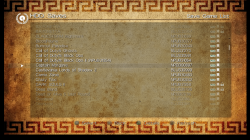
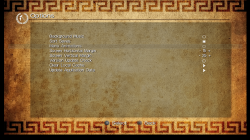
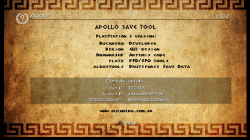
  • screenshot_main.png screenshot_patches.png screenshot_savelist.png screenshot_settings.png screenshot_about.png screenshot_details.png


  • Credits


See the full project's README for more information: https://bucanero.github.io/apollo-ps3/
feel free to share you comments and ideas! :cool2:


Download link: https://github.com/bucanero/apollo-ps3/releases/latest
As usual, full source code is available on GitHub :)


Note: A PS4 version has been released as well, see details > here <
A PSP version is also available, see details > here <
 
Last edited by a moderator:
I don't know what you mean by constant black screens, I don't have them..
Anyway ssd usage & its worth is for another convo..

I edited my previous post.
Please try what I asked & report.
Confirm that Irisman (or Managunz) file manager can read/write from/to the save folder that Apollo fails to list contents for.
That will reduce the field of possibilities.
oh! sorry ! is that so , i don't really understand you in last comment ! yes , i can access my save folder in both managunz or irishman ! except this apollo only !
 
oh! sorry ! is that so , i don't really understand you in last comment ! yes , i can access my save folder in both managunz or irishman ! except this apollo only !
Hmm, that means it's unlikely that there is a ssd related issue.

Have you tried with another profile?
Or you could just test with a clean temporary profile..
Make a new profile, start a game, save it. Then use Apollo to list save contents for that profile.
 
Hmm, that means it's unlikely that there is a ssd related issue.

Have you tried with another profile?
Or you could just test with a clean temporary profile..
Make a new profile, start a game, save it. Then use Apollo to list save contents for that profile.
you mean new game profile? no ! i actually did but if you've seen my comment with bruno( i post screenshot on it ) you can see it completly no access to internal hard drive ! it say:" no save found "! i already sent him link to my apollo.log file also ! hope he can find out what wrong !
 
you mean new game profile? no ! i actually did but if you've seen my comment with bruno( i post screenshot on it ) you can see it completly no access to internal hard drive ! it say:" no save found "! i already sent him link to my apollo.log file also ! hope he can find out what wrong !
Yes I mean testing a new user profile in which you log in, start a game, save it & then use Apollo to list that new profile save data contents.
It's the only way to know whether the issue is with Apollo globally on your console or simply with your current profile data.
 
Yes I mean testing a new user profile in which you log in, start a game, save it & then use Apollo to list that new profile save data contents.
It's the only way to know whether the issue is with Apollo globally on your console or simply with your current profile data.
I GET IT ! the problem is user profile it self ! i change to new user and it work ! but now new problem ! in trophie setting in apollo ! it say " no save found" again!
 
I GET IT ! the problem is user profile it self ! i change to new user and it work ! but now new problem ! in trophie setting in apollo ! it say " no save found" again!
In a new profile, if you don't have any save or trophy, it would be normal to get such a message but I lack contextual data.

Anyway there will definitely be something wrong with your profile data, hard to say what though.
But in all likelihood, I don't really think that either the ssd or Apollo is the culprit, everything points towards your local setup so far.

Maybe save files or other are corrupted.. Is every folder & file there genuine? I mean is it just contents that the system created automatically behind the scenes or did you copy/ftp anything at all manually in there or maybe modify/edit something?

Btw when you notice any discrepancy in the system, it is usually wise to rebuild database (and scan file system but only when NOT using ssd). Not saying that it will help in this case because we are not sure what the problem is with the data but it cannot hurt either.
 
In a new profile, if you don't have any save or trophy, it would be normal to get such a message but I lack contextual data.

Anyway there will definitely be something wrong with your profile data, hard to say what though.
But in all likelihood, I don't really think that either the ssd or Apollo is the culprit, everything points towards your local setup so far.

Maybe save files or other are corrupted.. Is every folder & file there genuine? I mean is it just contents that the system created automatically behind the scenes or did you copy/ftp anything at all manually in there or maybe modify/edit something?

Btw when you notice any discrepancy in the system, it is usually wise to rebuild database (and scan file system but only when NOT using ssd). Not saying that it will help in this case because we are not sure what the problem is with the data but it cannot hurt either.
ok ! now you say that ! i have to confess! yes ! when i bought new ssd for my ps3 ! i do backup and restore but it alway stuck at 68% ! so i decide to move my data through ftp manually ! all of my save data working fine ! so it's unlikely corrupted ! assume from what you say ! this error came from my user profile i think ! in case problem are laying on my user profile ! do you have any suggestion? because you known! i can easilly transfer save data to usb but some save data won't let me do that( protected save ) ! and if i do it manually in file manager , there are high chance i will mess up user profile !
p/s : thanks and apreciete your reply !
 
here ! please take a look at it !
https://easyupload.io/2uymrv

did you try to access the "HDD Saves" option after enabling the "debug log" setting? I don't see any log of the app trying to access the hdd saves, so if you tried, then the issue happens before the app tries to read the hdd saves.

But from the messages and troubleshooting from @bguerville (thanks mate!) it looks like you have been fiddling around the user account, and that's probably why Apollo can't see the save files... Example: Apollo thinks the account ID is "00001" , but is actually "00005".

Also, since with a new user account everything works fine, then it's not a hard disk problem.

What I can suggest: uninstall Apollo, and remove the "Apollo Settings" save-game from your account. (Just use XMB, select the Apollo settings save and remove it).
Then install the app from scratch, and let it detect all the user account values again. Next, check on the "About" menu and validate the values of the detected settings. (Account ID, User ID, Console ID, etc)
If something doesn't match the account you're using, then that's why Apollo can read the HDD saves.
 
A new version is out!
https://github.com/bucanero/apollo-ps3/releases/tag/v1.6.3

Probably the most useful feature is the offline PS3 account activation, that could be useful for HEN users that can't update or connect online to active their consoles. CFW users already had many options to activate offline, but it can be used by CFW users too.

Note for HEN users: I recommend having webman Mod installed (at least until I can submit some changes to the PS3HEN plugin) so you don't need to restore the 'act.dat' file on each boot.

I also added a bunch of custom save decrypters and checksum fixers, for those who want to edit save-game data.

Apollo Save Tool v1.6.3 change log:
Added

  • Added offline PS3 account activation
    • Creates a fake account ID
    • Generates an offline activation file act.dat
  • View raw .ps3savepatch patch files
  • Added BSD mid, endian_swap commands support
  • Added fnv1, checksum32, wadd_le, sha1_xor64 hash methods
  • Added custom decryption support
    • Metal Gear Solid 2
    • Metal Gear Solid 3
    • Metal Gear Solid Peace Walker
  • Added custom checksum support
    • Alien: Isolation
    • Digimon All-Star Rumble
    • Dragon Ball Z: Ultimate Tenkaichi
    • DuckTales: Remastered
    • LEGO Batman 2: DC Super Heroes
    • LEGO Harry Potter: Years 1-4
    • LEGO Harry Potter: Years 5-7
    • LEGO Lord Of The Rings
    • LEGO The Hobbit
    • Samurai Warriors 4
    • Sengoku Musou 4
    • Tears to Tiara 2
  • New save-game cheats
    • Dragon Ball Z: Xenoverse
    • Odin Sphere Leifthrasir
    • One Piece Pirate Warriors 3
    • Sengoku Basara 4 Sumeragi
    • Transformers: Devastation
 
Last edited:
Update v1.6.3 Released
. Original Introduction: PS3 development has been seeing an upkick lately and developer @bucanero has been one of the developers playing a part. The developer has recently updated Artemis with new support and also released PKGi (PS3) but now the developer shares a great utility that involves PS3 Game Saves called Apollo, built utilizing the Artemis GUI this homebrew capable of running on CFW and PS3HEN will allow you to Patch & Resign your Game Saves / Download Game Saves / Unlock Game Saves all from the convenience of your PS3 console and not PC tools are required. Below you can see the release thread from the developer himself: So i'll let @bucanero take it from here with another great release:
-STLcardsWS

View attachment 24626
It's summer and you're bored; what do you do with that amount of free time? You make "Apollo", a new homebrew app for the PS3! :D

  • you might wonder... why is it called Apollo?
    Apollo was the twin brother of Artemis, goddess of the hunt. Since this project was born using the Artemis-GUI codebase, I decided to respect that heritage by calling it Apollo.

    So, without further ado, let's present Apollo:

    Apollo Save Tool is an application to manage save-game files on the PlayStation 3.
    The apollo-ps3 homebrew app allows to download, unlock, patch and resign save-game files directly on your PS3.


    Features:
    • Easy to use: no crypto-key configuration or advanced setup needed.
    • Standalone: no computer required, everything happens on the PS3.
    • Save files listing: quick access to all the save files on USB and the internal PS3 HDD (+ file details)
    • Save SFO unlocking: allows the user to remove the copy-lock flag, enabling transfer of Copying Prohibited save files.
    • Save files patching: supports Bruteforce Save Data and Game Genie cheat patches to enhance your save-games.
    • Save PFD resigning: allows the user to resign save files made by other users and consoles.
    • Save downloading: access to an Online Database of save-game files to download straight to your PlayStation.
    • Automatic settings: auto-detection of PSID and Account-ID settings.

  • v1.6.3

    Added

    • Added offline PS3 account activation
      • Creates a fake account ID
      • Generates an offline activation file act.dat
    • View raw .ps3savepatch patch files
    • Added BSD mid, endian_swap commands support
    • Added fnv1, checksum32, wadd_le, sha1_xor64 hash methods
    • Added custom decryption support
      • Metal Gear Solid 2
      • Metal Gear Solid 3
      • Metal Gear Solid Peace Walker
    • Added custom checksum support
      • Alien: Isolation
      • Digimon All-Star Rumble
      • Dragon Ball Z: Ultimate Tenkaichi
      • DuckTales: Remastered
      • LEGO Batman 2: DC Super Heroes
      • LEGO Harry Potter: Years 1-4
      • LEGO Harry Potter: Years 5-7
      • LEGO Lord Of The Rings
      • LEGO The Hobbit
      • Samurai Warriors 4
      • Sengoku Musou 4
      • Tears to Tiara 2
    • New save-game cheats
      • Dragon Ball Z: Xenoverse
      • Odin Sphere Leifthrasir
      • One Piece Pirate Warriors 3
      • Sengoku Basara 4 Sumeragi
      • Transformers: Devastation

    .v1.6.0

    Added

    • Display save-games and trophy-set icons
    • Added Database rebuild dialog (trophies)
    • Added PS2 Classics CONFIG encryption support
    • Improved USB scanning for Saves and User Backup tools
    Fixed

    • Fixed .ps3savepatch file parsing

    .v1.5.8

    Added

    • Added Trophy edit support
      • Unlock trophies
      • Lock trophies (if not synced)
    • Added bulk trophy export to .Zip
    • Added custom checksum support
      • Kingdom Hearts Chain of Memories
    • Improved file copy to USB
    Fixed

    • Fixed account_id update (special case)


    .v1.5.5

    Added

    • Added BSD qwadd, right, left commands support
    • Added adler16, sdbm, dwadd_le hash methods
    • Added dev_usb006 scan for USB saves
    • Added custom decryption support
      • Final Fantasy XIII
      • Final Fantasy XIII-2
      • Lightning Returns: Final Fantasy XIII
      • Resident Evil 0 (Zero) (Blowfish)
      • Resident Evil HD Remaster (Blowfish)
      • Resident Evil Revelations 2 (Blowfish)
      • Need for Speed: Undercover
      • Call of Duty: Black Ops (3-DES CBC)
      • Call of Duty: Black Ops II (3-DES CBC)
      • Silent Hill 3 HD
    • New save-game cheats
      • Persona 5
      • Resident Evil: Revelations 2
      • Yakuza 0
      • 99 Vidas
      • Lost Dimension
      • RAGE
      • The Last of Us
      • BlazBlue
      • BlazBlue: Chronophantasma EXTEND
      • BlazBlue: Central Fiction
      • Resident Evil 0 (Zero)
      • Resident Evil 4 HD
      • Resident Evil 5
      • Resident Evil 6
      • The Elder Scrolls V: Skyrim
      • The Legend of Heroes: Sen no Kiseki
      • Devil May Cry 3 HD
      • Guilty Gear Xrd - Rev. 2 -
      • Dynasty Warriors 8: Empires
      • Saint Seiya Soldiers' Soul
      • Star Ocean 5: Integrity and Faithlessness
      • Kamen Rider Battride War Sousei/Genesis
      • Rainbow Skies
    • Added custom checksum support
      • Dead Space 2
      • Dead Space 3
      • Final Fantasy X HD
      • Final Fantasy X-2 HD
      • Final Fantasy XIII
      • Final Fantasy XIII-2
      • Lightning Returns: Final Fantasy XIII
      • Kingdom Hearts 2.5 HD
      • Kingdom Hearts Birth by Sleep
      • Prototype
      • Prototype 2
    • Added simple icons for trophies
    • Improved custom CRC32 method
    Fixed

    • Fixed bulk resign and bulk copy
    • Fixed Fake owner account (ffffffffffffffff)


    .v1.5.0

    Added

    • Added Trophy Set management
      • List trophies
      • Resign trophy sets
      • Backup trophies to Zip
    • Added custom encryption support (DmC, GTA5, Diablo 3, NFS Rivals)
      • Algorithms: Blowfish, AES, DES
    • Added "Import decrypted save file" option
    • Added PS2/PS1 .PSV saves to the Online Database
    • Improved user messages
    • Added BSD global variable support
    • Added BSD search next command support
    • Added GameGenie code type 88 relative search
    Fixed

    • Fixed .RAP uppercase issue


    .v1.4.6

    Added
    • Added BSD crc64_ecma and crc64_iso hash commands
    • Added custom CRC-64 hash support
    • Added deflate support to BSD decompression command
    Fixed
    • Fixed save-game patches
      • Darksiders
      • Call of Juarez Bound in Blood
      • Fuse

    .v1.4.5

    Added

    • Added Change Account ID option (Remove ID, Fake Owner/Rebug)
    • Added background to PS3 system Dialogs
    • Added Enable Debug Log setting
    • Game Genie Type 6 code support
    • New cheats
      • Guilty Gear Xrd -SIGN-
      • Guilty Gear Xrd Rev 2
      • BlazBlue: Centralfiction
    • Updated secure_file_id database with new Title IDs and keys
    • Updated Online Database with new save-games
    Fixed

    • Fixed Online Database save-game download bug

    .v1.4.2

    Added
    • Export PS1 .PSV saves to .mcs
    • Export PS2 .PSV saves to .psu
    • Import raw PS2 memcards to .VM2 (ECC / non-ECC)
    • Export PS2 .VM2 memcards to raw image
    • Added APOLLO-99PS1.PSV dummy save (to refresh XMB virtual memcards)

    .v1.4.0

    Added
    • PS2 Classics: export/decrypt .VME memcards to .VM2
    • PS2 Classics: import/encrypt .VM2 memcards to .VME
    • PS2 Classics: export/decrypt BIN.ENC images to .ISO
    • PS2 Classics: import/encrypt .ISO images to BIN.ENC
    • Added .PSV resigning (PS1/PS2)
    • Added PS1 .mcs/.psx save conversion to .PSV
    • Added PS2 .max/.cbs/.xps/.psu save conversion to .PSV
    • Added APOLLO-99PS2.PSV dummy save (to refresh XMB virtual memcards)

    .v1.2.5

    Added
    • Updated games.conf database with new IDs and keys
    • Add Copy savegame to HDD option
    • Add Zip savegame to HDD option
    • Add bulk save-game copy to HDD support
    • Add owners.xml support (select owners from the Settings menu)

    .v1.2.0

    Added

    • Add save-game region change support
    • Add custom decryption for Naughty Dog savegames (TLoU, Uncharted 2, Uncharted 3)
    • Add bulk save-game resign support
    • Add View Save details option
    • Add Export licenses to HDD (/dev_hdd0/exdata/)
    • Add proper detection of unprotected games
    • Add analog stick control support
    Fixed
    • Removed unsupported cheat code files
    • Fix BSD cheat code applying process
    • No cheat codes selected by default

    .v1.1.2

    Added
    • Export single .rif license to .rap file (User Backup menu)
    • Import single .rap file to user's .rif license (User Backup menu)
    • Bulk import .rap files to user's content .rif licenses (User Backup menu)

    .v1.1.0

    Added
    • Export the user's content licenses to .RAP files (User Backup menu)

    .v1.0.9

    Added
    • Support for compressed save-game file patching
    • Added insert, delete, compress, and decompress BSD patch commands
    • Improved save list browsing
    • Improved BSD patch code parsing
    • Reduced package installer size

    .v1.0.2

    Added

    • Re-added resign/cheat options to HDD/USB
    • Added decrypt file option
    • Updated UI with custom font

    Fixed

    • Fixed game listing issue (when name has a \n)
    • Fixed custom CRC calculation bug (BSD patches)

    .v1.0.0

    Added

    • Bruteforce Save Data cheat patch support
    • Changed save-game encryption/decryption method
    • Splash screen logo

    .v0.9.0

    Added

    • Game Genie cheat patch support
    • Updated UI
    • Added Remove Console ID patch
    • Added Licenses backup to .Zip (/dev_hdd0/home/000000XX/exdata/)
    • Added bulk save-game copy to USB
    • Added Trophies backup to USB
    • Added owner.txt support to override auto-detected settings
    • Improved auto-update check/download
    Fixed

    • Solved issue when copying save-games from HDD to USB
    • Solved freeze bug when using Clear local cache
    • UI: Fixed improper titles and messages

    .v0.6.5

    Added
    • Export save-game to .Zip file
    • Copy save-game to USB
    • New Settings option to clear local cache
    • New Settings option to update application data

    Fixed
    • Fixed patch when removing Account ID
    • Use internal PS3 fonts to fix issues with extended characters

    .v0.5.1

    Hot fix release.

    Fixed

    • Fix unzip issue when unpacking online save files

    .
    v0.5.0


    First public release.
    Added

    • Save file listing (+ details)
    • Save file SFO unlocking (remove lock flag)
    • Save file PFD resigning
    • Save file download from Online Database
    • Automatic detection of PSID/Account-ID settings

  • Using the application is simple and straight-forward:
    • Move UP/DOWN to select the save-game file you want to patch, and press :but x: . The patch screen will show the available fixes for the file. Select the patches and click Apply.
    • To see the item's details, press :but tri: . It will open the context menu on the screen. Press :but cir: to return to the list.
    • To reload the list, press :but square: .
    • Press left (L1/L2) or right trigger buttons (R1/R2) to move pages up or down.


  • No special setup is needed. Just download the latest apollo-ps3.pkg package and install it on your PlayStation 3. On first run, the application will detect and setup the required user settings.


  • View attachment 24626 View attachment 24627 View attachment 24628 View attachment 24629 View attachment 24897 View attachment 24898


  • Credits


See the full project's README for more information: https://apollo.psdev.tk/
feel free to share you comments and ideas! :cool2:


Download link: https://github.com/bucanero/apollo-ps3/releases/latest
As usual, full source code is available on GitHub :)

i have a question ! the trophy unlock feature can only be use offline right? cause when i do , i get error code " 80022d00) while try to sync with server!
tôi có một câu hỏi ! tính năng mở khóa danh hiệu chỉ có thể được sử dụng ngoại tuyến phải không? gây ra khi tôi làm vậy, tôi nhận được mã lỗi "80022d00) trong khi cố gắng đồng bộ hóa với máy chủ!
 
i have a question ! the trophy unlock feature can only be use offline right? cause when i do , i get error code " 80022d00) while try to sync with server!

trophy sync worked on 4.87, and was recently tested on 4.88 Evilnat CFW too by @jcorrea ( see Youtube video example here )

as I don't have time to look into it (my PS3s are still using 4.84 HEN and 4.84 Rebug REX), I guess at this point is a "use at your own risk" thing.
What I know is that you should only try to edit a trophy-set that was installed properly by a game running on your PS3 under your account.

Never try to use a trophy folder from another PS3, or another account, that's probably never going to work (some security of the trophy files has never been reversed) . So if you're trying to sync trophy-sets that were not created in your PS3, then for sure the servers will detect the modification and reject the changes.
 
trophy sync worked on 4.87, and was recently tested on 4.88 Evilnat CFW too by @jcorrea ( see Youtube video example here )

as I don't have time to look into it (my PS3s are still using 4.84 HEN and 4.84 Rebug REX), I guess at this point is a "use at your own risk" thing.
What I know is that you should only try to edit a trophy-set that was installed properly by a game running on your PS3 under your account.

Never try to use a trophy folder from another PS3, or another account, that's probably never going to work (some security of the trophy files has never been reversed) . So if you're trying to sync trophy-sets that were not created in your PS3, then for sure the servers will detect the modification and reject the changes.
Does restoring a trophy set from one user to another user in the same PS3 without both users having logged into PSN work? What about restoring a trophy set after resetting your PS3? Has anyone tested this before?
 
Does restoring a trophy set from one user to another user in the same PS3 without both users having logged into PSN work? What about restoring a trophy set after resetting your PS3? Has anyone tested this before?
Provavelmente irão funcionar, mas não testei esses cenários. Vou efetuar o teste e aviso assim que possível.

Probably they will work, but I didn't tested these scenaries. I'll test it and let you know as soon as possible.
 
Provavelmente irão funcionar, mas não testei esses cenários. Vou efetuar o teste e aviso assim que possível.

Probably they will work, but I didn't tested these scenaries. I'll test it and let you know as soon as possible.
Thanks! I recently reset my PS3 and don't have any trophies, so I can't test it myself (or, at the very least, it would take me a while to do so).

(By the way, I do not know Portuguese. I am a native Spanish speaker, though).
 
Thanks! I recently reset my PS3 and don't have any trophies, so I can't test it myself (or, at the very least, it would take me a while to do so).

(By the way, I do not know Portuguese. I am a native Spanish speaker, though).
Sorry being late, but I had some problems on test (but I got it). Offline, both scenarios worked. But online (synchronizing), none of them worked. You will only be able to synchronize your own "account" trophies unlocked by Apollo.

@bucanero I noticed that when Apollo run the first time, if no "account id" is set to the user, it saves it filled with zeros on the Apollo config. And after the current user log in, the account id is not "0" anymore, but Apollo load the "account id" from the config saved before, and if user try to unlock trophy / resign save, it will save it wrong.
And, after lock/unlock some trophies and answering "yes" to rebuild database, after exit apollo the PS3 freezes (always when I answer "yes" to rebuild database dialog).
 
Last edited:
can apollo convert ps2 save format to ps2 classics save data ? i had ps2 save data in cbs, psv and max but have no idea how to convert it to ps2 classics save !
apollo có thể chuyển đổi định dạng lưu ps2 sang ps2 cổ điển để tiết kiệm dữ liệu không? tôi đã lưu dữ liệu ps2 trong cbs, psv và max nhưng không biết làm thế nào để chuyển đổi nó sang lưu ps2 cổ điển!
 
@bucanero I noticed that when Apollo run the first time, if no "account id" is set to the user, it saves it filled with zeros on the Apollo config. And after the current user log in, the account id is not "0" anymore, but Apollo load the "account id" from the config saved before, and if user try to unlock trophy / resign save, it will save it wrong.

oh yes, that's a known issue... Apollo only auto-detects the IDPS, PSID, Account_id, etc when it's executed the first time. So for example, if the user later spoofs console IDs, or change account_id (by login in, fake account), etc. then the user should erase the Apollo Settings file using the XMB, and next time Apollo start will re-detect everything.

I guess I could also add an option under Settings to "re-detect id values", for those users who don't know about this.

Note: if you use Apollo to fake-activate an offline account, then Apollo auto-updates the config so that's currently the only case where you don't need to re-detect values.

And, after lock/unlock some trophies and answering "yes" to rebuild database, after exit apollo the PS3 freezes (always when I answer "yes" to rebuild database dialog).

that's weird and never happened to me... my tests are made under Rebug 4.84 REX and 4.84 HEN. Maybe it's something with your CFW or setup? are you testing on HEN, or which CFW?

The whole database rebuild thing is only a 4-byte file /dev_hdd0/mms/db.err ... so nothing special there... just creating a file and writing 4 bytes. Really weird!

btw, thanks again for your tests!
 
oh yes, that's a known issue... Apollo only auto-detects the IDPS, PSID, Account_id, etc when it's executed the first time. So for example, if the user later spoofs console IDs, or change account_id (by login in, fake account), etc. then the user should erase the Apollo Settings file using the XMB, and next time Apollo start will re-detect everything.

I guess I could also add an option under Settings to "re-detect id values", for those users who don't know about this.

Note: if you use Apollo to fake-activate an offline account, then Apollo auto-updates the config so that's currently the only case where you don't need to re-detect values.


that's weird and never happened to me... my tests are made under Rebug 4.84 REX and 4.84 HEN. Maybe it's something with your CFW or setup? are you testing on HEN, or which CFW?

The whole database rebuild thing is only a 4-byte file /dev_hdd0/mms/db.err ... so nothing special there... just creating a file and writing 4 bytes. Really weird!

btw, thanks again for your tests!
I'm using Evilnat 4.88.2, but the issue also happened on Evilnat 4.88.1. The CFW install was made from scratch on an empty HDD. It only happens when I choose to rebuild database on that dialog.

It created the file, but it froze on exit. Exactly when the xmb waves starts to appear. If you need, I can record the screen and provide some logs.
 
I'm using Evilnat 4.88.2, but the issue also happened on Evilnat 4.88.1. The CFW install was made from scratch on an empty HDD. It only happens when I choose to rebuild database on that dialog.

It created the file, but it froze on exit. Exactly when the xmb waves starts to appear. If you need, I can record the screen and provide some logs.

if the XMB waves are already on the screen, then the Apollo app has exited and the control is back on the PS3 side.

If you have a chance, could you check with any other CFW or HEN? Since you say that the waves are shown on the screen, I believe that it might be an issue beyond apollo, and is only related to 4.88 CFW with the 8.3 cobra... perhaps the db.err file triggers something at the firmware that breaks it.
 

Featured content

Trending content

Back
Top