PS3 [UPDATE2] multiMAN v 04.81.00 / .01 /.02 ( BASE / UPDATE / STEALTH for CEX & DEX) Updates by deank

(SEE UPDATE x2 v4.81.01 + 4.81.02 ) Original Article: 04.80.00: Developer @deank has brought his popular backup manager up to date with the release of multiMAN v04.81.00 . In this release the developer has added of course 4.81 CFW support for what appears only on CEX CFW at this time, but Stealth (aka StealthMAN) user will see an update supporting 4.81 CEX. This is a feature rich and popular backup manager that now has full 4.81 (CEX) Support . Additional releases for the PS3 firmware update of 4.81 can be seen here in our forums.


(4.81.01): deank has released the latest version that gives full DEX support to the backup manager. Update 2 (4.81.02) developer @deank has released a new update providing a fix for a reported issue that addressed a problem with nethost/netiso feature on DEX Custom Firmwares

multiMAN_4.81_CFW_deank.jpg


  • Deank (1/8/2017) said:
    mM 04.81.02 was released when I removed the link for the test version and is available within mM as always (or from the web column) Also sacd-ripper.pkg is updated to support DEX 4.80

    This SACD Ripper is compiled with support from 3.55 up to 4.81. It doesn't require keys on usb stick and hopefully the extracted modules will work on all firmwares. Let me know if someone tests it.

    http://multiman.deanbg.com/multiman/feed/app/sacd-ripper.pkg

    Update x2 multiMAN v04.81.02

    • Fixed nethost/netiso issues on DEX CFW

    UPDATE - multiMAN v04.81.01
    • Added support for CFW 4.81 (DEX)

    NEW - multiMAN v04.81.00
    • Added support for CFW 4.81 (CEX)
    • Added update for Stealth version

    multiMAN v04.80.00

    * Added support for CFW 4.80
    * Added update for Stealth version

    multiMAN v04.78.02/04.78.03
    * Fixed naming of FLASH/LV1/LV2 exports for CFW 4.66/4.76/4.78
    * Fixed EBOOT.BIN/SPRX patching for CFW 4.66/4.76/4.78
    * Updated Showtime/Movian to latest Bleeding Edge (04.99.812) - http://movian.tv
    * Updated stealthMAN (multiMAN Stealth version) to 04.78.02

    multiMAN v04.78.01
    * Fixed crash when scanning for /net_host (ps3netsrv) games

    multiMAN v04.78.00
    * Added support for CFW 4.78
    * Updated Japanese translation by Kyan_dudl

    multiMAN v04.76.00
    * Added support for CFW 4.76
    * Fixed BD-Mirror for 4.75 DEX


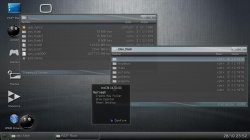
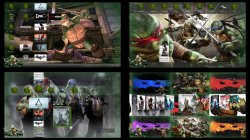
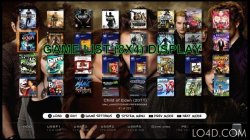
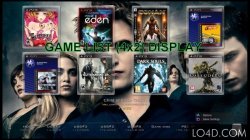
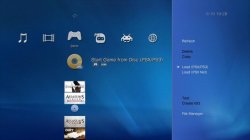
  • Various ScreenShots of multiMAN and its different views and modes.
    MM3.jpg Screenshot_4.jpg PREVIEW.jpg multiman-backup-manager-2.jpg multiman-backup-manager-3.jpg multiman-backup-manager.jpg multiman-backup-manager-4.jpg multiman-backup-manager-5.jpg

(New Version) Download:


Last edited:
It could be your left usb port that has a low quality data transmission for some reason (usb related components wear out)

You could try in other PS3, or with other hdd, or is needed other people to try to reproduce your error accuratelly, otherway is going to become an urban myth
Many people have problems with this game converted to iso but in jb no problem, in my case all games in iso and jb work well in the left usb except ultra street fighter iv in iso but in folder no problem, for this reason The game USF4 works in iso format in the right usb but in left usb loads infinitely black screen

This problem only occurs in multiman but in webman, sman and irisman the game in iso works without problems in the left usb
 
Last edited:
Many people have problems with this game converted to iso but in jb no problem, in my case all games in iso and jb work well in the left usb except ultra street fighter iv in iso but in folder no problem, for this reason The game USF4 works in iso format in the right usb but in left usb loads infinitely black screen

This problem only occurs in multiman but in webman, sman and irisman the game in iso works without problems in the left usb

@deank you changes something on usb polling while ago, would this be the cause of the weird behavior?
 
No, usb polling has nothing to do (and it is in wM/sM). USB disconnec/connect for proper reorder is used in mM and sMAN but only when 2 usb drives are connected.

If I had the game I could check what is wrong with it.
 
No, usb polling has nothing to do (and it is in wM/sM). USB disconnec/connect for proper reorder is used in mM and sMAN but only when 2 usb drives are connected.

If I had the game I could check what is wrong with it.

Ah, I was confused, yeah, I think it was mm 4.6x that had some changes regarding that USB re-connection.
 
Ah, I was confused, yeah, I think it was mm 4.6x that had some changes regarding that USB re-connection.
a question,
-Silent hd collention work fine on hdd external without back screen in 63%, when the game data are installed,
Please, because l not have the game, for not downloading without results
 
Sorry but I do not see any question here.. Are you stating that the game works fine or are you asking?[/QUOTE

I am asking ,

Silent hd collection works to rebug 4.81.2??

Because many users have black screen problem when game data is installed

I would like to know the answer before downloading it
 
Downloading retail games? So this is actually a piracy related question?

People who have had this issue uninstalled the game a first time then could not reinstall it.
Iirc the issue is due to leftover corrupted data after an uninstall. There are ways to go around that though...

Silent Hill HD collection also happens to be a buggy release & you should remember to apply the latest game update.
 
Please, I want the external hard drive of my ps3 without suspension,
because some games freeze some time, there is some configuration in multiman to avoid suspending the hard drive
 
Please, I want the external hard drive of my ps3 without suspension,
because some games freeze some time, there is some configuration in multiman to avoid suspending the hard drive
What does "suspending" the hdd mean?
How do you know for sure that the game freezes are due to the hdd in the first place?
There could be a multitude of reasons for your issue, you need to provide more details.
What console model is it? What CFW type & version? Are you using Cobra? What Multiman's version? You say some games freeze, which ones? What kind of games are they, iso or JB format? What kind of settings are you using in multiman if the games are in JB format?
Does the problem happen offline? Online? Both? Are you using psnpatch? Do you use a fat32 or ntfs partition with your external hdd?
 
Also if u use a vsh menu this can cause issues i had rebug vsh menu and many games would freeze then disabling it ut solved issues
Thanks to @Joonie on this ^^ as i would never of thought of it being vsh menu related
 
What does "suspending" the hdd mean?
How do you know for sure that the game freezes are due to the hdd in the first place?
There could be a multitude of reasons for your issue, you need to provide more details.
What console model is it? What CFW type & version? Are you using Cobra? What Multiman's version? You say some games freeze, which ones? What kind of games are they, iso or JB format? What kind of settings are you using in multiman if the games are in JB format?
Does the problem happen offline? Online? Both? Are you using psnpatch? Do you use a fat32 or ntfs partition with your external hdd?
Well, I have a Toshiba external hard drive but after some time the LED of the external hdd turns off,for this reason, some games suffer a small freeze when the hdd activates its led, Thus l want to keep the led on the disk External hard
 
Last edited:
Well, I have a Toshiba external hard drive but after some time the LED of the external hdd turns off,for this reason, some games suffer a small freeze when the hdd activates its led, Thus i want to keep the LED on External hard drive
Sorry but you have answered none of my questions. As a result we cannot help you..

Regarding the hdd, I still dunno exactly what you mean due to the lack of details. What size in Gb/Tb? What hardware 2,5" or 3,5"? What partitions? Is it powered by usb only? Is the led a power led or an activity led?

An activity led cannot really be used as an indicator for power, only for access.
If it's a power led & you suspect that usb power supply gets interrupted then you should test playing a game or watching a film on a usb key or another external hdd. If it works with the usb key then the problem probably comes from your Toshiba hdd but if you have the same issue it is possible (although very rare) that the usb controller on the PS3 isn't working properly.
 
Sorry but you have answered none of my questions. As a result we cannot help you..

Regarding the hdd, I still dunno exactly what you mean due to the lack of details. What size in Gb/Tb? What hardware 2,5" or 3,5"? What partitions? Is it powered by usb only? Is the led a power led or an activity led?

An activity led cannot really be used as an indicator for power, only for access.
If it's a power led & you suspect that usb power supply gets interrupted then you should test playing a game or watching a film on a usb key or another external hdd. If it works with the usb key then the problem probably comes from your Toshiba hdd but if you have the same issue it is possible (although very rare) that the usb controller on the PS3 isn't working properly.
sorry,
I want to avoid the hibernation mode of my external hdd,
How can I do that??? Is possible on the ps3
 
@deank is correct.
Beside webman & sman, WebMAN-MOD also offers the USB polling feature, it is enabled by default I believe.
In the latest wMM 1.47.05, the option to disable it can be found in the "webMAN MOD Setup" section of the setup page. Make sure the checkbox is unchecked!
 
@deank is correct.
Beside webman & sman, WebMAN-MOD also offers the USB polling feature, it is enabled by default I believe.
In the latest wMM 1.47.05, the option to disable it can be found in the "webMAN MOD Setup" section of the setup page. Make sure the checkbox is unchecked!
Thanks, I would like multiman to have this option in their next update
 
multiMAN already does it, but it doesn't help once you load a game and exit to XMB.


Sent from my iPhone using Tapatalk
 
Back
Top