
PS VITA / PS TV Vita Mega Mod Pack Inbound!! Custom PSTV Whitelist, Themes & So Much More

So boys and girls it seems Mr. Gas and Major Tom have revealed a huge tid bit of info for all Vita/PSTV users. How to read and write to the Vita's file system. This means custom theme's, through analysis of file structure (without the need of hardware to dump NAND) and so much more even custom themes and removing that nasty limitation on the PSTV that limit's which games we can and can't play. I think this will send sales through the [break]sss[/break] roof for the system. Note this works for 3.52 and below and if you wish to use any of this do not update past 3.52 as both devs stated this can and will be patched upon the next firmware update. This is all possible due to a huge flaw in Sony's email application much like the PKG Installer we have all known about for a long time. I will stop wasting your time and get to the meat and potato's of this article but here is some of what we can now do thanks to these talented devs. But for now we can install the new PSTV custom whitelist, custom themes and dump the entire Vita filestructre from the NAND, carts and even internal memory. Here is more on that below.
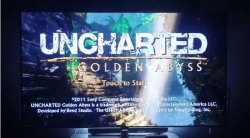

Uncharted.jpg

Previously unplayable Uncharted Golden Abyss working on PSTV with custom whitelist

What this upcoming pack can do and includes the following tricks :


-= BASICS =-
Reading
  • Dump ux0
  • Dump any file (blind)
  • Dump cartridge

Writing
  • Write to ux0
  • Write to any partition (except RO partitions, e.g: vs0)

Delete
  • Delete in ux0
  • Delete in other partitions

-= TRICKS =-
All models
  • Custom themes
  • Full bubble customization (PSP/PSVita)
  • Bubble spawning (Hidden apps)
  • ePSP bubble creation (re-birth)
  • Package installation
  • Cartridge backup installation
  • Free trophies

PSTV
  • Run unplayable games

Registry edit
  • Switch PSN account
  • Make CMA backups for anyone (without linked PSN account)
  • Fake region
  • Semi-debug


How to dump files with Vita Email application


dump.png

If you are familiar with pkg installer through the email app, you can modify the link to

Code:
"email:send?attach=ur0:shell/db/app.db."
Instead of
Code:
"psgm:open?titleid=NPXS10031"
you can also change the link to whatever file you want here is the list of most files

There are a few restrictions to dump those files like:
1- limited to 2MB
2- you can't dump files located far more than 7 directories
like ux0:1/2/3/4/5/6/7.txt
also (don't forget the dot at the end)


How to Write to Vita File System
banshee.png

First u need to overwrite the the email app database by using the EML Write Tool v0.4 (which now has drop and drag support!!) to install our needed writer.eml
to do this send writer.eml to your email then receive it in your PSTV or Vita then click the image and close the app (don't click the error message)

email_error.png

To write a file to the Vita's filesystem you need to create a new e-mail on your PC and set the path you want the file to be installed as subject.
The actual file you want to write needs to be renamed to #0 or x (without any file-ending) and set as attachment. Send it to your Vita! Now that the app is ready to write files if u want to write a file all u want is to rename that file to

#o

Then simply attach it to the message and write the path you want in the subject and send!!

custom_themes_writeappdb.jpg

For all who don't know how to send EML to email application

  • Open writer.eml with Thunderbird (can use portable version as well)
  • Go to Message -> Edit as new Message (Ctrl + E)
  • Enter your email and send to device

Also for adding attachment in email (when added right click on it and rename)


PSTV Custom Whitelist Patch Installation


thunderbird.png

Fire up your EML Writer and use the custom list_launch_vita.dat to this directory

ur0:game/launch/list_launch_vita.dat

to bypass the PSTV whitelist. After that reboot and enjoy most of your Vita games on the PSTV. Not all Vita games will work after this hack but most do, however all PSP and PS1 titles now work. For the Vita limitations this is due to the proper flag not being set in the SFO file. We have no way to edit this for now till the key is found and released to resign the files just like the PS3 keys. Good news is most games do work and already have this flag set in the SFO. If it doesn't work after this all you can do is patiently wait and enjoy your new games for now. All I have tested work like Ys, Uncharted, Street Fighter X Tekken, Netflix (must be installed via EML Writer and PKG Install method) and more!!

PSX-Place Disclaimer
NOTE PLEASE BACKUP THE ORIGINAL FILES PRIOR TO DOING THIS CUSTOM WHITELIST.


Use the above mentioned dumping method to do this. Some users have reported error C2-15413-4 after install and did not back up the original thus making their PSTV useless. Good news is it has worked just fine for me but I also don't have the original on the system I am using but I do have three more. I will post it once I get home for those that can't follow instructions so all hope is not lost. Just save yourself some heartache nd mod responsibly. Always backup and don't proceed useless you are comfortable with the mod and can be reversed, if not doint be the test subject and wait till more advanced users have reported back and all is safe and well. PSX-Place is not responsible if you make a paperweight out of your PSTV, we are just here to spread the word. But if a mishap should occur it is 100% fixable with a proper re-write or to simply pull the power and restart.


banshee11.png
Developer: mr.gas & Major Tom
Source: Hackinformer.com/ (mr.gas)

For additional information & details on EML Writer see this link in the PSX-Place.com forums.
 
Last edited:
Atreyu do you know how to do the 1080p choice or is that info yet to be released to the public?

It's a registry edit that the Vita has but the PSTV doesn't. From what I understand it isn't even true 1080p just scaling as they have different video chips.
 
It's a registry edit that the Vita has but the PSTV doesn't. From what I understand it isn't even true 1080p just scaling as they have different video chips.

I see well i guess that type of upscaling is the same as the upscaling on the original xbox which doesnt display true 1080 anything but with the right software it can display in a better resolution which is 1080i beggars cant be choosers unless they want to go out and pay top dollar for a up scaling device which isn't bad of an idea.
 
They must be waiting for the OFW update that is coming out to test if the tools still work. Sony might have patched something, can't touch the email hack though :) if you don't update :) these devs know their stuff. Thanks for your work so far, much appreciated.
 
I have ark 3 on my ps vita on 3.52. I have the exploit game and save. I can access the cfw on psp, and ftp into the vita. But I'm having a hard time getting home brews to work. I wanted to use snes9x to work but for the life of me I cabby figure out what I'm doing wrong. If someone could help me, maybe with team viewer or something, I will pay you 15 us dollars via PayPal. Please contact me at this forum (mail removed)//// kozarovv
Thank you
 
Last edited by a moderator:
I think if you ask a few of the mods for help with your issue you can find someone to help you free of charge. I have never seen anyone on this site charge like people do on other scene sites. I know that pinky and atreyu are very knowledgeable about what you are asking, maybe if you pm them and be patient they can help you out. If not Google is your friend, just be specific about your search. There are detailed tutorials here and also at hackinformer. Good luck.
 
I have ark 3 on my ps vita on 3.52. I have the exploit game and save. I can access the cfw on psp, and ftp into the vita. But I'm having a hard time getting home brews to work. I wanted to use snes9x to work but for the life of me I cabby figure out what I'm doing wrong. If someone could help me, maybe with team viewer or something, I will pay you 15 us dollars via PayPal. Please contact me at this forum (mail removed)//// kozarovv
Thank you

I'd suggest using one menu or 138 menu instead, because the interface of ark is terrible. what's the issue with homebrew? u might try using vhbl as its primary function is to install and open homebrew.
 
Last edited by a moderator:
[MENTION=20318]Goatsie[/MENTION] , I deleted ur repeated posts - only one is necessary.

btw, as per vhbl, homebrew will be installed to the vhbl folder which u can access with vita ftp or psp filer or install with an install.zip.
 
No not needed, only an email account Thunderbird or Outlook Express are needed outside of the EML Write Tool. The one thing that is failed to mention is a game that needs an update is required. PSM Run time under settings was patched so you can't use that. You will need a game that has an update to use this. I got lucky and used PSM runtime update before it was pulled then I got a free game with updates off PSN with my 3.52 system and put it on my 3.20 memory card. Then used the memory swap trick.

Could you explain to me what the memory swap trick is, and how i can use it, how it will be useful for me. I have 2 pstv's with 3.60 henkaku, and a 3.20 pstv which i am going to use for other possible things.

Also, is needing a game that requires updates still need for the current exploits and firmwares?
 
Could you explain to me what the memory swap trick is, and how i can use it, how it will be useful for me. I have 2 pstv's with 3.60 henkaku, and a 3.20 pstv which i am going to use for other possible things.

Also, is needing a game that requires updates still need for the current exploits and firmwares?


Use SMOKE HENkaku Memory Card Swap app to make the Memory card read only after clearing the id.dat, that will allow you to use a 3.60 FW memory card on 3.20 without updating. And a game with an update is only needed to install Rejuvenate which is HIGHLY outdated. You also can't use GMail or Yahoo anymore for EML tricks. You need to use GMX for your email client. Here is a quick break down of what is needed. Sorry on a mobile ATM and a guide would kill me as I have no access at home to a PC

PSP base game, use a demo or one you don't plan to ever use again
PS3 with PSN access
PS1 trigger game for TNX, suggest XS Moto but Tekken 2 works as well.
GMX email account
Use hackinformer's guide HERE I already chose 3.20 firmware for you. It is the best guide for all the info you need. You may need to fill in the blanks a little but you will get the jest of it all. The Vita/PSTV has so many different hacks it takes quiet a bit of reading

TNV or ARK are ePSP CFW's that can run either via a trigger game which is outdated or a bubble using EML and PBOOT. ARK can run PS1 games with no sound but TNV can run some PS1 games with emulated audio using PEOPS plugin, it is hit or miss as the Vita dpesn't have the hardware needed the PSP had for PS1 games. So there is a PSP and a PS1 emulator. TNV/ARK exploit the ePSP emu

TNX exploits the ePS1 emulator and has only one form of launching via one of two trigger games. XS Moto or Tekken 2 and only run on FW 3.00-3.20 but has perfect sound and compatibility with extra neat features.

Rejuvnate a outdated native Vita homebrew loader for 3.51 and below and can't run any retail stuff not distributed by Sony as it is sandboxed inside the PSM environment and has limited CPU/GPU access.

HENkaku only works for 3.60 but is a full blown kernel exploit for native Vita homebrew and can run unsigned content even games. But ATM doesn't have PSP or PS1 access but it will come.


EML hacks are done via uri calls using GMX email client as yahoo and gmail updated thier security so they no longer work. After a hard rest some hacks are wiped but works from 1.00 to 3.52 but is mostly used for mods or edits. A lot can be done with this but HENkaku can do even more. In fact it would be easier to install all hacks on a 3.60 system using HENkaku then using SMOKE's memcard swap utility to blank out id.dat then insert into a 3.20 system thus bypassing all need for an email EML based hack.
 
Thanks for all the information. I understand things a lot more. I just purchased my pstv several months ago, so i knew nothing about the particular apps/mods, and options that are the best.

I appreciate your help and great explanations. It helps me decide what to do, and how to do it. I bought xs moto this morning on my ps3 and some mini games, though i just might go and buy the talkman game. The reason i didn't choose the demos is that I only have 8gb memory cards so i want to try to used the smallest launcher games i can.

Besides making my pstvs good for various gaming, I also want to try to make them somewhat useful for multimedia. Sony made really bad choices when it came to supporting the pstv/vita for multimedia plugins etc.. In its boxed up state that sony has it, it is pretty worthless when it comes to media purposes.
 
Thanks for all the information. I understand things a lot more. I just purchased my pstv several months ago, so i knew nothing about the particular apps/mods, and options that are the best.

I appreciate your help and great explanations. It helps me decide what to do, and how to do it. I bought xs moto this morning on my ps3 and some mini games, though i just might go and buy the talkman game. The reason i didn't choose the demos is that I only have 8gb memory cards so i want to try to used the smallest launcher games i can.

Besides making my pstvs good for various gaming, I also want to try to make them somewhat useful for multimedia. Sony made really bad choices when it came to supporting the pstv/vita for multimedia plugins etc.. In its boxed up state that sony has it, it is pretty worthless when it comes to media purposes.


I'm trying to get a VPK of the Vita Network Media center that only came to EU/HK PSN stores that allows for media streaming but you need PSN access on the system to use Hulu or Netflix so would only be useful for your 3.60 system with HENkaku that allows PSN access as that apps will not boot without connecting to PSN first. And to use Talkman Tokyo you will need the whitelist hack to enable it to run as it isn't PSTV compatible.
 
I used the antiblacklist on my pstv so everything should work.


Well Anti black list v2 blocks all DLC and updates from working. It has slightly higher compatibility but the PSP & PS1 isn't permanent. I suggest using VitaRW and installing the whitelist permanently but this is only for 3.60 systems. There isn't a permanent solution for the standard whitelist that is needed for PSP & PS1 but on your 3.20 system it will not matter as the eCFW allows all games to boot regardless.
 

Featured content

Trending content

Latest posts

Back
Top


