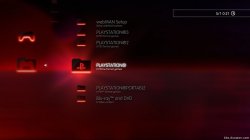
PS3 webMAN MOD 1.47.06: Plugin now Supports 4.82 CFW CEX

Following the update to backup manager IRISMAN developer @aldostools also recently updated webMAN MOD, this popular PS3 plugin is a manager but in plugin form. It contains many and also different functions then some of the homebrew apps that are managers such as the mentioned IRISMAN, multiMAN (by @deank) or ManaGunZ (by @Zar). This plugin is small in size but packs a powerful punch with a huge list of features and honestly this does not touch all the features for the plugin. Its a great piece of software for your Homebrew Enabled Console. Additional details about webMAN MOD can be seen in the webMAN MOD forum here in the psx-place forum >> Link

webMAN-MOD.jpg

  • webMAN MOD
    Fork of original webMAN plugin by Deank for Playstation 3
    screenshot_2016_03_07_23_56_01.png webMAN-18C.jpg screenshot_2016_08_31_21_35_00.jpg
    • Added support for 4.82 CEX
    Current Functionality

    General

    webMAN features (From @deank's original version)

    • FTP server with remote control functions (shutdown/restart)
    • WWW server with remote control functions (scroll down for the complete list of shortcuts)
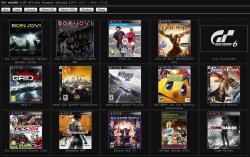
    • Support for loading and browsing of [local] PS3 games in ISO and folder format, DVD videos in ISO format, Blu-ray movies in ISO format, PS1/PS2/PSP games in ISO format with cover display
    • NETISO support for network loading and browsing of PS3 games in ISO and folder format, DVD videos in ISO format, Blu-ray movies in ISO format, PS1 and PSP games
    • NTFS support for PS3 and PS1 games in ISO format, Blu-ray movies in ISO format and DVD Video in ISO format
    • Dynamic Fan Control and in-game temperature monitoring
    • PAD shortcuts (*open include/combos.h for a complete list of shortcuts)
    • Keep USB device awake
    • Mount last game or AUTOBOOT.ISO to system startup
    • Support direct access to NTFS devices through web & ftp (1.45 / 1.45.11)
    • XMB integration XMB proxy (1.46 / 1.46.00)
    • Integrated prepNTFS

    webMAN MOD additional features

    • Easy installer/updater
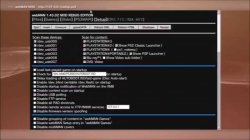
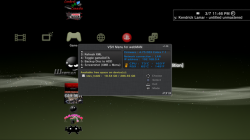
    • VSH Menu integration (hold SELECT to show the menu)
    • sLaunch GUI integration (hold START or R2+L2 on XMB to show the GUI)
    • New folder icons (by Brunolee & Berion)
    • It can mount PS2 Classics games on PS2 Classic Launcher (.BIN.ENC)
    • It can auto-mount any custom folder or ISO. Official only can mount AUTOBOOT.ISO
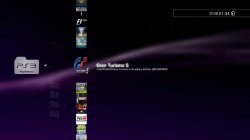
    • Title ID can be displayed on XMB menu
    • Covers are shown using the Title ID on the file name of the ISO. Official needs to mount the game to show the covers.
    • It can rip a game from disc to hdd0 or copy from hdd0 to usb000 or from usb00x to hdd0.
    • FTP server includes new SITE commands to allow copy/paste files locally, unmount game, toggle external gamedata, turn on/off dev_blind, change file attributes
    • Integrated external gameDATA
    • Web Debugger (remote peek/poke/find bytes)
    • Support for automatic or manual removal of CFW syscalls and spoof console id (IDPS/PSID)
    • Translated to 23 languages
    • Extended support up to 5 remote network servers
    • Several shortcuts to toggle Cobra, swap Rebug files, mount net0/ or net1/, show IDPS/PSID, etc.
    • Support for user defined combos
    • Enable screen capture on CFW that don't has the feature.
    • Various improvements on File Manager (links to navigate faster, mount ISO, mount net0/ or net1/, preview images, copy/paste/delete files & folders)
    • MIN+ memory profile (same as MIN but uses 512K and 2.5X more buffer for PS3 games)
    • MAX+ memory profile (same as MAX 1280K for PS3 games, others buffer is reduced, eg: 2X less buffer for ftp and 4X for DVD etc...)
    • Copy operations use shadow copy on hdd0 for faster copy
    • Scan for games on the stealth folder "/video"
    • Support last_game.txt / autoboot on nonCobra edition
    • "Offline" mode (blocks some PSN/tracking servers). Game updates still work in this mode. (v1.33.03)
    • XMBM+ integration when grouping of XMB content is disabled (v1.33.03)
    • Extended Content Profile Grouping (v1.33.07)
    • PS3 Manager API Support (PS3MAPI)
    • Integrated Mysis video_rec plugin and get klicensee
    • Support for .ntfs[BDFILE] (fake ISO created by IRISMAN)
    • Support to mount NTFS games using raw_iso.sprx (rawseciso by Estwald)
    • Support for auto-fix games that require higher FW version (4.20 and later)
    • Optional Video subfolder to "Bluray™ and DVD" folder (Display RetroXMB videos, videos on USB devices and Data Disc icon)
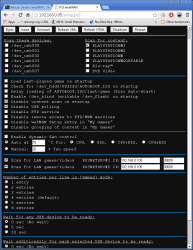
    • "slider" webGUI (mobile friendly).
    • Extended system information (Title ID, APP Version, IDPS/PSID, CFW version, last played game)
    • Display of Play time & startup time to SELECT+START and /cpursx.ps3 (Use SELECT+START+R2 to display Game ID, Title, play time and more in-Game info)
    • Include a virtual pad feature, you can control your console via http://pad.aldostools.org on web browser or with webPAD software (windows only)
    • dev_bdvd/PS3_UPDATE now is redirected when the plugin is loaded (and when a game is mounted) [This is intended to prevent an accidental update if a game disc is inserted in the drive]
    • Added /play.ps3 to launch XMB Functions (e.g: /play.ps3?col=network&seg=seg_premo) <- this will start Remote Play server from XMB.
    • Once a game is mounted via html, if you click on the displayed icon the game will be launched on the PS3. This is nice to start the game once it's mounted from your mobile This option uses the new command /play.ps3
    • Support for auto-play any supported ISO, game folder or auto-open an URL link
    • Support for change BD/DVD region
    • NETISO server on PS3 (ISO only)
    • Support for local web chat
    • Support for edit small text files
    • Download files & install PKG remotely or with shortcut
    • and more.......

    maxresdefault.jpg eF45a.jpg.png 163656m70471adl4cvra77.jpg

    Credits
    • All the documentation on http://www.psdevwiki.com, and to all the devs who contributed
    • Cobra team, for their work and sharing cobra source code in public
    • Deank as the creator of webMAN
    • aldostools for all his works on this project!
    • m@tsumot0 for starting the modding project
    • Zar my mate since the first day
    • NzV for Ps3mapi, Mamba prxloader
    • OsirisX for PS3XPAD
    • bguerville for web downloader & package installer module
    • Mysis, who wrote some useful libs and reverse engineering VSH Exports functions: http://www.ps3devwiki.com/ps3/VSH#Exports
    • 3141card for VSH Menu POC & Littlebalup for his enhancement/new features
    • jjolano (John Olano) for OpenFTP server
    • Estwald for NTFS library, rawseciso, fake iso, etc.
    • Brunolee & Berion for the graphics & icons
    • The team that ported NTFS library from PSL1ght to PS3 SDK (freddy38510, bguerville, Zar, deank, Joonie)
    • PSX-SCENE, PSX-PLACE, PLAYSTATIONHAX, PS3HAX & other scene websites/users, who translated, helped in the testing process


Download & Source:
github.com/aldostools/webMAN-MOD
Mirror (store.brewology.com)


Additional Info & Support Forum:
www.psx-place.com
 
Last edited:
Hey @aldostools, I can't get XMB screenshot to work. None of these work:
Code:
http://myps3/browser.ps3$screenshot_xmb
http://myps3/browser.ps3$screenshot_xmb/dev_hdd0/screenshot.bmp
I shows the notification on PS3, but no file gets created.

ATM I don't have access to my PS3 to verify this issue.

Please, check that you're using the FULL edition of webMAN MOD.
The XMB screenshot feature is not available in the lite or standard editions.

You can try also capturing the screenshot using VSH Menu (hold down SELECT for 5 seconds).
 
ATM I don't have access to my PS3 to verify this issue.

Please, check that you're using the FULL edition of webMAN MOD.
The XMB screenshot feature is not available in the lite or standard editions.

You can try also capturing the screenshot using VSH Menu (hold down SELECT for 5 seconds).

It works with the full version. I didn't think that the installer would install a non-full version on Rebug firmware.
 
Now on to the reason I wanted to take a screenshot.

PSX disc icons from ps3netsrv have the wrong color. They should be black (on NTFS the color is correct).

rtVsUEA.png
 
Hey @aldostools, I can't get XMB screenshot to work. None of these work:
Code:
http://myps3/browser.ps3$screenshot_xmb
http://myps3/browser.ps3$screenshot_xmb/dev_hdd0/screenshot.bmp
I shows the notification on PS3, but no file gets created.

+1

EDIT is this okay? //myPS3?

i used GET /browser.ps3$screenshot_xmb/dev_hdd0/photo/screenshot.bmp in the custom combo menu
and it didint save too
 
+1

EDIT is this okay? //myPS3?

i used GET /browser.ps3$screenshot_xmb/dev_hdd0/photo/screenshot.bmp in the custom combo menu
and it didint save too

The "myps3" is not meant literally.
Install the full version by holding :but l1: when launching WebMAN-MOD installer. It should then work for you too.
 
+1

EDIT is this okay? //myPS3?

i used GET /browser.ps3$screenshot_xmb/dev_hdd0/photo/screenshot.bmp in the custom combo menu
and it didint save too

http://etc... is used from the browser (PC, PS3, tablet, smartphone, etc.)

The GET syntax is used by the combo. Please double-check that you're using the FULL edition. Also check that you don't have extra spaces in the web command.
Code:
GET /browser.ps3$screenshot_xmb
 
i cant install webman LOL, i switched from rebug 4.81.2 to Rebug 4.82.1 and the updater doent seem to work, it doent install webman LOL

edit

i took it from the updater then and placed manually
 
Last edited:
i cant install webman LOL, i switched from rebug 4.81.2 to Rebug 4.82.1 and the updater doent seem to work, it doent install webman LOL

edit

i took it from the updater then and placed manually
4.82.1 doesn't have webMAN on dev_flash anymore it's now in dev_hdd000/plugins
 
Yeap i realized this, but the installer dont know why not placed them in plugins, so i moved it from the installer manually to flash.

The installer of webMAN MOD first checks for /dev_flash/vsh/module/webftp_server.sprx and if it is found, the installer updates that file in dev_flash. If webftp_server.sprx is not found in dev_flash, the installer proceeds to install the sprx in /dev_hdd0/plugins

Your issue was that for some reason you have /dev_flash/vsh/module/webftp_server.sprx, and the installer updated it. However, cobra 7.54+ is no longer able to load webMAN from dev_flash (Joonie commented out that code from stage2 in Rebug Lite 4.82.1). The stage2 of 4.82 FERROX Cobra is still able to load webman from dev_flash.
 
Hey @aldostools
Would you be able to add a context menu with (copy, paste, cut, delete, rename) and add a progress bar somewhere on the side in percent when copying to disk or deleting? It was nice to turn on background copying from an external drive and do something else on the console.
Would you add optional options to hiding infobox when mounting games? Just how did you add hiding option information about the game path?
 
Oh, now that I read this installer issues...
I just freshly jailbroke some consoles and noticed that when I install wmmod full (first wm install ever) the xmb icon didn't appear.
I got it installing the normal wmmod and the full version afterwards.
 
Hey @aldostools
Would you be able to add a context menu with (copy, paste, cut, delete, rename) and add a progress bar somewhere on the side in percent when copying to disk or deleting? It was nice to turn on background copying from an external drive and do something else on the console.
Would you add optional options to hiding infobox when mounting games? Just how did you add hiding option information about the game path?
I never tried but adding a context menu to wMM file manager could prove more difficult than it first appears on the PS3 because the extremely limited javascript features of the ps3 browser might be an issue. Unless for instance jquery can provide all necessary alternatives...

As to a small specific progress bar GUI window, independent of the browser so you could launch file operations in the background & do something else while keeping an eye on progress is feasible but I think it would most likely require yet another vsh plugin & of course more development work.

In any case, the file manager feature in wMM is very useful for isolated file operations but for more, I prefer to rely on other managers.

Irisman's (and forks) dual pane file manager is still imo the best & most reliable option overall, especially with ntfs partitions.
Multiman file manager is a great choice too, with many useful features, but unfortunately ntfs support is read-only & the pfs driver fails to mount many ntfs partitions.
Managunz offers a decent alternative as well.
 
Last edited:
Irisman's (and forks) dual pane file manager is still imo the best & most reliable option overall, especially with ntfs partitions.
Multiman file manager is a great choice too, with many useful features, but unfortunately ntfs support is read-only & the pfs driver fails to mount many ntfs partitions.
Managunz offers a decent alternative as well.
At first I was a fan of multiMAN file manager because of the look but I don't really like windows and it falls short in quite a few areas (NTFS definitely), ManaGunz same look but still I think falls short. As of now IRISMAN is my favorite it seems to do everything I want to throw at it, and as I don't use any of the backup manager features I updated the package aldostools made quite a while back that goes straight to file manager https://www.sendspace.com/file/vycmq6
 
At first I was a fan of multiMAN file manager because of the look but I don't really like windows and it falls short in quite a few areas (NTFS definitely), ManaGunz same look but still I think falls short. As of now IRISMAN is my favorite it seems to do everything I want to throw at it, and as I don't use any of the backup manager features I updated the package aldostools made quite a while back that goes straight to file manager https://www.sendspace.com/file/vycmq6
Indeed. ;)
And dual pane is a great layout for this kind of tool.

However Managunz is still evolving & I trust that Zar will iron out any outstanding issues with the MGZ file manager. Potentially it could become just as reliable & efficient as Irisman.

I always thought that a vsh_menu type plugin made into a file manager would be great actually... More dev work to do... Lol
 
I know that irisman, multiman and managunz are great file managers. But think about managing files from the XMB level, as in MMC, it was incredibly fast than the one between MM and WMM. Rename or copy or cancel copying in WMM. The progress bar in the WMM file itself, it would simplify this and shorten the time, you did not have to turn on any manager to change something. I have recently submitted this when using DOSbox and PS2 config, it is difficult to turn on the multiman at any moment to change the name or file locations. When testing many games, it takes a lot of time to pounce between homebrew.

And as for this hide ifnobox when loading games, I do not know why it is when the game with WMM turns on for 2 seconds. Information about the loaded eg location of a given location could be unnecessary. For some, it was nice but I could hide it for me. The information should pop out in case of errors. Such info only when something went wrong. The game fired from the disc does not show any information and turns on more or less just the same as with WMM.

Edit: Almost forgot, sMAN GUI does not support UTF-8 or UTF-16, Polish characters do not display
 
Last edited:
I know that irisman, multiman and managunz are great file managers. But think about managing files from the XMB level, as in MMC, it was incredibly fast than the one between MM and WMM. Rename or copy or cancel copying in WMM. The progress bar in the WMM file itself, it would simplify this and shorten the time, you did not have to turn on any manager to change something. I have recently submitted this when using DOSbox and PS2 config, it is difficult to turn on the multiman at any moment to change the name or file locations. When testing many games, it takes a lot of time to pounce between homebrew.

And as for this hide ifnobox when loading games, I do not know why it is when the game with WMM turns on for 2 seconds. Information about the loaded eg location of a given location could be unnecessary. For some, it was nice but I could hide it for me. The information should pop out in case of errors. Such info only when something went wrong. The game fired from the disc does not show any information and turns on more or less just the same as with WMM
The game from the disc does not use wMM to get mounted so obviously there is no message to show. WMM message is not about launching, it is about mounting.
Personally I don't see much of a point tbh, however you will be happy to know that providing an option to toggle the info box is very easy to implement in wMM.

Regarding the browser independent progress bar to monitor background file operations, like I said, this would not be a trivial addition to wMM but rather something that would require many hours of development & testing...


Btw when you are testing games & you need to do frequent little changes to the file system, I suggest using a ftp client on your pc or smartphone & make/monitor changes from there. That's the fastest option altogether.
 
And as for this hide ifnobox when loading games, I do not know why it is when the game with WMM turns on for 2 seconds. Information about the loaded eg location of a given location could be unnecessary. For some, it was nice but I could hide it for me. The information should pop out in case of errors. Such info only when something went wrong. The game fired from the disc does not show any information and turns on more or less just the same as with WMM.

When a game or folder is mounted, wMM shows 2 popup messages:

1- The first popup shows the path of the game before it gets mounted. This message has 2 purposes:
  • To provide immediate feedback to the user about the mount process has started. This is specially helpful for the games that take several seconds to mount (e.g. network games or JB games with large number of files).
  • To provide information of the location of the game (e.g. from network, usb, hdd0, ISO, GAMES, etc.)
2- The second popup shows only the name of the game and it is shown after the game has been mounted or if an error was found.

I don't understand why these messages are so annoying for you, when they do not interfere with any system operation.

Regarding the progress bar while copying, the main intention of the file copy feature in wMM is to work in background while you play games or movies or use the XMB. To show a progress bar on XMB it would require to pause the rsx processor (similar to the way the VSH menu is drawn on XMB).

If you want to see the progress of the file copy operation, just press SELECT+START+R2 and a popup will tell you what file is being copied or fixed. If you hold down SELECT+START for around 5 seconds you will hear a beep and the popup will become persistent. Hold down again SELECT+START and you will hear 2 beeps and the popup will disappear in few seconds.

Regarding the popup menu request, it is already available if you access the web file manager of wMM through the PC and right-click on the links. The popup menu is not available on the PS3 browser due its limited support of javascript and html5/css as Ben commented earlier.
 
When a game or folder is mounted, wMM shows 2 popup messages:

1- The first popup shows the path of the game before it gets mounted. This message has 2 purpos
  • To provide immediate feedback to the user about the mount process has started. This is specially helpful for the games that take several seconds to mount (e.g. network games or JB games with large number of files).
  • To provide information of the location of the game (e.g. from network, usb, hdd0, ISO, GAMES, etc.)
2- The second popup shows only the name of the game and it is shown after the game has been mounted or if an error was found.

I don't understand why these messages are so annoying for you, when they do not interfere with any system operation.

Regarding the progress bar while copying, the main intention of the file copy feature in wMM is to work in background while you play games or movies or use the XMB. To show a progress bar on XMB it would require to pause the rsx processor (similar to the way the VSH menu is drawn on XMB).

If you want to see the progress of the file copy operation, just press SELECT+START+R2 and a popup will tell you what file is being copied or fixed. If you hold down SELECT+START for around 5 seconds you will hear a beep and the popup will become persistent. Hold down again SELECT+START and you will hear 2 beeps and the popup will disappear in few seconds.

Regarding the popup menu request, it is already available if you access the web file manager of wMM through the PC and right-click on the links. The popup menu is not available on the PS3 browser due its limited support of javascript and html5/css as Ben commented earlier.


yep aldo i know this you dont give me lesson about this popup message. I know how it work and for who this message is. I just give suggestion meby you wont and optinal switches to on or off this info on screen.

Gentlemen, maybe I have expressed myself badly, I did not mean the progress bar in xmb or in vsh, only in the browser itself in the files tab. Same as this context menu, but if you can not because of javascripts / html restrictions. It will get a taste. And this pop-up info just destroys the appearance of xmb somehow, and if I could do something, I will gladly also translate these options into other languages, unless the desire to improve the action ps3 there is nothing wrong: P
 
Last edited:
yep aldo i know this you dont give me lesson about this popup message. I know how it work and for who this message is. I just give suggestion meby you wont and optinal switches to on or off this info on screen.

Gentlemen, maybe I have expressed myself badly, I did not mean the progress bar in xmb or in vsh, only in the browser itself in the files tab. Same as this context menu, but if you can not because of javascripts / html restrictions. It will get a taste. And this pop-up info just destroys the appearance of xmb somehow, and if I could do something, I will gladly also translate these options into other languages, unless the desire to improve the action ps3 there is nothing wrong: P
The answer for the progress bar in html page is the exact same as the one for context menu. Ps3 browser limitations make those things difficult at best or impossible at worst.
General progress in text format might be feasible, not sure about the performance though... It would need tested..

And there is nothing wrong in wanting to improve things on ps3, quite the opposite, however you are not trying to improve things, you are asking the developer about it. He answered & he may not see all your propositions as improvements.
Aldo has done nothing but provide improvements for the ps3 scene for years.
He has implemented features in wMM on demand from users for at least 3 years solid, maybe more... He even shared his personal ps3 tool collection with the community & we are all using one or more of his tools on a constant basis...
I believe when if he finds any proposal feasible & useful he considers it seriously.
 
Last edited:

Featured content

Trending content

Back
Top