webMAN MOD

PS3 webMAN MOD - General Information Thread 1.47.48q

Thanks @aldostools ,

the /extgd.ps3?enable did not make any difference, but the map /dev_hdd0/game=/dev_usb00x/GAMEI did work fine:cheerful:

Does it matter (i mean as in function wise) if I map the GAMEI folder through the /extgd.ps3?enable or through the map command? Will this mapping last until restarting the console or just till exiting a game back to xmb?
Should I make a mirror now of all the content in the original game folder into the mapped GAMEI if I want to have access to them? (ex. Retroarch, Multiman, Ultimate toolbox etc.) or will these still read from the original game folder (/dev_hdd0/game)?

Edit: I've noticed that executing now the /extgd.ps3?status command will give me 'Disabled' as status, even though the mapping is still alive.:confused3:

/extgd.ps3?enable probably is not working because the USB drive is not mounted yet by GameOS at the moment that the command is executed.

Adding a wait /dev_usb000 before /extgd.ps3?enable could help to fix the issue. I haven't tested it.

map works because it doesn't verify if the USB drive is mounted or not. But it doesn't set the external game data status (extgd).

The mapped path remains enabled until you reboot or until it is unmapped manually or by other homebrew. Backup manager like multiMAN or IRISMAN will clear the mapped paths when they start. When you return to XMB the mapped path is already removed. It doesn't happen with games.

To keep access to the local homebrews you need to mirror them to USB.
Or try the fix above, then only need to press SELECT+SQUARE to access the local games.
 
Current Russian translation of wMM is ugly and incomplete. I want to retranslate it from scratch. Which files I need to use?
 
wMM bug
XMB -> wMM Games -> Settings -. sLaunch
zqd7WY4.png

 
Feedback a issue that has always been,in the XMB Webman mod PS3 game list,when using the up and down button to select the game,if the confirm button is pressed too early at this time,there will be high probability of crash
Hope this bug can be fixed,thanks
This bug has been fixed through the previous update,but after the recent update, the bug appeared again
 
This bug has been fixed through the previous update,but after the recent update, the bug appeared again
Thank you for your feedback. I tried to reproduce the bug that you commented, but I couldn't reproduce it.

wMM bug
XMB -> wMM Games -> Settings -. sLaunch
I couldn't reproduce this one either... maybe it's related to the russian font?

Could you try reproduce it using non-cyrillic font (e.g. choosing English language for XMB and in webMAN)?
 
This bug has been fixed through the previous update,but after the recent update, the bug appeared again
I don't know how to reproduce this bug or it doesn't occur on my system.

Maybe if you know the last commit where it was fixed, I could compare the changed code to find the bug.
 
I couldn't reproduce this one either... maybe it's related to the russian font?

Could you try reproduce it using non-cyrillic font (e.g. choosing English language for XMB and in webMAN)?
English XMB + Russian wMM = bug present
English XMB + English wMM = bug present
The XMB -> wMM Games -> Settings menu is in Russian even if I change plugin language to English.

May you add reset settings and uninstall buttons to the webpage footer? Just under "webMAN MOD - Latest release • Install PKG • Install P3T • Add-ons" line.
 
English XMB + Russian wMM = bug present
English XMB + English wMM = bug present
The XMB -> wMM Games -> Settings menu is in Russian even if I change plugin language to English.

May you add reset settings and uninstall buttons to the webpage footer? Just under "webMAN MOD - Latest release • Install PKG • Install P3T • Add-ons" line.

The option to reset settings is already in /setup.ps3 under IDPS & MEM > Delete [wmconfig]
The option to uninstall is already on XMB or can be called using the link http://ip-address/delete.ps3?uninstall
I think it is necessary to add the uninstall to /setup.ps3 when you can call it directly or from XMB if you need to uninstall webMAN.

If you read carefully the text after save settings, it says:
"Settings updated. Click here to restart your PLAYSTATION®3 system."

Some can work without reboot and others only after reload XMB, but the user would need to learn which requires it or not.
So it is recommended to restart after change the settings or do it if the change was not applied.
 
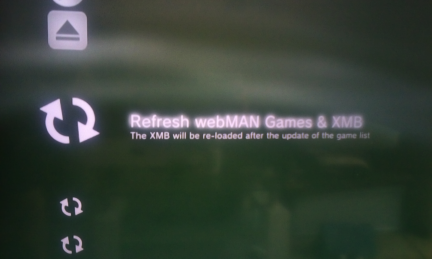
After changing language did you try to launch Refresh webMAN Games & XMB:
Nah, thx for tip. It was self fixed after another reboot.

The option to reset settings is already in /setup.ps3 under IDPS & MEM > Delete [wmconfig]
It doesn't obvious for a plain user.

The option to uninstall is already on XMB or can be called using the link http://ip-address/delete.ps3?uninstall
Having a link inside webpage/settings is much easer to use.

The bug is still present on fully English setup. I'm using fresh installed official HFW, fresh installed HEN 3.1.1 and latest build of wMM.
 
I don't know how to reproduce this bug or it doesn't occur on my system.

Maybe if you know the last commit where it was fixed, I could compare the changed code to find the bug.
It seems that this issue only happens randomly, for example, after playing a game for a period of time, unmount the game, when mounting another game, this issue may occur, but I can't find the exact reason, maybe more tests are needed to make a more accurate description
 
The latest webman mod keeps freezing my console (superslim cech4202c) when playing Grand theft Auto 4 Online. I removed webman and it stopped freezing?

I need webman mod for the PS3 So is there any fix? I've tried re installing but does the same thing.

(I am on HFW 4.89.1 and hen 3.1.1 official)

Any help would be very much appreciated thankyou .
 
The latest webman mod keeps freezing my console (superslim cech4202c) when playing Grand theft Auto 4 Online. I removed webman and it stopped freezing?

I need webman mod for the PS3 So is there any fix? I've tried re installing but does the same thing.

(I am on HFW 4.89.1 and hen 3.1.1 official)

Any help would be very much appreciated thankyou .

- Does it happen with all games or only with GTA4 Online?
- Are you running other plugins? Like VshFpsCounter, Artemis, etc.
- Have you tried switching to Lite edition or unloading webMAN before launch the game?
- When specifically is freezing? Mounting, launching, selecting servers, in middle of a session, randomly, exiting, opening in-game VSH with PS???

GTA4O has a high memory demand. For these kind of games it is recommended to disable the CFW syscalls and unload wMM or at least switch to Lite edition if you need to keep it running.
 
Need a little help... I wanted to record some in game video so I opened the vsh menu loaded the video rec plugin then opened fifa 19 and paused to turn on the recording it turned on successfully and showed the notification then after 2 minutes I stopped the recording and opened multiman just to find a 28b sized file... I thought it would work with minecraft but the same happens .. I'm using a crt TV so the resolution is 570 or something and I'm on hfw hen... any solution please :))
 
Back
Top