PS3 webMAN MOD v1.45.00 - New Features / Web Commands / Improvements from Aldostools

Developer @aldostools (Aldo Vargas) has upped the popular plugin (for PS3 CFW) webMAN MOD to version 1.45.00, following the previous release of v1.43.36. This update gives fans of the project alot of new functionality and improvements. The developer continues to elevate this plugin to new heights with each update and that trend certainly does not let up in this new update hot off the digital presses. Checkout the latest details provided by Aldo himself​


webMAN MOD (blue).png

Find additional details about webMAN MOD here
  • https://github.com/aldostools/webMAN-MOD/releases/tag/1.45.00
    webMAN MOD 1.45.00

    • New settings file: /dev_hdd0/tmp/wm_config.bin
      !!!!!!! webMAN settings must be configured again in /setup.ps3 !!!!!!!
    • PS3 Web browser now closes faster after mount from XMB
    • Added prevention of 'Auto power off' (only when USB polling is enabled)
    • Added SYSCON as option for fan controller
    • FTP port now can be defined in /setup.ps3 (default port: 21)
    • Added option to define ftp session timeout (0=no timeout)
    • Added APPEND command to ftp server
    Changes in web commands
    • Added /swap.ps3 command
    • Added ?restart.ps3 parameter to install, copy, delete, rename
    • Added ?cover=<mode> parameter to /refresh.ps3 & /index.ps3
    • Added refresh launchpad only: /index.ps3?launchpad
    • /install.ps3?url= now deletes the pkg after install.
    • To keep the downloaded pkg use /install_ps3?url=
    Improvements & fixes
    • Launchpad now use local icons (if they are available)
    • LaunchPad items now are listed sorted alphabetically
    • Changed /refresh.ps3 in LaunchPad to /index.ps3?launchpad
    • Language now defaults to English if the setting has a bad value
    • USB polling setting now don't need a restart if it's changed
    • Auto Power Off registry setting now is restored after reboot
    • Added check value range to fan settings when loaded
    • 'Slider' link now is visible only if the html file exists
    • Fixed auto-play disc too short wait
    • Fixed auto-play not working for all PSXISO
    • Fixed listing of net games if net game was mounted & server was disconnected
    • Fixed error 80010006 when hdd0/tmp/downloader doesn't exist
    • Fixed broken support for FlashFXP & LeapFTP
    • Added display of notifications of http request errors
    • Added check for invalid characters in file name copying to usb
    • Re-added DELETE_TURNOFF to /shutdown.ps3 & /restart.ps3
    • Current fan policy offsets will be applied on firmware >4.80
    • Improved scanning of icons
    • Improved sorting in game listing
    • Wait for download XML now supports a threshold size in the filename
    • Added /play.ps3, PLAY DISC & Auto-Play to Lite edition
    • Removed ONLINE COVERS from /setup.ps3 in English only
    • Removed show IDPS from Lite edition
    • Changed IEXP0_480.BIN to IEXP0_470.BIN in nonCobra edition
    • Added flag to compile for 4.80 CEX/DEX only (not used in release pkg)
    Changes in other components:
    • Updater: now installs to hdd0 if the webMAN is disabled in Rebug. Also updates the .bak in flash.
    • Fixed prepNTFS not listed on webMAN.xml due bad PARAM.SFO
    • prepNTFS now unmounts current game (vsh hanged returning to XMB if a /net game was mounted)
    • Updated binaries of ps3netsrv for rasberry pi
    • Fixed a crash of ps3netsrv ocurred during scanning for content

  • Find Additional Details / Support for webMAN MOD @
    psx-place.com

    Release Page / Source Code:
    github.com/aldostools

Download: webMAN-MOD v1.45.00

 
Last edited:
Thanks for an update.
When in setup and turn off (show PIDS R2 + O), can no longer perform some custom command such as R1+R2+L1+L2+0 / R2+[] / L1+L2+R2+0 / L2+R2+0. This has happened in previous versions.
For me it works perfectly the psx emulator swap: ps1_netmu. self or ps1_emu.sef in or USB00X HDD0, but appears not to have ntfs support.
If I choose load any game and hold R2 until the end, is disabled syscall and the history clean, is this normal?
 
Last edited:
Thanks for an update.
When in setup and turn off (show PIDS R2 + O), can no longer perform some custom command such as R1+R2+L1+L2+0 / R2+[] / L1+L2+R2+0 / L2+R2+0. This has happened in previous versions.
For me it works perfectly the psx emulator swap: ps1_netmu. self or ps1_emu.sef in or USB00X HDD0, but appears not to have ntfs support.
If I choose load any game and hold R2 until the end, is disabled syscall and the history clean, is this normal?

Can you explain how you define your custom combos exactly?
I have not experienced any problems with custom combos in previous versions so am a bit surprised even though I did not test every single combination.

About holding R2 during game loading (if the game isn't tagged with [auto]), yes it is normal that syscalls get disabled & history is deleted automatically .

As to PSX emulation AFAIK wMM supports ntfs based PSX games fine as long as you scanned the NTFS partition with prepNTFS in order to create the shortcuts.
 
Last edited:
Bravo!! :xmashigh5: I was getting sick :mad: of SingStar too..

Could you test if this code still work? It's based on your code with small modifications
src http://aldostools.org/temp/test/webftp_server.rar
binary: http://aldostools.org/temp/test/webftp_server.sprx

The binary also has the setup/refresh icons of WM LaunchPad moved to the top. This change is not on github yet.

Please test also the checkbox in this build... it's not supposed to stay checked.

Cool. I will look at the revised source & test this build in a few hours then report straight away so we can sort this thing out once & for all.[emoji6]
 
Can you explain how you define your custom combos exactly?
I have not experienced any problems with custom combos in previous versions so am a bit surprised even though I did not test every single combination.

About holding R2 during game loading (if the game isn't tagged with [auto]), yes it is normal that syscalls get disabled & history is deleted automatically .

As to PSX emulation wMM supports ntfs based PSX games fine as long as you scanned the NTFS partition with prepNTFS in order to create the shortcuts.
webmann mod standards setting, I do not have customized anything, e.g. R2 [] block psn servers, R1 + R2 + L1 + L2 + O shortcut to setup, it only happens if I disable (SHOW IDPS: R2 + O).
Here with me if I load psx games on NTFS drive, I can't swap emulator. But on usb FAT32 or HDD0 I can change perfectly.
 
webmann mod standards setting, I do not have customized anything, e.g. R2 [] block psn servers, R1 + R2 + L1 + L2 + O shortcut to setup, it only happens if I disable (SHOW IDPS: R2 + O).
Here with me if I load psx games on NTFS drive, I can't swap emulator. But on usb FAT32 or HDD0 I can change perfectly.

You spoke about custom commands so I assumed you meant custom combos.
So you are saying that these 2 combos do not work?
1) R2+ []
2) L1+R1+L2+R2+O
What edition of wMM are you running? Full, Cobra...?
Have you made sure that the combos checkboxes are checked in the setup page?

Also FYI I have noticed that due to clashes between combos, I had to disable other combos temporarily to use one in particular.
For instance, R2+O could clash with L1+R1+L2+R2+O and other combos using R2+O as well.

About psx games on ntfs, the problem is only about the emulator type swap? Except the swap, can you list/mount/launch the games...?
And your psx games are in iso format, right?
 
Last edited:
Thanks for an update.
When in setup and turn off (show PIDS R2 + O), can no longer perform some custom command such as R1+R2+L1+L2+0 / R2+[] / L1+L2+R2+0 / L2+R2+0. This has happened in previous versions.
For me it works perfectly the psx emulator swap: ps1_netmu. self or ps1_emu.sef in or USB00X HDD0, but appears not to have ntfs support.
If I choose load any game and hold R2 until the end, is disabled syscall and the history clean, is this normal?

The following combos are affected when the combo Show IDPS is disabled (R2+O):
L2+R2+O - Open File Manager
L2+R2+L1+O - Open Games List
L2+R2+L1+O - Open System Info
L2+R2+L1+R1+O - Open Setup

Notice that all contain the R2+O. This was designed in this way to simplify the number of settings in /setup.ps3.

R2+O is used also to abort any copy / fix in progress. This particular function is not affected if the combo for Show IDPS is disabled.

R2+SQUARE is not affected either. The issue should be due something else.

Regarding the ps1 emulator, please test if this build fixes the issue:
http://aldostools.org/temp/test/webftp_server.sprx

The history is cleaned each time a game is mounted.

While a game is being mounted:
L2 is used for toggle autoplay temporarily
R2 is used to disable the syscalls
R1 is used to toggle the ps1 emulator between ps1_netemu and ps1_emu
L2/R2 are also used to select the ps1 emulator. R2 = ps1_netemu, L2 = ps1_emu
 
Last edited:
Thank you for this amazing tool.

I don't know if what I am about to describe is expected/normal - if so, please forgive my ignorance/noobness:

While using prepNTFS v1.15 with my 2TB (NTFS) usb disk with webMAN mod v1.43.36 (FULL/LITE) installed as well as v1.45.00 (FULL/LITE) I always get a freeze that forces me to manually shutdown the ps3. When I turn it back on it will freeze again in a few seconds, unless I rapidly skip the ps3 "disk corruption scan" and run prepNTFS again with the 2TB usb disk unplugged.

Everything works normally with the 2TB (NTFS) usb disk on webMAN v1.43.35, though.

Also, everything worked fine with a 500GB (FAT32) while using prepNTFS v1.15 with webMAN v1.45.00 installed, though.

I did scan my 2TB disk for errors in the PC: no errors were found. The disk is almost 100% filled and has 4 GB free space only (don't even know if this matters or not).

Still don't know if I am doing anything wrong, so meanwhile, I'll be using 1.43.35.

Thank you!
 
The following combos are affected when the combo Show IDPS is disabled (R2+O):
L2+R2+O - Open File Manager
L2+R2+L1+O - Open Games List
L2+R2+L1+O - Open System Info
L2+R2+L1+R1+O - Open Setup

Notice that all contain the R2+O. This was designed in this way to simplify the number of settings in /setup.ps3.

R2+O is used also to abort any copy / fix in progress. This particular function is not affected if the combo for Show IDPS is disabled.

R2+SQUARE is not affected either. The issue should be due something else.

Regarding the ps1 emulator, please test if this build fixes the issue:
http://aldostools.org/temp/test/webftp_server.sprx

The history is cleaned each time a game is mounted.

While a game is being mounted:
L2 is used for toggle autoplay temporarily
R2 is used to disable the syscalls
R1 is used to toggle the ps1 emulator between ps1_netemu and ps1_emu
L2/R2 are also used to select the ps1 emulator. R2 = ps1_netemu, L2 = ps1_emu
psx emulator swap on ntfs fixed.
Now most games being shown on net, ps3 games, ps2 psp and psx.
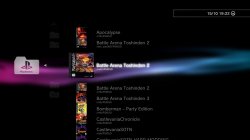
Deleted the folder wmtmp and used NTFS PREPERE 1.15 and yet being shown and internet connection disabled
 

Attachments

  • screenshot_2016_10_15_19_22_31.jpg
    screenshot_2016_10_15_19_22_31.jpg
    456 KB · Views: 373
PrepNTFS is only aimed at scanning NTFS partition contents & create shortcuts for webMAN-MOD to use.
The fat32 drives are scanned by webMAN-MOD itself using Refresh XML. To scan fat32 partitions, just use Refresh XML.
The reason you thought prepNTFS was working with fat32 or the internal hdd is that prepNTFS launches a wMM Refresh XML before closing.

Obviously there is a problem with your ntfs drive. I don't think the problem comes from prepNTFS.
It's easy to check, install Irisman 3.50.10, launch it & use the Select + Start combo to make the file manager appear. If your ntfs partition is not listed along the other drives, the problem is likely related to your USB drive.

It could come from a number of things.
1) check that the drive use MBR (master boot record) & NOT GPT (GUID Partition Table). You can check in Windows Storage Management Administration Console.
2) multi partitions on a drive can create problems. Sometimes there is a hidden system partition on retail ready made usb drives that confuses the ps3.
Always test first with a disk that has only one ntfs partition.
3) it is possible that your drives uses a USB controller that conflicts with the ps3. In that case you will need to test another drive.

Don't lose hope though & give up on ntfs because it is still the best format for iso games storage.

Edit: I just noticed it's a 4Tb drive & that could also be a problem. 2Tb is the biggest hdd size I would recommend for external use & 1Tb for internal use.
Check the psdevwiki Hard drive page for technical info & restrictions. There is a dedicated section on external drives.
http://www.psdevwiki.com/ps3/Harddrive
 
Last edited:
Deleted the folder wmtmp and used NTFS PREPERE 1.15 and yet being shown and internet connection disabled

What do you mean? The same game appearing twice?
That's normal, one of them is on ntfs & the other is on net0. You are using either ps3netsrv on a PC or on a console.
 
PrepNTFS is only aimed at scanning NTFS partition contents & create shortcuts for webMAN-MOD to use.
The fat32 drives are scanned by webMAN-MOD itself using Refresh XML. To scan fat32 partitions, just use Refresh XML.
The reason you thought prepNTFS was working with fat32 or the internal hdd is that prepNTFS launches a wMM Refresh XML before closing.

Obviously there is a problem with your ntfs drive. I don't think the problem comes from prepNTFS.
It's easy to check, install Irisman 3.50.10, launch it & use the Select + Start combo to make the file manager appear. If your ntfs partition is not listed along the other drives, the problem is likely related to your USB drive.

It could come from a number of things.
1) check that the drive use MBR (master boot record) & NOT GPT (GUID Partition Table). You can check in Windows Storage Management Administration Console.
2) multi partitions on a drive can create problems. Sometimes there is a hidden system partition on retail ready made usb drives that confuses the ps3.
Always test first with a disk that has only one ntfs partition.
3) it is possible that your drives uses a USB controller that conflicts with the ps3. In that case you will need to test another drive.

Don't lose hope though & give up on ntfs because it is still the best format for iso games storage.

Edit: I just noticed it's a 4Gb drive & that could also be a problem. 2Gb is the biggest hdd size I would recommend.
Check the psdevwiki Hard drive page for technical info & restrictions. There is a dedicated section on external drives.
http://www.psdevwiki.com/ps3/Harddrive

Thank you for your reply!

"The reason you thought prepNTFS was working with fat32 or the internal hdd is that prepNTFS launches a wMM Refresh XML before closing".

You are correct, I was totally fooled.

"It's easy to check, install Irisman 3.50.10, launch it & use the Select + Start combo to make the file manager appear. If your ntfs partition is not listed along the other drives, the problem is likely related to your USB drive".

The IRISman FileManager always listed my disk. I can confirm it still does and is able to copy and read files successfuly :)

I have been using this disk for almost 2 years without a problem, until I tried webMAN Mod 1.45.00 and ran prepNTFS 1.15.

I still haven't followed your recommendations on 1) and 2) but I just wanted to re-confirm I CAN actually scan my ntfs partition contents with prepNTFS 1.15 with webman 1.43.35 installed.

But If install webman 1.45.00 and run prepNTFS 1.15 again... it will freeze.

And the disk is a 2 TB one :)

Thanks again!
 
Thank you for your reply!

"The reason you thought prepNTFS was working with fat32 or the internal hdd is that prepNTFS launches a wMM Refresh XML before closing".

You are correct, I was totally fooled.

"It's easy to check, install Irisman 3.50.10, launch it & use the Select + Start combo to make the file manager appear. If your ntfs partition is not listed along the other drives, the problem is likely related to your USB drive".

The IRISman FileManager always listed my disk. I can confirm it still does and is able to copy and read files successfuly :)

I have been using this disk for almost 2 years without a problem, until I tried webMAN Mod 1.45.00 and ran prepNTFS 1.15.

I still haven't followed your recommendations on 1) and 2) but I just wanted to re-confirm I CAN actually scan my ntfs partition contents with prepNTFS 1.15 with webman 1.43.35 installed.

But If install webman 1.45.00 and run prepNTFS 1.15 again... it will freeze.

And the disk is a 2 TB one :)

Thanks again!
Ok.
If the drive was working with wMM 1.43.35/prepNTFS & now in Irisman then it is fine.
The problem could come from the latest modifications in prepNTFS or in webMAN-MOD 1.45.00. [emoji6]
And you are sure that you are using the latest prepNTFS 1.15 pkg build linked in github.com/aldostools/webMAN-MOD/releases/tag/1.45.00? Not an earlier one?

@aldostools?
 
Last edited:
What do you mean? The same game appearing twice?
That's normal, one of them is on ntfs & the other is on net0. You are using either ps3netsrv on a PC or on a console.
using the new plugins that @aldostools happened when I used the prepare NTFS, I was not connected with the pc, I was not using the ps3netsrv
 
using the new plugins that @aldostools happened when I used the prepare NTFS, I was not connected with the pc, I was not using the ps3netsrv
The net0 entry has to come from somewhere though. Could it be from another console instead of a PC? You know that webMAN-MOD includes its own local ps3netsrv to serve games from console to console without PC. Could it be that you are serving from your console to your console due to wrong settings?
Anyway you should disable the local Net Service if you don't use it.
Can you also check in the wMM setup page that all the "Scan LAN games.." checkboxes are unchecked?
The net0 games are scanned during Refresh XML & not by prepNTFS itself. Of course you would not know that because prepNTFS launches webMAN-MOD Refresh XML before closing.
 
Last edited:
using the new plugins that @aldostools happened when I used the prepare NTFS, I was not connected with the pc, I was not using the ps3netsrv

Thank you for your feedback. Without a screenshot of your current settings, it's hard to tell why get the net games listed or maybe I'm not fully understanding the issue.

The screenshot that you posted looks correct to me, if you have a copy of Battle Arena Toshiden 2 in your PC (net0), ntfs and USB.

I've uploaded a new test build that will ignore net settings if the net host is set to localhost or 127.*.*.*
http://aldostools.org/temp/test/webftp_server.sprx
 
Thank you for your feedback. Without a screenshot of your current settings, it's hard to tell why get the net games listed or maybe I'm not fully understanding the issue.

The screenshot that you posted looks correct to me, if you have a copy of Battle Arena Toshiden 2 in your PC (net0), ntfs and USB.

I've uploaded a new test build that will ignore net settings if the net host is set to localhost or 127.*.*.*
http://aldostools.org/temp/test/webftp_server.sprx
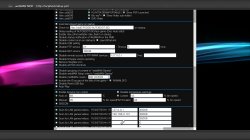
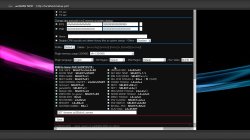
now works perfectly, this build is full, I like to use the standard version, thank you very much once again @aldostools and @bguerville. Are these settings on the images
 

Attachments

  • screenshot_2016_10_15_23_34_29.jpg
    screenshot_2016_10_15_23_34_29.jpg
    657 KB · Views: 605
  • screenshot_2016_10_15_23_34_53.jpg
    screenshot_2016_10_15_23_34_53.jpg
    674.4 KB · Views: 633
now works perfectly, this build is full, I like to use the standard version, thank you very much once again @aldostools and @bguerville. Are these settings on the images
You made a mistake in the Settings. [emoji6]
The test build from Aldo solves the problem by bypassing your settings!
What you must do is what I said in my previous post :
1) Disable the first "Scan for LAN games..." option because right now it scans 127.0.0.1 (itself) for network games!
2) Disable Net Service (local ps3netsrv included in wMM) if you don't use it. No need to run a local server for nothing really.
 
You made a mistake in the Settings. [emoji6]
The test build from Aldo solves the problem by bypassing your settings!
What you must do is what I said in my previous post :
1) Disable the first "Scan for LAN games..." option because right now it scans 127.0.0.1 (itself) for network games!
2) Disable Net Service (local ps3netsrv included in wMM) if you don't use it. No need to run a local server for nothing really.
Thank you @bguerville, you are the best, the wisdom in person, I understood perfectly. @aldostools, the great master, thank you very much :worked till 5am::worked till 5am::worked till 5am:
 
Bravo!! :xmashigh5: I was getting sick :mad: of SingStar too..

Could you test if this code still work? It's based on your code with small modifications
src http://aldostools.org/temp/test/webftp_server.rar
binary: http://aldostools.org/temp/test/webftp_server.sprx

The binary also has the setup/refresh icons of WM LaunchPad moved to the top. This change is not on github yet.

Please test also the checkbox in this build... it's not supposed to stay checked.
Ok. I tested the build & looked at the source changes.

I realise now that I did not give you the last version of singstar.h where I had corrected a couple of errors like char initialization within the while loop...
Sorry about that, that is what happens when I do these things at 5am....You actually corrected those tiny issues already so all is good. [emoji6]

Back to the test results, the feature works perfectly for me. Nothing else to mention about that.

The only problem remaining is the checkbox option in the setup page which still remains checked no matter what though... I assume you already know where the issue could be located & maybe a possible reason for it?
I leave it to you but I am here if you need me to look into it or for testing ... [emoji6]

Nobody else seems to have tested the feature yet. [emoji22]
It is a shame not to get any feedback at all with this because we actually need it but it does not surprise me, it was already the case with the pkg handling testing before it was included in a release... I remember 8 full weeks without a single test report... Sad...
 
Last edited:

Featured content

Trending content

Back
Top