PS3 Which is the best way to install PKGs from external NTFS hard drive?

alvaro88a

Forum Noob
Hi, I purchased a jailbroken ps3 recently. I have investigated how the scene and the plugins work and I decided to update to ferrox 4.83. I managed to load games in ISO format of Webman mod from an external HDD in NTFS. However, I have not been able to open pkg files externally. What is the best way to do this? any help would be appreciated.
Excuse me if my English is bad, I speak Spanish
 
NTFS is for ISO games. A FAT32 flash drive with the pkg on root, or ftp it to the console from your pc

To further explain: PS3 natively does NOT read ntfs AT ALL. This functionality is added via prepntfs, and is used to scan directories for iso images, which then get added to a text file on your console. wm-mod picks up this config file and loads them into the my games folder on your XMB.

Not saying that it can't be done, but you can TRY using multiman or managunz to see if it will copy the pkg to your internal or run it. Don't have much faith, though.
 
NTFS is for ISO games. A FAT32 flash drive with the pkg on root, or ftp it to the console from your pc

To further explain: PS3 natively does NOT read ntfs AT ALL. This functionality is added via prepntfs, and is used to scan directories for iso images, which then get added to a text file on your console. wm-mod picks up this config file and loads them into the my games folder on your XMB.

Not saying that it can't be done, but you can TRY using multiman or managunz to see if it will copy the pkg to your internal or run it. Don't have much faith, though.
I know IRISMAN sees NTFS, is it possible to mount it from there as Package Manager checks *app_home/PS3_GAME/ by default. @aldostools does IRISMAN do this?
 
Not saying that it can't be done, but you can TRY using multiman or managunz to see if it will copy the pkg to your internal or run it. Don't have much faith, though.
I know IRISMAN sees NTFS, is it possible to mount it from there as Package Manager checks *app_home/PS3_GAME/ by default. @aldostools does IRISMAN do this?

ManaGunz and IRISMAN have read and write on NTFS as far as i know, so you should at least be able to copy the pkg to your internal HDD and put it in the package directory in dev_hdd0/packages, not sure about mounting them to app_home for install.

MultiMAN is another matter for NTFS, while it will read the NTFS drive, it's glitchy as hell and not very stable, it randomly disconnects the drive and take's forever to read it if doing a manual search in it, even with a usb config file.

I use ManaGunZ for NTFS related stuff or FTP from pc using webman.
 
ManaGunz and IRISMAN have read and write on NTFS as far as i know, so you should at least be able to copy the pkg to your internal HDD and put it in the package directory in dev_hdd0/packages, not sure about mounting them to app_home for install.

MultiMAN is another matter for NTFS, while it will read the NTFS drive, it's glitchy as hell and not very stable, it randomly disconnects the drive and take's forever to read it if doing a manual search in it, even with a usb config file.

I use ManaGunZ for NTFS related stuff or FTP from pc using webman.
the only reason i don't know is because I've had mine set up 1tb external fat32 split ISO for so long
 
the only reason i don't know is because I've had mine set up 1tb external fat32 split ISO for so long

Only just started to mess about with NTFS on PS3 for my PS2 ISO's all my PS3 games are in JB folder format (so I can mod the graphics lol) in the internal hdds of my 2 CFW PS3's and a FAT32 external with all my films on and a few games that gets shared between them.

All my PSN content is backed up on the PC external but i use FTP if i want that as i use a dedicated router that just for LAN and I have disabled the WLAN on it and use another for the internet through WiFi lol.
 
I honestly hate dealing with ntfs on ps3. I use multiman for literally only one function anymore (backing up my bd titles)

And not trashing irisman or managunz, but neither were my taste :)
 
I honestly hate dealing with ntfs on ps3. I use multiman for literally only one function anymore (backing up my bd titles)

And not trashing irisman or managunz, but neither were my taste :)

I prefer MultiMAN for its UI, and options. XMB clone UI, Top media bar UI and it's windows style File Manager and to mount games for online.

ManaGunZ for the convenience of loading configs for my PS2 ISO's and checking the MD5 of my game Backups and coping other game backups from NTFS to the internal.

webMAN to quick load games from the XMB for offline play.

IRISMAN is good but am not keen on the UI.
 
I know IRISMAN sees NTFS, is it possible to mount it from there as Package Manager checks *app_home/PS3_GAME/ by default. @aldostools does IRISMAN do this?

If I recall correctly, the package installer of IRISMAN copies the PKG from NTFS (or any other source) to /dev_hdd0/vsh/game_pkg and creates a bubble on XMB. However, prepNTFS and the file manager of IRISMAN can create a fake ISO* that can be mounted directly via webMAN MOD or IRISMAN (via file manager IIRC), avoiding the time spent copying the file from NTFS to hdd0.

Another alternative to install large packages is using ps3netserver... but the install time through the network could be an issue, specially if the package is large and if WiFi is used.

A third method that can be used to install large packages (>4GB) is creating a multi-part ISO (*.iso.0, *.iso.1, *.iso.2, etc.) on the PC copying the large PKG into the root folder or /Packages or using the PS3_EXTRA or INSDIR or PKGDIR folder structure. In this case, the ISO can be mounted from any source (USB, NTFS, net, internal HDD) using any backup manager (e.g. Multi-IrisWebGunZMAN) and the package can be installed from XMB using the respective interface.

If only we could combine best features of all four into one single solution :P

It was the original purpose of webMAN MOD... I tried to do my best to achieve that objective... maybe someone else could do it better ;)

*Noobs note: A "fake ISO" is a small file usually created in /dev_hdd0/tmp/wmtmp with the structure of a PS3 ISO, that points to a single file in the NTFS device. It actually contains an array of addresses of the sectors occupied by the file in NTFS. When that file is mounted by a backup manager, the file appears in the root of /dev_bdvd, which is one of the locations scanned by Package Manager.

EDIT: I forgot to mention a fourth (and very convenient) method to install large packages: PKG Linker.
 
I know IRISMAN sees NTFS, is it possible to mount it from there as Package Manager checks *app_home/PS3_GAME/ by default. @aldostools does IRISMAN do this?

Can someone confirm if "Mounting PKGs" from Irisman in NTFS works (without copying it to the internal hard disk)? Where can I get the latest version of Irisman compatible with Ferrox 4.83?

@alvaro88a The only reason you'd need an NTFS drive/partition is if you had packages over 4GB to install. I recently backed up Dante's Inferno and Dead Space 3 (both PS Store purchases) and I have them as both packages as well as ISOs.

I wanted to convert all my collection (mainly PS3 games) to ISO and into a NTFS HDD. Mainly to not have to do split and to save movies and other content without FAT32 limitations. Also, I read in some forums that mounting them in ISO would be more fluid.

However, prepNTFS and the file manager of IRISMAN can create a fake ISO that can be mounted directly via webMAN MOD or IRISMAN (via file manager IIRC), avoiding the time spent copying the file to hdd0.

Can someone explain this in a more "noob friendly" way? I've never used Irisman.
 
Last edited by a moderator:
Can someone explain this in a more "noob friendly" way? I've never used Irisman.

In simple terms: in the PC, create a folder named "PKG" in the root of your NTFS device (pendrive, external HDD, SD card, etc) and copy the large PKG (or packages) into that folder. Unmount the NTFS device from the PC and plug it onto any USB port of the PS3. Run prepNTFS 1.19, wait until the it completes the scan (a black screen will appear for a moment and you should see the led of your NTFS device blinking). When it returns to XMB, the packages should appear listed on XMB under the BDVD folder of "webMAN Games". *Sometimes a PS3 restart is needed to see the new files.

Mount the ISO containing the package that you want to install, then go to Package Manager to install it. Make a sandwich and eat it while you wait the package is installed.

BTW these are all the folders scanned by prepNTFS 1.19: "PS3ISO", "BDISO", "DVDISO", "PSXISO", "VIDEO", "MOVIES", "PKG", "Packages", "packages", "BDFILE", "PS2ISO", "PSPISO".

In the case of IRISMAN, go to File Manager (SELECT+START), browse the NTFS device until you find the PKG, select it and press :triangle:. There should be an option: "Make Fake ISO" or "Mount as /dev_bdvd". Use Left/Right buttons to switch between them. Select "Mount as /dev_bdvd". Exit to XMB and install the PKG from Package Manager.

(These instructions could be not very exact due I haven't used my PS3 in several months)

 
@alvaro88a The only reason you'd need an NTFS drive/partition is if you had packages over 4GB to install. I recently backed up Dante's Inferno and Dead Space 3 (both PS Store purchases) and I have them as both packages as well as ISOs.

It would be less a fork and more a full dinner set lol

I've just had dinner o_O:rolling:.

And I have to ask...... WTF you got the Bishop of Durham, now the Arch Bishop of Canterbury as you profile pic for?o_O
Also it it just me or is this site going nuts??? there's stuff all over.... the java slideshow from the main page is in the my smileys box??? WTF???
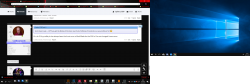
ignore the screen to the side. got the PC on dual screen output on to TVs atm. WTF is this?????
upload_2019-1-24_19-7-28.png
 
In simple terms: in the PC, create a folder named "PKG" in the root of your NTFS device (pendrive, external HDD, SD card, etc) and copy the large PKG (or packages) into that folder. Unmount the NTFS device from the PC and plug it onto any USB port of the PS3. Run prepNTFS 1.19, wait until the it completes the scan (a black screen will appear for a moment and you should see the led of your NTFS device blinking). When it returns to XMB, the packages should appear listed on XMB under the BDVD folder of "webMAN Games". *Sometimes a PS3 restart is needed to see the new files .

Is it necessary to install prepNTFS 1.19 for PKGs? I tried the ISO of a game on NTFS with the latest version of Webman Mod Lite and I had no problems. This method installs the PKGs externally (without copying to the internal HDD?Sorry to insist on this but I have little space on the internal HDD of the ps3
 
Is it necessary to install prepNTFS 1.19 for PKGs? I tried the ISO of a game on NTFS with the latest version of Webman Mod Lite and I had no problems. This method installs the PKGs externally (without copying to the internal HDD?Sorry to insist on this but I have little space on the internal HDD of the ps3

All versions of webMAN can mount ISO from NTFS drives if the .ntfs[*] file already exists in /dev_hdd0/tmp/wmtmp.

These .ntfs[*] files are normally created by prepNTFS, multiMAN, sMAN, IRISMAN or the full/normal version of webMAN MOD. Not sure about ManaGunZ.

Notice that only the recent full/normal versions of webMAN MOD can create .ntfs[*] files without the need of prepNTFS.
And only these folders are scanned: "PS3ISO", "BDISO", "DVDISO", "PSXISO", "PSXGAMES"

prepNTFS is needed to scan new content on NTFS drives if you use the lite version of webMAN MOD or if you want to use the additional folders that generate a fake ISO: "VIDEO", "MOVIES", "PKG", "Packages", "packages", "BDFILE".

In summary: For PSXISO/PS3ISO games and DVDISO/BDISO you don't need prepNTFS, but for PKG files or movies (*.mp4, *.avi, etc.) stored on NTFS you need it.

If I recall correctly, mmCM always starts an internal prepNTFS.self (deank's original version) everytime it is launched. So if you run multiMAN, you're also running prepNTFS (but this version doesn't support the fake ISOs).
 
Back
Top