PS3 WiFi/BT Board Error 8002F1F9 (Update Loop) - Diagnostics/Reports/Repair

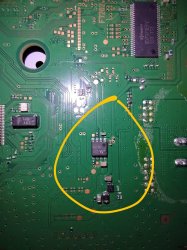
@sandungas to the looks of it via the pic that @VTSTech posted, it looks like that the wire is soldered to pin number 8 of Chip 463A... one of my ps3 slim is having the 8002f1f9 issue and I am looking to perform that bridge fix, I'll try to reformat the hdd then use the HFW firmware to update, if all else fails I'll resort to the bridge fix
After a better inspection of the images i can confirm the chip is actually a Mitsumi 463A voltage regulator, and the wire is bridging pin#1 (5V_EVER) with pin#8 (3.3V_EVER_A)
In other words, it connects votage IN with voltage OUT (rail 1)
https://www.psdevwiki.com/ps3/Talk:Regulators
https://www.psdevwiki.com/ps3/File:Mitsumi_463A.jpg
https://www.psdevwiki.com/ps3/File:SYSCON_SWx_JTP-001_JSD-001_HSW-001_CN101.jpg

In few words, i think is a bad idea and could be dangerous, as you can see in the third link that rails are connected to other components (and we dont know how many more components are connected to that rails). In the original design that rails have 3.3v but when you solder the wire to 5v all that components are going to be feeded with 5v

Anway, the first thing you need to do is to meassure the voltage with a multimeter in pin#1 and pin#8 of mitsumi 463A chip
If the multimeter says there is 5v in pin#1 and 3.3v in pin#8 then the chip is working fine and there is no reason to solder the wire
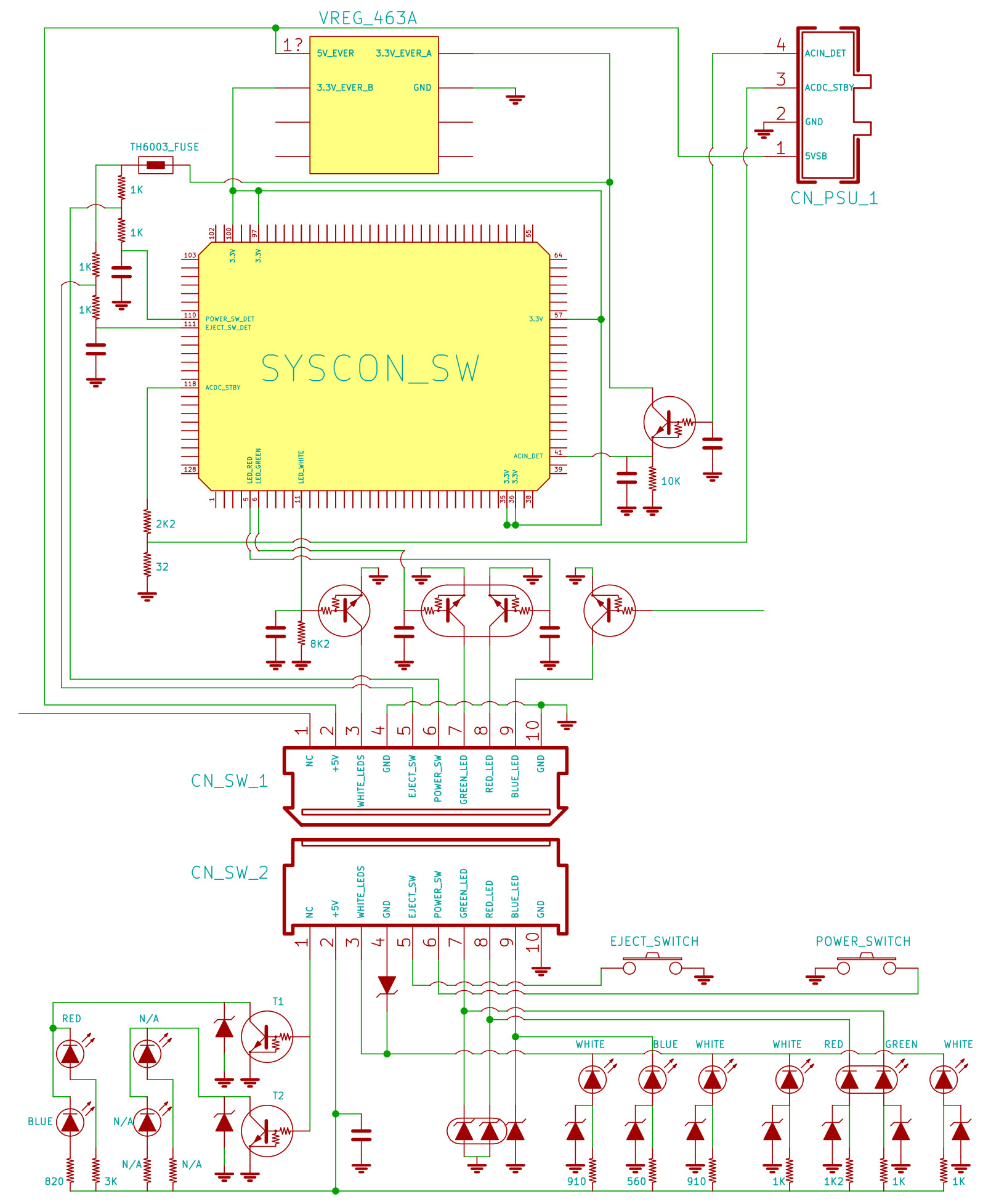
 
Actually... look at this image
The power and eject buttons uses the voltage from 463A pin#8 ...and the PS3 boots and ejects discs, right ?... so the voltage of that pin is fine
Syscon chip uses the voltage from 463A pin#2 ...and the PS3 boots, right ?... so the voltage of that pin is fine

So this "fix" with the wire doesnt makes sense to me at all, if the console boots it means the Mitsumi 463A voltage regulator is working fine
SYSCON_SWx_JTP-001_JSD-001_HSW-001_CN101.jpg
 
When I tried the bridge fix it didn't work/didn't boot. but looks like I was bridging the wrong point anyway. I was just thinking I was finally gonna buy a replacement WiFi module, maybe I'll try the bridge fix again.

Another thought I had was taking a WiFi module from a 2XXX slim (GLoD), and seeing if i could solder up enough points to get it to pass FW install. maybe even attach it permanently.
 
I wonder if this module is compatible with the one I'm replacing... Pretty sure this is from a Super Slim

ffa464db26451b80ba63c6278bd5724e.png
 
Hello everyone... I was desperately searching online for the error 80010201 but wasnt able to find any valuable information , other then a spanish website telling me to check a small transistor on the wifi board for 1.7 volts... Anyway im sorry for butting in since this is not the same error i had , and i wasnt even gonna post anything untill i saw the date of your post so i just wanted to come in and see if anyone has had this problem and maybe it can help someone else with this aswell... or maybe we have very similar problems.
So i pretty much have a problem with controller syncing up , no wifi , sometimes the bluetooth works but takes ages to sync , and interestingly no lan whatsoever... Plugging in the lan cable doesnt even make the light flicker on the connecter.. So i thought the problem was more with the thing thats connecting them all together ... a southbridge maybe? or the marvel chip next to the lan connecter... I really have no idea.. tomorrow i will check all voltages around the wifi bluetooth board and wll report back here .. Anyways if you guys have any good feedback pls shoot , i will take anything at this point.. Also the wifi board is on the motherboard .. its the cechl type so no additional boards...Also had alot of trouble updating the ps3... I fixed 3 ps3's so far with cap replacement and 1 hdmi chip ... this one is the only one with additional problems... and its the one with no seperating wifi board , jusr my luck :(
 
UqKxnd7.jpg


has anybody tried this bridging process? i hope this thread is still alive
I tried it on 3004B version of Slim and it doesnt work. The board is slightly different, and so it doesn't have those exact points and I tried on the ones alike - the PS3 is in short and of course it doesn't turn on. No damage done, because after that I removed the wire and it runs like before(with loop on update).

I've uploaded a picture with the same area of a 3004B
 

Attachments

  • PS3Slim_BT.jpg
    PS3Slim_BT.jpg
    233 KB · Views: 935
I never did get a bridge fix to work myself. Also ended up in not booting state. Undo made it preform like before.

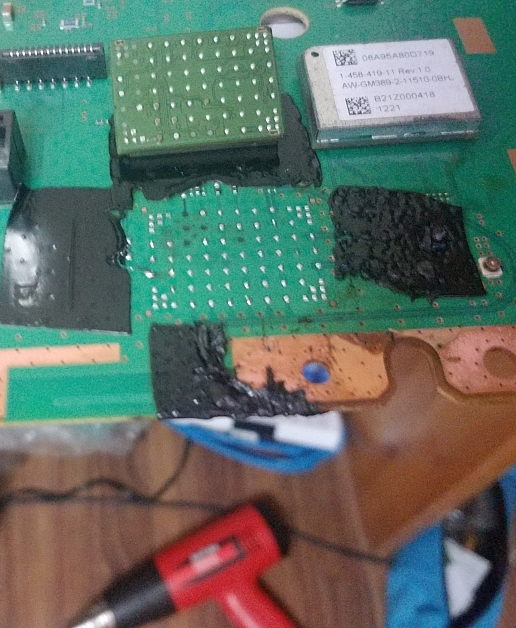
Finally got around to getting replacement WiFi modules. Managed to get the top of the heat shield off. Found it is a small chip on the right side of the WiFi module that is short. Rest of components on the module seem ok.

I'll post some pics of the module with the shield off, maybe a few of it off and the new module installed.
 
Sorry for digging this up but it seems i have the same problem with a 3004B: PSU is working but No Lights at all.

468A has 2.9V only on PIN#2 and PIN#3. Other pins seem to be dead. The J7V chip has no readings at all it seems. Removing the BT/WiFi shield destroyed it (ripped off traces/resistors).

Can i just remove J7V to get it working again or do i have to remove the 468A?
 
The videos are in Spanish but you'll still understand whats going on. He checks the voltages on what looks to be a super slim unit.


In the second video he carries out a repair to replace the 1.8v regulator on a PS3 super slim.

 
Hi;
I need help please.
What is this component and his value?
Does some one have the datasheet of this voltage regulator 463A?
attachment.php
 
I've taken off the capacitor 4.25µF on other motherboard pic below. Then remplace the capa (short circuit) in my motherboard JTP-001. Now everything work fine.
attachment.php
 
Hello there. I've got KTE-001 board and problems. MB starts, but after warning about epilepsy and a startup sound comes BSOD. MB updates but doesn't connect to wi-fi, lan and sixasis, error 80130121 appears when scanning wi-fi. PS3DEVWIKI tell that error 80130121 is associated with a bad gLAN IC. On KTE-001 its Marvell 88E1310-NNB2 chip. I was transferred new chip to my motherboard. But the problem persisted. What it can be?
 
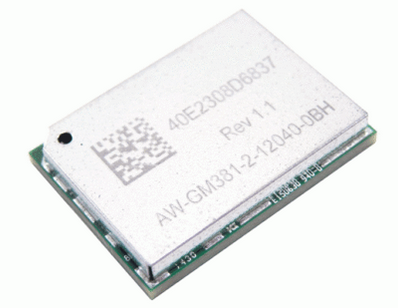
Hi. Can someone confirm it is possible AW-GM389-2-11510-0BH put in 400x model ?
I know AW-GM381 will work but will AW-GM389 work too?
 
Oh, thank you for reply. I have already order in aliexpress AW-GM389-2-11510-0BH
Unfortunately I already bought ps3 ss with this problem...
These are the easier fixes :D

BTW, this is the best module you can buy, the one I was talking about: https://www.fastbalance.cl/184178_5...Wifi-de-la-Junta-de-Control/1-imgs_image.jpeg

I'm not sure, but it seems when owners use wifi instead of RJ45, this Marvell chip overheats and it goes in short (partially, I saw it with a line in short and the module working without problems). What I think is that it could be more common on wifi connections than wired, and if heat is the issue, better get the naked Marvell module, but that's not enough, I've replaced more of these modules than the shielded ones due being installed in most SS models.

Like I always say, who knows..
 
Back
Top