

You are using an out of date browser. It may not display this or other websites correctly.
You should upgrade or use an alternative browser.
You should upgrade or use an alternative browser.
PS2 Would be possible a theme like this? and some ideas
- Thread starter david1995w
- Start date

El_isra
Developer
Thanks!@El_isra Like this?View attachment 26057
could you also provide the image of the devices? (in the correct order: USB/SMB/HDD/APPS/POPS)
i'll try to do it soon
El_isra
Developer
forget about the device icons. i found a way to sort it out.@El_isra Like this?View attachment 26057
I'm working on it.@El_isra Like this?View attachment 26057
Probably I won't finish it soon
I have to leave my room for 15 days so my dad can make a quarantine in there and
I'm not sure if I'll be able to take out the console and the TV to continue testing the theme.
I'm making it for an old TV.
To make a 16:9 version I'll need the advice of more experienced users
Last edited by a moderator:
david1995w
Member
@El_isra that's great! I uploaded a file for @Tupakaveli months ago and I think there are some icons you could use.
http://s000.tinyupload.com/index.php?file_id=99506806687269570577
http://s000.tinyupload.com/index.php?file_id=99506806687269570577

Sorry, I never got around to it...
I have very little time to do anything these days.
I have very little time to do anything these days.
david1995w
Member
Nah, man. Don't worry. This is just a hobby.Sorry, I never got around to it...
I have very little time to do anything these days.

ElAlexiticoGP
Forum Noob
This opl theme is beautiful, most of which I have seen were pure trash and others were taken from current consoles (Ex: XBOX ONE), I definitely don't like it. But you exceeded my expectation and I hope you continue working on it. But I want to have it, is there a link or is it still in process? When can I download it? 
david1995w
Member
It's just a concept at the moment.This opl theme is beautiful, most of which I have seen were pure trash and others were taken from current consoles (Ex: XBOX ONE), I definitely don't like it. But you exceeded my expectation and I hope you continue working on it. But I want to have it, is there a link or is it still in process? When can I download it?
El_isra
Developer
As things are getting back in order in my house i can work on the theme again.It's just a concept at the moment.
do you have any ideas for the Loading Logo?? (I thought about making the OPL logo Bright stronger but it was a total Failure)
@Tupakaveli could you give me advice for making a 16:9 version of the theme (if something changes on the .CFG and what Image sizes i should Use for the BG/Overlay and other Elements)
El_isra
Developer
you Only have those files??@El_isra that's great! I uploaded a file for @Tupakaveli months ago and I think there are some icons you could use.
http://s000.tinyupload.com/index.php?file_id=99506806687269570577
Could you provide a link for the Font??
and the images that go under the COV art files as default Element Both Dark and Light???
El_isra
Developer
Could you give me more logos like this one But in other colors like those from your Samples ?@El_isra Like this?View attachment 26057
i'm getting crazy trying to properly replace colors on that one but the result is Horrible
david1995w
Member
@El_isra 



What do you think? need more colours? It's just changing the color tone in Gimp. The transparency image for NO Cover is the same for Dark and Light theme. About the Loading Logo, what dou you mean? the logo that appears at the beginning when you launch the OPL or the logo when you start the device?
What do you think? need more colours? It's just changing the color tone in Gimp. The transparency image for NO Cover is the same for Dark and Light theme. About the Loading Logo, what dou you mean? the logo that appears at the beginning when you launch the OPL or the logo when you start the device?
Last edited:
El_isra
Developer
Thanks for the Logos
my issue with changing color is that somehow Photoshop adjustment Layers do something to the image files leaving the theme on a black screen after switching from the settings to the device menu.
my issue with changing color is that somehow Photoshop adjustment Layers do something to the image files leaving the theme on a black screen after switching from the settings to the device menu.
yeah. that logoAbout the Loading Logo, what dou you mean? the logo that appears at the beginning when you launch the OPL or the logo when you start the device?
david1995w
Member
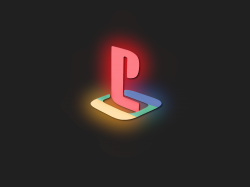
Could be great an animation for the intro. Classic style:

El_isra
Developer
Yeah. but the problem is that the intro logo is compiled into the .ELFCould be great an animation for the intro. Classic style:
View attachment 26248
View attachment 26249
the loading logo that i was talking about is the one that apears when reading devices

El_Patas
Member
@david1995w i have been doing tests and looking for information, and now i understand and remember a little how everything works.Thank you!
The BG should be optional of course, as always was.
That's what I think. I got all the BG for my games working great in previews OPL version, but now with the r1436 doesn't appear as background. Now appears in the info page of the game.
Previously you can always use one background image per game using a pattern like BG with the classic plasma default theme.
I don't know why by making the switch from putting a different image on the plasma like the current Korium theme, the image per game on the main pages has stopped working.
I suppose it's something that someone would have to look at in the OPL code.
But it could always be done using a custom theme.
If you like the default background to be the classic plasma, this is available as a custom theme thanks to Tupakaveli who made it with the name of thm_OPL_0.9.3 + beta, you can download it from this thread:
https://www.psx-place.com/threads/gui-overhaul-part-2.26928/page-4
That way the background per game will work as usual, only the BG pattern will suffice.
But if you do not like that the default background is the classic plasma, and you want it to be an image of your choice then it has to be defined within the file "conf_theme.cfg".
For example if you have an image called "rainbow" you have to indicate it as default like this:
main0:
type=Background
pattern=BG
default=rainbow
This way you can do it in any custom theme.
And also you can also add layers to that default rainbow background using "StaticImage".
Existing information comes from developer Izdubar when he made changes to custom themes at the beginning of OPL 0.9:
["When using" StaticImage ", those later are affected by the screen ratio (wide-screen mode or not), which is usually a good thing. But when putting a" frame "layer on top of the background, in this case you would like to have it enlarged exactly like the background.
To achieve this result, you should use a picture of the same resolution as your background (eventually with empty - alpha - region), and force it's size to "infinite" using the specific values "-1".]
I do not know if this information will continue to apply today, but if you have for example an image with transparency called "frames" to apply on the rainbow image, the example of everything in full would be:
main0:
type=Background
pattern=BG
default=rainbow
main1:
type=StaticImage
default=frames
width=-1
height=-1
I have tried the main0 part and it works fine.
Abut the logo is so really great, i like better how Jolek put it without the slogan, and i prefer also remove the reference to PSX-Place, it is not really necessary, and the web pages come and go, great work.
Best regards.
david1995w
Member

jolek
Senior Member
Looking great, what font is that?
It took me few minutes in paint to do it...

Some dimensions are not equal, so it is more of a concept than preview.
Font is called Cambria:
https://en.wikipedia.org/wiki/Cambria_(typeface).
Last edited:

sandungas
Developer
If you want to try other fonts with a more modern look but still looking official...
The font of the PS4 is named SST https://www.sony.net/SonyInfo/design/stories/sst-font/
And it belongs to the helvetica font familly, there are some free fonts with a similar look
https://www.dafontfree.io/helvetica-neue-font-free/
The font of the PS4 is named SST https://www.sony.net/SonyInfo/design/stories/sst-font/
And it belongs to the helvetica font familly, there are some free fonts with a similar look
https://www.dafontfree.io/helvetica-neue-font-free/
Similar threads
-
PS2 New games added - theme has no backgrounds, only game covers
- Started by bentpin
- Replies: 3
-

-
-
PS2 Cannot get themes or artwork to work in OPL
- Started by mantron
- Replies: 11