
PS3 [Attempt] Restoring XMB UI of Firmware 1.00 - 2.70 to 4.84+

Status
Not open for further replies.
The logo image you are talking about is named tex_scelogo, they changed it in firmware 4.80
https://www.psdevwiki.com/ps3/Template:Custom_render_plugin.rco_changelog
Firmware 1.00-4.78 (MD5: 6158E31B5274DEE04F6193873F731B7F) 1024x64 pixels size (it says: "Sony Computer Entertainment")
Firmware 4.80~4.85 (MD5: 44A1C6660B77703E1E9DA3816F345400) 1024x64 pixels size (it says: "Sony Interactive Entertainment")

------------
To be honest, i dont understand most of the things you say because you are not posting a video or images of it (or some xml code)
Remember the proverb... "A picture is worth a thousand words" ;)
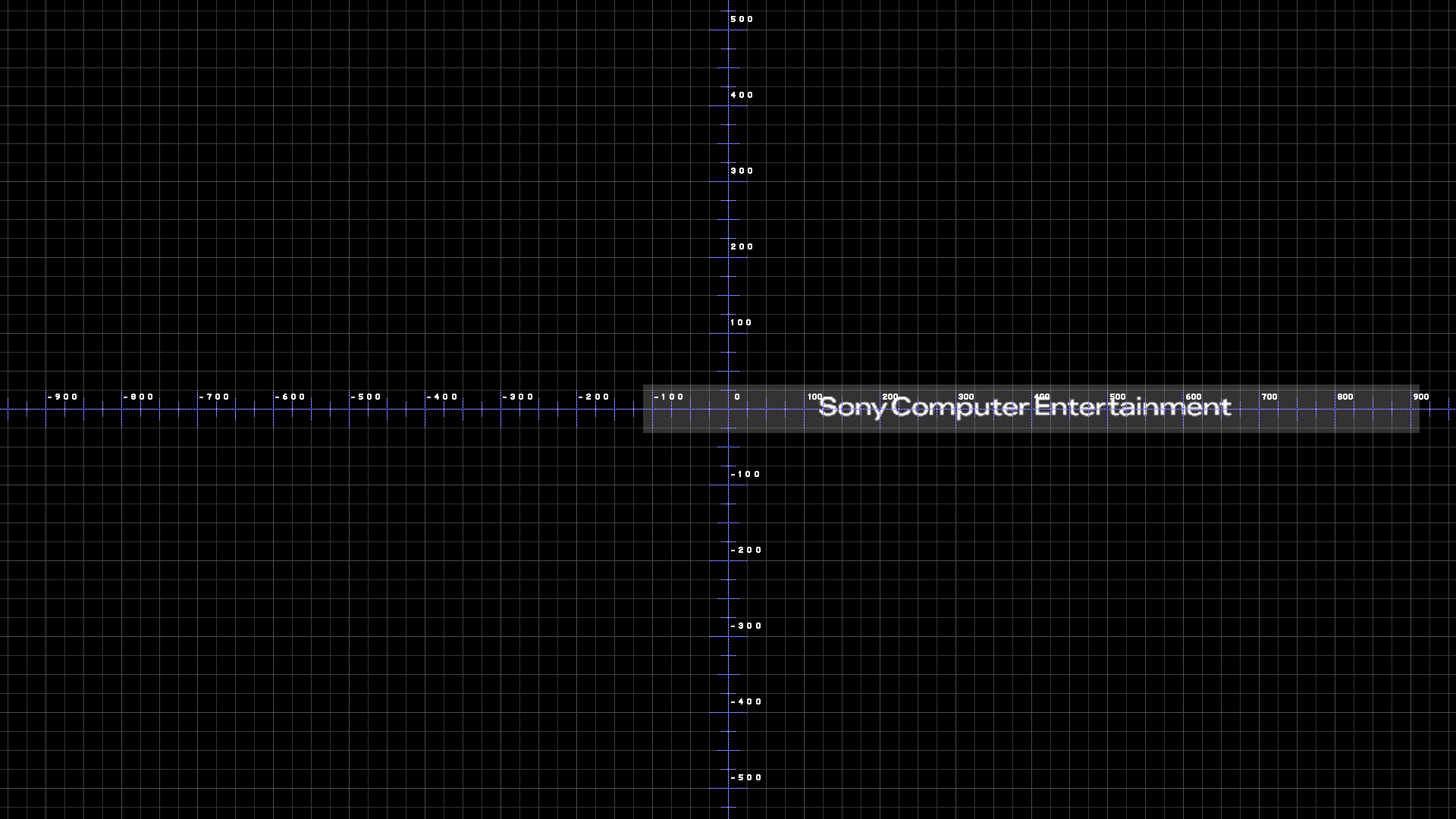
Page_coldboot_1080.png
 
Last edited:
The code related is what @DeViL303 said btw... but let me expand it a bit to show you all xml code lines related
Code:
<?xml version="1.0" encoding="iso-8859-1"?>
<!-- This XML representation of an RCO structure was generated by Rcomage v1.1.2 -->
<RcoFile UMDFlag="0" rcomageXmlVer="1.1" type="ps3" minFirmwareVer="unknownId0x130">
	<MainTree name="custom_render_plugin">
		<ImageTree>
			<Image name="tex_scelogo" src="Images\tex_scelogo.gim" format="gim" compression="zlib" unknownByte="0" />
		</ImageTree>
		<ObjectTree>
			<Page name="page_coldboot" pageMode="0x1101" pageOnInit="nothing" pageOnCancel="nothing" pageOnContext="nothing" pageOnActivate="nothing">
				<Plane name="scelogo" positionX="0" positionY="0" positionZ="0" colorScaleR="1" colorScaleG="1" colorScaleB="1" colorScaleA="1" sizeX="0" sizeY="0" sizeZ="0" sizeScaleX="1" sizeScaleY="1" sizeScaleZ="1" anchorMode="0x0" onInit="nothing" positionOverrideX="0x98020000" positionOverrideY="0x99020000" positionOverrideZ="0x0" sizeOverrideX="0x9a020100" sizeOverrideY="0x9b020100" sizeOverrideZ="0x100" planeImage="image:tex_scelogo" planeResizeMode="0x0"></Plane>
			</Page>
		</ObjectTree>
		<AnimTree>
			<Anim name="anim_coldboot">
				<Lock unknownInt0="0xffffffff" />
				<Fade object="object:scelogo" time="0" accelMode="0x0" colorScaleA="0" />
				<FireEvent event="event:native:/anim_coldboot_BootBG1" />
				<Delay time="0" />
				<FireEvent event="event:native:/anim_coldboot_NormalBG" />
				<Delay time="1500" />
				<Fade object="object:scelogo" time="1000" accelMode="0x3" colorScaleA="0.8" />
				<Delay time="2500" />
				<Fade object="object:scelogo" time="1000" accelMode="0x3" colorScaleA="0" />
				<Delay time="1000" />
				<Delay time="500" />
				<FireEvent event="event:native:/anim_coldboot_ShowGUI" />
				<Unlock unknownInt0="0xffffffff" />
				<Delay time="4500" />
				<FireEvent event="event:native:/anim_coldboot_Finished" />
			</Anim>
	</MainTree>
</RcoFile>

Rought explain...

The position of the tex_scelogo image is defined in <Plane name="scelogo"> the image is displayed because his name appears in the planeImage="image:tex_scelogo" (this is a reference btw, it loads an image from <ImageTree>) and his position is defined with the attributes: positionOverrideX/Y/Z. You dont need to change that positions though

The point is... the plane (is an object) is named scelogo... and the animation changes the attributes of it

And inside the animation it changes his transparency with the <Fade object="object:scelogo"> (this is another reference btw... it changes the attributes of an object inside <objectTree>)
 
I think it does. Because all I did for this mod was copy this unused anim_coldboot script to anim_coldboot2 which is the one now used. So it should be 100% identical to the original coldboot that loaded from rco.

Code:
<Animation name="anim_coldboot">
<Lock unknownInt0="0xffffffff" />
<Fade object="object:scelogo" duration="0" accelMode="0x0" transparency="0" />
<FireEvent object="event:native:/anim_coldboot_BootBG1" />
<Delay time="0" />
<FireEvent object="event:native:/anim_coldboot_NormalBG" />
<Delay time="1500" />
<Fade object="object:scelogo" duration="1000" accelMode="0x3" transparency="0.8" />
<Delay time="2500" />
<Fade object="object:scelogo" duration="1000" accelMode="0x3" transparency="0" />
<Delay time="1000" />
<Delay time="500" />
<FireEvent object="event:native:/anim_coldboot_ShowGUI" />
<Unlock unknownInt0="0xffffffff" />
<Delay time="4500" />
<FireEvent object="event:native:/anim_coldboot_Finished" />
</Animation>
You just unraveled the "mystery" of how Sony made the first coldboot without using the raf file. Congratulation ;)
 
If someone uploads custom_render_plugin.rco from firmwares 1.00 up to 4.78 i will do it for you, is easy
Actually... the only thing i need from that old rco versions is the tex_scelogo.gim with MD5: 6158E31B5274DEE04F6193873F731B7F


Edit:
And please, can someone tell the MD5 of custom_render_plugin.rco from firmware 4.85 ?
Im asking about all this because i dont have all the firmwares here (and im lazy to download, extract, etc...)
 
Last edited:
The original coldboot looks colored, so i think be hardest to make it. But for me, could be black and white, would just have more resolution.

Enviado de meu SM-J600GT usando o Tapatalk
 
The original coldboot looks colored, so i think be hardest to make it. But for me, could be black and white, would just have more resolution.

Enviado de meu SM-J600GT usando o Tapatalk
In coldboot.raf there is a "lightpoint" that moves from left to right on top of the logo images
That lightpoint has his own color... the color of the lightpoint reflects into the logo images, and this is what makes the logo images to look like colored (and creates some cool reflections in the top edges of it)

But... the old coldboot (not using raf) doesnt have that light (as far i can see in the videos, not sure)
Anyway... incase the old coldboot have that light, then is triggered by one of the <FireEvent>, so is either anim_coldboot_BootBG1 or anim_coldboot_NormalBG
We dont need to remove them... so whatever it was doing we can keep it :)
 
Last edited:
If someone uploads custom_render_plugin.rco from firmwares 1.00 up to 4.78 i will do it for you, is easy
Actually... the only thing i need from that rco old version is the tex_scelogo.gim with MD5: 6158E31B5274DEE04F6193873F731B7F


Edit:
And please, can someone tell the MD5 of custom_render_plugin.rco from firmware 4.85 ?
Im asking about all this because i dont have all the firmwares here (and im lazy to download, extract, etc...)
@DeViL303 has all the rco's of all Firmware ... I only have 4.60 and 4.84.
 
@DeViL303 has all the rco's of all Firmware ... I only have 4.60 and 4.84.
4.60 is good enought, extract his contents with rcomageGUI (and dont enable the checkbox to convert the images to PNG)
This way the GIM image files are extracted raw

After that, check the MD5 of tex_scelogo.gim, it needs to be MD5:6158E31B5274DEE04F6193873F731B7F

Thats the original image used since firmware 1.00 up to 4.78 (the image you want)
 
Last edited:
4.60 is good enought, extract his contents with rcomageGUI (and dont enable the checkbox to convert the images to PNG)
This way the GIM image files are extracted raw

After that, check the MD5 of tex_scelogo.gim, it needs to be MD5:6158E31B5274DEE04F6193873F731B7F

Thats the original image used since firmware 1.00 up to 4.78 (the image you want)
Here.. everything is already extracted. the MD5 is exactly the same ... but the logo resolution is 512x32.
 

Attachments

Last edited:
Here..the MD5 is exactly the same ... but the logo resolution is 512x32.
Thanks, thats the original image. The image is 512x32 pixels but is scaled in the xml code with the sizeOverrideX/Y/Z up to 1024x64 pixels
In other words... they are scaling the image to 200% size (and this is what created an small pixelation)
But i can tell you this is what they has been doing since firmware 1.00 up to 4.78

If at some point you want to replace it by a bigger image, the only thing you need to do is replace the image... and the code will display it at 1024x64 pixels (but this time the image is not going to be scaled 200% because the pixels of the image matches exactly with the xml code)


-------------
Btw, can you confirm if custom_render_plugin.rco 4.85 have a MD5: 9441159906B3A81E9A4DAD58CD995ED8 ?
In other words... custom_render_plugin.rco is exactly the same file since firmware 4.80 up to 4.85
 
Last edited:
Thanks, thats the original image. The image is 512x32 pixels but is scaled in the xml code with the sizeOverrideX/Y/Z up to 1024x64 pixels
In other words... they are scaling the image to 200% size (and this is what created an small pixelation)
But i can tell you this is what they has been doing since firmware 1.00 up to 4.78

If at some point you want to replace it by a bigger image, the only thing you need to do is replace the image... and the code will display it at 1024x64 pixels (but this time the image is not going to be scaled 200% because the pixels of the image matches exactly with the xml code)


-------------
Btw, can you confirm if custom_render_plugin.rco 4.85 have a MD5: 9441159906B3A81E9A4DAD58CD995ED8 ?
In other words... custom_render_plugin.rco is exactly the same file since firmware 4.80 up to 4.85
I'll take a look
 
Thanks, thats the original image. The image is 512x32 pixels but is scaled in the xml code with the sizeOverrideX/Y/Z up to 1024x64 pixels
In other words... they are scaling the image to 200% size (and this is what created an small pixelation)
But i can tell you this is what they has been doing since firmware 1.00 up to 4.78

If at some point you want to replace it by a bigger image, the only thing you need to do is replace the image... and the code will display it at 1024x64 pixels (but this time the image is not going to be scaled 200% because the pixels of the image matches exactly with the xml code)


-------------
Btw, can you confirm if custom_render_plugin.rco 4.85 have a MD5: 9441159906B3A81E9A4DAD58CD995ED8 ?
In other words... custom_render_plugin.rco is exactly the same file since firmware 4.80 up to 4.85
as I don't have 4.85, I checked the 4.84 rco, and the MD5 is:
9441159906B3A81E9A4DAD58CD995ED8
 
Thanks, thats the original image. The image is 512x32 pixels but is scaled in the xml code with the sizeOverrideX/Y/Z up to 1024x64 pixels
In other words... they are scaling the image to 200% size (and this is what created an small pixelation)
But i can tell you this is what they has been doing since firmware 1.00 up to 4.78

If at some point you want to replace it by a bigger image, the only thing you need to do is replace the image... and the code will display it at 1024x64 pixels (but this time the image is not going to be scaled 200% because the pixels of the image matches exactly with the xml code)
My mistake... what i explained is not true

tex_scelogo.gim have a size of 1024x64 since firmware 1.00

And the reason why your rcomage is extracting it at a smaller size is because... the official rcomage is wrong !!!
In other words... rcomage is "damaging" the image by reducing his size at half when you do the extraction and conversion to PNG

This is one of the things i fixed in the "RCOmage psdevwiki MOD", please get used to it because we are dragging lot of problems and is causing lot of confusion
https://www.psx-place.com/resources/rcomage-psdevwiki-mod.651/

as I don't have 4.85, I checked the 4.84 rco, and the MD5 is:
9441159906B3A81E9A4DAD58CD995ED8
ok, but i would like to know if they kept using the same rco exactly in 4.85

Because this way im 100% confident the rco im going to do is 100% compatible with firmwares from 4.80 up to 4.85
 
Last edited:
My mistake... what i explained is not true

tex_scelogo.gim have a size of 1024x64 since firmware 1.00

And the reason why your rcomage is extracting it at a smaller size is because... the official rcomage is wrong !!!
In other words... rcomage is "damaging" the image by reducing his size at half when you do the extraction and conversion to PNG

This is one of the things i fixed in the "RCOmage psdevwiki MOD", please get used to it because we are dragging lot of problems and is causing lot of confusion
https://www.psx-place.com/resources/rcomage-psdevwiki-mod.651/


ok, but i would like to know if they kept using the same rco exactly in 4.85

Because this way im 100% confident the rco im going to do is 100% compatible with firmwares from 4.80 up to 4.85
Here, this logo is with hd resolution 1024x64, it was extracted from the firmware 2.60 rco.
 

Attachments

Try this RCO, i used the official GIM files (exactly the same images used in firmware 1.00)
And the only change i made in the xml code is i "linked" anim_coldboot2 --->to---> anim_coldboot with a <FireEvent>, this way:
Code:
<Anim name="anim_coldboot2">
	<FireEvent event="anim:anim_coldboot" />
</Anim>

FILE: https://www.sendspace.com/file/xm6m1m
MD5: AD4FBE3271F4B3946BEBEE99EC9963D1
 
Last edited:
Okay..thanks:D
I have not tested it
By now we are 100% sure is compatible with firmware 4.80 up to 4.85
And probably is compatible with firmwares older than 4.80 (i could bet on it, but to tell this accuratelly i need to check some small details)

If it works, i suggest to use it as a base for your next experiments (with the gameboot, otherboot, or whatever other mods you and devil303 was talking about)


Edit:
I did not want to sound rude in the last sentence... but honestly i lost the track of what you was talking about and what you want to achieve with the gameboots... if at some point you explain it better i guess i could help :)
 
Last edited:
By now we are 100% sure is compatible with firmware 4.80 up to 4.85
And probably is compatible with firmwares older than 4.80 (i could bet on it, but to tell this accuratelly i need to check some small details)
Im looking at this and i want to explain it better... for curiosity sake, and also for myself because sometimes the fact im writing about something allows me to remember it better
Also, because eventually at some point in the future i will forget about it, but maybe i will remember that i wrote an explain about it somewhere (and google could help me find it), lol

The point is... the best way to know if an rco is compatible with a different firmware version is by comparing his hashes, i added the hashes of custom_render_plugin.rco in this table at top of the wiki page:
https://www.psdevwiki.com/ps3/Template:Custom_render_plugin.rco_changelog

So... we know custom_render_plugin.rco from firmwares 4.80 up to 4.85 are compatibles with each other because are the same file in all this firmwares versions

--------------------
Going backwards... it seems the last important change in the xml code happened in firmware 3.00, they added a new <Page> named "blur" (and we dont know his purpose or how it looks)
Since 3.00 the xml code is the same... up to firmware 4.85

The only thing that changes in the xml since 3.00 is the first line where it tells minFirmwareVer="unknownId0x130"
Thats another weird thing of rcomage.... this value doesnt indicates a "minimal firmware version"... in the table in wiki it can be seen named as "RCOset"
Is mostly related with the version of the official RCO tool sony uses when they are compiling the PS3 firmware

That value changed
Firmware 3.00 = 0x110
Firmware 4.00 = 0x120
Firmware 4.30 = 0x130

Since firmware 4.30 up to 4.85 that value is 0x130


-------------------------------------
So... in resume...

We can say the different versions of custom_render_plugin.rco are 100% compatibles with each other since firmware 4.30 up to 4.85

Or... since 3.00 up to 4.85 incase that minFirmwareVer="unknownId0x130" doesnt matters (im not sure about it)
 
Last edited:
Status
Not open for further replies.
Back
Top