
You are using an out of date browser. It may not display this or other websites correctly.
You should upgrade or use an alternative browser.
You should upgrade or use an alternative browser.
PS2 [Open PS2 Loader] Game Bug Reports
- Thread starter jolek
- Start date

jolek
Senior Member
Example of report(s) that can be helpful:
Try OPL 1436:
https://www.psx-place.com/threads/open-ps2-loader-v0-9-3.13415/page-47#post-225201.
OPL 1505:
https://www.psx-place.com/threads/open-ps2-loader-v0-9-3.13415/page-49#post-247106.
Code:
Title = Max Payne 2
ID = SLES_519.54, SLUS_208.14...
Media = DVD
OPL version = 0.9.3
Device = USB\HDD\ETH
Mode(s) = 3, 3+6...
VMC = Tried\Not tried
IGR = Tried\Not tried
Compatible = See notes
MD5 Checksum = e9ba457f7b5747eeaaa40bf0ca985500
Notes = It's stuck at loading screen after mission 1
Code:
Title = Dirge of Cerberus: Final Fantasy VII
ID =  SCAJ_201.69...
Media = DVD
OPL version = 0.9.3
Device = USB\HDD\ETH
Mode(s) = 3, 3+6...
VMC = Tried\Not tried
IGR = Tried\Not tried
Compatible = No, but why?
MD5 Checksum = a639f5b50c301d6050f2a790649ea235
Notes = Here you can put what is wrong with this game
Try OPL 1436:
https://www.psx-place.com/threads/open-ps2-loader-v0-9-3.13415/page-47#post-225201.
OPL 1505:
https://www.psx-place.com/threads/open-ps2-loader-v0-9-3.13415/page-49#post-247106.

Roshea
Member
@jolek here is the detailed info:
Title = Xenosaga Episode I - Der Wille zur Macht (U)
ID = SLUS-20469
Media = ISO
OPL version = OPL 1772, OPL ifcaro 1502
Device = SMB
Mode(s) = none, it worked on past versions on default configuration
VMC = Not tried
IGR = Work
Working version: OPL 1650, OPL ifcaro 1407
ISO: 1:1 unmodified iso and toxic patched iso.
PS2 Models: SCPH-70001, SCPH-77001
Notes = when you begin a fresh new game, it only display a map and a black screen,
and only you can enter the menu options, but nothing else works, it stay on that
screen permanently, it works normally on default OPL 1650, OPL ifcaro 1407, i dont
try versions between 1650 - 1772, 1407 - 1502.
Title = Xenosaga Episode I - Der Wille zur Macht (U)
ID = SLUS-20469
Media = ISO
OPL version = OPL 1772, OPL ifcaro 1502
Device = SMB
Mode(s) = none, it worked on past versions on default configuration
VMC = Not tried
IGR = Work
Working version: OPL 1650, OPL ifcaro 1407
ISO: 1:1 unmodified iso and toxic patched iso.
PS2 Models: SCPH-70001, SCPH-77001
Notes = when you begin a fresh new game, it only display a map and a black screen,
and only you can enter the menu options, but nothing else works, it stay on that
screen permanently, it works normally on default OPL 1650, OPL ifcaro 1407, i dont
try versions between 1650 - 1772, 1407 - 1502.
jolek
Senior Member
@Roshea can you test "Xenosaga Episode I: Der Wille zur Macht" with:
Try it with mode 6 or mode 3+6.
- OPL 1442:
https://www.psx-place.com/threads/open-ps2-loader-v0-9-3.13415/page-48#post-239678. - OPL 1505:
https://www.psx-place.com/threads/open-ps2-loader-v0-9-3.13415/page-49#post-247106.
Try it with mode 6 or mode 3+6.
Roshea
Member
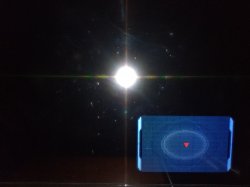
OPL 1442 works perfect, OPL 1505 present the map issue, but OPL 1696 Daily Build and opl 1442 ifcaro the game still works perfect, but begin with OPL 1750 Daily Build to 1772 Daily Build and OPL 1486ifcaro to OPL 1505(ifcaro?) doesnt work anymore (the fix 6,3 or both doesnt fix this),
jolek
Senior Member
I wonder what could cause this problem...
I see mostly GUI fixes...
Anyway I will try to add your report.
Thank you.
rev1502 - Merge pull request #281 from uyjulian/iop_gcc_dumpversion - Sun Jun 7 14:43:50 2020
rev1501 - Use iop-gcc -dumpversion for getting version number - Fri Jun 5 22:33:56 2020
rev1500 - Update french language/font & indonesian language - Wed May 27 21:31:46 2020
rev1499 - Merge pull request #277 from astrelsky/single_precision - Sun May 24 23:40:13 2020
rev1498 - Merge pull request #272 from astrelsky/master - Sun May 24 23:38:46 2020
rev1497 - Modified VU0MixVec. Corrected clobbers. - Sun May 24 13:50:14 2020
rev1496 - Use floor float instead of floor double - Sun May 24 12:29:15 2020
rev1495 - Merge pull request #273 from astrelsky/single_precision - Sun May 24 16:23:16 2020
rev1494 - Prevent implicit double conversion - Sun May 24 10:05:09 2020
rev1493 - Merge pull request #271 from fjtrujy/master - Sat May 23 12:30:58 2020
rev1492 - Merge pull request #270 from KrahJohlito/this-time - Sat May 23 12:18:53 2020
rev1491 - Add information in the readme about the current CI status - Wed May 20 13:37:20 2020
rev1490 - Adding fjtrujy to the Credits - Wed May 20 13:29:07 2020
rev1489 - Automate all the different compilation flavours and generate artefacts using release compilation - Wed May 20 13:23:52 2020
rev1488 - util.c: fix MC checking - Tue May 19 19:58:40 2020
rev1487 - theme adjustments to fix custom themes - Tue May 19 19:58:39 2020
rev1486 - Merge pull request #261 from rickgaiser/for-ifcaro-newlib - Mon May 11 06:11:40 2020
rev1485 - Merge pull request #262 from belek666/test - Mon May 11 03:53:46 2020
rev1484 - New\updated OPL translations & fonts. (#264) - Mon May 11 03:30:15 2020
rev1483 - Update files - Mon May 11 03:19:32 2020
rev1452 - rev1482 - Update lang
rev1451 - Simplify timeout in guiConfirmVideoMode - Thu May 7 21:58:21 2020
rev1450 - Notification duration implemented wrong. This fix works but it's a hack. - Thu May 7 21:58:21 2020
rev1449 - Fix FPS counter (newlib port required) - Thu May 7 21:58:21 2020
rev1448 - Always reload theme when changing video modes - Thu May 7 21:58:21 2020
rev1447 - Fix freeing texture clut - Thu May 7 21:58:21 2020
rev1446 - Fix closing file when jpg too large - Thu May 7 21:58:21 2020
rev1445 - Cleaner code - Sat May 2 20:36:01 2020
rev1444 - Disables PS2 controller when using pademu - Sat May 2 13:15:24 2020
rev1443 - Make compatible with newlib - Sat Apr 25 19:30:03 2020
rev1501 - Use iop-gcc -dumpversion for getting version number - Fri Jun 5 22:33:56 2020
rev1500 - Update french language/font & indonesian language - Wed May 27 21:31:46 2020
rev1499 - Merge pull request #277 from astrelsky/single_precision - Sun May 24 23:40:13 2020
rev1498 - Merge pull request #272 from astrelsky/master - Sun May 24 23:38:46 2020
rev1497 - Modified VU0MixVec. Corrected clobbers. - Sun May 24 13:50:14 2020
rev1496 - Use floor float instead of floor double - Sun May 24 12:29:15 2020
rev1495 - Merge pull request #273 from astrelsky/single_precision - Sun May 24 16:23:16 2020
rev1494 - Prevent implicit double conversion - Sun May 24 10:05:09 2020
rev1493 - Merge pull request #271 from fjtrujy/master - Sat May 23 12:30:58 2020
rev1492 - Merge pull request #270 from KrahJohlito/this-time - Sat May 23 12:18:53 2020
rev1491 - Add information in the readme about the current CI status - Wed May 20 13:37:20 2020
rev1490 - Adding fjtrujy to the Credits - Wed May 20 13:29:07 2020
rev1489 - Automate all the different compilation flavours and generate artefacts using release compilation - Wed May 20 13:23:52 2020
rev1488 - util.c: fix MC checking - Tue May 19 19:58:40 2020
rev1487 - theme adjustments to fix custom themes - Tue May 19 19:58:39 2020
rev1486 - Merge pull request #261 from rickgaiser/for-ifcaro-newlib - Mon May 11 06:11:40 2020
rev1485 - Merge pull request #262 from belek666/test - Mon May 11 03:53:46 2020
rev1484 - New\updated OPL translations & fonts. (#264) - Mon May 11 03:30:15 2020
rev1483 - Update files - Mon May 11 03:19:32 2020
rev1452 - rev1482 - Update lang
rev1451 - Simplify timeout in guiConfirmVideoMode - Thu May 7 21:58:21 2020
rev1450 - Notification duration implemented wrong. This fix works but it's a hack. - Thu May 7 21:58:21 2020
rev1449 - Fix FPS counter (newlib port required) - Thu May 7 21:58:21 2020
rev1448 - Always reload theme when changing video modes - Thu May 7 21:58:21 2020
rev1447 - Fix freeing texture clut - Thu May 7 21:58:21 2020
rev1446 - Fix closing file when jpg too large - Thu May 7 21:58:21 2020
rev1445 - Cleaner code - Sat May 2 20:36:01 2020
rev1444 - Disables PS2 controller when using pademu - Sat May 2 13:15:24 2020
rev1443 - Make compatible with newlib - Sat Apr 25 19:30:03 2020
Anyway I will try to add your report.
Thank you.
Attachments
Last edited:
Roshea
Member
Yeah i found that strange, xenosaga games has no issue when i boot the games. so i can ask if megaman x8 and megaman x7 has always stutter on videos? mode 2 doesnt fix this, but if it could get fixed that will be great, thanks to the comunity for still making the ps2 homebrew alive, if i see another anomaly with another game, i will report it, thanks!
jolek
Senior Member
Yeah i found that strange, xenosaga games has no issue when i boot the games.
Are you sure that this game don't have any problems even with previous revisions?
I have checked:
Code:
Title = Xenosaga Episode I: Der Wille zur Macht
ID =  SLUS_204.69
Media = DVD
OPL version = 1436, 1442, "1443", 1486, "1505".
Device = USB\ETH
Mode(s) = Tried various mode(s) combinations
Compatible = See notes
MD5 Checksum = 542ecb80b46c710664d3c9eb1547692e
Notes = Game crashes after 2nd FMV... or in recent OPL version after starting new game through SMB.
Through USB everything is fine
In other words...
Game through SMB always crashes after end of 2nd FMV:
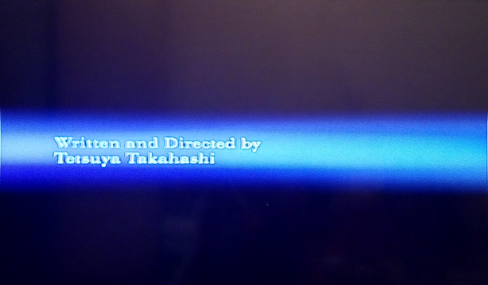
When it will be skipped, it will launch 3rd FMV
and I can start new game.
Thrugh SMB I also have stuttering FMV and after a while A\V will start to loose sync.
It seems that problem with being unable to start new game, starts with theoretically 1443:
https://www.psx-place.com/threads/open-ps2-loader-v0-9-3.13415/page-48#post-240445.

So insufficient remaining memory through SMB might cause these troubles.
Through USB, everything is fine no matter which rev I have tried.
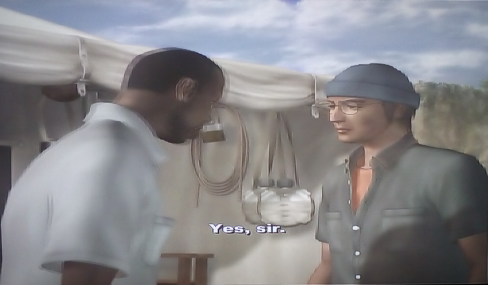
Even FMV plays fine:
so i can ask if megaman x8 and megaman x7 has always stutter on videos? mode 2 doesnt fix this, but if it could get fixed that will be great, thanks to the comunity for still making the ps2 homebrew alive, if i see another anomaly with another game, i will report it, thanks!
Try these games e.g. through USB.
Maybe only SMB is affected by this issue.
Last edited:

jolek
Senior Member
Try to activate a mode, which free's up some IOP-RAM!
If these modes are 3+6, I already try it!
Roshea
Member
Are you sure that this game don't have any problems even with previous revisions?
I have checked:
Code:Title = Xenosaga Episode I: Der Wille zur Macht ID = SLUS_204.69 Media = DVD OPL version = 1436, 1442, "1443", 1486, "1505". Device = USB\ETH Mode(s) = Tried various mode(s) combinations Compatible = See notes MD5 Checksum = 542ecb80b46c710664d3c9eb1547692e Notes = Game crashes after 2nd FMV... or in recent OPL version after starting new game through SMB. Through USB everything is fine
In other words...
Game through SMB always crashes after end of 2nd FMV:
When it will be skipped, it will launch 3rd FMV
and I can start new game.
Thrugh SMB I also have stuttering FMV and after a while A\V will start to loose sync.
It seems that problem with being unable to start new game, starts with theoretically 1443:
https://www.psx-place.com/threads/open-ps2-loader-v0-9-3.13415/page-48#post-240445.
So insufficient remaining memory through SMB might cause these troubles.
Through USB, everything is fine no matter which rev I have tried.
Even FMV plays fine:
Try these games e.g. through USB.
Maybe only SMB is affected by this issue.
I never use USB because every video stutter like crazy. and i dont think my external harddrive supports the usb 1.0, thats why i use smb.
jolek
Senior Member
I never use USB because every video stutter like crazy. and i dont think my external harddrive supports the usb 1.0, thats why i use smb.
PS2 has USB 1.1:
https://www.psx-place.com/threads/common-misconceptions-about-the-ps2-scene.20485/.
Only FAT32 file system on USB device is supported.
Most of problems with connecting USB HDD into PS2 is with insufficient power through USB port.
Sometimes additional power supply helps.
To copy game above 4 GiB, slicing it with USBUtil is needed:
https://www.psx-place.com/threads/usbutil-by-iseko.19048/.
Not every video through USB stutters...
E.g. Full Motion Video in Xenosaga Episode I: Der Wille zur Macht plays smooth through USB.
Some games FMVs even through SMB will stutter (only through HDD playback its smooth):
- Gran Turismo 3 & 4
- Metal Gear Solid 2 & 3
- ...
Of course through USB more games might have problems with FMV, because of a bandwidth speed...
If you have SLIM console, playing game from USB sometimes might solve problem, sometimes not.
You will never know until you will not test it.
BTW do you also have a problem with 2nd FMV after starting new game?
Reason for editing: Added more info
Last edited:
About SMB bandwidth, devices/settings can give very different results.
In case of sharing the games from a PC folder there can be a bunch on different outcomes and it's almost never so obvious what cause it (i.e. just disabling the firewall you'd think would speed up things, but no. Leaving it enabled and tweking some options gives a boost in speed you can clearly see in loadings and stutter-less FMV playing).
I think the best for SMB are those OpenWRT (or equivalents) mini-routers. They don't have all those possible settings combinations PC have. Once you configure them, they just work at their best.
i.e. I never had stuttering on FFX FMVs using the mini-router, but it's present in some FMVs using the PC (I'm talking of direct connection/static IP, in both cases).
In case of sharing the games from a PC folder there can be a bunch on different outcomes and it's almost never so obvious what cause it (i.e. just disabling the firewall you'd think would speed up things, but no. Leaving it enabled and tweking some options gives a boost in speed you can clearly see in loadings and stutter-less FMV playing).
I think the best for SMB are those OpenWRT (or equivalents) mini-routers. They don't have all those possible settings combinations PC have. Once you configure them, they just work at their best.
i.e. I never had stuttering on FFX FMVs using the mini-router, but it's present in some FMVs using the PC (I'm talking of direct connection/static IP, in both cases).
Last edited:

Similar threads
-
PS2 Problems Launching "Buzz! The Big Quiz (Europe) (v2.00)" via OPL through sd2psx (PSxMemCard Gen2)
- Started by SawJig511
- Replies: 7
-
-
 PS2 [POC/Outdated] unofficial Open PS2 Loader (uOPL)
- Started by Ripto
- Replies: 58
-
