Pinky’s PS3 Tutorials

Thanks pinky :) .. If you do not mind on some of the "PlayStation 3 Logo's" If applicable i might put a image (or video) of the subject at hand instead.

I did some minor changes in: ★ How To Open The System Information Menu ★ to give you an idea to what I am talking about

that's fine. the one thing I don't like is how the playstation logo is a different size depending on how much text is to the left of it. is there a way to correct that?
 
that's fine. the one thing I don't like is how the playstation logo is a different size depending on how much text is to the left of it. is there a way to correct that?

There is ways you can manipulate that, One simple way sometimes is adding a little white text in a well placed area. Look underneath the video i added on the tut
 
the blank - seems to be different for each tutorial. I'll just leave as is for now. I'd rather move on from the ps3 stuff which I find boring now. I can add to the vita and 3ds, possibly 360 if I refresh my memory about the xuid mostly. it's needed for avatar items. iirc, the system will freeze if u try to add avatar content with no or an incorrect xuid. it's starting to come back to me now. :p
 
what happens when u save the .DDS? it might take me a few days to make ur coldboot. I have a busy next few days. ;)
it give me that error
"image width or height are not power of 2
image mode only allowed"
after i searched the error i found out that my graphic card is not compatible with it
 
do u have the nvidia plugin installed? I had to redo everything on my laptop, and I don't even have that installed yet.
 
I think I may have encountered that error myself before, but I managed to fix it. I don't remember how though. have u tried changing the saving method (i.e. the drop-down box to change how .DDS will look such as making it black and white)?
 
I think I may have encountered that error myself before, but I managed to fix it. I don't remember how though. have u tried changing the saving method (i.e. the drop-down box to change how .DDS will look such as making it black and white)?
i tried all options but it didnt work
 
Hey I was wondering which RCO has the light border around the XMB clock area? I couldn't find that anywhere and it will save me some time since you already know :D
 
i already went in that one and I didn't find it there. It contains notifications and the loading bars for game updates, etc in there


I found it when I ported over Extreme's Rebug XMB logo mod for 4.65. The RCO is in that PKG to give you an idea where to look. Not near a PS3 ATM or for the day so it might help if you look in there
 
But this mod is changing only system_plugin.rco... You sure files are not there? I can't get rcomage to work on linux right now, and i don't have win pc. Do you have file list from that rco?
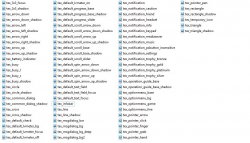
I might be missing it actually. Here's a screenshot of all the files in system_plugin.rco
 

Attachments

  • Capture.JPG
    Capture.JPG
    115.2 KB · Views: 302
Isn't that tex_line? This will probably not gonna be look like in xmb. Just something like line.

I edited tex_line and it still stayed white. I am making everything orange btw. I have a video of how my xmb looks so far


Sent from my iPhone using Tapatalk
 
Back
Top