PS2 PS2 Swap Method Game List (2019)

I have a problem with NFS Underground, when i go in the network settings not inside ntgui.elf, i swap the discs and then it just gives me a red screen of death
i had to use a phat ps2 to get disc swap to work. slim would always fail with red screen or just stop. so try a different ps2 if you have another (or try friends)
 
idk what to do, spent almost 10$ on discs, and no method works, i had high hopes for the nfs method, but it didnt work. My friend has a phat, but he is scared and blah blah blah.. Even cogswap doesnt work for me either, tried Juiced 2 and it just doesnt work.....
 
idk what to do, spent almost 10$ on discs, and no method works, i had high hopes for the nfs method, but it didnt work. My friend has a phat, but he is scared and blah blah blah.. Even cogswap doesnt work for me either, tried Juiced 2 and it just doesnt work.....

You just need 2 discs to be sure. Better if you have a CD game ('cause 2 CDs are cheaper than 2 DVDs).

You have to replace the game's ID with cogswap on one copy and with Ulaunchelf (a old version, I think I use the 4.11) on the other.
Or if you already have a Ulaunchelf CD you can try to cogswap to it (if it works you don't need the second disc with Ule). But if you don't have it, better to make another copy of the game with Ulaunchelf as the ID.

This way simply works (with any CD/DVD games, demos). The only reson for using some specific games (like a 007 AUF, MGS 3, or a DEMO disc) is because having multiple ELFs you can save a disc, since you just need one disc on which replace the file instead of 2.

Even in case of a game with 2 ore more ELFs (or a DEMO) is better to never replace the secondary elf directly with Ulaunchelf (aside from 007 AUF and maybe a couple other games that just work 100% anytime). Best thing is to replace the secondary elf with cogswap and the ID with ulaunchelf (on the same disc copy) 'cause cogswap is much easier to start.
This way you'll land to cogswap after swapping, then after inserting the og CD as higher toc disc you'll insert again the backup one and Ule will start (since it's replacing the ID).
 
i think ulaunchelf was the problem for me. it wasnt launching on slim. i swapped original disc on main menu for one replacing netgui.elf then started the network config. i think it was a call of duty game i used eventually because my wwe game got scratched while swapping.

i also understand that one version of apache wont work properly. i think it is the newest one.

try with different game if you have another that works. also try recording at slow speed...maybe 4x or even 2x...i noticed it took longer to read my disc if it was recorded at higher speeds.
 
i think ulaunchelf was the problem for me. it wasnt launching on slim. i swapped original disc on main menu for one replacing netgui.elf then started the network config. i think it was a call of duty game i used eventually because my wwe game got scratched while swapping.

i also understand that one version of apache wont work properly. i think it is the newest one.

try with different game if you have another that works. also try recording at slow speed...maybe 4x or even 2x...i noticed it took longer to read my disc if it was recorded at higher speeds.

Only the old Apache version is good for Ps2, I think he's using it.

Btw if he's wasting a bunch of DVDs, best way is to play it safe and solve with 2 only more discs. Replacing the ID just works, doesn't matter which game you use.

Personally when I had to swap I used Time Splitter. Two CDs and all is done.
 
also try recording at slow speed...maybe 4x or even 2x...
Oh no, please not... 8x is alright (and preferabe) on quality-discs!

i noticed it took longer to read my disc if it was recorded at higher speeds.
Then you either had bad discs or your writer isn't that good... Is it a laptop-writer?


In any way...
He should rather:
  • turn OPC in IMGBurn's write-settings on
  • Write at AWS speed
  • use good media
  • don't use a laptop-writer
 
Oh no, please not... 8x is alright (and preferabe) on quality-discs!


Then you either had bad discs or your writer isn't that good... Is it a laptop-writer?


In any way...
He should rather:
  • turn OPC in IMGBurn's write-settings on
  • Write at AWS speed
  • use good media
  • don't use a laptop-writer
i only have usb writer yes (and probably cheap dvds). and now i remember that writer doesnt go as slow as i tell it to actually so i go lower.
 
i only have usb writer yes (and probably cheap dvds). and now i remember that writer doesnt go as slow as i tell it to actually so i go lower.

the media matters as well. it will only go as slow as both the writer and the media allow. I don't know what's a good writer, but verbatim, taiyo yuden, tdk are good dvd brands. I think taiyo yuden may have been bought off or under a new name now though. verbatim is still the top.
 
Alright...

There is a "formula" for the speed...
Generally you should try to write slow to CDs... That's correct...

On DVD-Media however, you should write at the mid-speed of the rating/speed-range or A BIT lower on quality-discs and generally a bit lower than that on midrange quality media because they label it "compatible" to 4x-20x speed, but their actual rating/speed-range is rather between 4x-12x... Hence 6x speed to max 8x speed would probably result in the best quality (lowest "correctable" error-rate) for most of these mid-range-discs!


Make sure to turn the laser-power-calibration ON in every program which supports it!!!
It's called "OPC" in IMGBurn's Write-settings!


With 16x Verbatim DVDs, burning at 4x is the way to go with most burners.
When they are from either TY/"Tayo Yuden" or MCC/"Mitsubishi Chemical Corp.", NO!

AWS or 8x to even 10x produces way less correctable errors on these discs!
Turning OPC on, allows to go down to ~6x!


Edit: Oh! ...and TY has been bought by CMC Magnetics, along the entire Verbatim-brand and machinery from Mitsubishi Chemical Corp. ... (-.-)6
 
Last edited:
Alright...

There is a "formula" for the speed...
Generally you should try to write slow to CDs... That's correct...

On DVD-Media however, you should write at the mid-speed of the rating/speed-range or A BIT lower on quality-discs and generally a bit lower than that on midrange quality media because they label it "compatible" to 4x-20x speed, but their actual rating/speed-range is rather between 4x-12x... Hence 6x speed to max 8x speed would probably result in the best quality (lowest "correctable" error-rate) for most of these mid-range-discs!


Make sure to turn the laser-power-calibration ON in every program which supports it!!!
It's called "OPC" in IMGBurn's Write-settings!


When they are from either TY/"Tayo Yuden" or MCC/"Mitsubishi Chemical Corp.", NO!

AWS or 8x to even 10x produces way less correctable errors on these discs!
Turning OPC on, allows to go down to ~6x!


Edit: Oh! ...and TY has been bought by CMC Magnetics, along the entire Verbatim-brand and machinery from Mitsubishi Chemical Corp. ... (-.-)6

I'm not following any "formula", only practical tests. So in my experience, with any burner i had (desktop, laptop and 2 external USB 3.0 ones) I have perfect result that way (4x using 16x Verbatim DVD, usaing imgburn). The discs are read exaclty as original ones, data are loaded Always on the first try even on slim Ps2 with quite battered optical group.

I never turned on OPC. I'll try it burning CD games, since I have Verbatim CDs that support 10x as minimum speed, thus sometimes it happens to have occasional hiccups on some FMVs. Very rare though.
But I'll make a try with OCP checked to see if it 100% avoid those occasional hiccups, thank you for the advice. I'll test with Koudelka (on the scph-9002, this game skips FMVs, usually on the last seconds of the video, if they're not perfectly writed).
 
Last edited:
I send this ahead... Don't understand what I write wrong. I understand how it might come across in the wrong way. It is not meant in any nefarious way.


I'm not following any "formula", only practical tests.
I did put it in quotes for that reason...
It is not a strict rule or "law" to do it this way! ;)

However... The "formula" is the conclusion (not vice versa) of many tests throughout the last 2 decades, hence based on "swarm experience" which ALL are based on practical tests, hence your statement only means that you try things for yourself (which is good) and don't care about the experience of others (which is bad)...

You make it seem that "YOUR practical experience" leads to the "only valid solution", which of course is your suggestion! :rolleyes:

So in my experience, with any burner i had (desktop, laptop and 2 external USB 3.0 ones) I have perfect result that way (4x using 16x Verbatim DVD, usaing imgburn).
Perfection is impossible on a recordable disc! That can be achieved via mastered/"pressed" discs only...

I suppose you mean the result is "good".

Have you - at any place in time - actually scanned the result? Can you attach a result for some DVD-R here?

Just because a game starts or works, doesn't mean "it is perfect" (not even remotely)!

The discs are read exaclty as original ones, data are loaded Always on the first try even on slim Ps2 with quite battere optical group.
That does NOT qualify for a good burned result!

A disc with many correctable errors could work well and still stress a laser as much, that it dies much sooner than with an original disc!
I've seen the gradual degradation of multiple lasers from friends who did it "their way", like a KHS-400c - which is considered to be a pretty solid laser-assembly - by Verbatim Disc from Mitsubishi and the games loaded fine and it started getting worse after ~1 1/2 years... (maybe less)
It was even worse on the Slims... (faster dead laser)

I never turned on OPC. I'll try it burning CD games, since I have Verbatim CDs that support 10x as minimum speed, thus sometimes it happens to have occasional hiccups on some FMVs. Very rare though.
It's definitely worth a try!

Not every writer supports it AFAIK!
I suppose the USB-Writer you have might not support that, possibly some laptop-writers don't either...


Also,... You can add laser-power to your experience. ;)
Some writers barely get Verbatim golden at the same write-speed... with their underpowered diodes...
Especiallyllaptop-writers are MADE TO produce the best result at slower speeds than most desktop-drives which are more tuned towards higher speeds.


"burning" is a photo-chemical process (like old photos)! You enlight the reactive material too long or strong and you overexpose it... or too short or too less light and you underexpose it!

...hence OPC in IMGBurn or "Laserpower calibration" in CloneCD can make the result better.

But I'll make a try with OCP checked to see if it 100% avoid those occasional hiccups, thank you for the advice.
Please do so, but rather add a disc-scan for C1/C2/PI/PO/PIE/PIF/Jitter!

I'll test with Koudelka (on the scph-9002, this game skips FMVs, usually on the last seconds of the video, if they're not perfectly writed).
"well written" and I am not saying that to monger about an error, but to point out that "perfectly written" is an oxymoron in itself, because written/"burned" discs are never perfect... It is inherently impossible with this kind of technology!
 
I send this ahead... Don't understand what I write wrong. I understand how it might come across in the wrong way. It is not meant in any nefarious way.


I did put it in quotes for that reason...
It is not a strict rule or "law" to do it this way! ;)

However... The "formula" is the conclusion (not vice versa) of many tests throughout the last 2 decades, hence based on "swarm experience" which ALL are based on practical tests, hence your statement only means that you try things for yourself (which is good) and don't care about the experience of others (which is bad)...

You make it seem that "YOUR practical experience" leads to the "only valid solution", which of course is your suggestion! :rolleyes:


Perfection is impossible on a recordable disc! That can be achieved via mastered/"pressed" discs only...

I suppose you mean the result is "good".

Have you - at any place in time - actually scanned the result? Can you attach a result for some DVD-R here?

Just because a game starts or works, doesn't mean "it is perfect" (not even remotely)!


That does NOT qualify for a good burned result!

A disc with many correctable errors could work well and still stress a laser as much, that it dies much sooner than with an original disc!
I've seen the gradual degradation of multiple lasers from friends who did it "their way", like a KHS-400c - which is considered to be a pretty solid laser-assembly - by Verbatim Disc from Mitsubishi and the games loaded fine and it started getting worse after ~1 1/2 years... (maybe less)
It was even worse on the Slims... (faster dead laser)


It's definitely worth a try!

Not every writer supports it AFAIK!
I suppose the USB-Writer you have might not support that, possibly some laptop-writers don't either...


Also,... You can add laser-power to your experience. ;)
Some writers barely get Verbatim golden at the same write-speed... with their underpowered diodes...
Especiallyllaptop-writers are MADE TO produce the best result at slower speeds than most desktop-drives which are more tuned towards higher speeds.


"burning" is a photo-chemical process (like old photos)! You enlight the reactive material too long or strong and you overexpose it... or too short or too less light and you underexpose it!

...hence OPC in IMGBurn or "Laserpower calibration" in CloneCD can make the result better.


Please do so, but rather add a disc-scan for C1/C2/PI/PO/PIE/PIF/Jitter!


"well written" and I am not saying that to monger about an error, but to point out that "perfectly written" is an oxymoron in itself, because written/"burned" discs are never perfect... It is inherently impossible with this kind of technology!

I know things you're saying. I cut it short because "I know that you know".

So yes, what I was trying to say is to simply do tests on your own. I did not mean to not care of other experience, absolutely.
But as you said it depends on many factors (discs and writer used above all). So I'm just talking for my experience (obviously) that's not only mine but some friends and many people I followed on forums.
Considering the average Writers people had and doing a statistics (again, in my experience) it's Always better to burn 16x Verbatim DVDs at 4x with IMGBurn.
When burning a faster speed (like 8x), loading times are always longer, there can be problems on high bandwidth FMVs (like FFX), and on buttered Ps2 slims optical drive, you can hear the Ps2 lens "swallow" more than one time on disc boot (it doesn't boot at first try). Again, in my experience, my current personal experience too, using a SALCAR 3.0 USB writer that's really a good one (it's a quite new German brand, so they've a really good quality/price ratio. It is much better than much more expensive Samsung Writers in example).

There isn't need to underline that you can never reach the perfection of a printed disc. By perfect burns I simply meant that you can't notice any difference, either by hearing/watching the Ps2 lens and measuring loading times. Burning at higher speed usually make you notice these differences (higher loading times, FMVs hiccups, etc.).

I'm not at all against your advice, actually I'd be happier if burning at 8x would give me better results (less time to waste waiting). Maybe you generally had to do with richer people than me :D thus with very expensive Writers that are able to burn discs better at faster speed.
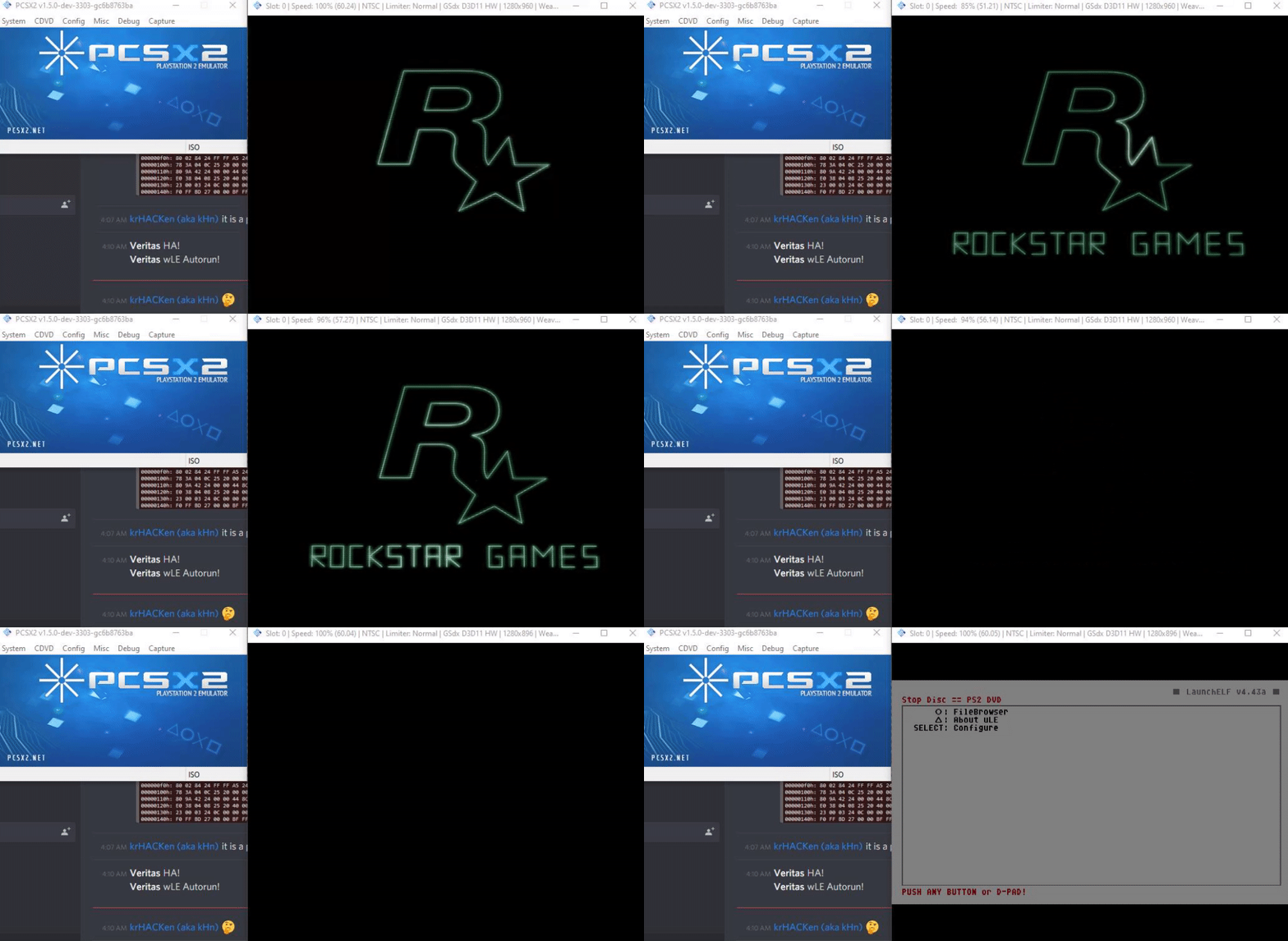
Anyway, about this that you said:

Have you - at any place in time - actually scanned the result? Can you attach a result for some DVD-R here?

Of course. Tell me how to do it, there's some particular program that better analyzes the discs?? I can scan a 4x burned DVD and a 8x.
You can do the same on your end and we'll post the results (listing HW and SW used, settings, etc.)
 
Compiled this list from whatever I could find recently.

SLUS20265 is 100% confirmed to work on actual hardware. The rest have been tested in PCSX2 Emulator. If you've done one of these on actual hardware, do say so :)

Replace the listed elf with a copy of uLaunch.elf/wLaunch.elf or similar. Update size and make new ISO. Burn this. Swap your retail disc with burned. (Sensor Blocking required) Trigger elf launch. Soft Mod Success :)

fec564a5115e0785d634360fd737c4ae.gif


Game ID Name Filename.elf
SLUS20265 007: Agent Under Fire DRIVING.ELF * Confirmed works on real PS2
SLUS21282 007: From Russia with Love NFS.ELF
SLUS21026 Battlefield 2: Modern Combat GUI.ELF
SLUS21242 Burnout Revenge EA_DASH.ELF
SLUS21050 Burnout 3 Takedown NFSUNDER.ELF
SLUS21426 Call of Duty 3 MP.BIN
SLUS20626 Deer Hunter NTGUICD.ELF
SLUS21648 FIFA Soccer 08 NETGUI_NA.ELF
SLES51953 FIFA Football 2004 NTGUI.ELF
SLUS21108 Hitman: Blood Money URBAN.ELF
SCUS97429 Jak X: Combat Racing NTGUI_UC.ELF
SLUS21476 Madden NFL 07 NTGUI.ELF
SLUS20230 Max Payne INTRO.RUN * Runs automatically
SLUS20915 Metal Gear Solid 3: Snake Eater NETDOWN.ELF
SLUS21410 Mortal Kombat Armageddon NTGUI.ELF
SLUS20811 Need for Speed: Underground NTGUI.ELF
SLUS21065 Need for Speed: Underground 2 NTGUI.ELF
SCUS97465 Ratchet: Deadlocked NTGUI.ELF
SLUS21231 Sniper Elite NTGUI.ELF
SCUS97474 SOCOM 3: U.S. Navy SEALs SCUSNGUI.ELF
SCUS97275 SOCOM II: U.S. Navy SEALs SCUSNGUI.ELF
SCUS97545 SOCOM: U.S. Navy SEALs: Combined Assault SCUSNGUI.ELF
SLUS21240 Star Wars: Battlefront II NTGUI.ELF
SCUS97264 Syphon Filter: The Omega Strain NTGUI2CN.ELF
SLES53999 The King of Fighters: Neowave NTGUI2.ELF
SLUS21137 Tom Clancy's Splinter Cell: Chaos Theory SC3_ON.ELF
SLUS20013 Tony Hawk's Pro Skater 3 SLUS_201.99
SLUS20731 Tony Hawk's Underground MOTX_999.99
SLUS20550 True Crime - Streets of LA TC.ELF * Runs automatically
SLUS21286 WWE SmackDown! vs. Raw 2006 NTGUI2.ELF

https://www.reddit.com/r/ps2/comments/bbyh45/ps2_swap_method_game_list/

I can confirm that SCUS97134 SOCOM: U.S. Navy Seals works using NTGUI.ELF to get it to work you have to let the original disc load into the main menu and then swap the modified disc. Once swapped open the Online option and if you don't have a network adapter then you have to quickly press down and the enter before the pop up window comes up saying that you need the network adapter. After that it should just load into uLauncherelf and you can go from there.
 
Disc Swapping is pretty much made obsolete by this:

PlayStation 2 DVD Player Exploit. This allows you to burn your own PlayStation 2 homebrew discs and play them on an unmodified console as seen in the demo video. With uLaunchELF as the initial program, users can include multiple homebrew programs on the same disc
..
All you need is:
  • A compatible console (all PS2 Slim / Sony Bravia TV units are supported),
  • A DVD (not a CD), preferably a DVD-R as other types such as DVD+RW put more strain on the PS2 laser,
  • A computer with a built-in disc burner / external USB disc burner
https://github.com/CTurt/FreeDVDBoot
 
Disc Swapping is pretty much made obsolete by this:

PlayStation 2 DVD Player Exploit. This allows you to burn your own PlayStation 2 homebrew discs and play them on an unmodified console as seen in the demo video. With uLaunchELF as the initial program, users can include multiple homebrew programs on the same disc
..
All you need is:


    • A compatible console (all PS2 Slim / Sony Bravia TV units are supported),
    • A DVD (not a CD), preferably a DVD-R as other types such as DVD+RW put more strain on the PS2 laser,
    • A computer with a built-in disc burner / external USB disc burner
https://github.com/CTurt/FreeDVDBoot
I looked into this before going with the disc swap but I have a ps2 fat with firmware 1.10 and it is unfortunately not compatible. I am always on the look out for good deals on old consoles and I'll have to keep an eye out for a slim to add to my collection. Thanks for the info anyway.
 
As someone who has tried the Game Swap uLaunchELF exploit, I have some findings to report/some things to say about this:

• SLES51953: FIFA Football 2004: NTGUI.ELF

The ELF in the PAL version of that game is called "NTGUI_EU.ELF" and not "NTGUI.ELF", but even replacing the ELF with uLaunchELF doesn't work: instead, it produces the RSOD.

• SLUS20265: 007: Agent Under Fire: DRIVING.ELF

The PAL version (SLES50539) version of this game works when it comes to replacing the DRIVING.ELF file with the uLaunchELF ELF, but this will result in the video output being changed to 480i.

I ended up using this method because I, too, have a FAT PS2 that doesn't support FreeDVDBoot.
 
• SLUS20265: 007: Agent Under Fire: DRIVING.ELF

The PAL version (SLES50539) version of this game works when it comes to replacing the DRIVING.ELF file with the uLaunchELF ELF, but this will result in the video output being changed to 480i.

I ended up using this method because I, too, have a FAT PS2 that doesn't support FreeDVDBoot.

Probably the Ulaunchelf version you used was defaulting to NTSC for some reason. I don't remember this output switch.

Btw other than using these multiple ELF games (also any Demo disc have multiple ELFs) you can do the swap trick with any other game, just using 2 discs (one with cogswap as ID and the other with Ule as ID). If you have an original CD game it is cheaper (1 DVD is more expensive than 2 CDs). I used to do the swap trick with Time Splitters.
 
Probably the Ulaunchelf version you used was defaulting to NTSC for some reason. I don't remember this output switch.

Btw other than using these multiple ELF games (also any Demo disc have multiple ELFs) you can do the swap trick with any other game, just using 2 discs (one with cogswap as ID and the other with Ule as ID). If you have an original CD game it is cheaper (1 DVD is more expensive than 2 CDs). I used to do the swap trick with Time Splitters.

I've used this tutorial and the uLaunchELF/Apache files here:

http://web.archive.org/web/20150207075955/http://bootleg.sksapps.com/tutorials/fmcb/swap.php

Also, where can I find the "CogSwap" files/tool? That has been a struggle to find for me, and does CogSwap work with games from 2004/2005 and beyond?
 
I used Ulaunchelf 4.11 if I remember correctly (maybe also 4.16 some times), as you may know newer versions don't work at all for this trick (you get BSOD).

You can find CogSwap here in this site: PS2 - Cogswap Loader by Hermes | PSX-Place

I don't know if it's the same version I used (I have it on my old PC). I'll upload my version if you'll have problems with this one.

I used it with some games and never had problems (as far as you use a higher LBA disc for swapping obviously).

Btw for the swap trick (for booting Ulaunchelf) it works perfectly with any game (since you're always booting the same game).

You see:

Ps2 - How to safely swap - YouTube


EDIT:

I attached the congswap I have on my old PC if you want to try it.
I also attached what should be the Ulaunchelf version I used for the swap trick (I'm 99% sure, it should be this).
 

Attachments

Last edited:

Similar threads

Back
Top