• PS3HEN is now supporting 4.93 Firmware

    View Official Release Post for additional information HERE
PS3HEN

PS3HEN PS3HEN - Official Release Thread (Homebrew Enabler for the PS3) v3.5.0 (4.93 support)

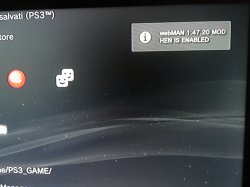
I apologize to @aldostools for this graphic modification of his program..I thank you for all the work you do..I understand the little usefulness, but mine was a simple curiosity if I succeeded in the graphic modification..


img_20190513_104703-jpg.17792
 

Attachments

  • IMG_20190513_104703.jpg
    IMG_20190513_104703.jpg
    3 MB · Views: 2,230
multiman ps2 iso and ps2 classic launcher error 80010006 help me

You're likely missing RAP file for PS2 classics launcher

For converting PS2 games, use @aldostools 's PS2Classics GUI 2.1 that supports custom CONFIG file since this increases compatibility.

And check these threads below.

https://www.psx-place.com/threads/compatibility-list-ps2-on-ps3.1306/

https://www.psx-place.com/threads/ps2-classic-gui-v2-1-by-aldostools-adds-ps2-config-support.17182/

I just tested it myself and it works pretty well as expected. I used webMAN MOD for mounting ISO.BIN.ENC which does symbolic linking to the path that PS2Classic placeholder is installed


upload_2019-5-13_3-56-29.png


upload_2019-5-13_3-56-43.png


Here's the demo video


In this demo, you will find that I have a problem with memory card slot, because I forgot to add VME file for SAVE DATA. I think there's a version of PS2 Placeholder that already has the VME.
 

Attachments

For PS3HEN users that have the startup notification enabled, I updated webMAN MOD to load faster... it doesn't wait the 10 seconds needed by the plugin when the system boots.

The updated plugin is included in the latest beta available in:
https://github.com/aldostools/MAMBA_PRX_Loader/tree/master/PS3HEN_2.0.x

(it also includes the latest features developed by Habib)

Please Could u add refresh feature that show hfw setting on the network category only when hen enable and after system reboot it goes hide again like webman and when enable hen it show again?


Sent from my iPhone using Tapatalk
 
Exactly.

There is no risk of a brick. I have been kicked to recovery thousands of times during testing of various mods.. Never once have I had even a soft brick due to that and I know of no developer who has a brick due to being kicked to recovery.

It's not even a hard crash/freeze, it is the console doing exactly what it is meant to do in that scenario, it is finding a file it does not like, and its programmed to enter recovery if that happens. Then as the proper shutdown flag was not written, it is doing exactly what its meant to do on start up too.

If someone really has an issue with HFW tools and does not want any of those features, then edit your xmls to remove it, but any FUD about it bricking consoles is BS.

i think youre thingking it wrong, im aware that ps3 wont simply be brick and be unusable just like that, I can still recover from it, and im not that idiot to not understand that. I already went 3 times already with unrecoverable corrupted drive forcing me to format it, both on HAN, and now in HEN specially on v1 once, and another one in v2 once.

what im worried about is the unsafe shutdown, it happen to me multiple times since HAN. its not the thing you can simply ignore and safely say that its safe and its nor harmful, after all improper shutdown is improper.

well I just hope that no one loose their tens or hundreds of hours of their save file. for now backup you savefiles as recent as possible. but mehI removed that HFW tool thing since its kinda usless to me. most of those option that I want (reboot) is available on webman mod anyway,oh wait why dont you just include it there anyway since it only shows up when HEN is enabled
 
As far as I can tell, from the limited time I had to test last night, ps2 launcher working great. Bare in mind I skipped the compatability list and used a game that doesn't work, lol, but it showed a black screen with what I can only presume to be a selection type box that's missing its contents. But I was able to quit back to xmb fine.

Will try a game that's actually compatible next time.

I still get random shut downs and freezes etc especially after exiting multiman and then using webman functions.

Originally installed webman before multiman and that was a mess. Webman folder kept disappearing. Installed the other way round, multiman before webman, it works better but still a bit messy like I explained
 
You're likely missing RAP file for PS2 classics launcher

For converting PS2 games, use @aldostools 's PS2Classics GUI 2.1 that supports custom CONFIG file since this increases compatibility.

And check these threads below.

https://www.psx-place.com/threads/compatibility-list-ps2-on-ps3.1306/

https://www.psx-place.com/threads/ps2-classic-gui-v2-1-by-aldostools-adds-ps2-config-support.17182/

I just tested it myself and it works pretty well as expected. I used webMAN MOD for mounting ISO.BIN.ENC which does symbolic linking to the path that PS2Classic placeholder is installed


View attachment 17794

View attachment 17795

Here's the demo video


In this demo, you will find that I have a problem with memory card slot, because I forgot to add VME file for SAVE DATA. I think there's a version of PS2 Placeholder that already has the VME.

This is incredibly inteligent, thank you for explaining and thanks also whoever made this system to boot ps2 games, I'm going to test it right now.

Anyways, who would guess that without an explanation haha, that has to be pinned in the OP :)
 
This is incredibly inteligent, thank you for explaining and thanks also whoever made this system to boot ps2 games, I'm going to test it right now.

Anyways, who would guess that without an explanation haha, that has to be pinned in the OP :)
You missed iso.bin.enc fyi
Install some old multiman like 4.70.00
Go to multiman mode, retro column. Launch iso and it will ask to convert it to iso.bin.enc. Once done it will mount it to classics launcher
 
You missed iso.bin.enc fyi
Install some old multiman like 4.70.00
Go to multiman mode, retro column. Launch iso and it will ask to convert it to iso.bin.enc. Once done it will mount it to classics launcher


Nice forgot about that! Now to find one of those older builds.
 
You missed iso.bin.enc fyi
Install some old multiman like 4.70.00
Go to multiman mode, retro column. Launch iso and it will ask to convert it to iso.bin.enc. Once done it will mount it to classics launcher

Okay, the games in ps2iso bin.enc now work, but the ps3 shutdowns when I open the game ... I did database and hdd fixes in the recovery, but it still shutdowns ...

Also, multiman 4.70 retro behaves the same as the latest version of multiman, no iso.bin.enc conversion mode found when pressing normal ps2 isos...
 
Last edited:
Okay, the games in ps2iso bin.enc now work, but the ps3 shutdowns when I open the game ... I did database and hdd fixes in the recovery, but it still shutdowns ...

Also, multiman 4.70 retro behaves the same as the latest version of multiman, no iso.bin.enc conversion mode found when pressing normal ps2 isos...

It will as it is in mMCM mode which isn't firmware dependant. It wouldn't work if in standard mode with JB folders but there is no reason to use them as ISO is superior
 
so now we can play iso.BIN.ENC ps2 games, without HAN resigners. So we can´t really emulate a ps2 ISO. We need to comvert that game with ps2classics GUIDE and then take that iso.bin.enc to work. I really can´t see the difference between this and HAN. Here just avoid two more steps: converting that into pkg and use the resigner to work on han.
 
Please Could u add refresh feature that show hfw setting on the network category only when hen enable and after system reboot it goes hide again like webman and when enable hen it show again?


Sent from my iPhone using Tapatalk

It is intentional that the hfw settings are hidden when PS3HEN is disabled. Most of the features in it and in webMAN Games will freeze the console or will not work in OFW mode.

If you want that the hfw settings appear all the time, rename the xml to:
/dev_hdd0/hen/hfw-settings.xml
Remove the extension .on if you're using the unofficial 2.0.1 or the official 2.0.2
In the unofficial 2.0.3 beta move the file from the folder /dev_hdd0/hen/xml/ to /dev_hdd0/hen/
 
Last edited:
I have installed v2.0.2.
webman Games does not appear without enabling HEN, but HFW tools does show up.
What is the problem?
 
It works making to ISO.BIN.ENC with Ps2classics GUIDE. INSTALL the ps2classic placeholder from ps2classic guide and convert a ps2 ISO with that program, put it on PS2ISO on your hdd0 and works very well with HEN. Don´t forget to put the exdata file with the rap into your usb that is in the ps2classic GUIDE. Thanks for the new update. HEN 2.02 now.
 
It is intentional that the hfw settings are hidden when PS3HEN is disabled. Most of the features in it and in webMAN Games will freeze the console or will not work in OFW mode.

If you want that the hfw settings appear all the time, rename the xml to:
/dev_hdd0/hen/hfw-settings.xml
Remove the extension .on if you're using the unofficial 2.0.1 or the official 2.0.2
In the unofficial 2.0.3 beta move the file from the folder /dev_hdd0/hen/xml/ to /dev_hdd0/hen/

No the problem i mean in the official 2.0.2 the hfw setting appear all time that is the problem i didnt like to appear all time i like to appear only when hen enable and disappear when reboot system ?


Sent from my iPhone using Tapatalk
 
Back
Top