Don't have this kind of issue, sorry! Transfer rate is and stay good for me.
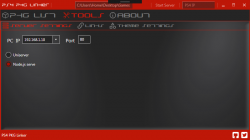
I just want to report a bug I am experiencing. I'm running on an up-to-date Windows 10 Pro x64 and I have needed Visual C++ packets now but each time I try to install another FPKG after successfully installed one, when I click on FPKG icon under PS4 PKG Linker, application stop responding, data concerning FPKG (like CUSA...) are not updated.
I have to click two or three times on PS4 PKG Linker's window to be prompted by Windows 10 to:
-Try to recover application
-Wait til application respond
-Close application
So I choose to try to recover it and FPKG infos are updated, from here I can install FPKG again.
I don't know if it could be linked, just want to provide a maximum of details on config I am using, so there's no DHCP, all devices are addressed manually and I have cached HEN 1.8 on my PS4 using AlAzif's Exploit Host.
I just want to report a bug I am experiencing. I'm running on an up-to-date Windows 10 Pro x64 and I have needed Visual C++ packets now but each time I try to install another FPKG after successfully installed one, when I click on FPKG icon under PS4 PKG Linker, application stop responding, data concerning FPKG (like CUSA...) are not updated.
I have to click two or three times on PS4 PKG Linker's window to be prompted by Windows 10 to:
-Try to recover application
-Wait til application respond
-Close application
So I choose to try to recover it and FPKG infos are updated, from here I can install FPKG again.
I don't know if it could be linked, just want to provide a maximum of details on config I am using, so there's no DHCP, all devices are addressed manually and I have cached HEN 1.8 on my PS4 using AlAzif's Exploit Host.