
You are using an out of date browser. It may not display this or other websites correctly.
You should upgrade or use an alternative browser.
You should upgrade or use an alternative browser.
PS3 RCO Mage (Dumping RCO's)
- Thread starter Cypher_CG89
- Start date


Cypher_CG89
Senior Member
I meant decode, not decompile with scripts.try selecting decode VSMX scripts and separate resources into separate folders only. can you compile the rco?
Sorted, downloaded v1.1.2 then only selected scripts and gim to png. Can Dump and Compile properly now. Now I can get on with my projects without having to do it the annoyingly long way. Thanks @pinky and all others for there input and help.
you can try with ManaGunZ's filemanager, select the RCO and extract it. Nothing else to do
Haha nice one, but I use MultiMAN lol. Might install it just to see what its like though at some point as av just factory reset one of my PS3's on CFW. (well and truly soft bricked it with a lines.qrc file to the point where that was the only option and an HDD reformat on the PC haha) And the other with a 2TB internal HDD stays the way it is for gaming only lol (If you try to Rebuild database or check file system for whatever reason it forces a format on you every time)

RandomDude
Member
Am i the only one who thinks rcomage doesn't work even with all prerequisites installed on win10?,
Recently downgraded to Win 7 Pro & all apps work just fine.
Although I am facing a problem with rcomage extracting the sysconf plugin some letters are invisible.
Ex: Msg_rights_1 : owned by... "Playstation", " ", "Playstation" , " ",
any help
Recently downgraded to Win 7 Pro & all apps work just fine.
Although I am facing a problem with rcomage extracting the sysconf plugin some letters are invisible.
Ex: Msg_rights_1 : owned by... "Playstation", " ", "Playstation" , " ",
any help

ShaolinAssassin
Developer
Am i the only one who thinks rcomage doesn't work even with all prerequisites installed on win10?,
Recently downgraded to Win 7 Pro & all apps work just fine.
Although I am facing a problem with rcomage extracting the sysconf plugin some letters are invisible.
Ex: Msg_rights_1 : owned by... "Playstation", " ", "Playstation" , " ",
any help
Using v1.1.1 with win10 and all seems fine here.

RandomDude
Member
cool, so I knew i was missing something Thanks!Using v1.1.1 with win10 and all seems fine here.
worth the downgrade tho apart from rcomage there were many apps that weren't working dunno why

sandungas
Developer
The problems with charset uses to be caused because you changed he xml format when you was editing it
Is important to use a decent editor, like notepad++
Open the file in notepad++ take a look at 2 settings, at the "tabs" at top:
Edit ---> EOL conversion ---> (windows, linux, mac)
Encoding ---> (UTF8, etc...)
You should not change them !
Edit your xml, then save it... then open the originals again and your edited file to compare this settings im mentioning
Edit:
If i remember right... the xml files generated by rcomage uses "UTF-8 without BOM"
Is important to use a decent editor, like notepad++
Open the file in notepad++ take a look at 2 settings, at the "tabs" at top:
Edit ---> EOL conversion ---> (windows, linux, mac)
Encoding ---> (UTF8, etc...)
You should not change them !
Edit your xml, then save it... then open the originals again and your edited file to compare this settings im mentioning
Edit:
If i remember right... the xml files generated by rcomage uses "UTF-8 without BOM"
RandomDude
Member
The problems with charset uses to be caused because you changed he xml format when you was editing it
Is important to use a decent editor, like notepad++
Open the file in notepad++ take a look at 2 settings, at the "tabs" at top:
Edit ---> EOL conversion ---> (windows, linux, mac)
Encoding ---> (UTF8, etc...)
You should not change them !
Edit your xml, then save it... then open the originals again and your edited file to compare this settings im mentioning
Edit:
If i remember right... the xml files generated by rcomage uses "UTF-8 without BOM"
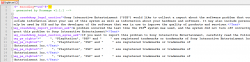
I'd like rcomage to stop dying on me every alternate dumps, but still your method doesn't work.
<Text name="msg_ps_rights">" ", "PlayStation", "PSP" and " " are registered trademarks or trademarks of Sony Interactive Entertainment Inc.</Text>
It shows this in english.xml, but switching over to ps3 it displays the logos properly
anyway to change this? or is the text somewhat picture based that you have to edit in files? hmmm
Thanks for the Help!
btw I am using Notepad ++
Attachments
Last edited:

You should have an "upload a file" button on the bottom next to "post reply" that you can use to share your screenshot.prefer to send a screenshot But I don't think I can here...
sandungas
Developer
Then is because the font you have in PC doesnt contains the characters used by the PS3 fontI'd like rcomage to stop dying on me every alternate dumps, but still your method doesn't work.
<Text name="msg_ps_rights">" ", "PlayStation", "PSP" and " " are registered trademarks or trademarks of Sony Interactive Entertainment Inc.</Text>
It shows this in english.xml, but switching over to ps3 it displays the logos properly
anyway to change this? or is the text somewhat picture based that you have to edit in files? hmmm
Thanks for the Help!
btw I am using Notepad ++
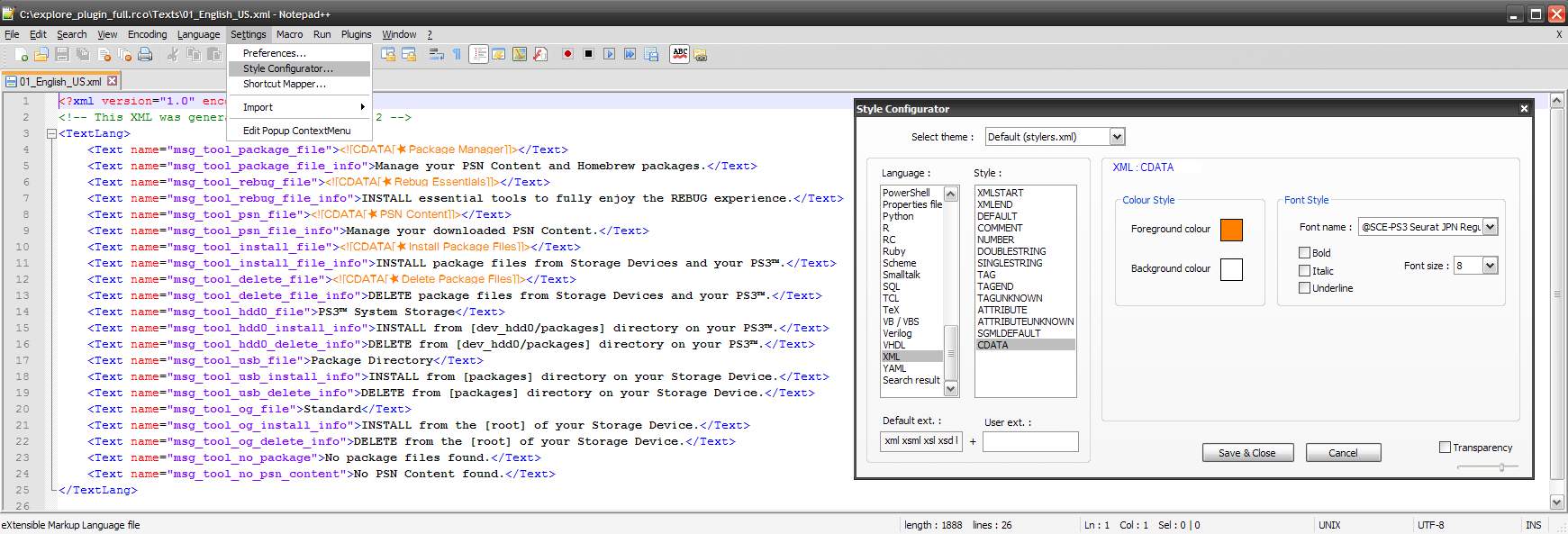
What you can do is to dump the .TTF font files from PS3 firmware, and install them in your windows
After that... there is a setting in notepad++ where you can choose the font used by notepad++
---------
This allows you to see some special characters in PC, like the black star of "install packages" and things like that
But... the PS3 uses other character codes to display icons (images), like the dualshock buttons, emojis and things like that. This ones cant be displayed in PC because the PS3 firmware is replacing the character codes by the images on real time
sandungas
Developer
Take a read here, the section "Using PS3 fonts in PC"
http://www.psdevwiki.com/ps3/XMB_Fonts
And look at the list of the images (inside imagefont.bin) at bottom of the page
This are the ones that cant be displayed in PC, most of them are used for the "chat", but also contains the dualshock buttons and some logos
http://www.psdevwiki.com/ps3/XMB_Fonts
And look at the list of the images (inside imagefont.bin) at bottom of the page
This are the ones that cant be displayed in PC, most of them are used for the "chat", but also contains the dualshock buttons and some logos
RandomDude
Member
Long story short han doesn't allow me to copy files from flash so How am I going to gain acess to the default PS3 font?
ShaolinAssassin
Developer
Long story short han doesn't allow me to copy files from flash so How am I going to gain acess to the default PS3 font?
https://github.com/PS3Xploit/font-replacer
In restore/data/font/ folder, you can grab them.
RandomDude
Member
Nvm, I'll have a look at the ps3 4.82 update file for the font.
Tysm!
Tysm!
RandomDude
Member
The last time I checked the zip file it wasn't there, thank you!
sandungas
Developer
Or you can download an official firmware PUP from the links here: http://www.psdevwiki.com/ps3/System_Firmware
And use this app to extract the contents: http://www.psx-place.com/resources/pupx-dev_flash.650/
And use this app to extract the contents: http://www.psx-place.com/resources/pupx-dev_flash.650/
Cypher_CG89
Senior Member
You can use PUAD GUI to unpack the 4.82 OFW PUP file and select extract 'dev_flash'.
RandomDude
Member
Done that did everything in the wiki still didn't work :/Or you can download an official firmware PUP from the links here: http://www.psdevwiki.com/ps3/System_Firmware
And use this app to extract the contents: http://www.psx-place.com/resources/pupx-dev_flash.650/
Thanks for the help anyway,
RandomDude
Member
Thanks for the information already knew that, besides ShaolinAssasin gave a lot less pain in the azz shortcut to proceed with.You can use PUAD GUI to unpack the 4.82 OFW PUP file and select extract 'dev_flash'.
Similar threads
-

-
PS3 Bricked ps3 after flashing ofw dex on converted cex to dex ps3 slim cech-2104a.
- Started by cezar_iscru.jpg
- Replies: 2
-
-
PS3 [Tutorial] Update Frankenstein PS3 Firmware That is Too Low to Initialize RSX (< 3.41) (NAND Models)
- Started by byt3swap
- Replies: 0