We have seen developer @deank cooking up some nice brew lately, the latest creation of sLaunch has now evolved into a new plugin called sMAN, bringing the original vision of the developer to this single plugin containing webMAN & sLaunch, rather then having two separate plugins loaded at boot time (like the preview releases) deank uses a single plugin slot while making sLaunch an even faster sprx loaded dynamically. For simplicity, he concatenated into just one file called sman.sprx the various sprx parts of the app (rawseciso/netiso/slaunch/sman) as well as the html parts of the XMB "Sman Games" feature. If you like to use this alternative UI for loading games, then you should use the sMAN plugin going forward, if you like the traditional way (w/ My Games) then you can use the XMB feature or simply switch to the webMAN plugin as both version will still available for users.

sman.jpg

  • Now, let's move forward to the next step...

    Later today I'll release the "sMAN" - which is webMAN + sLaunch in one plugin. The reason - this is what webMAN was supposed to be - the way I wanted to be since day one:
    • Use only one plugin slot
    • Use about 128KB less vsh memory (about 384KB total vsh memory)
    • Support for /dev_usb000 to /dev_usb128
    • No need for boot delays for scanning usb drives
    • No need for XML generation, "refresh xml" or other complicated tasks
    • No need for the "My Games" entry in XMB (no need for custom category_game.xml)
    • Simplified setup page, eject/unmount/rescan/grouping options available within sMAN's front-end (sLaunch)
    • Support for over 1000 games
    • FTP/WEB/NTFS/NETISO support by the sMAN's back-end (webMAN)
    • Simple use in any cobra compatible CFW by adding sman.sprx to boot_plugins.txt without modifying other files
    • The front-end (menu) is not using resources when not active (opposed to slaunch.sprx)
    • Updated - it now supports switching groups/content-type (ALL/PS1/PS2/PS3/PSP/VIDEO) - press the [SQUARE] button.

    sMAN
    : http://deanbg.com/sman.sprx

    Dean

    p.s. The features in bold will be gradually introduced for easier transition for the users who decide to switch to sMAN.

    Edit: eventually deank decided to add the XMB "Webman Games" feature to sMan as many end users were asking for it.
    It brings back the old XML creation problem he originally wanted to get rid of however it works quite well.
    The only real glitch in sMan 1.11n (& in the latest wMM actually) is found with a limited number of ntfs hdd where the partition cannot be read using the libntfs_ext library port. Hopefully this bug should get fixed after investigation...

    The XMB Game list remains optional however, to be toggled in the sMan settings page.


  • Random Comments about sMAN from deank
    • The good thing about sMAN is that it doesn't require large amounts of memory no matter how many games you have. It can handle 2000, 3000, 5000 games even.
    • sMAN is working a bit faster than sLaunch (at least it looks that way).
    • If you decide to use sman.sprx - remove webftp_server.sprx and slaunch.sprx from your boot_plugins.txt. It is not possible to use them at the same time.
    • Yes, fan-control is still there, because it is "webMAN" in the background. For languages - there is nothing different to webMAN - you'll have to compile it yourself with proper gui.h.


  • Video (POC Version)
    ScreenShot (from preview version)
    --------------------------------------------------------------------
    slaunch_preview.jpg


Last edited by a moderator:
Hello thank you all for your contributions, I am using the sman and when I go to Launch sman I do not appear usb games.the message that appears when you turn on the PS3 setting primary usb_000 is normal? It is normal that I have to go to SMAN Setup and press in refresh to be able to see the hard dico games.

ps: I've connected a more modern hard drive and works perfect. But I do not understand why the other does not :confused3:

May be you can test again - redownload the sprx and check if it is better.

The initial scan is greatly improved, pad-sync is no longer an issue and on top of it the memory usage is decreased (2280KB free while in XMB :) )
 
@deank or @Joonie or @aldostools (or all) :) I have rebug 4.81.02 cex with wMM 1.46.01 full installed. If I turned off webman in toolbox, rebooted then went into the flash vsh module and deleted webftp_server.sprx and replace it with sMAN.sprx but renamed sMAN to "webftp_server.sprx" then turned webman back on in toolbox...what would happen?

would I need to delete all files and folders that are wm_xxxxx something in the tmp folder first? and the xmlhost folder?...etc etc or not. since I have wMM i figure maybe I would have to delete anything wMM related first as well.

I know about just putting sMAN to the root of dev_hdd0 and then altering the cobra plugin txt...but im just curious if the above would work and if I needed to delete all things webman MOD first as well.
 
@deank or @Joonie or @aldostools (or all) :) I have rebug 4.81.02 cex with wMM 1.46.01 full installed. If I turned off webman in toolbox, rebooted then went into the flash vsh module and deleted webftp_server.sprx and replace it with sMAN.sprx but renamed sMAN to "webftp_server.sprx" then turned webman back on in toolbox...what would happen?

would I need to delete all files and folders that are wm_xxxxx something in the tmp folder first? and the xmlhost folder?...etc etc or not. since I have wMM i figure maybe I would have to delete anything wMM related first as well.

I know about just putting sMAN to the root of dev_hdd0 and then altering the cobra plugin txt...but im just curious if the above would work and if I needed to delete all things webman MOD first as well.

Use http://127.0.0.1/delete.ps3?uninstall to delete the files installed by wMM.

It should work if you replace /dev_blind/vsh/module/webftp_server.sprx with sman.sprx (renamed as webftp_server.sprx)
 
first of all, props and thanX for your hard work and devotion. i see that this is recommended for people not on rebug? would love to use this feature.
not really sure what version of webman i have though. i have gotten lost in all the releases lately. how would i go about updating webman so run sman? currently on rebug 4.81 v2 with just cobra and webman enabled. no other plugins or button combos.
thanx in advance
 
would I need to delete all files and folders that are wm_xxxxx something in the tmp folder first? and the xmlhost folder?...etc etc or not. since I have wMM i figure maybe I would have to delete anything wMM related first as well.

There is absolutely no need to delete anything webMAN MOD related. If you can switch to sMAN it won't interfere with wMM and later you can switch back to wMM without any problems.
 
Thanks @aldostools , @deank and @0_obeWAN !

So there are a few options, which is always good. Now, Im used to scripting stuff for my Raspberry pi 3, can I do in the cobra plugins txt the same thing I do there, I can leave something but just "comment it out" by putting a # in front of it?

so whenever I feel like running wMM before i turn it back on in toolbox can I do:
# /dev_hdd0/sman.sprx
in the cobra plugin txt while leaving the sman.sprx file in hdd0? im assuming the file will just be ignored?

then whenever I want to use it again , follow all the same steps to turn off wM/wMM in the toolbox then just removing the # and rebooting?

Basically just using the # as an on/off switch
 
@deank I tried both of your new webMAN (1.47n) and sMan today

They both worked great, I just had to delete the previous xmlhost folder that had xml generated by wMM to fix some issues, but turned out ok at the end

I noticed sMan's default wait for USB devices was about 5 sec, so it wouldn't show the sub category inside mygames right away until it finished scanning, maybe this was intentional?

I noticed webMAN 1.47n didn't show game list from my NTFS partition (this 2TB has two partitions consists of FAT32 and NTFS) although it was able to detect dev_ntfs0 for file transfer thru FTP, until I set the wait from 0 sec to 5 sec which I felt the same wait time for sMan.

upload_2017-2-14_14-52-59.png


Overall, this is really good :)
 
@deank
These all are changed in the latest sman.sprx. There are no wait settings and it should work much better.

Yes! the latest one seems much faster than the previous one from probably yesterday ish?

anyways, at the moment I can't figure why some of those games don't get displayed correctly

upload_2017-2-14_15-9-8.png


any idea about why this could happen? they are all different games but shown as Castlevania LOS1

upload_2017-2-14_15-13-37.png


Maybe special chars could cause conflict?
 
@Joonie or @deank , after turning off webman in toolbox and before using sMAN , should we delete that folder too or just maybe rename it so it can get ignored? im on cex 4.81.02. that way if we want to use webman?wMM again , once we disable sman , we can turn on wM/wMM again and just name the xmlhost correctly again and it'll be used by wMM ...or is sMAN going to generate another one?
 
@Joonie or @deank , after turning off webman in toolbox and before using sMAN , should we delete that folder too or just maybe rename it so it can get ignored? im on cex 4.81.02. that way if we want to use webman?wMM again , once we disable sman , we can turn on wM/wMM again and just name the xmlhost correctly again and it'll be used by wMM ...or is sMAN going to generate another one?

what I did was very simple, you can just rename sman.sprx to webftp_server.sprx and replace that webftp_server.sprx inside dev_flash/vsh/module

upload_2017-2-14_15-24-2.png


and delete the previous xmlhost located in dev_hdd0/ then you're good to go.

upload_2017-2-14_15-23-41.png


additionally, you could delete this file [wmconfig.bin] too

upload_2017-2-14_15-24-30.png


just in case previous config file [wmconfig.bin] causing issues
 
[QUOTE = "Zwei, postagem: 72914, member: 4637"] [USER = 26378] @deank [/ USER]

Testando agora sMAN
O botão Liga / Desliga (verde) está piscando

editar

5yaV2BQJ.jpg


aYN1q3Un.jpg
[/CITAR]

nXrMvSmr.jpg


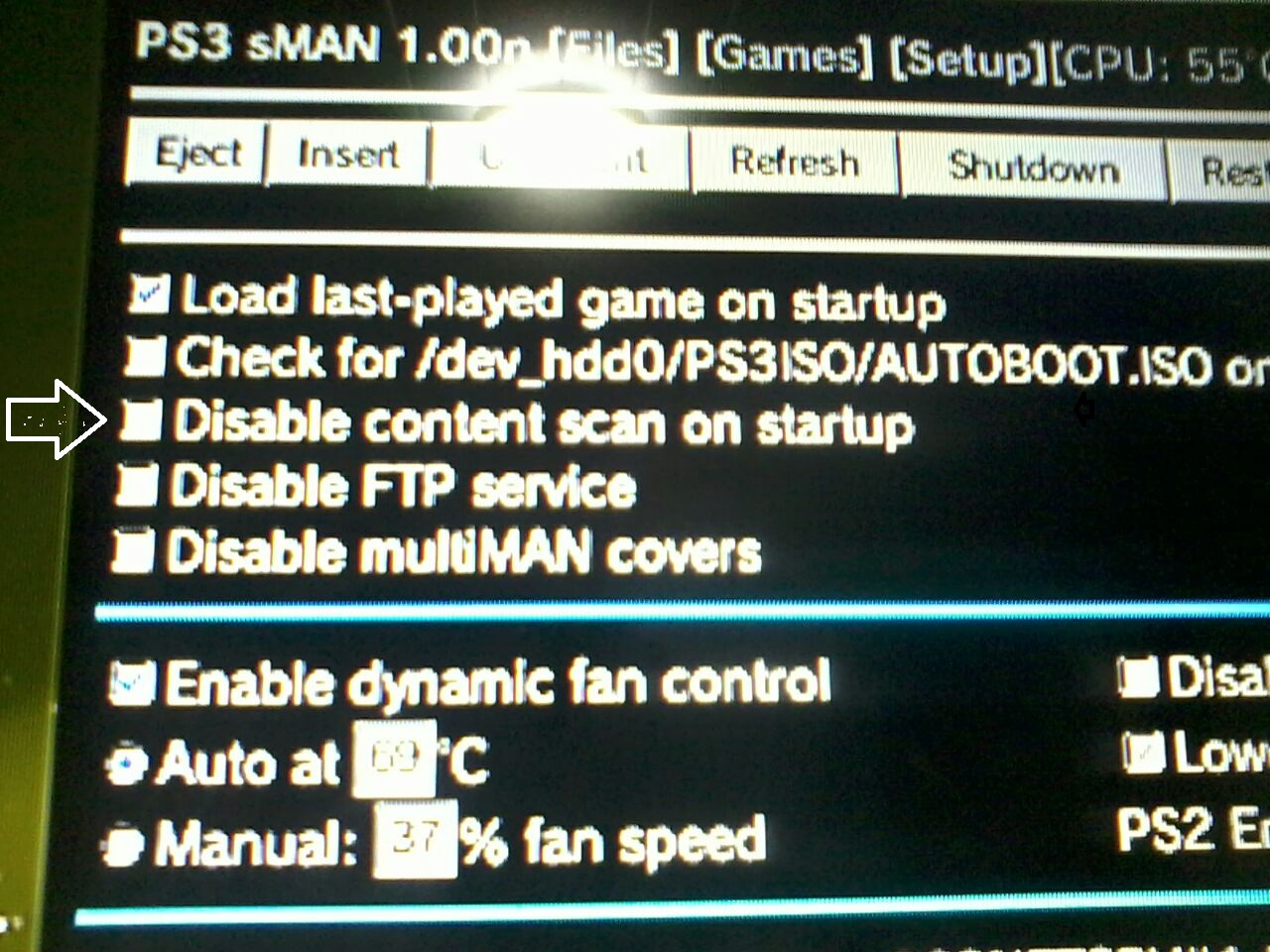
O botão Liga / Desliga parou de piscar em amarelo depois de limpar (Desativar o conteúdo Varredura ou inicialização)
 
@Joonie ...sweet, I actually had mentioned the replacing in vsh/module earlier and aldo said it should work and deank said that wMM won't interfere...but I think he was talking about if I ran it from hdd0 while wMM was off in the toolbox, are you saying that even with the latest wMM installed , I can just follow your instructions above and not have any conflicts with wMM and sMAN?
 
sweet, I actually had mentioned the replacing in vsh/module earlier and aldo said it should work and deank said that wMM won't interfere...but I think he was talking about if I ran it from hdd0, are you saying that even with the latest wMM installed , I can just follow your instructions above and not have any conflicts with wMM and sMAN?

If you intend to use both wMM and sMAN, you shouldn't follow my guide.

the tutorial above was to replace wMM with sMAN.

If you want both enabled, you just create boot_plugins.txt for sMAN and leave wMM untouched [dev_flash/vsh/module/webftp_servers.sprx]
 

Featured content

Trending content

Back
Top