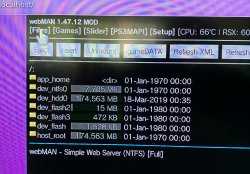
It appears that developer @aldostools is back in full force currently as we have seen the dev add new support with 4.83/4.84 DEX Support for webMAN MOD. While also Incorporating a few new features into the popular plugin as well. This powerful little plugin contains tons of functionality (feature list below), With this new release of v1.47.12, we now see a couple of fun new features have that have been introduced to the plugin as well.
For nonBC consoles owners, that use the webMAN MOD plugin to load and mount PS2 ISO will be pleased to know that developer Aldostools has added improved support for PS2 Configs with new automation and detection of PS2 Config files, like what we see in @Zar's ManaGunZ backup manager. Also another fun feature with some potential for various uses has been been support for boot_inif.txt, This feature is an automation feature (like a "autoexec.bat" script) that includes support for various commands outlined (see tab below). Some uses Aldostools has outlined have included the ability to backup important files at system boot like Game Saves, Registry Backup, Logs, ect,,, Swap Files, Remap multiple files/folders at startup, System clenup and/or initialization on every boot. For additional details about these newly added features please revert to the corresponding tabs below.

(Click Tabs below for additional info about these new features in wMM)
For nonBC consoles owners, that use the webMAN MOD plugin to load and mount PS2 ISO will be pleased to know that developer Aldostools has added improved support for PS2 Configs with new automation and detection of PS2 Config files, like what we see in @Zar's ManaGunZ backup manager. Also another fun feature with some potential for various uses has been been support for boot_inif.txt, This feature is an automation feature (like a "autoexec.bat" script) that includes support for various commands outlined (see tab below). Some uses Aldostools has outlined have included the ability to backup important files at system boot like Game Saves, Registry Backup, Logs, ect,,, Swap Files, Remap multiple files/folders at startup, System clenup and/or initialization on every boot. For additional details about these newly added features please revert to the corresponding tabs below.
(Click Tabs below for additional info about these new features in wMM)
-
webMAN MOD v1.47.12
webMAN MOD is a fork by developer Aldostools, that uses the original webMAN as the foundation, containing all the features of the base project while expanding new features and support.
New >> webMAN MOD 1.47.12 - Changelog
- Added support for 4.83/4.84 CEX/DEX
- Added "Auto CONFIG" for PS2ISO
- Added boot_init.txt automation script
- Server for PC tool of PS3MAPI can be enabled/disabled through /setup.ps3
- Fixed FTP connection for some servers (issue #129)
Feature Overview
dwebMAN "vanilla features" (Original Project by deank, webMAN MOD also containes these features)
- FTP server with remote control functions (shutdown/restart)
- WWW server with remote control functions (scroll down for the complete list of shortcuts)
- Support for loading and browsing of [local] PS3 games in ISO and folder format, DVD videos in ISO format, Blu-ray movies in ISO format, PS1/PS2/PSP games in ISO format with cover display
- NETISO support for network loading and browsing of PS3 games in ISO and folder format, * DVD videos in ISO format, Blu-ray movies in ISO format, PS1 and PSP games
- NTFS support for PS3 and PS1 games in ISO format, Blu-ray movies in ISO format and DVD Video in ISO format
- Dynamic Fan Control and in-game temperature monitoring
- PAD shortcuts
- Keep USB device awake
- Mount last game or AUTOBOOT.ISO to system startup
- Support direct access to NTFS devices through web & ftp (1.45 / 1.45.11)
- XMB integration XMB proxy (1.46 / 1.46.00)
- Integrated prepNTFS
webMAN MOD additional features (by Aldostools)
- webMAN MOD contains all the feature of webMAN above then also
- Easy installer/updater
- VSH Menu integration (hold SELECT to show the menu)
- sLaunch GUI integration (hold START or R2+L2 on XMB to show the GUI)
- New folder icons (by Brunolee & Berion)
- It can mount PS2 Classics games on PS2 Classic Launcher (.BIN.ENC)
- It can auto-mount any custom folder or ISO. Official only can mount AUTOBOOT.ISO
- Title ID can be displayed on XMB menu
- Covers are shown using the Title ID on the file name of the ISO. Official needs to mount the game to show the covers.
- It can rip a game from disc to hdd0 or copy from hdd0 to usb000 or from usb00x to hdd0.
- FTP server includes new SITE commands to allow copy/paste files locally, unmount game, toggle external gamedata, turn on/off dev_blind, change file attributes
- Integrated external gameDATA
- Web Debugger (remote peek/poke/find bytes)
- Support for automatic or manual removal of CFW syscalls and spoof console id (IDPS/PSID)
- Translated to 23 languages
- Extended support up to 5 remote network servers
- Several shortcuts to toggle Cobra, swap Rebug files, mount net0/ or net1/, show IDPS/PSID, etc.
- Support for user defined combos
- Enable screen capture on CFW that don't has the feature.
- Various improvements on File Manager (links to navigate faster, mount ISO, mount net0/ or net1/, preview images, copy/paste/delete files & folders)
- MIN+ memory profile (same as MIN but uses 512K and 2.5X more buffer for PS3 games)
- MAX+ memory profile (same as MAX 1280K for PS3 games, others buffer is reduced, eg: 2X less buffer for ftp and 4X for DVD etc...)
- Copy operations use shadow copy on hdd0 for faster copy
- Scan for games on the stealth folder "/video"
- Support last_game.txt / autoboot on nonCobra edition
- "Offline" mode (blocks some PSN/tracking servers). Game updates still work in this mode. (v1.33.03)
- XMBM+ integration when grouping of XMB content is disabled (v1.33.03)
- Extended Content Profile Grouping (v1.33.07)
- PS3 Manager API Support (PS3MAPI)
- Integrated Mysis video_rec plugin and get klicensee
- Support for .ntfs[BDFILE] (fake ISO created by IRISMAN)
- Support to mount NTFS games using raw_iso.sprx (rawseciso by Estwald)
- Support for auto-fix games that require higher FW version (4.20 and later)
- Optional Video subfolder to "Bluray™ and DVD" folder (Display RetroXMB videos, videos on USB devices and Data Disc icon)
- "slider" webGUI (mobile friendly).
- Extended system information (Title ID, APP Version, IDPS/PSID, CFW version, last played game)
- Display of Play time & startup time to SELECT+START and /cpursx.ps3 (Use SELECT+START+R2 to display Game ID, Title, play time and more in-Game info)
- Include a virtual pad feature, you can control your console via http://pad.aldostools.org on web browser or with webPAD software (windows only)
- dev_bdvd/PS3_UPDATE now is redirected when the plugin is loaded (and when a game is mounted) [This is intended to prevent an accidental update if a game disc is inserted in the drive]
- Added /play.ps3 to launch XMB Functions (e.g: /play.ps3?col=network&seg=seg_premo) this will start Remote Play server from XMB.
- Once a game is mounted via html, if you click on the displayed icon the game will be launched on the PS3. This is nice to start the game once it's mounted from your mobile This option uses the new command /play.ps3
- Support for auto-play any supported ISO, game folder or auto-open an URL link
- Support for change BD/DVD region
- NETISO server on PS3 (ISO only)
- Support for local web chat
- Support for edit small text files
- Download files & install PKG remotely or with shortcut
- "Auto CONFIG" support for PS2ISO
- Support for "boot_init.txt" automation script
- and various other additions not listed
-
About: "Auto CONFIG" for PS2 ISO
.A new feature in webMAN MOD 1.47.12 with the objective of increase PS2 compatibility to a similar level of ManaGunZ
This build now detects the game id for the PS2 ISO and automatically looks for the corresponding CONFIG file in ManaGunZ folder or in the wMM updater folder /dev_hdd0/game/UPDWEBMOD (if it haven't been deleted by the user) when the game is mounted.
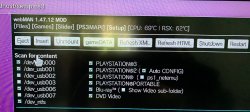
Added new setting: "Auto CONFIG" in /setup.ps3 (next to the option PLAYSTATION®2, in the section "Scan for content")
Now webMAN MOD looks for the CONFIG file in the following paths (in this order) when the PS2 ISO is mounted and the "Auto CONFIG" is enabled (only if the PS2 ISO doesn't have a CONFIG file already):
- /dev_hdd0/game/PS2CONFIG/<gameid>.CONFIG
- /dev_hdd0/game/PS2CONFIG/CONFIG/CUSTOM/<gameid>.CONFIG
- /dev_hdd0/game/PS2CONFIG/CONFIG/NET/<gameid>.CONFIG
- /dev_hdd0/game/PS2CONFIG/CONFIG/GX/<gameid>.CONFIG
- /dev_hdd0/game/PS2CONFIG/CONFIG/SOFT/<gameid>.CONFIG
- /dev_hdd0/game/MANAGUNZ0/CONFIG/CUSTOM/<gameid>.CONFIG
- /dev_hdd0/game/MANAGUNZ0/CONFIG/NET/<gameid>.CONFIG
- /dev_hdd0/game/MANAGUNZ0/CONFIG/GX/<gameid>.CONFIG
- /dev_hdd0/game/MANAGUNZ0/CONFIG/SOFT/<gameid>.CONFIG
- /dev_hdd0/game/UPDWEBMOD/CONFIG/CUSTOM/<gameid>.CONFIG
- /dev_hdd0/game/UPDWEBMOD/CONFIG/NET/<gameid>.CONFIG
- /dev_hdd0/game/UPDWEBMOD/CONFIG/GX/<gameid>.CONFIG
- /dev_hdd0/game/UPDWEBMOD/CONFIG/SOFT/<gameid>.CONFIG
For convenience of the users, the updater includes a copy of the database of CONFIG files from ManaGunZ (in case the user doesn't have ManaGunZ installed). Credits to @Zar and everyone who have contributed to maintain the database of CONFIG.
If the PS2 ISO already has a CONFIG associated, that file is used without having to perform the aforementioned search. -
About: "boot_init.txt" for PS2 ISO
.I have been experimenting with a new automation feature for webMAN MOD.
This is a sort of "autoexec.bat" script for PS3 that allows to copy/rename/map/delete files when the system boots up.
The file name of the script file is: /dev_hdd0/boot_init.txt
and it currently supports the following commands:
# or * at start of line for remarks
map path1=path2 <- makes path1 point to path2
copy path1=path2 <- copy path1 to path2
ren path1=path2 <- rename path1 as path2
del path <- recursive delete of folder or file
md path <- creates a path (folders are created recursively)
wait path <- waits until 15 seconds for a file or folder
abort if exist path <- abort the script if a file or folder exists
abort if not exist path <- abort the script if a file or folder exists
unmap path <-- unmap current path
abort if R1 <- abort the script if button R1 is being pressed
abort if L1 <- abort the script if button L1 is being pressed
Example: The following script *mutes* the coldboot sound at start-up
This example is already included in /dev_hdd0/game/UPDWEBMOD/USRDIR/boot_init.txtmap /dev_flash/vsh/resource/coldboot_stereo.ac3=/dev_flash/vsh/resource/AAA
map /dev_flash/vsh/resource/coldboot_multi.ac3=/dev_flash/vsh/resource/AAA
It should be moved manually to /dev_hdd0/boot_init.txt if you want to try it.
Other uses for the script are:
- Auto backup of important files at start-up (e.g. registry, saves, logs, etc.).
- Swap files
- Remap multiple files or folders at start up
- System cleanup and/or initialization on every boot.
- etc.
The lite edition of webMAN MOD does not support this automation script
Info for devs: The new code is found in main.c, lines 3682 to 3727.DISCLAIMER: The feature is still experimental. Use it at you own risk. -
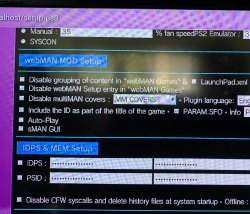
In this build also the start of PS3MAPI server (port 7887) requires the option "PS3MAPI" enabled in /setup.ps3. That option is found in "XMB/In-Game PAD SHORTCUTS", next to DEL CFW SYSCALLS. If the option PS3MAPI is "disabled", the PS3MAPI server is not started (saving some resources at start-up). That PS3MAPI service in wMM is mainly used for the remote features of the PS3 Manager API tool, which is an optional replacement for CCAPI.
Note: When the option PS3MAPI is "enabled", the syscall 8 / lv1_peek (used by Cobra) remains active when the CFW syscalls are disabled with R2+TRIANGLE (except when psnpatch is used in conjunction, which removes all CFW syscalls -including syscall 8). The syscall 8 uses a "fake disable" and all disabled syscalls can be restored without reboot.
Latest download & Source Code @: github.com/aldostools/webMAN-MOD/
Additional details: psx-place.com
Other useful Links
- webMAN MOD Support / Info Forum
- webMAN MOD - Web Commands
- webMAN MOD - General Information Thread
-
Last edited: