PS3 developer @aldostools drops off a handy tool for CFW user's who enjoy the many benefits from the webMAN MOD plugin. webMAN URL Launcher Tool allows you to map a webMAN web shortcut or even mount various games with the included customize-able template PKG. For those who are familiar with Retro XMB , basically you can create Game Shortcuts (outside of My Games Folder (aka webMAN Games Folder) ) for PS3 /PS2 /PS1 /PSP/ /BD / DVD / ect.. Or you want a quick shortcut on the XMB for various webMAN Web Shortcuts like disable system sycalls, rebuild database, Restart PS3 or the many other shortcuts we have grown to love in webMAN MOD.

Download: launcher_src.7z (UPDATED: source code + pkg)
(Problems downloading? "Save As" when Downloading)
*** UPDATE *** via Aldostools
Official Release Quote via Aldostools
Additional: webMAN MOD -- Web Commands
-
UPDATE:: JUNE 5:
I have updated the source code and template. It now uses the hdd0/tmp/wm_request file to mount the games.
The file is polled by webman every few seconds and deleted after it's processed. So multiple apps can use the same interface.
If "Auto-Play" is enabled on /setup.ps3 or if the [auto] tag is included in the file name, the game will be launched after return to XMB.
(Some times the timing is bad, and the disc icon will get only the focus. In that case you will only have to press X to start the game)
NOTE: It only work with webMAN builds compiled with WM_REQUEST flag. e.g. webMAN MOD Lite or vanilla *WILL NOT* work.
New src + template pkg: http://aldostools.org/temp/test/launcher_src.7z
Another use could be the creation of a custom AUTOBOOT.ISO with a PS3_EXTRA menu with your favorite games, like LaunchPad
-
This tool can be handy for some users that need to add an icon to XMB that mount a game or execute some custom command via webMAN.
The EBOOT basically reads a wm_request file stored in USRDIR and sends the command to webMAN which will process it and return to XMB.
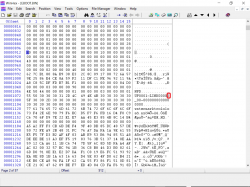
The PKG is a *template* that is intended to be customized before install it. So you'll need to edit the file wm_request, PARAM.SFO (title id & title) and maybe the ICON0.PNG.
The wm_request file should have the path of the file to be mounted or the webMAN command.
Examples (use only 1 line):
- /dev_usb000/GAMES/My JB game
- /dev_hdd0/PS2ISO/My Game.iso
- /dev_hdd0/BDISO/My Movie.iso
- /dev_hdd0/tmp/wmtmp/My Game.ntfs[PS3ISO]
- /mount_ps3/net0/PS3ISO/My Game.iso
- /refresh.ps3
- /rebuild.ps3
- /restart.ps3
- /dump.ps3?mem
- /browser.ps3$disable_syscalls?keep_ccapi
- /browser.ps3$block_servers
- /cpursx.ps3?fan=60
-
Additional Web Commands can be viewed in the PSX-Place webMAN MOD forum:
Download: launcher_src.7z (UPDATED: source code + pkg)
(Problems downloading? "Save As" when Downloading)
Source: PSX-Place.com
Last edited:


 just a doubt what are the icon size it supports if i want to put a game cover and not the usual icon the game brings?