
david1995w
Member
@sandungas I like those icons . But feel like the HDD needs less detail somehow. And i'm a bit lost... those icons you mention as actual OPL icons, are not the actual ones in the Berion's theme right?


They have been in OPL git since months ago, at the time i was making ManaGunZ icons i was taking a look at OPL icons because i figured they was related (because both are backup managers)@sandungas I like those icons . But feel like the HDD needs less detail somehow. And i'm a bit lost... those icons you mention as actual OPL icons, are not the actual ones in the Berion's theme right?
They should not be smaller than 64x64x4Bit!
If the Icons are smaller than 64x64x8Bit or 64x128x4Bit, you are wasting VRAM...
Can you elaborate ?, as i said the size is not a problem for me because are made with polygonsThis is not a problem, the way i work is a bit special, are like polygons, so i can scale them to any size without losing quality

Lets say i make the icons 4KB... problem solved, right ?Every texture gets at least 4KB allocated... Every smaller texture therefore is a waste of VRAM... ^^
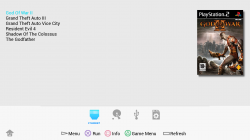

Nope... They (the resolution of the textures) also need(s) to be "powers of 2" (currently)!Lets say i make the icons 4KB... problem solved, right ?

I have nothing against it!My main interest is to know what some of you OPL developers thinks about replacing the dualshock icons that already exists, and are made at 32x32 pixels (except 2 of them, L1, and R1 at 64x64)
Since they are polygon-based project-files, would you post them along some 32x32 and some 64x64 and some 128x128 resoluted textures at 8Bit and 4Bit?You have 16 dualshock icons in OPL, though i noticed 6 of them are ignored in the makefile, still i guess all you want to have them ready to be used in the project code just incase are needed to be used at some point
I have already made that 16 dualshock icons at 32x32 so by now looks like a direct replacement
The others im posting in my last messages in white tones are already 64x64... and the originals are 64x64 too, so are another direct replacement
Yes, you are right about the scaling!If you are telling me that you need the dualshock icons also at 64x64 i could do it too (but i think are going to be oversized for uneeded reason, just to fill the memory and make us feel better for not contaminating the planet)
Incase of using dualshock icons at 64x64 i guess you are going to need to scale them down on real time for displaying them
They should be kept for the "clean theme"...Additionally to all this doubts i have... there are several other things i dont understand
What is going to happen with this 16 dualshock icons and the other 8 for "devices" and "system" i been talking about in my latest posts ?... are you going to remove them from OPL (replaced by korium theme style?)
Yerp, pretty old... 0.7 AFAIR...!@sandungas
Some of those icons aren't actually used in OPL anymore; exit, save & home (whatever that config looking icon is called) seem to just be left over from really old builds (0.7, 0.8) not sure which.
Nah, they are meant to be available as placeholders, IF someone wants to use them!They aren't compiled into the ELF nor rendered at any point, just left over images no one bothered to remove from the repo.
While I like Korium, you know that I am not a fan of a static/forced direct implementation!The device icons you're showing are no longer in the repo either; HDD, USB, SMB, APPS have all been replaced with Korium device icons, even the disc icon is different now (to match Korium colours).
Make them in whatever you want then use Pngquant to convert.Which software are you using to create the PNG's at 4Bit and 8Bit ?
All icons when rendered are down scaled to 20x20 so imo it looks best for all vmodes using 32x32 textures for the icons.. this is because when 64x64 icons are downscaled they can look bad in SD vmodes.Btw, keep in mind with the white icons i made like this one (a total of 8 icons actually at 64x64 with 4K bytes size)...
I think greyscale is expanded to RGBA in OPL so you'd be better off using indexed.grayscale
Other than the SD version of Korium I haven't done anything with it, @Tupakaveli made it compatible with HiRes and also made a lot of code changes to OPL in order for Korium to be the default theme. So really, he's done more for it than I haveOh, and the theme is not only mine but also @Krah's.

@Tupakaveli of course! Just tell me how you want it, the icons, buttons etc at a low resolution (32x32) or with the original size is enough?
Yes! I will upload it tomorrow.Could you provide a link for the OPL glowing logo as .psd/.png?
I'm not an expert at opl themes but i was looking for a long time for something like that.
I could do something similar...
about the device order... i'm not sure it can be changed (USB/SMB/HDD/APPS/POPS)


