PS3 Add PLEX to the NO PSN Apps

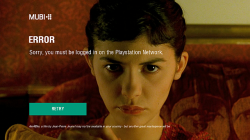
Following the releases of No PSN Apps by bitsbubba and strictlyfocused that has freed those 3rd party apps of the intrusive PSN requirement that is not needed in order to run the applications such as Netflix, YouTube, CrunchyRoll, Crackle, Hulu+, Amazon Instant Video, IGN and Snagfilms (as seen below). Thanks to the efforts of biteyourconsole.net Admin Francesco Lanzillotta you can now add PLEX to the list of apps that have been freed of Sony's Spying .​


Note This is the EU version, at this time the North American version has not been fixed but instructions of the process have been provided which should work on the North American version


10380696_10152503494606023_6027280464177757780_o-640x360.jpg


francesco.lanzillotta said:
Manual Procedure

  • Download and extract the application PLEX (you can also choose to install it and get the file through an FTP client).
  • Enter the USRDIR folder (directory European dev_hdd0/game/NPEB02214/USRDIR/ inside the PS3).
  • Extract the files in a EBOOT.BIN EBOOT.ELF file and open it in a hex editor.
  • Press CTRL and F and in the search field type "EnablePSN = true" (offset 001D3FD0), you can just replace true to false, so "EnablePSN = false".
  • Save and close the hex editor, EBOOT.BIN rebuilt the file and reload it in the folder USRDIR.
Recent NO PSN Apps by bitsbubba
bitsbubba said:

 
Last edited:
Some apps also can use psn=1 psn=0 variables, for other apps is good to search just psn string and look for variables (on/off, 1/0, true/false, yes/no, access/denied enable/disable, use/not, check, connect, psn server string change to xxx etc.). Also check xml (and similiar) files for this variables. Also games can be modified this way (for safety reason, CFW + kids etc), but 90% games have this setting outside eboot file (xml, etc.).
 
I just downloaded Plex from the PSN Store, FTPed it over to my PC, extracted pkg, decrypted EBOOT, open the ELF in HxD, check this offset and it is already set to "false". So if the NPUP31350 (US) version of Plex asks for PSN Sign In then we're going to have to look else place for the patch
 
I was not aware, I apologize, unfortunately, as has already been seen in other posts it seems that some words are lost in the forum (see the new version of IDPSet released in January and reported only today).
 
I would like to report that the sprx files in the PKG are no-signed properly with lower app-keys (like the PARAM.SFO and the EBOOT).
This cause a black screen when the program is launched from 4.46.

After re-signing all the sprx with the correct keys, the app launches fine on 4.46 without a PSN connection.
Also using eboot/sprx compression makes the PKG only 15MB, instead of 40MB.

But creating an account on PLEX is not enough. It asks for a Plex Pass subscription:
plex_error.png

Subscriptions are: $5/month, $40/year, $150/lifetime (if they are still around)

EDIT:
The sprx files in the IGN application are not signed signed properly (with lower keys) either. The files and folder structure are almost identical to the one of PLEX app. So, using eboot/sprx compression can shrink it to 16MB.

Netflix starts fine on 4.46. I haven't checked the other apps... maybe others need to resign the sprx to make them work on 4.46.
 
Last edited:
Sky Online NPEB01919 is same as PLEX app too. The files and folder structure are almost identical to the one of PLEX app
 
Sky Online NPEB01919 is same as PLEX app too. The files and folder structure are almost identical to the one of PLEX app

most these apps are basically the same as most are JS but the all seem to have their settings spread all over and sometimes hidden
 
I would like to report that the sprx files in the PKG are no-signed properly with lower app-keys (like the PARAM.SFO and the EBOOT).
This cause a black screen when the program is launched from 4.46.
I am aware of this and possibly only the files edited or signed by your make pkg command in the right click drop down menu are what have been resigned.
 
I am aware of this and possibly only the files edited or signed by your make pkg command in the right click drop down menu are what have been resigned.

I unpacked the files and resigned the eboot... (everything with the right click menu)
when it prompts to resign the rest of the files I answered YES and the tool resigned all the sprx/self,
then I answered YES when it asked to delete the _ORIGINAL files.

Then I repacked the files with the make pkg option and now they are is working fine on 4.46.
Only 2 or 3 pkgs were signed for 4.50 or 4.60, but I resigned all just to be sure (anyway it only takes 1 minute to do it) :)
 
I unpacked the files and resigned the eboot... (everything with the right click menu)
when it prompts to resign the rest of the files I answered YES and the tool resigned all the sprx/self,
then I answered YES when it asked to delete the _ORIGINAL files.

\
Oh Sh.., I forgot all about that :p as if the eboot was resigned it was because it got resigned when true ancestory did it (for some reason your decrypt eboot doesn't always extract the elf)
 
Oh Sh.., I forgot all about that :p as if the eboot was resigned it was because it got resigned when true ancestory did it (for some reason your decrypt eboot doesn't always extract the elf)

It doesn't extract the ELF when the EBOOT/SELF/SPRX are NPDRM and you don't have the corresponding rap file in the RAPS folder.

Even if the rap is not present, the tool tries to decrypt the SELF using one of the existing keys in klics.txt...

If you don't put the raps in the RAPS folder or keep maintained the klics.txt the SELF cannot be decrypted.

(Alternatively you can put your RIF files in the RIFS folder and your act.dat / idps in the data folder)
 
most these apps are basically the same as most are JS but the all seem to have their settings spread all over and sometimes hidden

Yes, this is true...
but in this case it was enough just edit EBOOT.BIN
I resigned to 3.40...strangely for 4.20 gave black screen

Sky Online NPEB01919: EP4439-NPEB01919_00-WEBMAF0SKYITALIA.pkg

I would try the suggestion of Aldo (for .sprx files) to reduce the size of the pkg.
Surely I will get a smaller pkg :)
EDIT:
the pkg is 15.5 MB with .prx files compressed: link

EDIT2:
this is same as PLEX app too: Infinity NPEB01973 1.02 NO-PSN.pkg
 
Last edited:

Featured content

Trending content

Back
Top