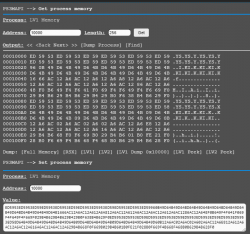
@aldostools I wanted to try some more experimental patches
The issue I have is that I need to patch a completely different area, this section only seems to allow me to work on a specific area or maybe I do not fully understand it.
View attachment 31917
Is there a way to patch other areas on this screen?
Ideally if possible I could see and patch any area in the full 256MB of RAM using the same offsets as I can see in a full RAM dump when viewed on PC in a HEX editor.
There are various debuggers in webMAN MOD:
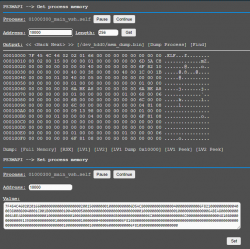
1- /getmem.ps3mapi shows the memory relative to a process (VSH or current game/application)
2- /peek.lv2?<address> shows the memory relative LV2 area
3- /peek.lv1?<address> shows the memory relative LV1 area (basically full RAM)
4- /poke.lv2?<address>=<hex or text value> sets a value in the specified memory address relative LV2 area
5- /poke.lv1?<address>=<hex or text value> sets a value in the specified memory address relative LV1 area
6- /find.lv2?<start-address>=<hex or text value> finds a value in LV2 starting from the address indicated
7- /find.lv1?<start-address>=<hex or text value> find a value in LV1 starting from the address indicated
8- /hexview.ps3<path> shows a file (e.g. a mem dump, EBOOT.BIN, text file in binary mode, etc.)
Today I added a find option to /hexview.ps3 so you can make a full RAM dump, then use the find option in /hexview.ps3 to find a text or binary code.
The /getmem.ps3mapi has more find options than the others.
The most basic are /find.lv1 and /find.lv2 that are the older features.
All the viewers let you browse the memory using LEFT/RIGHT keys on the PC.
NOTE: /peek.lv1 allows to peek virtual memory address (memory area above 0x10000000 = 256MB). However some peek/poke may cause a panic in hypervisor and need a hard reboot pressing the power button for 15 seconds.
NOTE2: The searches now support wild card bytes like /***_home/***_GAME or 0xAA22**44****77



 Maintaining compatibility with something I do not use is difficult.