PS3 [Research] Modifying the Gaia Visualization (custom_render_plugin/earth.qrc)

I wanted to show an example of the earth texturing, because is the kind of thing that we know very well :)
By looking at my reference image i knew since beginning the orientation of every texture, his position, face id, and texture id
So while doing all that process i was looking at my reference image all the time for confirmation and i had a good control that the images generated in every step was right

To texture other things like an unknown planet doesnt matters much if the poles are inverted because most of that textures are a bit random, but for custom images matters a lot, because probably you want to draw your objects at the centers of the cube faces to prevent distortion as much as posible, at that point (an intermediate step of the texture conversion process) is good if the images are already well oriented... you need to align your drawing also with the texture (as example, having mountains at the center of a cube face is an annoyance if the goal is to paint on top of the cube face centers)
For all that fine adjustments is better to have all images well oriented

The biggest difference in the process we are doing is your reference image matches with the "target" images after the rotation, and mine matches with the "source" images before rotation
At this point we can automate it one way or the other, so maybe there is going to be a point where this doesnt matters, but dunno, i still think the orientation i used is more handy
Im not telling this just to continue discussing about it or to force you to say "oook you are so boring that i acept"... but just as a recap of my oppinion by now, take some days to think in it, by now im not going to update the reference image i made because and im not so sure about what to do with some things
 
Last edited:
But are you going to do an app specifc for earth.qrc or generic for all .qrc files ?
Im asking because looks like 2 different goals, most of the basic features as extracting or injecting files are going to work with lines.qrc icontex.qrc etc...)

What I think we should start with is something that can be used for all QRC/QRCF files & be used as a base for building other tools like something for working with the earth.qrc or CXML containers.

Btw, something i didnt mentioned before... the qrc files are like an small variation of the CXML containers, the tool pink1 is doing is going to work with .qrc initially but eventually could work with .raf and .p3t too
The difference is in .raf and .p3t there is some special data (not files) stored inside
Processing that data is tricky, there are tables specific to store float values float arrays, etc...
And you need to extract it in some convenient format, usually .xml because this allows you to use that same data for rebuilding purposes
For .qrc you dont need that features... the only thing you need pink1 is to process the contents of the "file table" (and the id table to read the path/name.ext of the files)

That should be the priority... first deal with the file table (to suport full rebuilding of .qrc), and later eventually the other stuff if you want to continue working in it (.raf .p3t)

I've been using the CXML containers page on the psdevwiki for most of the info to build this so adding the other tables shouldn't be too hard. If you're up for helping we can keep going & make something that can work with all of the different formats that can be used in other tools by anyone that needed it.

I'm not far from starting to test rebuilding QRCs as soon as I think I've got it working I'll put it on Github so everyone can play with it & help make it better.
Rebuilding QRCs isn't going to be too bad. We can process the tables and replace all of the addresses after the file we're replacing & update the files table size. After that we copy all of the file data up to the address of our file then copy the data from our new file in jump to the end of the old file data & copy to the end of the file.
It sounds like a lot to do but I think I have a pretty simple way of doing it.
 
To be honest, im going to be very happy with whichever features you add, the file extraction with correct path/name/ext is awesome in itself :D
Injection was good, but i know the CXML structure and i knew the full rebuilding was "not so hard" in comparison with extraction ;)
The challengue is to process the TOC table, this took lot of work to reverse it, heheh, at this point you have full support for it i guess
At this point the biggest challengue is the float table, and the float array tables, the way it works is they only stores a single copy of every "float" or "float array" data types
You need to imagine it like if the "source" data was parsed from an xml, and the value you need to store is either "something=1.342" (single float) or "something=1.345, 10.345" (float array composed by 2 floats)

Also, every value is stored only a single time (for efficiency)... lets say... if the original xml had different attributes owned by different elements... but his value is the same (lets say the same float 1.234 repeated 20 times) then the table stores it only 1 time (and the structure uses references to point to it)

But as i said, this is tricky and you should ignore it by now (i would kill for a qrc rebuilder please do it)

----------------
For the rebuilding i guess is better to start deleting the file table, after that start concatenating files at bottom of the .qrc and use the new file offset/size data to "update" the TOC
And finally update the file table size at the header

Edit:
I just realized the process i suggested is not a full rebuilding because we preserve the original TOC (is just we patch it a bit)... hmmm, anyway it should work, if you decide to implement this rebuilding functions in 2 steps the code is going to be common... so first you could do this guetto-luxe rebuilding... and later the real stuff :D
 
Last edited:
In the meantime I made a bat that can use the existing QRC and inject jpgs.

Usage:
  • Either place a 512x512 "tile.jpg" in the bats folder and then click the bat
  • OR place a 1024x1024 "face.jpg" in the bat folder and click the bat
  • OR place a 4096x3072 "cubemap.jpg" in the bat folder and click the bat
It does not get much simpler for now :) Creates a ready to go earth.qrc , no other steps required.

Uses jpegoptim, jpegtrans, binsert, and zdrop.


@xf505 Can you please test this for me if you get a chance? :)
 

Attachments

Last edited:
You automatized everythig ?, lol cool, that was a fast introduction to batch scripting :encouragement:
If you want to continue adding options you could make a menu, like the trueancestor tools, take a look at his .bat you will have an interface working soon
The other thing we should investigate is if is posible to do some things by "drag and drop" files in the .bat
 
Yep why not, told you I want to help noobs :) And yeah my first time using a bat for anything complicated like this. Kinda fun learning. to be honest. :)

This BAT does not do any distorting of the image, you either need a tile-able seamless 512x512 tile.jpg or 1024x1024 face.jpg. Or you need a pre prepared cubemap.jpg in 4096x3072.

I bet it could be optimized some...It Also has one small bug I have seen so far, when running it more than once, make sure to remove the last earth.qrc created, or it will fail on the last move command. not a big deal. I do not know how to move and overwrite yet. :) need to google that.

@sandungas @pink1 See the super handy little tool i found for Zlib called zdrop. Very simple and small. Seems to have slightly different compression to simplyzip, slightly different filesize, but it works perfectly for ps3 so is a great little addition.
 

Attachments

Last edited:
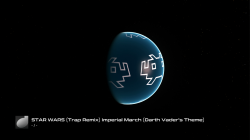
That missing distortion is something i was about to ask you, we need to find someting to create geometric patterns, like the hexagons texture tryed by @xf505 and the dragon skin and other things like that (the test with the death star could be included in this category too)

From tile to spherical map (and the size of the tile could be up to a cube face)
 
Last edited:
512x512 tile.jpg!!
Screenshot (881).png
 
Perfect. That's great.

Looks like the same test..you probably did not remove the tile,jpg before starting..anyway it works and that's the main thing.
 
Last edited:
@DeViL303
Code:
cls
@echo off
echo +------------------+
echo  Tile to QRC v1.0
echo +------------------+
echo.
echo Usage:
echo  - EITHER place a 512x512 "tile.jpg" in the bats folder
echo  - OR place a 1024x1024 "face.jpg" in the bat folder
echo  - OR place a 4096x3072 "cubemap.jpg" in the bat folder
echo.
@echo on
pause
 
@DeViL303
Code:
cls
@echo off
echo +------------------+
echo  Tile to QRC v1.0
echo +------------------+
echo.
echo Usage:
echo  - EITHER place a 512x512 "tile.jpg" in the bats folder
echo  - OR place a 1024x1024 "face.jpg" in the bat folder
echo  - OR place a 4096x3072 "cubemap.jpg" in the bat folder
echo.
@echo on
pause
Thanks. Also it have an issue , When it runs the second time it uses the pre exisitng files in the temp folder.

For now they need to be removed manually/ I tried adding a "del" but then it asks for confirmation. Not sure if people will want the source files.

anyway for now, before running it the second time you need to remove the earth.qrc and the temp folder..
 
Last edited:
Code:
DEL "temp\*.<extension>" /Q /S

Anyway, most if not all programs in cli have help. On Windows You can type "<executablename> /?" or "<executablename> --help" or "<executablename> /help". On Linux just "man <executablename>".

Better approach is to switch to PowerShell (but beware to not use anything newer than ps 1.0 or You loose compatibility with Vista and 7), but it's syntax is f*ng pain.
 
Cool thanks.

BTW what you can also do with my BAT, is have no images in the root folder, and manually create a bin/temp/Cube_faces/ folder with 6 different images at 1024x1024 named face0.jpg to face5.jpg, and it will build the QRC from those instead.

Its like a 4th option. :)

I am working on another bat for applying them differently too, with this kind of effect:

upload_2020-1-27_0-42-16.png
 

Similar threads

Back
Top