
You are using an out of date browser. It may not display this or other websites correctly.
You should upgrade or use an alternative browser.
You should upgrade or use an alternative browser.
PS3 [Research] Modifying the Gaia Visualization (custom_render_plugin/earth.qrc)
- Thread starter DeViL303
- Start date


sandungas
Developer
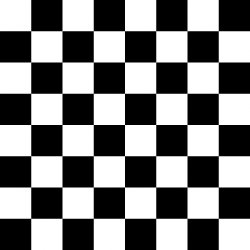
Ops, sorry i guess there was a missunderstanding, i meant you could use the checkered pattern with the tools that applyes distortions to it, this way you can see what the tool does
But testing that checkered pattern in the PS3 is not much useful
If you want to try a distortion pattern that could help me a lot to see if im in the correct direction, please use this one
DOWNLOAD (high quality version) ---> http://s000.tinyupload.com/index.php?file_id=01779790302436652985

I have not mentioned it before... but today i found a sequence of actions using strict math/geometrical rules that always results in this distortion pattern
It took me lot of trys to figure wich rules to follow, it was a bit like this...
try 1... and fail
try 2... and fail
try 3... and hmmm
try 4... and omg, this looks like a magic formula
So... im not sure, but i have the feeling i hit the nail with that distortion pattern im using
--------------
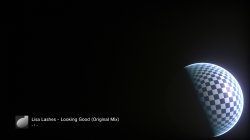
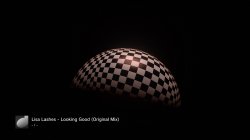
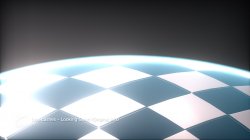
The strange visual effect in the edges in that test with the checkered pattern could be because the black squares are transparent ? so they allows to see the ground layer under them ?
You are injecting the images in the clouds layer... so the areas painted in fully opaque black are "holes"
*btw, i wonder what could happen when using fully opaque images in the ground too... maybe the sphere becomes transparent
But testing that checkered pattern in the PS3 is not much useful
If you want to try a distortion pattern that could help me a lot to see if im in the correct direction, please use this one
DOWNLOAD (high quality version) ---> http://s000.tinyupload.com/index.php?file_id=01779790302436652985
I have not mentioned it before... but today i found a sequence of actions using strict math/geometrical rules that always results in this distortion pattern
It took me lot of trys to figure wich rules to follow, it was a bit like this...
try 1... and fail
try 2... and fail
try 3... and hmmm
try 4... and omg, this looks like a magic formula
So... im not sure, but i have the feeling i hit the nail with that distortion pattern im using
--------------
The strange visual effect in the edges in that test with the checkered pattern could be because the black squares are transparent ? so they allows to see the ground layer under them ?
You are injecting the images in the clouds layer... so the areas painted in fully opaque black are "holes"
*btw, i wonder what could happen when using fully opaque images in the ground too... maybe the sphere becomes transparent

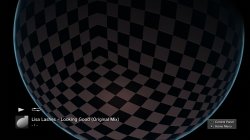
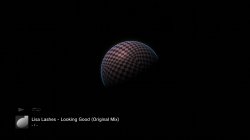
Ah I see. I thought that is what you meant at first. But then I used the tool on it and it looked like this so I thought you must have wanted it in each tile.Ops, sorry i guess there was a missunderstanding, i meant you could use the checkered pattern with the tools that applyes distortions to it, this way you can see what the tool does
But testing that checkered pattern in the PS3 is not much useful
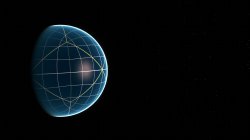
Well there is a wireframe underneath:The strange visual effect in the dges of the checkered pattern could be because the black squares are transparent ? so they allows to see the ground layer under them ?
You are injecting the images in the clouds layer... so the areas painted in fully opaque black are "holes"
*btw, i wonder what could happen when using fully opaque images in the ground too... maybe the sphere becomes transparent
So if its possible we should see that I expect?. And yeah you are right, it must be due to seeing the ground layer underneath... cool.
I dont think we can do fully transparent though on the ground unless we can use PNGs somehow.? I wonder if there is support for pngs..
sandungas
Developer
That screenshot was very interesting because there are some lines where can be counted the number of polygons...

I remember to see something like that the other day, the sphere object is created with quads first, and later they cuts them with spiral lines like swirling from a pole to the other pole all around, this creates triangles, is something like this:
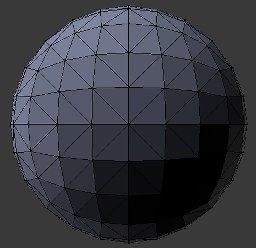
Sadly in that image it cant be seen well, mostly because are visibles the polygons of all the sides lol
Do you have some more screenshots of that test, even if are bad quality, maybe there is some detail we could deduce from them
I remember to see something like that the other day, the sphere object is created with quads first, and later they cuts them with spiral lines like swirling from a pole to the other pole all around, this creates triangles, is something like this:
Sadly in that image it cant be seen well, mostly because are visibles the polygons of all the sides lol
Do you have some more screenshots of that test, even if are bad quality, maybe there is some detail we could deduce from them
Last edited:
 Maybe you have some idea how to do it in the qrc, basically need to disable the textures without breaking the qrc and crashing it?
I think you got itIf you want to try a distortion pattern that could help me a lot to see if im in the correct direction, please use this one
DOWNLOAD (high quality version) ---> http://s000.tinyupload.com/index.php?file_id=01779790302436652985
I have not mentioned it before... but today i found a sequence of actions using strict math/geometrical rules that always results in this distortion pattern
It took me lot of trys to figure wich rules to follow, it was a bit like this...
try 1... and fail
try 2... and fail
try 3... and hmmm
try 4... and omg, this looks like a magic formula
So... im not sure, but i have the feeling i hit the nail with that distortion pattern im using

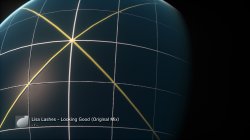

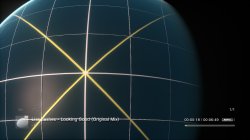
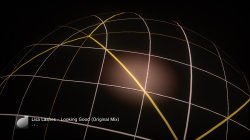

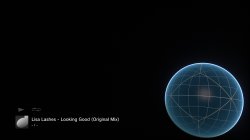
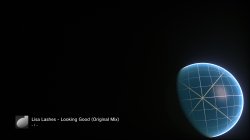

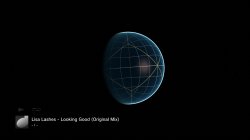


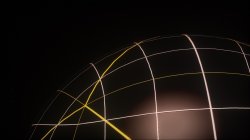


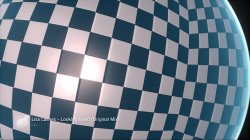
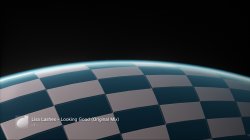
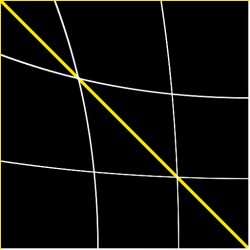
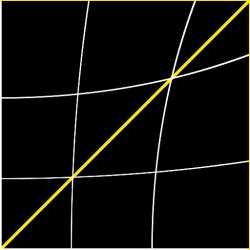
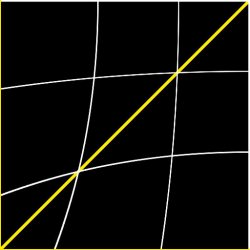
This is the 4 images I injected.
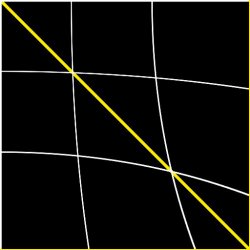
Attachments
Last edited:

Magic, Version, Tree_offset, Tree_size, Id_table_offset, Id_table_size, String_table_offset, String_table_size, Int_array_table_offset ,Int_array_table_size, Float_array_table_offset, Float_array_table_size , File_table_offset, File_table_sizeI guess is just a matter to increase the value that indicates the total filesize table, right now im not even sure if exists, but probably, and should be located at top of the .qrc file structure (loaded by the firmware in a previous step before loading the filetable)
Each of these is 4 bytes starting from the beginning of the file
Last edited:
That's well beyond me, but does this mean we CAN modify the OVERALL filesize and also move the files around within the QRC?Magic, Version, Tree_offset, Tree_size, Id_table_offset, Id_table_size, String_table_offset, String_table_size, Int_array_table_offset ,Int_array_table_size, Float_array_table_offset, Float_array_table_size , File_table_offset, File_table_size
Each of these is 4 bytes starting from the beginning of the file
View attachment 22980
This could be really great if we can. We could add higher quality XMB default icons (icontex.qrc/icons,qrc) and add higher quality DDS and TGA files to the wave (lines.qrc)
I would think we could but I let a friend use my ps3 so I can't test, he should be bringing it back soon. I hadn't looked at this file type before yesterday so @sandungas may already know all of this.That's well beyond me, but does this mean we CAN modify the OVERALL filesize and also move the files around within the QRC?
This could be really great if we can. We could add higher quality XMB default icons (icontex.qrc/icons,qrc) and add higher quality DDS and TGA files to the wave (lines.qrc)
Also I think we all know the about the magic & file size that we have to remove & replace when we use zlib. We would also need to fix that size.
Well I can test anything you want, but I know that is not so easy.I would think we could but I let a friend use my ps3 so I can't test, he should be bringing it back soon. I hadn't looked at this file type before yesterday so @sandungas may already know all of this.
Also I think we all know the about the magic & file size that we have to remove & replace when we use zlib. We would also need to fix that size.
If this will work and I can figure out a few more things we may be able to make a tool to work with these like kinda like zip files.
Mostly I'm down to figuring out how the tree works. I know enough to extract the files with names but a few things I'm not sure about so I can't build one yet. Once we know what all of the bytes in the tree are we should be able to take a directory and pack it into a qrc in theory.
Mostly I'm down to figuring out how the tree works. I know enough to extract the files with names but a few things I'm not sure about so I can't build one yet. Once we know what all of the bytes in the tree are we should be able to take a directory and pack it into a qrc in theory.
These automations are great. Seems to be a little issue with this one though, it keeps looping on its own jpgs.jpegtran Optimize JPG.bat
Code:for %%p in ("*.jpg") do ( jpegtran.exe -optimize "%%~np.jpg" "%%~np.opti.jpg" )

Its fine though, just letting you know.
I wonder is there anyway to optimize automatically "better", I need them smaller. See my PNGs from the cubemap generator are at 2MB approx. Then the output from tile splitter app is about 230KB ish. My current jpgs are optimizing like this about 10%. I need them to be approx 50KB after optimzing.
It would be great if we could have 250KB per slot and use 100% quality.
That would be awesome. We can run these from HDD easily enough, or make room on flash.If this will work and I can figure out a few more things we may be able to make a tool to work with these like kinda like zip files.
Mostly I'm down to figuring out how the tree works. I know enough to extract the files with names but a few things I'm not sure about so I can't build one yet. Once we know what all of the bytes in the tree are we should be able to take a directory and pack it into a qrc in theory.

Berion
Developer
I wonder is there anyway to optimize automatically "better", I need them smaller.
Try Guetzli or Mozjpeg.
https://github.com/google/guetzli/releases
https://github.com/mozilla/mozjpeg/releases
Cheers.Try Guetzli or Mozjpeg.
https://github.com/google/guetzli/releases
https://github.com/mozilla/mozjpeg/releases
BTW putting a 360 view onto the outside of a sphere looks ok, like a polished steel ball bearing
These textures are meant to be mapped around the inside of a sphere but it still looks ok on the outside.
Original cubemap texture:
Unwrapped:
@sandungas: I put this image into the cubemap generator.
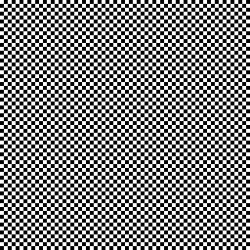
This was the result:
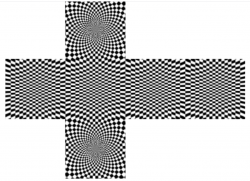
So I cut out these 8 images:
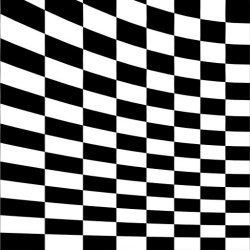
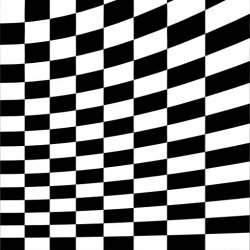
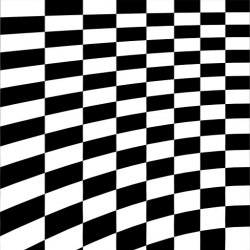
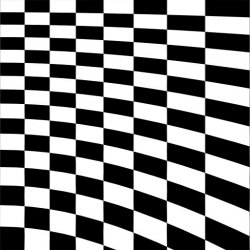
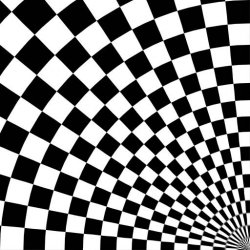
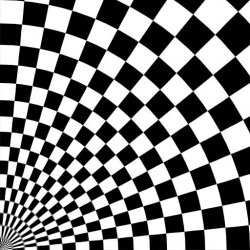
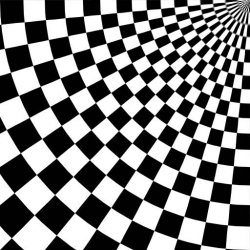
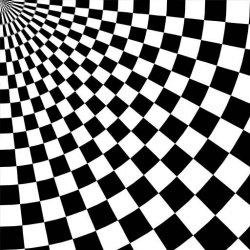
And injected them:

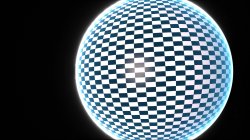

This was the result:
So I cut out these 8 images:
And injected them:
Attachments
Similar threads
-
 PS3 [Research] Modifying the Coldboot/Gameboot Sequence (custom_render_plugin.sprx/rco)
- Started by DeViL303
- Replies: 729
-

-
 PS3 webMAN MOD 1.47.34 - New XMB / Startup enhancements from Aldostools in this update.
- Started by STLcardsWS
- Replies: 87
-
