PS3 [Research] Modifying the Gaia Visualization (custom_render_plugin/earth.qrc)

Well, the orientation is very important,
I think it is in a way but don't forget I am going with the actual REAL orientation of the images in my template, you are going with the way it is displayed which is different. For me the real orientation takes priority.
Some presets actually show it the other way too, there is no "up" in space.

But anyway I don't care when the tool will handle all that. Hopefully we will just give it images the correct way up and not have to worry about that.
 
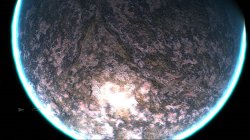
3rd rock from the sun :)

rock3.jpg


rock.jpg rock2.jpg rock4.jpg


Little tip for modders, look for high quality "tile-able" images and "seamless" images ;)

https://sites.google.com/site/freeseamlesstextures/home/rock
 

Attachments

Damnnn it's really amazing


can you recreate the default one but higher quality and 3D'ish
Maybe someone could do it if we can make more room in the qrc. We are very limited on space.

I need some other modders to get involved...too many mods I want to do. :)

Night time earth be cool too.

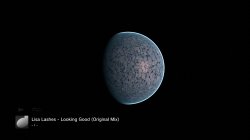
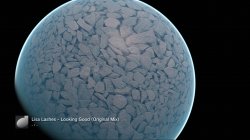
Here is one of my fails.. :)
stones4.jpg


stones.jpg stones2.jpg stones3.jpg
 

Attachments

Last edited:
Maybe someone could do it if we can make more room in the qrc. We are very limited on space.

I need some other modders to get involved...too many mods I want to do. :)

When i got time i surely will give a shot of modding it too

nice progress tho, the mods are amazing
 
I wonder where the image for the stars is or are they generated?

I am guessing we are in a big sphere with the stars projected inside it. It would be cool if we could change that too. There are lots of "skybox" images we could use. :)

Milky way etc.

Here are 2 we could try if its possible . These are seamless 3d images of the stars.

upload_2020-1-24_19-40-40.png
 
Also for me "511" means nothing really and refers to nothing else except your map.

Like I say, do 5 planets with 24 unique textures, and see what you think then. I will test the qrcs.
Can you see now what means the 3 numbers ?
rrd89SY.jpg


As i mentioned i was not sure what to do with that filenames, and the texts that appeared at the borders, but there are not much options, as example for this file:
earth/flashrom/ground_cm/5/1/001_000.jpg <--- displaying the whole path
/5/1/001_000.jpg <--- removed only the path where it appears the names "clouds/ground/specular"
5_001_000.jpg <--- some kind of shorting method
510.jpg <--- minimalistic
23.jpg <--- this is what you are doing, you are giving it a new name needed to remember

--------
And im not sure what you want me to see by creating a texture mod myself... you could explain, if there is some problem that im not seeing im open minded to try to make an effort to understand why you consider is hard

But keep in mind the process you do is different than what i would do, i mentioned it here first:
https://www.psx-place.com/threads/r...der_plugin-earth-qrc.27756/page-2#post-223062
And i explained it again here (up to step 6):
https://www.psx-place.com/threads/r...n-custom_render_plugin-earth-qrc.27756/page-8

By doing that i dont need to remember any offset, so i dont need to write the offsets in the reference image, also i could replace files from the layers ground/clouds/specular without problems
There is no room for mistakes in that process (other than is a repetitive task and we humans have mistakes when geting bored)

Also, the first thing i would do after extracting the files with a tool would be to copy all the .jpg files to a folder and rename them like with the numbers i said, note if you display them in "list mode" in windows there are going to be ordered correctly (in the same order than when you rename them from 1 up to 24)
000.jpg
001.jpg
010.jpg
011.jpg
100.jpg
101.jpg
110.jpg
111.jpg
etc... up to 5 groups of 4 each

Is just a mater of openning the .qrc + official file (000.jpg first)... search for it, replace by zeroes in the qrc... then open my custom file 000.jpg and paste it in the area with zeroes
And so on... following the order of the "list" displayed in the windows folder

 
Last edited:
Can you see now what means the 3 numbers ?
I know what they mean, but they refer to nothing that is useful to me when injecting files. I do not use the filename or ever need to know it. its completely unrealted to injecting files.

As i mentioned i was not sure what to do with that filenames, and the texts that appeared at the borders, but there are not much options, as example for this file:
earth/flashrom/ground_cm/5/1/001_000.jpg <--- displaying the whole path
/5/1/001_000.jpg <--- removed only the path where it appears the names "clouds/ground/specular"
5_001_000.jpg <--- some kind of shorting method
510.jpg <--- minimalistic
24.jpg <--- this is what you are doing, you are giving it a new name needed to remember

For me and for most people I think, working with slot 1 to 24 is much much simpler than all these similar names 011, 010, 001, 101 etc etc, That is so confusing for people. too much is the same, 1, 2, 3, 4, 5 is so simple.. I like simple.

I think if we use a complicated system no one will ever make mods..

Ad im not sure what you want me to see by creating a texture mod myself... you could explain, if there is some problem that im not seeing im open minded to try to make an effort to understand why you consider is hard
I think if you did it you would realize the name of the jpeg is not relevant thats all, it is not even written anywhere of importance, I would not even know the name of the jpgs if they were not on the wiki, so in all the modding I have done not once have I seen an official filename or needed it..

Anyway it does not matter how I work here really, you can come up with whatever system you think is best for everyone else.
 
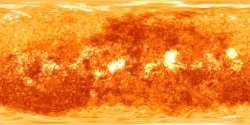
I made a grid layout to use with the cubemap tools, the grid have lines every 5º degrees of the sphere, the big squares are 15º degrees, and a cube face have 90º degrees
I converted it with this little program ---> http://realmofconcepts.com/unreal/CubeTheSphere.zip

The layout
zI80Ixf.jpg


The equator faces
WnovjTh.png


The polar faces
EiL6tYu.png


DOWNLOAD --- > http://s000.tinyupload.com/index.php?file_id=40378101609026980452
You should start injecting that one., I think you will understand more how the jpeg name is not convenient when you are trying to place it in the qrc, also how its better to work the REAL way up, rather then try to worry about north pole south pole which is only 1 click to fix.

I think the difference is you are trying to be technically accurate, and I just want to make it easy for people so we get lots of mods.

For example with the naming, you really want people to have to rename their files to those long names just so they can follow the diagram, it makes no sense to me to create that much extra typing work just to be exact.
 
Last edited:
I know what they mean, but they refer to nothing that is useful to me when injecting files. I do not use the filename or ever need to know it. its completely unrealted to injecting files.
How are refering to nothing ?... what im suggesting is based in the oficial codenames, when you are looking at the extracted folder names and file names you are going to see that oficial names all the time

But the numbers from 1 up to 24 you are giving to them are "custom"... so this is an additional custom information you need to remember

For me and for most people I think, working with slot 1 to 24 is much much simpler than all these similar names 011, 010, 001, 101 etc etc, That is so confusing for people. too much is the same, 1, 2, 3, 4, 5 is so simple.. I like simple.

I think if we use a complicated system no one will ever make mods..
If you get used to the method i tryed to explain you will realize the position of the file inside the .qrc structure doesnt matters

I open the official file, and when i search for it i dont care if his position in the "file list" is 1 or 24... i dont really need to know it is additional info not needed to remember
Also, i dont need to remember the filename either

I think if you did it you would realize the name of the jpeg is not relevant thats all, it is not even written anywhere of importance, I would not even know the name of the jpgs if they were not on the wiki, so in all the modding I have done not once have I seen an official filename or needed it..

Anyway it does not matter how I work here really, you can come up with whatever system you think is best for everyone else.
well, the names appears in the xml generated by the CXML decompiler... is just people are not used to that names because the tool doesnt extracts them with the correct names, but i have the feeling pink1 tool is going to solve that soon

And yeah... the official codenames sucks, but i think giving them an additional custom name is like a patch on top of other patch
In some way the best strategy is that proverb that says "if you can't beat them, join them"


Edit:
For example with the naming, you really want people to have to rename their files to those long names just so they can follow the diagram, it makes no sense to me to create that much extra typing work just to be exact.
What ? is the other way around... im removing some characters from the official codenames, and keeping only 3 digits, that 3 digits are official
Im not adding anything to the names
 
Last edited:
Like I say how you want to label them for your mods and how I label them for my mods makes no difference really. I know from practice, that having to type big long names and try not to mix up 010 101 and 001 100 etc will be a nightmare.
 
Last edited:
Do you see what you are saying.

1. You say you dont need the filenames ever
Also, i dont need to remember the filename either


2. you say its a crap system:
And yeah... the official codenames sucks,

3. Then you say we should use it anyway? :)
if you can't beat them, join them


The BIG thing is we can beat them, We will never need the official names, and they are crap, So we beat them with our own better system of course. :) for me in my own mods that is slot 1 to 72, for some one else it might be A to Z..
 
I open the official file, and when i search for it i dont care if his position in the "file list" is 1 or 24... i dont really need to know it is additional info not needed to remember
Search for every file? nah, too slow, like i say you have not done this, so you are working from theory, inject 240 images, see if searchiing for every offset is the quickest easiest way.,

The quickest way for me is to go down the list searching for the jpeg header, copy image 1.jpg , paste into slot, 1, press F3 to go to next header, paste 2.jpg in there and so one. If I had to search for every offset it would be way way slower.
 
We should get used to them because when you extract them you are going to have a folder like this:

5 (folder name)
|-000_000.jpg
|-000_001.jpg
|-001_000.jpg
|-001_001.jpg

So yes... you are going to deal with that weird names, and you will need to remember them
I dont like the official folder and file names, but sony baptished them
 
We are not stuck with them, we can extract 1 to 72, and inject 1 to 72. Why do we need to stick to some crap system? It makes no sense and I willnot be changing now after all the images I have done, too hard to change, anyway, it makes no difference to me how other people label their files.

In you system ther would be subfolder too? no way, too much hassle.

You have no idea how many clicks are involved in taking a flat full planet image and making it into 24 tiles and injecting it... please do some planets.
 
We should get used to them because when you extract them you are going to have a folder like this:

5 (folder name)
|-000_000.jpg
|-000_001.jpg
|-001_000.jpg
|-001_001.jpg

So yes... you are going to deal with that weird names, and you will need to remember them
I dont like the official folder and file names, but sony baptished them
So if i want to inject a texture for gaia using your diagram I need to rename my 24 images and put them in folders like that first...that is so much extra work it would put me off. :)
 
Last edited:
Is not my system, is sony's system !
Im used to edit wiki and having to take decissions like this one discussing with other people and the official codenames always wins, the only exception when the oficial codenames doesnt wins is when we dont know the codename... in that case is needed to give them a temporal custom name, but if at some point someone finds the official codename then the wiki pages are edited

There are subfolders because inside the .qrc container there is a hierarchy that represents subfolders, at the time of extracting the files is better to keep that structure by extracting them in subfolders

At the time of building the code is needed to have the basic functions that does the standard stuff because that code could be used in other projects, but if you add some predefined actions that breaks the standard like using custom file names or not following the subfolder hierarchy then your code is not standard
All that features are like extras that could be added on top of the basic functions

Anyway, i had an idea about how to represent that folder names and file names in the reference image, (see the example in a corner) im using a color code
-White (at top) is the folder name (this varies from 0 up to 5)
-Yellow (at center) is the filename (there is no room to add the file extension, if i do it in that line the text will be very small)
-Red (at bottom) is the position in the filelist you like to use
in99NN6.jpg


*Now the texts located in the borders of the images in small font are not needed.... i can replace them by something you want

*I need to add a [Legend] text in a corner to explain what means the color codes... this way it will be explicit that are ""folder name", "file name", and "file position"
 

Similar threads

Back
Top