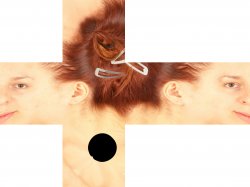
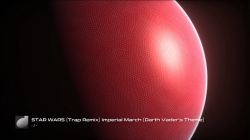
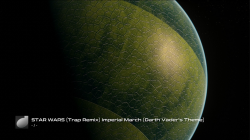
Nice work xf505, thats what I like to see.RetroArch earth.qrc


Nice work xf505, thats what I like to see.RetroArch earth.qrc

For zlib i use this a lot@sandungas @pink1 See the super handy little tool i found for Zlib called zdrop. Very simple and small. Seems to have slightly different compression to simplyzip, slightly different filesize, but it works perfectly for ps3 so is a great little addition.

but i know the CXML structure and i knew the full rebuilding was "not so hard" in comparison with extraction
The challengue is to process the TOC table, this took lot of work to reverse it, heheh, at this point you have full support for it i guess
At this point the biggest challengue is the float table, and the float array tables, the way it works is they only stores a single copy of every "float" or "float array" data types
You need to imagine it like if the "source" data was parsed from an xml, and the value you need to store is either "something=1.342" (single float) or "something=1.345, 10.345" (float array composed by 2 floats)
Also, every value is stored only a single time (for efficiency)... lets say... if the original xml had different attributes owned by different elements... but his value is the same (lets say the same float 1.234 repeated 20 times) then the table stores it only 1 time (and the structure uses references to point to it)
But as i said, this is tricky and you should ignore it by now (i would kill for a qrc rebuilder please do it)
Well I have an exe that works fine from the command line, that was the point of my post.For zlib i use this a lot
https://www.psx-place.com/resources/zlib-gui.716/
The GUI is an .exe but the real work is made by a zlib.dll library
The GUI is hosted on a personal page of a russian guy... but the .dll is official from the zlib web
I took both, packed them together, and uploaded them to the forum for simplification purposes, but the .dll can be replaced by new versions at any point
Im not sure if there is some way to use it in command line though, but the .dll can be included in your program @pink1 compiled as static, right ?
In the zlib web they have source code and zlib versions compiled in all colors and flavours
I posted some in the talk pages in wiki... mostly because at that time was a bit experimental so was like dirty notesAny chance you can make an xml of what the earth qrc would be or could be structured like? or would that be too much hassle..? or another qrc if its easier...
<qrc>
	<file-table>
		<file src="icontex_0x00000000.bin" id="1n" size="87508" />
		...
		..
		.
	</file-table>
</qrc><raf>
<scene camera_num="1" light_num="2" script_num="1" actor_num="6">
<actor anim_speed="1.0,1.0,1.0,1.0" scale="1.28,0.64,0.64" uv_offset="0.0,0.0" color="1.0,1.0,1.0,1.0" anim_weight="1.0,0.0,0.0,0.0" material="mtrl_logo" uv_scale="1.0,-1.0" id="logo" anim_time="0.0,0.0,0.0,0.0" position="1.85,0.0,0.0" model="plane" rotation="1.570796,0.0,0.0" />
</scene>
<model-table num="1">
<model id="plane">
</model>
</model-table>
<material-table num="6">
<material id="mtrl_logo" effect="sce01">
<_texture texref="_new_logo.gtf" />
</material-table>
<texture-table num="6">
<texture min_filter="0" mip_filter="0" fileindex="2" mag_filter="0" ext="1" wrap_t="1" wrap_s="1" wrap_p="1" fileref="new_logo.gtf" type="0" id="_new_logo.gtf" />
</texture-table>
<file-table>
<file src="c:\coldboot\new_logo.gtf" type="4" id="new_logo.gtf" />
...
..
.
</file-table>
</raf>I posted some in the talk pages in wiki... mostly because at that time was a bit experimental so was like dirty notes
This one from icontex.qrc is pretty straightforward https://www.psdevwiki.com/ps3/Talk:Icontex.qrc
For .qrc is like this:
That hierarchy of elements/atributes (represented as an xml) is exactly the same in the TOC of the .qrcCode:<qrc> <file-table> <file src="icontex_0x00000000.bin" id="1n" size="87508" /> ... .. . </file-table> </qrc>
The reason why it looks so simililar to an .xml is because the "source" files (before converted into a .qrc) was an xml
This is why is so convenient to extract the info of the TOC as an xml (also, is convenient to use an xml to create a TOC)
The other cxml containers (such .raf and .p3t) have a lot more info in the TOC, the best example of this is coldboot.raf there is an example of the xml here:
https://www.psdevwiki.com/ps3/Talk:Coldboot.raf#Coldboot.sxml
Instead of having only a <file-table> it have a lot more tables, as example... (one of each)
Code:<raf> <scene camera_num="1" light_num="2" script_num="1" actor_num="6"> <actor anim_speed="1.0,1.0,1.0,1.0" scale="1.28,0.64,0.64" uv_offset="0.0,0.0" color="1.0,1.0,1.0,1.0" anim_weight="1.0,0.0,0.0,0.0" material="mtrl_logo" uv_scale="1.0,-1.0" id="logo" anim_time="0.0,0.0,0.0,0.0" position="1.85,0.0,0.0" model="plane" rotation="1.570796,0.0,0.0" /> </scene> <model-table num="1"> <model id="plane"> </model> </model-table> <material-table num="6"> <material id="mtrl_logo" effect="sce01"> <_texture texref="_new_logo.gtf" /> </material-table> <texture-table num="6"> <texture min_filter="0" mip_filter="0" fileindex="2" mag_filter="0" ext="1" wrap_t="1" wrap_s="1" wrap_p="1" fileref="new_logo.gtf" type="0" id="_new_logo.gtf" /> </texture-table> <file-table> <file src="c:\coldboot\new_logo.gtf" type="4" id="new_logo.gtf" /> ... .. . </file-table> </raf>
By reading the TOC you can "navigate" that heirarchy, and load the names of the elements (like camera_num stored as a string), values of the attributes (that can be integers, floats, or float arrays), etc...
And btw... now that im looking at it i can show a good example of how works the float arrays... this ones are float arrays:
color="1.0,1.0,1.0,1.0"
scale="1.28,0.64,0.64"
uv_offset="0.0,0.0"
Usually are the values for colors (and array of 4 values for RGBA), or 3D coordinates (an array of 3 values for XYZ), or 2D coordinates for textures (an array of 2 values for UV)
bin\jpegtran -crop 4096x2048+0+0 -outfile 4096x2048.jpg 512x512.jpg
bin\jpegtran -drop +512+0 512x512.jpg -outfile 4096x2048.jpg 4096x2048.jpg
bin\jpegtran -drop +1024+0 512x512.jpg -outfile 4096x2048.jpg 4096x2048.jpg
bin\jpegtran -drop +1536+0 512x512.jpg -outfile 4096x2048.jpg 4096x2048.jpg
bin\jpegtran -drop +2048+0 512x512.jpg -outfile 4096x2048.jpg 4096x2048.jpg
bin\jpegtran -drop +2560+0 512x512.jpg -outfile 4096x2048.jpg 4096x2048.jpg
bin\jpegtran -drop +3072+0 512x512.jpg -outfile 4096x2048.jpg 4096x2048.jpg
bin\jpegtran -drop +3584+0 512x512.jpg -outfile 4096x2048.jpg 4096x2048.jpg
bin\jpegtran -drop +0+512 512x512.jpg -outfile 4096x2048.jpg 4096x2048.jpg
bin\jpegtran -drop +512+512 512x512.jpg -outfile 4096x2048.jpg 4096x2048.jpg
bin\jpegtran -drop +1024+512 512x512.jpg -outfile 4096x2048.jpg 4096x2048.jpg
bin\jpegtran -drop +1536+512 512x512.jpg -outfile 4096x2048.jpg 4096x2048.jpg
bin\jpegtran -drop +2048+512 512x512.jpg -outfile 4096x2048.jpg 4096x2048.jpg
bin\jpegtran -drop +2560+512 512x512.jpg -outfile 4096x2048.jpg 4096x2048.jpg
bin\jpegtran -drop +3072+512 512x512.jpg -outfile 4096x2048.jpg 4096x2048.jpg
bin\jpegtran -drop +3584+512 512x512.jpg -outfile 4096x2048.jpg 4096x2048.jpg
bin\jpegtran -drop +0+1024 512x512.jpg -outfile 4096x2048.jpg 4096x2048.jpg
bin\jpegtran -drop +512+1024 512x512.jpg -outfile 4096x2048.jpg 4096x2048.jpg
bin\jpegtran -drop +1024+1024 512x512.jpg -outfile 4096x2048.jpg 4096x2048.jpg
bin\jpegtran -drop +1536+1024 512x512.jpg -outfile 4096x2048.jpg 4096x2048.jpg
bin\jpegtran -drop +2048+1024 512x512.jpg -outfile 4096x2048.jpg 4096x2048.jpg
bin\jpegtran -drop +2560+1024 512x512.jpg -outfile 4096x2048.jpg 4096x2048.jpg
bin\jpegtran -drop +3072+1024 512x512.jpg -outfile 4096x2048.jpg 4096x2048.jpg
bin\jpegtran -drop +3584+1024 512x512.jpg -outfile 4096x2048.jpg 4096x2048.jpg
bin\jpegtran -drop +0+1536 512x512.jpg -outfile 4096x2048.jpg 4096x2048.jpg
bin\jpegtran -drop +512+1536 512x512.jpg -outfile 4096x2048.jpg 4096x2048.jpg
bin\jpegtran -drop +1024+1536 512x512.jpg -outfile 4096x2048.jpg 4096x2048.jpg
bin\jpegtran -drop +1536+1536 512x512.jpg -outfile 4096x2048.jpg 4096x2048.jpg
bin\jpegtran -drop +2048+1536 512x512.jpg -outfile 4096x2048.jpg 4096x2048.jpg
bin\jpegtran -drop +2560+1536 512x512.jpg -outfile 4096x2048.jpg 4096x2048.jpg
bin\jpegtran -drop +3072+1536 512x512.jpg -outfile 4096x2048.jpg 4096x2048.jpg
bin\jpegtran -drop +3584+1536 512x512.jpg -outfile 4096x2048.jpg 4096x2048.jpg
bin\jpegtran -crop 8192x4096+0+0 -outfile 8192x4096.jpg 4096x2048.jpg
bin\jpegtran -drop +4096+0 4096x2048.jpg -outfile 8192x4096.jpg 8192x4096.jpg
bin\jpegtran -drop +0+2048 4096x2048.jpg -outfile 8192x4096.jpg 8192x4096.jpg
bin\jpegtran -drop +4096+2048 4096x2048.jpg -outfile 8192x4096.jpg 8192x4096.jpg

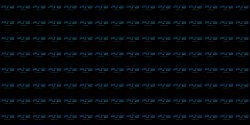
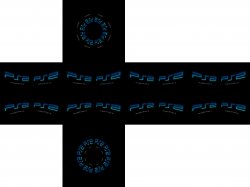
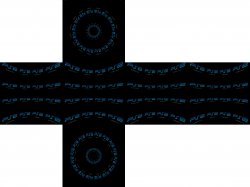

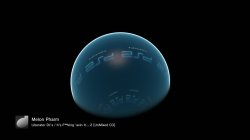





That works with just the exe, I did not have it installed and I just used the exe alone to convert 8k jpeg flat map to 6x3MB BMPs at 1024x1024..@DeViL303 do you have the program CubeTheSphere installed ? (is better for this test if you dont)
Incase you dont have it... can you tell me if this works in your PC ?
http://s000.tinyupload.com/index.php?file_id=06425447159756080263
Im asking because the program CubeTheSphere have an installer (and it creates a log at installation time where it can be seen it depends of some .dll files)
The .exe i uploaded is the result of that installation, but im not including the .dll's (so im not sure if is going to work fine just like that)
Nice one.Red Snake Skin earth.qrc
Nice that it works, but while i was writing my previous post i forgot the other day i was trying to send commands to it from command line (such the argument /help that uses to exist) but it was doing nothing :/That works with just the exe, I did not have it installed and I just used the exe alone to convert 8k jpeg flat map to 6x3MB BMPs at 1024x1024..
If it could be used from the command line or we can find the source it would be great to automate all that too.
The BMP would not be an issue, usage might be though. Have you tried calling it from command line?
Command Line Interface: Allows you to use CubeMapGen as a command line tool for processing cubemaps in scripts and batch files.

And can you tell me if this one works for you ? (is CubeMapGen.exe made by ATI/AMD)
http://s000.tinyupload.com/index.php?file_id=09840673143710127931
Same stuff... i installed the full program from this link, and im just uploading the main .exe (is just 1.7mb)
https://gpuopen.com/archive/gamescgi/cubemapgen/
And this one really supports command line... is mentioned explicitelly in the official page
It converted a cubemap to 6 images for me anyway.
Nice, dont install the real app btw, just for confirmation that all the functions are working fine for you while experimenting with it
-exportFacePrefix:[string=CubeFace]
Filename prefix for series of face images. Use -exportCubeFaces to export the faces after specifying this option.
-exportCubeFaces
Export cube map as a series of face images.
-exportFormat:{BMP|JPG|PNG|DDS|DIB|HDR|PFM}
Image format used when exporting cubemap to face images or cross images.