PS3 webMAN MOD 1.45.02 - Added Support for 4.81 CFW

webMAN MOD received an update to support CFW 4.81 from developer aldostools, The plugin for PlayStation 3 Custom Firmware user's also seen a few tweaks for supporting DeViL303's webMAN Launchpad. if you missed the last few updates there was also alot of new additions and changes in those updates that occurred over the last several weeks. A new USER/ADMIN feature has been added to the plugin offering alot of new security to your console, Option to mute SND0.AT3 on mounted games, which i know is a feature everyone could use. How many of us have woke someone up during a late night gaming session? Tons of new changes, checked it out in the included log


webmam-mod.jpg


  • NwebMAN MOD 1.45.02
    • Added support for CFW 4.81
    • webMAN LaunchPAD: now sort by game type (can be disabled)
    • webMAN LaunchPAD: fixed icon for .ntfs[BDFILE]
    • Fix toggle Cobra on non-Rebug CFW running full edition

  • webMAN MOD 1.45.01
    if upgrading from webMAN 1.43 or lower, settings must be configured again in /setup.ps3!!!!

    What's new in 1.45.01

    • New USER/ADMIN security mode:
      • Added the new combo L2+R2+TRIANGLE to toggle USER/ADMIN mode (disabled by default)
      • Several functions will be limited while the plugin is in USER mode, including:
        Access to /dev_blind, FTP server, ps3mapi, delete, copy, show IDPS, file manager, virtual pad...
      • Added /admin.ps3?enable&pwd=<pwd> to change mode
      • Added pwd=<pwd> parameter to the web commands:
        /setup.ps3, /install.ps3, /download.ps3, /restart.ps3, /shutdown.ps3, /browse.ps3
    • Added option to mute SND0.AT3 of mounted game when disc icon is selected on XMB
    • Added option to prevent auto-power off on ftp, install, download (except on Lite edition)
      (in previous version the option was enabled through USB polling)
    • Added web command /md5.ps3/<file> to full edition.

    Fixes

    • Fixed PSP games not mounted due fail copying icon
    • Fixed fan controller paused during PKG installation via combo
    • Fixed Remove SingStar Icon (thanks to bguerville)
    • Fixed option Remove SingStar Icon couldn't be changed
    • Fixed dup. games listing on full edition if remote net server is unavailable

    Changes & improvements

    • Mounting from XMB now always close folders (even if autoplay is off)
      (This option can be disabled unchecking PLAY DISC combo)
    • Some system combos now work only on XMB (e.g toggler cobra, rebug togglers)
    • Fixed /net games not listed in Last Game list of File Manager
    • The LED on the console now always blink while game is mounting
    • Added 3 seconds timeout to ps3netsrv connections

    Changes in other components:

    • Fixed crash still happening on ps3netsrv (Windows version)
    • VSH Menu 1.12: Fixed not loading VSH menu after install a pkg from VSH menu's File manager


    What's new in 1.45.00

    • New settings file: /dev_hdd0/tmp/wm_config.bin
      webMAN settings must be configured again in /setup.ps3!!!!
    • PS3 Web browser now closes faster after mount from XMB
    • Added prevention of 'Auto power off' (only when USB polling is enabled)
    • Added SYSCON as option for fan controller
    • FTP port now can be defined in /setup.ps3 (default port: 21)
    • Added option to define ftp session timeout (0=no timeout)
    • Added APPEND command to ftp server

    Changes in web commands

    • Added /swap.ps3 command
    • Added ?restart.ps3 parameter to install, copy, delete, rename
    • Added ?cover=<mode> parameter to /refresh.ps3 & /index.ps3
    • Added refresh launchpad only: /index.ps3?launchpad
    • /install.ps3?url= now deletes the pkg after install.
    • To keep the downloaded pkg use /install_ps3?url=

    Improvements & fixes

    • LaunchPad now use local icons (if they are available)
    • LaunchPad items now are listed sorted alphabetically
    • Changed /refresh.ps3 in LaunchPad to /index.ps3?launchpad
    • Language now defaults to English if the setting has a bad value
    • USB polling setting now don't need a restart if it's changed
    • Auto Power Off registry setting now is restored after reboot
    • Added check value range to fan settings when loaded
    • 'Slider' link now is visible only if the html file exists
    • Fixed auto-play disc too short wait
    • Fixed auto-play not working for all PSXISO
    • Fixed listing of net games if net game was mounted & server was disconnected
    • Fixed error 80010006 when hdd0/tmp/downloader doesn't exist
    • Fixed broken support for FlashFXP & LeapFTP
    • Added display of notifications of http request errors
    • Added check for invalid characters in file name copying to usb
    • Re-added DELETE_TURNOFF to /shutdown.ps3 & /restart.ps3
    • Current fan policy offsets will be applied on firmware >4.80
    • Improved scanning of icons
    • Improved sorting in game listing
    • Wait for download XML now supports a threshold size in the filename
    • Added /play.ps3, PLAY DISC & Auto-Play to Lite edition
    • Removed ONLINE COVERS from /setup.ps3 in English only
    • Removed show IDPS from Lite edition
    • Changed IEXP0_480.BIN to IEXP0_470.BIN in nonCobra edition
    • Added flag to compile for 4.80 CEX/DEX only (not used in release pkg)

    Changes in other components:

    • Updater: now installs to hdd0 if the webMAN is disabled in Rebug. Also updates the .bak in flash.
    • Fixed prepNTFS not listed on webMAN.xml due bad PARAM.SFO
    • prepNTFS now unmounts current game (vsh hanged returning to XMB if a /net game was mounted)
    • Updated binaries of ps3netsrv for rasberry pi
    • Fixed a crash of ps3netsrv ocurred during scanning for content

    • Checkout the webMAN MOD Information & Support thread here

Download: webMAN_MOD_1.45.02_Updater.pkg
Mirror: psx-place
 
Last edited:
if you mean enabled in rebug tool box then yes i do but still nothing shows and another error im getting is on xmbpd when i try to dowload any package it gives me a 400 bad request error ionno why

have u checked ur webman mod settings? do u have ur games on the internal hdd or usb or both?
 
Also when in-game, you trigger the combo then the xmb freezes, do you get a "webman unloaded" and/or "psn unlocked" pop up message or no message at all?

Can you try the unload combo before launching the game? It would be good to know if the issue only appears in-game or all the time...
I've got the both pop up messages, i can hear the fan goes up (set at 37% in ps2 fan control mod of webman).

I will do some tests at monday, i'm busy this week end. I will report it in this thread. Thanks for your help :)
 
Hi @aldostools is possible to add those Launchpad strings to language.h as for now it's look like webman is generating them in wm_launchpad.xml only in English?

Refresh LaunchPad
WebMAN Setup
Unmount
 
if you mean enabled in rebug tool box then yes i do but still nothing shows and another error im getting is on xmbpd when i try to dowload any package it gives me a 400 bad request error ionno why
XMBPD will only work with webMAN-MOD 1.45.0x Full Edition .
You must download the latest wMM updater pkg from github.com/aldostools/webMAN-MOD/releases/tag/1.45.02.
Then install the pkg. You will have a wMM Update shortcut on xmb now.
Keep L1 button pressed on your pad then launch the update with X. After reboot, you can stop pressing L1. [emoji6]
Now the right edition is installed, try XMBPD again.

Also in Rebug there are 2 ways to load webMAN-MOD
1. The usual Cobra way using /dev_hdd0/boot_plugins.txt.
2. The Rebug way, you must use the Toolbox to enable/disable the feature.
You should not enable webMAN-MOD with both ways at the same time. Choose one & stick to it.
 
You should not enable webMAN-MOD with both ways at the same time. Choose one & stick to it.

KW added check for that in cobra itself, so only one instance of webman will run in this case. But i don't remember which one (90% dev_flash one).

Thanks, is working fine (tested from sprx, not pkg). Translators should now add STR_REFRESH_LP to language files.

Fyi @maniek6666 use latest build from github and add STR_REFRESH_LP to language file, rest of strings is already added.

Small ot, @DeViL303 Installing Launchpad on (my) NAND is taking 7-8 minutes. Probably you can't fix it, just fyi.
Edit: Medium ot, IRISMAN in XMBPD is outdated.
 
Last edited:
KW added check for that in cobra itself, so only one instance of webman will run in this case. But i don't remember which one (90% dev_flash one).


Thanks, is working fine (tested from sprx, not pkg). Translators should now add STR_REFRESH_LP to language files.

Fyi @maniek6666 use latest build from github and add STR_REFRESH_LP to language file, rest of strings is already added.

Yes, KW added a check to Cobra to prevent load multiple instances of webMAN.
webMAN on dev_flash is the one loaded if it is enabled.

I reused the existing label STR_REFRESH and added the word "LaunchPad".
The other 2 labels were already translated There is no need to add translate additional strings.
 
Last edited:
@bguerville i made some tests.
I mount a backup, press combo buttons to remove syscalls/delete history/unlocked psnpatch and unload webman.

Then if i go onto the disc icon of the backup, i've got no background image and no sound (snd0.at3). If i go on any menu items and enter in it, the xmb freeze. I can only long press the PS button to try to shutdown the console but it doesn't.

If i launch the backup, the xmb disappear and ps3 stays on wallpaper, nothing's happen.

It seems that i am the only one having this problem, or maybe nobody unload webman from memory while disabling syscalls.
Could someone try it?

If webman stays loaded in memory, even if i disable syscalls, all is alright.

Also, if i mount the backup with irisman, i can unload webman from memory without a problem.

Edit: maybe it's related to recent implementation of launchpad into webman, because launchpad needs webman to work. Or maybe the cfw is in cause, wrong symbols in lv2.
(I had launchpad installed but i removed it and reinstall cfw many times)
 
Last edited:
XMBPD will only work with webMAN-MOD 1.45.0x Full Edition .
You must download the latest wMM updater pkg from github.com/aldostools/webMAN-MOD/releases/tag/1.45.02.
Then install the pkg. You will have a wMM Update shortcut on xmb now.
Keep L1 button pressed on your pad then launch the update with X. After reboot, you can stop pressing L1. [emoji6]
Now the right edition is installed, try XMBPD again.

Also in Rebug there are 2 ways to load webMAN-MOD
1. The usual Cobra way using /dev_hdd0/boot_plugins.txt.
2. The Rebug way, you must use the Toolbox to enable/disable the feature.
You should not enable webMAN-MOD with both ways at the same time. Choose one & stick to it.
Thnx a lot man this fixed all my problems good looking out
 
1. My version of PARAM.SFO into attachment
2. Seems random crashes of ps3netsrv.exe during 'html/xml refresh' not leave. May be I did something wrong? :(
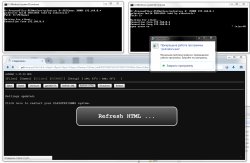
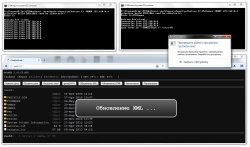
net-crash-00.jpg net-crash-01.jpg

3. Games from net#/PS3ISO very offten not displayed via XMB/Web but games from GAMES/GAMEZ displayed fine from this harddrive drive. Also refreshing PS3ISO games via Web have more chance to crashing ps3netsrv instead refreshing XMB or GAMES/GAMEZ
4. Sometimes games from /net1 not displayed in XMB bit from /net0 displayed fine in this moment
 

Attachments

Last edited:
@aldostools Thx for new updates, it's awesome! Today i'm try it with ps3netsrv on windows :)
Can you add TITLE_08 and others TITLE_## into PARAM.SFO (wM&prepNTFS) in future update, please?

I don't have russian games to test, but you can check if this build reads TITLE_08 (if russian is selected in /setup.ps3)
http://aldostools.org/temp/test/webMAN_MOD_1.45.xx_Updater.pkg

1. My version of PARAM.SFO into attachment
2. Seems random crashes of ps3netsrv.exe during 'html/xml refresh' not leave. May be I did something wrong? :(
3. Games from net#/PS3ISO very offten not displayed via XMB/Web but games from GAMES/GAMEZ displayed fine from this harddrive drive. Also refreshing PS3ISO games via Web have more chance to crashing ps3netsrv instead refreshing XMB or GAMES/GAMEZ
4. Sometimes games from /net1 not displayed in XMB bit from /net0 displayed fine in this moment

I've made a little change... but the crash seems to be random... So I'm not sure if the change really fixed it or not. You can try:
http://aldostools.org/temp/test/ps3netsrv_20161120.zip
 
Thanks you, @aldostools but this not help me. Today i'm try test ps3netsrv on another PC/HDD and test with different 10-20 game collection via GAMES/GAMEZ/PS3ISO (on my PC HDD 350 games now). Maybe problem is resolve shorting game list :)
 
Ok. I'm test ps3netsrv 20161120 + wM 1.45.02 at another PC (Win7 x64 too). I'm created share with 5 different folders contains by 1 games of each type: GAMES, GAMEZ, PS3ISO, PSXISO, PS2ISO. But ps3netsrv crashing during scan whatever. Also game from PSXISO not show via XMB/Web

Sometimes wM lost connect from /net# shares (http://192.168.0.4/net0 is empty) but web control works fine in this moment. Future i'm test with another router too
 
Ok. I'm test ps3netsrv 20161120 + wM 1.45.02 at another PC (Win7 x64 too). I'm created share with 5 different folders contains by 1 games of each type: GAMES, GAMEZ, PS3ISO, PSXISO, PS2ISO. But ps3netsrv crashing during scan whatever. Also game from PSXISO not show via XMB/Web

Sometimes wM lost connect from /net# shares (http://192.168.0.4/net0 is empty) but web control works fine in this moment. Future i'm test with another router too

I uploaded a new ps3netsrv 20161121 to github. It is not too different, but I mention it if you want to test with that one.

As I commented, the crash seems to be random... currently it hasn't happened to me again after the changes, but I don't think it's really resolved.

Also you haven't commented about the feature that you requested about localized title in PARAM.SFO. Did it work?

EDIT:
I've updated the function copy_net_file() in wMM, just in case it has some relation to the crashes.
 

Featured content

Trending content

Back
Top